Best Drawing Tablet 2026: Ten Screens Ranked for Artists
By Felipe Iglesias · Updated

The first question for any drawing tablet is whether it needs a computer, because a standalone Android tablet and a pen display that plugs into a PC are solving different problems entirely. The listings add their own noise: the XPPen Artist Pro 16 Gen 2 and the older Artist Pro 16 share the same 290 review pool, the HUION Gen 3 with stand lists its colour as pink and slips between 8,192 and 16,384 resolution levels, and the VEIKK sheet says Schwarz for its colour.
So we ranked ten of the best drawing tablet options on Amazon in September 2026 on screen size and resolution, pressure levels, colour gamut, whether they need a PC, and the depth of honest evidence. Marketing levels like 16K pressure are repeated as claims where the sheet contradicts them.
PicassoTab 10" Standalone Drawing Tablet, No Computer Needed, Portable, A10

The standalone champion: no PC needed, with a 5,651 rating pool at 4.5 and tutorials included.
Advantages
- 5,651 ratings at 4.5
- Standalone, no computer needed
- Laminated 10 inch screen
- Lifetime app upgrades
- £169.95 price
Disadvantages
- 4096 pressure levels, not 8192
- Native resolution field in millimetres (as listed)
- Android based OS
The PicassoTab A10 is the drawing tablet we would recommend first for anyone who does not want to cable a PC into the mix, because it is a fully standalone Android tablet and its 5,651 ratings at 4.5 are by far the deepest pool in this category. The laminated 10 inch screen ships with a 4,096 level pen, five creative apps and lifetime VIP upgrades for the Concepts and Artixo tutorials.
Reviewers use it daily for drawing, schoolwork and animation, and the bundled case, glove and screen protector remove the hidden costs of other tablets. The sheet lists its native resolution in millimetres, a unit slip we flag as listed.
At £169.95 it ranks first on the combination of no PC requirement, deep evidence and beginner support.
HUION Kamvas 13 Drawing Tablet with Screen 8 Shortcut Keys 13.3" Black

The proven PC pen display: 13.3 inches with 1,210 ratings at 4.4 for £179.99.
Advantages
- 1,210 ratings at 4.4
- 13.3 inch full laminated screen
- 8 programmable keys
- 980 g ultra slim
- £179.99 price
Disadvantages
- International product notice (as listed)
- Type-C cable for Android not included
- Stand sold separately
The HUION Kamvas 13 is the drawing tablet we would recommend first for artists who work at a desk, pairing a 13.3 inch full laminated screen with eight programmable press keys and a battery free 8,192 level pen. At 980 g and 11.8 mm it is also one of the lightest pen displays you can buy, and its 120 percent sRGB gamut keeps colours vivid.
Its 1,210 ratings at 4.4 describe paper like drawing, easy setup and great build, with the honest advice to buy a stand. The listing carries the international product notice, meaning it may be sold from abroad with separate terms, a detail we pass on as listed.
At £179.99 it ranks second for PC connected artists who want proven value.
VEIKK VK1200 V2 Drawing Tablet • Drawing Tablet With Screen • 12" Screen • 120% sRGB Color Gamut • 8192 Pressure Levels • Pen Display • Supports Windows, macOS, Linux

The all metal VEIKK with two pens and 1,120 ratings at 4.4, priced at £169.90.
Advantages
- 1,120 ratings at 4.4
- Two pens and 28 nibs included
- 12 inch full laminated FHD
- All metal body
- £169.90 price
Disadvantages
- Colour field reads Schwarz (as listed)
- 11.6 inch active area in sheet
- One year warranty
The VEIKK VK1200 V2 brings an all metal body and full lamination to the affordable pen display market, with a 12 inch FHD anti glare screen, an 8,192 level battery free pen and six custom shortcut keys. The bundle is generous: two pens, 28 spare nibs, a glove and a holder, at a price that rivals tablets with fewer accessories.
Its 1,120 ratings at 4.4 describe easy plug in setup, excellent screen quality for the size and comfortable pens, with one owner calling it a great piece of kit for a total beginner. The sheet lists its colour as Schwarz, a language slip we flag as listed.
At £169.90 it ranks third on the accessory value and solid evidence.
HUION Kamvas Pro 13 Drawing Tablet with Screen with Stand 13.3" 8192 Levels

The Kamvas Pro with stand, touch bar and 1,109 ratings at 4.4 for £188.99.
Advantages
- Stand included
- Touch bar plus 4 press keys
- 1,109 ratings at 4.4
- 120% sRGB, 8192 levels
- £188.99 price
Disadvantages
- OS field printed in German (as listed)
- Needs a PC to operate
- Pen display only
The HUION Kamvas Pro 13 adds a foldable stand and a touch bar to the 13.3 inch formula, with four programmable press keys alongside the touch strip for a cleaner workflow. Its 120 percent sRGB screen and battery free pen with 60 degree tilt match the classic Kamvas 13.
Its 1,109 ratings at 4.4 include a ghost illustrator who switched from a Cintiq and will not buy another brand, praising colour, pens and easy setup. The operating system field is printed in German, a language slip we flag as listed.
At £188.99 with the stand included it costs only £9 more than the standless classic above, which makes it the smarter buy for desk artists. It ranks fourth on that value.
11" Standalone Drawing Tablet, Portable PicassoTab, No Computer Needed -X11

The bigger standalone PicassoTab: an 11 inch screen with 687 ratings at 4.4 for £199.95.
Advantages
- 11 inch laminated 2K screen
- Standalone, no computer needed
- 687 ratings at 4.4
- 6 GB RAM, 128 GB storage
- Lifetime app upgrades
Disadvantages
- £199.95 price
- 4096 level pressure
- Simbans custom OS
The PicassoTab X11 is the standalone drawing tablet we would recommend first for artists who found the A10 screen too small, with an 11 inch laminated 2K display at £199.95. It runs the same no PC operating system with five preloaded apps and lifetime Concepts and Artixo upgrades, plus an octa core processor, 6 GB RAM and 128 GB of storage expandable to 1 TB.
Its 687 ratings at 4.4 describe a tablet loved as a gift and for classroom use, with Simbans customer service singled out for resolving an accidental damage case cheaply.
At £199.95 it ranks fifth, above the smaller A10 on screen size but below it on price and pool depth.
RubensTab T11Pro 10.1 Inch Standalone Drawing Tablet No Computer Needed with Stylus Pen,Octa-Core CPU,Pre-Installed Sketchbook & Flipaclip -Best Gift for Beginner Digital Graphic Artis

The RubensTab standalone with a 4.6 score across 532 reviews, priced at £189.95.
Advantages
- Standalone Android tablet
- 4.6 across 532 reviews
- 10.1 inch FHD display
- Sketchbook and Flipaclip installed
- £189.95 price
Disadvantages
- Brand field reads Frunsi (as listed)
- Part number is an XP-Pen 15.6PRO model (as listed)
- No captured review text
The RubensTab T11Pro is a 10.1 inch standalone Android drawing tablet with an FHD display, 8,192 level pen and preinstalled Sketchbook and Flipaclip apps, working straight out of the box with no computer. Its octa core CPU, 4 GB RAM and 64 GB storage run Android 12, and the adjustable stand case is included.
Its 532 ratings at 4.6 are the highest score among the standalone tablets, and the captured owners did not include review text in our harvest, so the score stands on the pool. The sheet shows its brand field as Frunsi and a manufacturer part number from an XP-Pen 15.6 Pro model, slips we flag as listed.
At £189.95 it ranks sixth, a strong standalone that loses to the PicassoTabs on pool size and support ecosystem.
HUION Kamvas 13 Gen 3 Drawing Tablet with Screen, 16384 Pen Pressure, Black

The newest HUION Kamvas with 16,384 level PenTech 4.0, rated 4.1 across 467 reviews at £209.
Advantages
- PenTech 4.0, 16,384 levels
- Anti sparkle laminated glass
- Factory colour calibration
- 5 keys and dual dials
- USB-C single cable
Disadvantages
- 4.1 across 467 reviews
- £209.00 price
- Calibration needed per owners
The HUION Kamvas 13 Gen 3 is the newest generation of the 13.3 inch pen display, upgrading to a 16,384 level PenTech 4.0 pen with 2 g activation force and an all new anti sparkle laminated canvas glass. Its factory calibration report and sub 1.5 average colour error target accuracy, with a USB-C single cable connection and five express keys plus dual dials.
Its 467 ratings at 4.1 are the weakest score among the HUION 13 inch models here, and owners describe a screen that works like a charm after calibration, with the usual grumble about the number of cables.
At £209.00 it ranks seventh because the newest sensor tech costs more while the pool shows more early issues than the mature classic models.
HUION Kamvas 13 Gen 3 Drawing Tablet with Screen with Stand 13.3", Black

The Gen 3 with stand at £228.59, where the sheet slips between resolutions and lists pink.
Advantages
- Same Gen 3 core as our number seven
- Adjustable stand included
- 16384 level pen
- 99% sRGB
- 84 ratings at 4.3
Disadvantages
- Colour field reads pink on a black tablet (as listed)
- Resolution field prints 8192 vs 16384 (as listed)
- £228.59 price
This HUION Kamvas 13 Gen 3 bundle adds the adjustable stand to the newest 13.3 inch pen display, with the same 16,384 level PenTech 4.0 pen and 99 percent sRGB canvas. It is the same core as our seventh placed Gen 3, so the stand is the only functional difference.
Its 84 ratings at 4.3 are young, and the data sheet introduces two slips we flag as listed: the colour field reads pink on a black listing, and the native resolution field prints 8192 while the pen and title claim 16,384 levels. Owners describe a low budget, high quality upgrade path from a failing Cintiq.
At £228.59 the stand version costs £19 more than the bare Gen 3. It ranks eighth because the pool is small and the sheet is messy.
XPPen Artist Pro 16(Gen 2) Graphics Drawing Tablet with 16" 2.5K QHD Screen

The 2.5K XPPen flagship with 16K pressure, sharing a 290 pool with the older 1080p model.
Advantages
- 16 inch 2.5K QHD screen
- 16K X3 Pro stylus
- Built in stand and shortcut remote
- 99% sRGB
- 290 ratings at 4.2
Disadvantages
- £529.98 price
- Pool shared with the older Artist Pro 16
- Cable management is fiddly
The XPPen Artist Pro 16 Gen 2 is the flagship pen display in this ranking, pairing a 16 inch 2.5K QHD full laminated screen with an industry first 16,000 level X3 Pro Smart Chip stylus and 99 percent sRGB coverage. The metal body carries a built in foldable stand and the wireless shortcut remote is included.
The honest caveat is its evidence: the 290 rating pool at 4.2 is shared with the older 1080p Artist Pro 16 below, so the reviews do not separate the new generation. Owners praise the colour correctness and the felt nibs while calling the cable management tricky.
At £529.98 it ranks ninth, ahead of the older twin on the 2.5K screen, but the shared pool stops it climbing higher on proof.
XPPen Artist Pro 16 Graphics Drawing Tablet with 8 Shortcut Keys 15.4 Inches Full-laminated Screen, 99% Adobe RGB Color Gamut, Supports Windows, Mac and Linux

The older 1080p XPPen drawing tablet at £399.99, sharing its review pool with the Gen 2 above.
Advantages
- 15.4 inch laminated FHD screen
- Eight shortcut keys
- Battery free X3 stylus
- 99% Adobe RGB
- £399.99 price
Disadvantages
- Pool shared with the Gen 2 model
- FHD, not 2.5K
- Connectivity needs care
The XPPen Artist Pro 16 is the previous generation of the 16 inch pen display, with a 15.4 inch full laminated FHD screen, eight shortcut keys and an X3 powered battery free stylus at 8,192 levels. Its 99 percent Adobe RGB gamut and Red Dot design award made it a serious professional tool when it launched.
Its 290 ratings at 4.2 are the same pool shown on the Gen 2 model, so the evidence cannot be split between the generations, an honesty note we repeat. Owners describe low cost, high quality and colour correctness, with tricky connectivity being the standing complaint.
At £399.99 it closes this drawing tablet ranking at tenth: a proven 16 inch workhorse undercutting its successor, for buyers who do not need the 2.5K screen.
All 10 compared
The same ranking side by side, now that the numbers have names.
Final Verdict
For beginners who want no computer the PicassoTab A10 is the best drawing tablet here with a 5,651 rating pool, while artists who work at a desk should choose the HUION Kamvas 13 or the VEIKK VK1200 V2 as proven pen displays. Professionals who need a 16 inch canvas have the two XPPen Artist Pro models, and should note that their shared pool does not separate the generations. Decide between standalone and PC connected first, then compare pressure and colour.
Why trust this ranking?
We rank on price, customer ratings and the specifications that decide the job, and we read each specification table against the marketing bullets on the same listing. When a number does not survive that check, we say so in the entry rather than quietly dropping the product. We also say when a product is the wrong one for you.
How we rank, in full
Written by
Felipe Iglesias
Founder & Lead Reviewer
Felipe is a computational engineering student who has been working in SEO since he was sixteen. He founded ranked10 and researches every guide on the site.
Related buying guides
Every guide below ranks ten products the same way this one does.
 Home & Office
Best Document Scanner 2026: 10 Ranked
The best document scanner for 2026 is the ScanSnap iX2500 White: £8.62 per page per minute, 100-sheet feeder. Nine more ranked, from £54.99.
 Home & Office
Best A3 Printer 2026: 10 Ranked
Best A3 printer for most offices: the Brother MFC-J5340DW at £185.90, where 28 ppm works out at £6.64 per page per minute.
 Home & Office
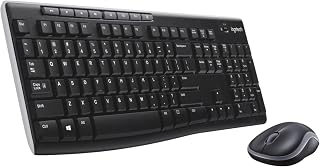
Best Wireless Keyboard and Mouse Combo 2026: 10 Ranked, Battery Claims Checked
Wireless keyboard and mouse combo picks from £16.89 — we flag the specs that contradict themselves, like a £23.32 set that says no batteries are needed.
 Home & Office
Best Gaming Desk 2026: 10 Ranked, and the Heights That Don't Add Up
Best gaming desk picks ranked: in the Bestier, tabletop thickness reads 91.5 cm — the same as its height. We check where the numbers disagree.
 Home & Office
Best Gaming Chairs 2026: 10 Ranked, Plus a 1,136 kg Capacity Claim
The £89.99 SONGMICS HOME gaming chair lists a 1,136 kg weight capacity. That is a base pressure test, not a limit. Ten gaming chairs ranked.
 Home & Office
Best Laptop Bag 2026: The Size That Is a Screen
Ten laptop bags: one says 15.6 inches in its title and 14.6 in its own fit field, two publish no bullets, and six borrow fields from clothing.
 Home & Office
Best Cable Management 2026: What the Piece Count Is Counting
Ten cable products: a 4m trunking sold as ten 400mm lengths counts as one piece, an 8-pair set counts as 24, and one sleeve is listed as screw-in.
 Home & Office
Best Safe 2026: The Box Weighs 1.87kg
Ten safes and lock boxes compared: three 6.6L boxes weigh 1.87kg, 2.04kg and 2.6kg, one lists Portable, and a 14L safe publishes no weight.
 Home & Office
Best Ergonomic Mouse 2026: Only Three Publish the Angle
Ten ergonomic mice compared: only three publish the vertical angle, one claims 8 minutes of battery, and a trackball has the best record.
 Home & Office
Best Whiteboard 2026: The Frame Eats 11 Per Cent
Ten whiteboards compared on the number most listings hide: the writing surface. A 90x60cm board gives you 86x56cm, and only three of ten say so.
Products you might like
The best rated products from our other Home & Office guides.
-
 BoYata Aluminium Adjustable Laptop Stand, 0-90 Degree, Foldable
£32.99
4.8
in Best Laptop Stand 2026: 10 Ranked on Height They Actually Reach
BoYata Aluminium Adjustable Laptop Stand, 0-90 Degree, Foldable
£32.99
4.8
in Best Laptop Stand 2026: 10 Ranked on Height They Actually Reach
-
 cocopar 15.6 Inch Portable Monitor, 1080p, 85% sRGB, 670g, VESA
£89.99
4.8
in Best Portable Monitor 2026: 10 Ranked on Colour and Brightness
cocopar 15.6 Inch Portable Monitor, 1080p, 85% sRGB, 670g, VESA
£89.99
4.8
in Best Portable Monitor 2026: 10 Ranked on Colour and Brightness
-
 cocopar 18.5 Inch Portable Monitor, 100Hz, 350 nits, 1080p, 1kg
£142.49
4.8
in Best Portable Monitor 2026: 10 Ranked on Colour and Brightness
cocopar 18.5 Inch Portable Monitor, 100Hz, 350 nits, 1080p, 1kg
£142.49
4.8
in Best Portable Monitor 2026: 10 Ranked on Colour and Brightness
-
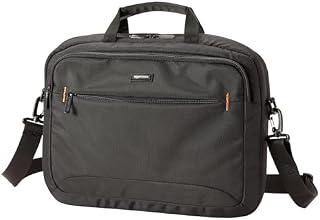 Amazon Basics Compact Laptop Shoulder Bag 15.6 inch, 7.1cm Deep
£13.95
4.7
in Best Laptop Bag 2026: The Size That Is a Screen
Amazon Basics Compact Laptop Shoulder Bag 15.6 inch, 7.1cm Deep
£13.95
4.7
in Best Laptop Bag 2026: The Size That Is a Screen
-
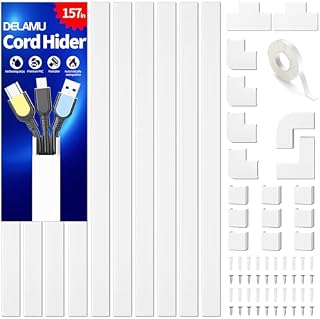 Delamu Electric Cable Trunking 4M, Self-Adhesive Wall Trunking, 10 x 400mm
£12.99
4.7
in Best Cable Management 2026: What the Piece Count Is Counting
Delamu Electric Cable Trunking 4M, Self-Adhesive Wall Trunking, 10 x 400mm
£12.99
4.7
in Best Cable Management 2026: What the Piece Count Is Counting
-
 MATEIN Travel Laptop Backpack 15.6 inch with 12 Compartments
£17.96
4.7
in Best Laptop Bag 2026: The Size That Is a Screen
MATEIN Travel Laptop Backpack 15.6 inch with 12 Compartments
£17.96
4.7
in Best Laptop Bag 2026: The Size That Is a Screen
-
 Nulaxy Ergonomic Dual Foldable Laptop Stand, 10kg Load, 10-16 Inch
£16.99
4.7
in Best Laptop Stand 2026: 10 Ranked on Height They Actually Reach
Nulaxy Ergonomic Dual Foldable Laptop Stand, 10kg Load, 10-16 Inch
£16.99
4.7
in Best Laptop Stand 2026: 10 Ranked on Height They Actually Reach
-
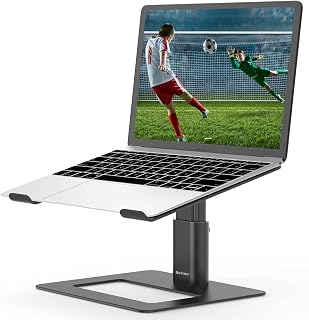 BoYata Height Adjustable Laptop Riser, 10-18.9cm, 5kg, 10-17 Inch
£24.99
4.7
in Best Laptop Stand 2026: 10 Ranked on Height They Actually Reach
BoYata Height Adjustable Laptop Riser, 10-18.9cm, 5kg, 10-17 Inch
£24.99
4.7
in Best Laptop Stand 2026: 10 Ranked on Height They Actually Reach
-
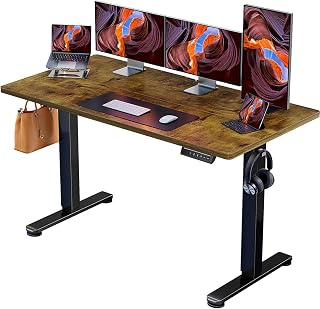 ErGear Electric Standing Desk 140 x 70cm, 4 Memory
£139.99
4.7
in Best Electric Standing Desk 2026: 10 Ranked on Load and Speed
ErGear Electric Standing Desk 140 x 70cm, 4 Memory
£139.99
4.7
in Best Electric Standing Desk 2026: 10 Ranked on Load and Speed
-
 Nulaxy Pull-Out Height Adjustable Laptop Stand, 3-50.8cm, 10kg
£40.99
4.7
in Best Laptop Stand 2026: 10 Ranked on Height They Actually Reach
Nulaxy Pull-Out Height Adjustable Laptop Stand, 3-50.8cm, 10kg
£40.99
4.7
in Best Laptop Stand 2026: 10 Ranked on Height They Actually Reach
-
 BenQ ScreenBar Monitor Light Bar, 5W, Auto Dimming, 230-955 Lux
£89.00
4.7
in Best Monitor Light Bar 2026: 10 Ranked, and Why Lux Without an Area Is Nothing
BenQ ScreenBar Monitor Light Bar, 5W, Auto Dimming, 230-955 Lux
£89.00
4.7
in Best Monitor Light Bar 2026: 10 Ranked, and Why Lux Without an Area Is Nothing
-
 Desktronic HomeOne Dual Motor Standing Desk 120 x 60cm
£299.99
4.7
in Best Electric Standing Desk 2026: 10 Ranked on Load and Speed
Desktronic HomeOne Dual Motor Standing Desk 120 x 60cm
£299.99
4.7
in Best Electric Standing Desk 2026: 10 Ranked on Load and Speed
-
 LitONES LED Desk Lamp, 1200LM, 30 Lighting Modes, Metal Swing Arm
£53.25
4.8
in Best LED Desk Lamp 2026: 10 Ranked, and Why Lumens Are the Wrong Number
LitONES LED Desk Lamp, 1200LM, 30 Lighting Modes, Metal Swing Arm
£53.25
4.8
in Best LED Desk Lamp 2026: 10 Ranked, and Why Lumens Are the Wrong Number
-
 Jabra Speak 510 Speaker Phone - Microsoft Certified Portable Bluetooth Conference Speaker with USB - Connect with Laptops, Smartphones and Tablets, Black
£86.96
4.7
in Best Conference Speakerphone 2026: Ten Ranked on Real Mics and Honest Watts
Jabra Speak 510 Speaker Phone - Microsoft Certified Portable Bluetooth Conference Speaker with USB - Connect with Laptops, Smartphones and Tablets, Black
£86.96
4.7
in Best Conference Speakerphone 2026: Ten Ranked on Real Mics and Honest Watts
-
 SOUNDANCE 360 Rotating Laptop Stand, Adjustable Riser, 10-17 Inch
£19.28
4.7
in Best Laptop Stand 2026: 10 Ranked on Height They Actually Reach
SOUNDANCE 360 Rotating Laptop Stand, Adjustable Riser, 10-17 Inch
£19.28
4.7
in Best Laptop Stand 2026: 10 Ranked on Height They Actually Reach
Comments
Reader comments are not checked against the manufacturer's claims above.
No comments yet
Be the first to add something we missed — a price change, a spec that turned out wrong, or how one of these held up.
Leave a comment
No account needed. Own one of these? Tell other readers how it actually performed.