Best 4K Monitor 2026: Nine Ranked, and Two Listings That Contradict Themselves
By Felipe Iglesias · Updated

If you are shopping for the best 4k monitor, the listings fight back. The cheapest one here, the Gawfolk at £161.46, advertises 4,000:1 dynamic contrast and two HDMI 2.1 ports in its bullets, while its own specification table, further down the same page, says 1,000:1 and a single HDMI port. Meanwhile the £248.99 Philips Evnia promises 0.5 ms in the title but lists 1 ms in its specification row, and its feature bullets describe a completely different, 24-inch business monitor. Both are workable panels. The problem is that in a category where every box shouts 160Hz, the numbers doing the selling and the numbers in the table are not always the same numbers.
We ranked nine of the best 4k monitor listings on Amazon on four things we could actually check: the resolution and refresh rate confirmed in the specification table, the panel type and port count, the price, and the shape of the review scores rather than the average alone. A 4.5 average built on 6% one-star ratings tells you something different from a 4.5 with almost none, and more than one monitor here sits at the wrong end of that line.
Amzfast AMZG27F6U 27in 4K Dual Mode Gaming Monitor

Top of the list because it is the only dual mode 4k monitor here that switches between 4K at 160Hz and 1080p at 320Hz, and 3,428 ratings is a far deeper base than anything else in this group.
Advantages
- Dual mode: 4K at 160Hz or 1080p at 320Hz, switchable in one click
- 3,428 ratings at 4.5 — the deepest review base in this round-up
- 93% DCI-P3 and 126% sRGB with HDR400 at 400 cd/m²
- Two HDMI 2.1 and two DisplayPort 1.4 inputs for console and PC together
- 130mm height adjustment with ±30° swivel and 90° pivot
Disadvantages
- The 320Hz mode works only at 1080p; 4K stays at 160Hz
- Built-in speakers are 2W per channel
- Contrast ratio is 1,000:1 in the specification table
- 6% of its ratings are one star
The Amzfast leads on the numbers that matter and on the numbers that are hardest to fake. Its specification table lists 4K UHD 2160p at 160Hz, a 1,000:1 contrast ratio, 400 candela per square metre and 126% sRGB coverage, and it carries 3,428 ratings at 4.5 — the largest review base here by a factor of three. As a best 4k monitor pick, that mix of bandwidth and evidence is unusual at £221.99.
In practice the dual mode is the whole reason to buy it. One click drops the panel from 4K at 160Hz to 1080p at 320Hz, which is what fast shooters want, and the stand does 130mm of height travel plus a 90° pivot for portrait work. It also carries two HDMI 2.1 and two DisplayPort 1.4 inputs, so a PS5, an Xbox and a PC can all stay plugged in at once, and HDR400 is there for slower, prettier titles.
However, the built-in speakers are 2W per channel and barely worth having, so plan on external audio. The 320Hz figure applies only in 1080p; at 4K the ceiling is 160Hz, and 6% of its ratings are one star. If you want a plain 4K60 work panel rather than a dual mode 4k monitor, this is not the best 4k monitor for you — you would be paying for refresh rate you never use.
Dell 27 Plus S2725QC 4K USB-C Monitor, 120Hz IPS

Second because it is the 4K monitor with USB-C that does the most work down one cable — video, data and 65W of charging — and 4.6 is the highest average rating in this group.
Advantages
- 4K at 120Hz with a 1,500:1 contrast ratio in the specification table
- One USB-C cable carries video, data and 65W of charging
- 4.6 from 603 ratings — the highest average here
- Dual 5W speakers and TÜV Rheinland 4-star eye comfort certification
- 99% sRGB coverage at 350 cd/m²
Disadvantages
- 120Hz with a 4ms response time, so not a competitive-gaming panel
- £276.50 — £34.60 more than the same panel without USB-C
- 6.71 kg, the second heaviest monitor in this round-up
- The spec table lists a pixel pitch of 163.0, which looks like a column error
The S2725QC earns its place on two numbers: 1,500:1 contrast in the specification table, which is high for an IPS panel at this price, and 65W of power delivery over USB-C. At £276.50 it is the more expensive of the two Dells here, but it is also the best-rated monitor in this round-up at 4.6 from 603 ratings.
In practice, the USB-C port is the feature that earns the money. One cable from a laptop carries 4K video, data and 65W of charging, and there are two HDMI 2.1 ports, a downstream USB-C and two USB-A ports for everything else. The panel runs 4K at 120Hz with AMD FreeSync Premium, 99% sRGB, 350 cd/m² and dual 5W speakers — twice the audio output of the Amzfast — plus TÜV Rheinland 4-star eye comfort certification.
By contrast with the 160Hz screens above and below it, this is a 120Hz panel with a 4ms response time, so it is not the one to pick for twitch shooters. The table also lists a pixel pitch of 163.0, a figure that looks like a column error rather than a measurement. Buy it if you dock a laptop every day; skip it if your priority is frame rate.
Dell 27 Plus S2725QS 4K IPS Monitor, 120Hz

The same panel and stand as the USB-C Dell for £34.60 less, minus the USB-C input — the 27 inch 4k monitor to buy if your desktop has DisplayPort.
Advantages
- Same 4K 120Hz IPS panel as the USB-C model for £34.60 less
- 1,500:1 contrast, 99% sRGB and 350 cd/m²
- Tilt, swivel, pivot and up to 130mm of height adjustment
- DisplayPort, HDMI, Ethernet and USB 3.2 ports
- Dual 5W speakers with five audio presets
Disadvantages
- No USB-C input, so a laptop needs a dock
- 120Hz refresh rate, and no response-time figure is given
- 355 ratings against 603 for the USB-C version
- 6.47 kg with the stand attached
The S2725QS is the same 27-inch 4K panel family as the S2725QC above: 3,840 x 2,160 at 120Hz, 1,500:1 contrast, 99% sRGB, 350 cd/m², dual 5W speakers and a stand with tilt, swivel, pivot and 130mm of height travel. At £241.90 it undercuts the USB-C version by £34.60. It scores 4.5 from 355 ratings, against 4.6 from 603 for its sibling.
The difference is at the back. This one does DisplayPort, HDMI, Ethernet and USB 3.2, but there is no USB-C input, so a laptop needs a dock or an adapter. If your machine sits under the desk with a graphics card, that costs you nothing at all, and the picture you get is the same picture.
Worth noting: it is 6.47 kg, heavier than the USB-C model despite the simpler port array, and 120Hz rather than 160Hz means it will feel slower than the cheap 4k monitor listings near the bottom of this page. Skip it if you want one cable to a laptop — that is exactly what the version above is for.
Gawfolk 27in 4K IPS Gaming Monitor, 160Hz, White

The cheap 4k monitor of the group at £161.46, with a claimed 160Hz and 1,047 ratings — but its bullets and its specification table disagree about both contrast and HDMI ports.
Advantages
- £161.46 — the lowest price in this round-up
- 1,047 ratings at 4.3, the second-largest review base here
- Table confirms 160Hz on a 27-inch 3840 x 2160 IPS panel
- Adaptive Sync (FreeSync) with flicker-free and low blue light
- 18-month warranty and an ultra-slim chassis
Disadvantages
- Bullets claim 4,000:1 dynamic contrast; the specification table says 1,000:1
- Bullets claim HDMI 2.1 x2; the table lists a total HDMI port count of 1
- 300 cd/m², dimmer than both Z-Edge panels
- 8% of its ratings are one star
This is the cheapest listing here and the contradiction at the top of this article. The bullets promise 4,000:1 dynamic contrast and HDMI 2.1 x2; the specification table on the same page says 1,000:1 and a Total HDMI Port of 1. One of those two sets of numbers is wrong, and the table is usually the one generated from the manufacturer's data sheet.
What the table does confirm is a 27-inch IPS panel at 3,840 x 2,160, 160Hz, 300 candela per square metre and Adaptive Sync (FreeSync), in a white chassis less than half an inch thick with flicker-free and low blue light handling and an 18-month warranty. Reviewed by 1,047 buyers at 4.3, it has the second-largest review base in this group after the Amzfast.
That said, 300 nits is dimmer than the Z-Edge at 450, and 8% of its ratings are one star. If you need a guaranteed port count and brightness for colour work, spend the extra £38 on the Z-Edge 160Hz. If you want a cheap 4k monitor for a spare desk, this delivers 4K at 160Hz for the least money here — just count the ports when the box arrives.
Z-Edge 27in 4K 160Hz Fast IPS Gaming Monitor

The brightest panel in this group at 450 cd/m² and a genuine 4k 160hz monitor at 4K, but only 57 people have rated it.
Advantages
- 450 cd/m² — the brightest panel in this round-up
- 160Hz at 3840 x 2160, a true 4K refresh rate rather than 1080p
- Two HDMI 2.1 and two DisplayPort 1.4 inputs with 1ms MPRT
- HDR10 and FreeSync with 178° viewing angles
- £199.99, £21.99 less than the Amzfast
Disadvantages
- Only 57 ratings, so the sample is thin
- No built-in speakers; audio needs the 3.5mm output
- 7% one-star ratings and no two-star ratings at all
- 48W power draw, the joint highest here
The Z-Edge sits in the middle on price at £199.99 and at the top on brightness: 450 cd/m², against 400 for the Amzfast and 300 for the Gawfolk. The table confirms a Fast IPS panel at 3,840 x 2,160, 160Hz, 1ms MPRT, HDR10 and FreeSync, with two HDMI 2.1 and two DisplayPort 1.4 inputs and 178° viewing angles.
In practice it is the no-compromise version of a 4k 160hz monitor — no dual-mode switching, no built-in speakers, just the panel and the ports. It draws 48W and weighs 6.3 kg. For a console and a PC on the same desk, the two HDMI 2.1 inputs will carry 4K from a PS5 or Xbox Series X without an adapter in sight.
The catch is evidence. Fifty-seven ratings at 4.4 is thin, and 7% of them are one star with no two-star ratings at all — a distribution that suggests problems are all-or-nothing rather than minor. If you want the best 4k monitor for gaming with a long track record, the Amzfast has sixty times the review base. If you want the brightest 4K screen for £200, this is it.
Philips Evnia 27M2N3800A 4K Dual Mode Monitor

A 4K 160Hz / FHD 320Hz dual mode panel at £248.99, held back by feature bullets that describe a different, 24-inch business monitor entirely.
Advantages
- Dual mode: 4K at 160Hz or 1080p at 320Hz on a 27-inch IPS panel
- HDR400 and G-Sync compatible
- Height adjustment, built-in speakers and a 5 kg chassis
- 409 ratings at 4.4
- £248.99 for the same dual-mode specification as the Amzfast
Disadvantages
- Title says 0.5 ms; the specification row says 1 ms
- The first feature bullet describes a 24-inch business monitor, the 24B2N3200J
- The specification table lists a 400:1 contrast ratio
- £27 more than the Amzfast, which has 3,428 ratings to its 409
The Evnia's title promises 0.5 ms; its own specification row says 1 ms. Its first feature bullet reads "Business Monitor 24B2N3200J LCD monitor" — a different product. The specification table also lists a 400:1 contrast ratio, far below the 1,000:1 the other IPS panels here quote, and a figure that would be a serious weakness if it were accurate. Three numbers on one page, three reasons to read carefully.
Underneath that, the hardware described is competitive: a 27-inch IPS panel at 4K with 160Hz, dual-mode down to 1080p at 320Hz, HDR400, G-Sync compatibility, height adjustment, built-in speakers and a dark grey chassis. At 5 kg it is the lightest of the dual-mode screens here, and it holds 4.4 from 409 ratings.
Even so, at £248.99 it costs £27 more than the Amzfast, which quotes the same dual-mode refresh rates, a longer feature list and 3,428 ratings against 409. Buy the Philips if the ergonomic stand matters more than the review history; otherwise the specification confusion alone is a good reason to look elsewhere.
LG UltraFine 27US550-B 27in 4K IPS Monitor

An ips 4k monitor built for text and colour work at 60Hz, with 90% DCI-P3 in its bullets and 98% in its specification table.
Advantages
- 10-bit colour depth with DCI-P3 coverage quoted between 90% and 98%
- 1,000:1 contrast and 300 cd/m² on an IPS panel
- Tilt, height, swivel and pivot adjustment
- LG Switch app splits the display into six sections
- 4.5 from 71 ratings
Disadvantages
- Bullets say DCI-P3 90%; the specification table says 98%
- 60Hz refresh rate with a 5ms response time
- Table lists a single HDMI port against two video outputs
- Only 71 ratings behind the score
The UltraFine is the only 60Hz screen here with a serious colour claim attached, and it disagrees with itself. The bullets say DCI-P3 90% (Typ.); the specification table says HDR10 with DCI-P3 98% (Typ.). Neither number is bad — but they are not the same number, and on a monitor sold for photo and video work that matters.
As an ips 4k monitor for documents and images, the rest of the sheet is sensible: 3,840 x 2,160, 1,000:1 contrast, 300 cd/m², 10-bit colour depth, 5ms response, a stand with tilt, height, swivel and pivot, and LG's Switch app for dividing the screen into six zones with mapped hotkeys. At £205.99 it sits between the two Z-Edges on price.
However, 60Hz and 5ms rule it out for fast games, and the table lists a single HDMI port against two video outputs, so check what you need to plug in. Its 4.5 comes from just 71 ratings, so the sample is small. Skip it if you want a budget gaming panel; buy it if you mostly read, edit photos and want the screen sitting at eye level.
Z-Edge 27in 4K IPS Monitor, 60Hz, Height Adjustable
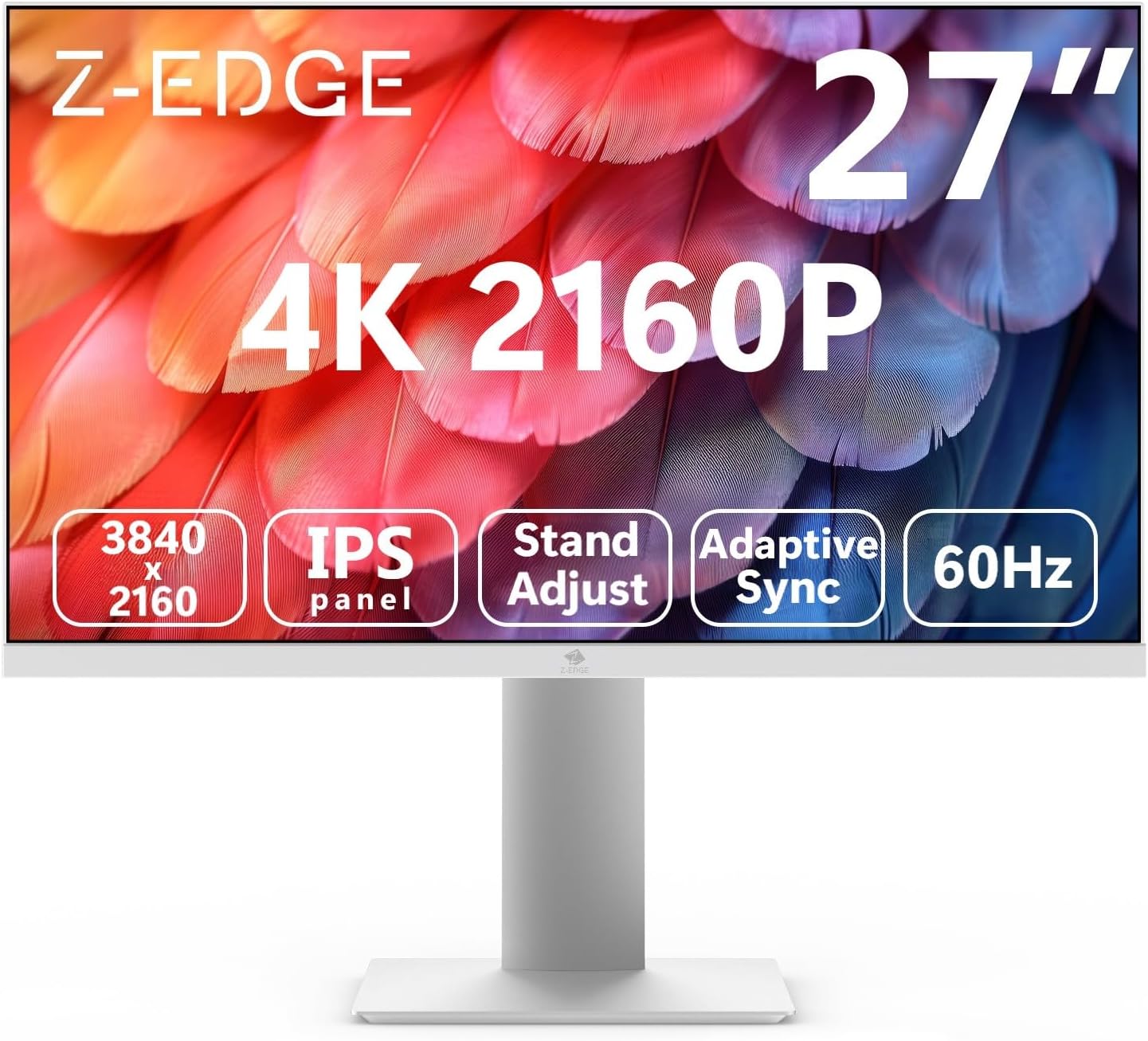
The cheapest way to get a 27 inch 4k monitor with an IPS panel, HDR10 and a fully adjustable stand, if you can live with 250 nits and 60Hz.
Advantages
- £179.99 for a 27-inch 4K IPS panel with HDR10
- Height, tilt, swivel and pivot adjustment plus VESA mounting
- 4.5 kg — the lightest monitor in this group
- Two HDMI and two DisplayPort inputs with a 3.5mm audio out
- FreeSync and Adaptive Sync support with a flicker-free backlight
Disadvantages
- 250 cd/m² — the dimmest panel here
- 60Hz refresh rate with no fast response-time claim
- 4.2 average from 137 ratings, with 11% one star
- 48W power draw despite the lower brightness
At £179.99 this Z-Edge is £18.53 more than the Gawfolk and £20 less than the 160Hz Z-Edge. It runs 60Hz, lists 250 candela per square metre and a 1,000:1 contrast ratio, and covers HDR10 with FreeSync and Adaptive Sync. It is also the lightest monitor here at 4.5 kg.
The stand is the selling point: height adjustment, tilt, swivel and pivot, plus VESA mounting, on a panel with ultra-slim bezels, two HDMI and two DisplayPort inputs and a 3.5mm audio out for your own speakers. For a second screen for writing, coding or spreadsheets, that ergonomic range matters more than refresh rate.
That said, 250 nits is the dimmest panel in this group — the Amzfast quotes 400 and the Z-Edge 160Hz quotes 450. And 4.2 is the second-lowest average here, with 11% of ratings at one star. Do not buy it for gaming or for a bright room; do buy it if your priority is a 27 inch 4k monitor you can raise to eye level for under £180.
Samsung Odyssey G7 27in 4K 144Hz Smart Monitor

The priciest and best-equipped on paper — 144Hz, 1ms, HDR400 and a full smart platform — and also the lowest-rated, with 22% of its ratings at two stars or below.
Advantages
- 144Hz at 4K with a 1ms response time
- Full smart platform with Gaming Hub and Smart TV apps
- VESA DisplayHDR 400 and HDR10+ Gaming
- 4K AI upscaling for lower-resolution sources
- Two HDMI, two USB and two video outputs with a swivelling, tilting stand
Disadvantages
- £299 — the most expensive monitor here
- 11% one-star and 11% two-star ratings out of 64 total
- 4.1 average is the lowest in this round-up
- 7.1 kg — the heaviest panel here
The Odyssey G7 costs £299, the most here, and it is the only one with a full smart platform built in. The table confirms 144Hz, 1ms response, 350 candela, 1,000:1 contrast, VESA DisplayHDR 400, HDR10+ Gaming, two HDMI ports, two USB ports and two video outputs, with 4K AI upscaling lifting lower-resolution material to near-4K.
In theory the smart platform replaces a streaming stick: Gaming Hub and the Smart TV apps run on the monitor itself, no console or PC required. At the same time it is a 7.1 kg screen on a stand that swivels and tilts, so check your desk and your wall mount before ordering. In short, it is the most complete package on paper in this round-up.
Crucially, the rating distribution is the worst here. It averages 4.1 from 64 ratings, and 11% of those are one star with another 11% at two stars — roughly a quarter of buyers scoring it at two or below. No other monitor in this list comes close to that. If you want the best 4k monitor for gaming with a track record, this is not it; if you want a 4K streaming screen that also games, read the recent reviews first.
All 9 compared
The same ranking side by side, now that the numbers have names.
1
2
3
4
5
6
7
8
9
| # | Product | Price | Amazon rating |
|---|---|---|---|
| 1 | Amzfast AMZG27F6U 27in 4K Dual Mode Gaming Monitor | £221.99 | 4.5 (3,428) |
| 2 | Dell 27 Plus S2725QC 4K USB-C Monitor, 120Hz IPS | £276.50 | 4.6 (603) |
| 3 | Dell 27 Plus S2725QS 4K IPS Monitor, 120Hz | £241.90 | 4.5 (355) |
| 4 | Gawfolk 27in 4K IPS Gaming Monitor, 160Hz, White | £161.46 | 4.3 (1,047) |
| 5 | Z-Edge 27in 4K 160Hz Fast IPS Gaming Monitor | £199.99 | 4.4 (57) |
| 6 | Philips Evnia 27M2N3800A 4K Dual Mode Monitor | £248.99 | 4.4 (409) |
| 7 | LG UltraFine 27US550-B 27in 4K IPS Monitor | £205.99 | 4.5 (71) |
| 8 | Z-Edge 27in 4K IPS Monitor, 60Hz, Height Adjustable | £179.99 | 4.2 (137) |
| 9 | Samsung Odyssey G7 27in 4K 144Hz Smart Monitor | £299.00 | 4.1 (64) |
Final Verdict
For most desks, the Dell 27 Plus USB-C at £276.50 is the easiest call: 4K at 120Hz, 1,500:1 contrast in the specification table, and one cable carrying video, data and 65W of charging, which makes it the best 4k monitor here for anyone who plugs in a laptop. If you want the best 4k monitor for gaming, the Amzfast at £221.99 switches between 4K at 160Hz and 1080p at 320Hz and has 3,428 ratings behind it. On a budget, the £199.99 Z-Edge 160Hz is the brightest panel under £200, while the £161.46 Gawfolk is the cheapest route to 4K at 160Hz — as long as you check the port count yourself when the box arrives. Either way, read the specification table before the bullets.
Why trust this ranking?
We rank on price, customer ratings and the specifications that decide the job, and we read each specification table against the marketing bullets on the same listing. When a number does not survive that check, we say so in the entry rather than quietly dropping the product. We also say when a product is the wrong one for you.
How we rank, in full
Written by
Felipe Iglesias
Founder & Lead Reviewer
Felipe is a computational engineering student who has been working in SEO since he was sixteen. He founded ranked10 and researches every guide on the site.
Related buying guides
Every guide below ranks ten products the same way this one does.
 Tech
Tech
Best Mini Projector 2026: 10 Ranked
The best mini projector here is the XuanPad 40000L at £129.99: native 1080p and Netflix built in. We rank 10 and compare the real ANSI lumens.
 Tech
Tech
Best Gaming Motherboard 2026: 10 Ranked
Best gaming motherboard 2026: the £127.99 ASUS TUF Gaming B650-Plus WiFi wins with 14 power stages at £9.14 each, half the £16.22 a stage of a dearer board.
 Tech
Tech
Best Floorstanding Speakers 2026: 10 Ranked
Best floorstanding speakers 2026: the Q Acoustics 3050i wins with two 165 mm drivers per tower, and the Fenton SHF700B pair costs £159.90.
 Tech
Tech
Best Binoculars 2026: 10 Ranked
The best binoculars for 2026 ranked: the £25.99 Kylietech 12x42 gives a 3.5 mm exit pupil, nearly three times the light of the £34.99 occer 12x25.
 Tech
Tech
Best Camcorder 2026: 10 Ranked
The best camcorder for most buyers is the FIREFOTO 4K 64MP at £59.99, working out at £0.94 a megapixel against £2.49 on the 8K PITIKI.
 Tech
Tech
Best OLED Gaming Monitor 2026: 10 Ranked, Brightness Listed Four Ways
The best OLED gaming monitor picks ranked by panel, refresh rate and price — brightness is listed four different ways across these listings.
 Tech
Tech
Best 128GB SD Cards 2026: 10 Ranked, and Three Adverts That Contradict Themselves
Every 128GB SD card here leads with read speed. Three listings contradict their own specs — we show you both numbers before you buy.
 Tech
Tech
Best DAB Radios 2026: 9 Ranked, and the 30W Claim That Doesn't Add Up
The best DAB radios compared: one claims 30W yet a 2,000mAh battery lasting 10 hours — that averages 0.74W. Nine models ranked on their own figures.
 Tech
Tech
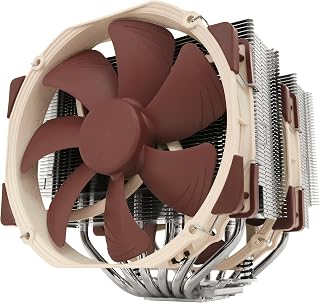
Best CPU Air Cooler 2026: 10 Ranked, One Sold Twice at Two Prices
We ranked the best CPU air cooler picks on Amazon, including the same Peerless Assassin 120 SE listed twice at £29.99 and £35.90.
 Tech
Tech
Best Case Fans 2026: 9 Ranked by What a Fan Actually Costs
The best case fans are rarely sold singly: a £21.49 five-pack is £4.30 a fan, while £18.99 buys one. Nine ranked by cost per fan and quoted noise.
Products you might like
The best rated products from our other Tech guides.
-
Noctua NF-P12 redux-1700 PWM 120mm Quiet Fan
£12.95
4.8
in Best Case Fans 2026: 9 Ranked by What a Fan Actually Costs
-
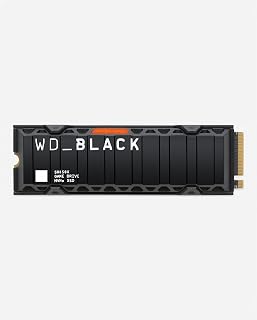 WD_BLACK SN850X 4TB NVMe SSD
£499.99
4.8
in Best 4TB SSD for PS5: 10 Ranked, and the Speed Numbers That Don't Add Up
WD_BLACK SN850X 4TB NVMe SSD
£499.99
4.8
in Best 4TB SSD for PS5: 10 Ranked, and the Speed Numbers That Don't Add Up
-
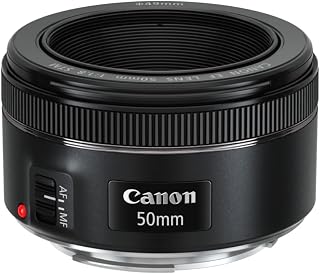 Canon EF 50mm f/1.8 STM
£129.00
4.8
in Best 50mm Lens 2026: 10 Ranked, Spec Sheets Cross-Checked
Canon EF 50mm f/1.8 STM
£129.00
4.8
in Best 50mm Lens 2026: 10 Ranked, Spec Sheets Cross-Checked
-
Noctua NH-D15 Dual Tower CPU Cooler
£99.95
4.8
in Best CPU Air Cooler 2026: 10 Ranked, One Sold Twice at Two Prices
-
 Corsair MP600 PRO LPX 4TB PS5 SSD
£415.01
4.8
in Best 4TB SSD for PS5: 10 Ranked, and the Speed Numbers That Don't Add Up
Corsair MP600 PRO LPX 4TB PS5 SSD
£415.01
4.8
in Best 4TB SSD for PS5: 10 Ranked, and the Speed Numbers That Don't Add Up
-
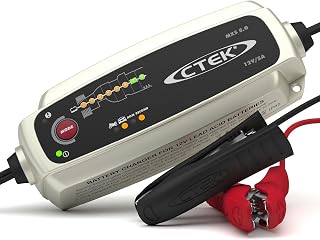 CTEK MXS 5.0 5A Battery Charger with Temperature Compensation
£74.49
4.8
in Best Car Battery Charger 2026: 10 Ranked, and Two Share a Model Number
CTEK MXS 5.0 5A Battery Charger with Temperature Compensation
£74.49
4.8
in Best Car Battery Charger 2026: 10 Ranked, and Two Share a Model Number
-
 JBL Charge 6 Portable Bluetooth Speaker, 24H, Built-in Powerbank
£159.00
4.8
in Best Bluetooth Speaker 2026: 10 Portable Speakers Ranked
JBL Charge 6 Portable Bluetooth Speaker, 24H, Built-in Powerbank
£159.00
4.8
in Best Bluetooth Speaker 2026: 10 Portable Speakers Ranked
-
 Acer Predator GM7 1TB NVMe Gen4
£155.99
4.8
in Best 1TB SSD for PS5: 10 Ranked, From £135.99 to £199.99
Acer Predator GM7 1TB NVMe Gen4
£155.99
4.8
in Best 1TB SSD for PS5: 10 Ranked, From £135.99 to £199.99
-
Acer Predator GM7 2TB SSD, Gen4 NVMe 2.0, 7200MB/s, Graphene Thermal Pad
£228.99
4.8
in Best 2TB SSD for PS5 in 2026: 10 Ranked Against Sony’s Own Rules
-
 Wharfedale Diamond 9.1 Bookshelf Speakers (Pair, Walnut)
£129.00
4.8
in Best Bookshelf Speakers 2026: 10 Ranked, From £94.99
Wharfedale Diamond 9.1 Bookshelf Speakers (Pair, Walnut)
£129.00
4.8
in Best Bookshelf Speakers 2026: 10 Ranked, From £94.99
-
 WD Elements 1TB Portable Hard Drive
£93.00
4.7
in Best 1TB External Hard Drive 2026: 10 Ranked, and the 625 MB/s Myth
WD Elements 1TB Portable Hard Drive
£93.00
4.7
in Best 1TB External Hard Drive 2026: 10 Ranked, and the 625 MB/s Myth
-
WD 2TB Elements Portable External Hard Drive
£99.99
4.7
in Best 2TB External Hard Drive: 8 Ranked, and the Speeds That Don't Add Up
-
 Crucial BX500 1TB 2.5" SATA SSD
£149.99
4.7
in Best 1TB SATA SSD: 10 Ranked, and Why £190 Buys 10MB/s
Crucial BX500 1TB 2.5" SATA SSD
£149.99
4.7
in Best 1TB SATA SSD: 10 Ranked, and Why £190 Buys 10MB/s
-
 soundcore Anker 2 Portable Bluetooth Speaker, 12W Stereo, IPX7, 24H
£28.49
4.7
in Best Bluetooth Speaker 2026: 10 Portable Speakers Ranked
soundcore Anker 2 Portable Bluetooth Speaker, 12W Stereo, IPX7, 24H
£28.49
4.7
in Best Bluetooth Speaker 2026: 10 Portable Speakers Ranked
-
 SanDisk 512GB Extreme microSD Card + Adapter
£109.00
4.7
in Best 512GB MicroSD Card 2026: 10 Ranked, and Why Read Speed Misleads
SanDisk 512GB Extreme microSD Card + Adapter
£109.00
4.7
in Best 512GB MicroSD Card 2026: 10 Ranked, and Why Read Speed Misleads
Comments
Reader comments are not checked against the manufacturer's claims above.
No comments yet
Be the first to add something we missed — a price change, a spec that turned out wrong, or how one of these held up.
Leave a comment
No account needed. Own one of these? Tell other readers how it actually performed.