Best OLED Gaming Monitor 2026: 10 Ranked, Brightness Listed Four Ways
By Felipe Iglesias · Updated
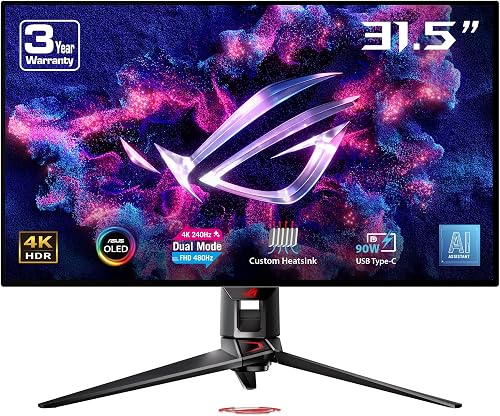
Brightness is written four different ways across the ten screens below: '1000' on the ASUS ROG Strix XG27ACDNG, '1000 nits' on the MSI MPG 321CURX, '250 Candela' on the Samsung Odyssey OLED G81SF, and a bare '100' on the Alienware AW3225QF. No two of those figures are directly comparable. Picking the best OLED gaming monitor is therefore a reading exercise before it is a shopping one. Meanwhile two of the biggest 49-inch screens in this bracket are not OLEDs at all: the Gawfolk carries 1,049 ratings, the highest count we saw, and its own feed lists 'Display Type: LED' and 'VA Panel'. The £539.99 49-inch LXZ lists the same. Neither made this top ten. The 49-inch VA Gawfolk at £599.99 sits £1 away from the 27-inch 4K OLED Gigabyte at £599.00.
We ranked ten of the best OLED gaming monitor options on Amazon on four verifiable criteria: the panel type the listing itself declares, the refresh rate and resolution a buyer can check, the price at the time of writing, and the spread of ratings rather than the average alone. A 4.6 average built on 217 ratings is a different object from a 4.5 built on 77, and both appear below.
At a glance
| # | Product | Price | Rating | Link |
|---|---|---|---|---|
| 1 | ASUS ROG Swift PG32UCDP 32-inch 4K OLED | £739.00 | 4.6 | View |
| 2 | Alienware AW3225QF 32-inch 4K QD-OLED 240Hz | £699.97 | 4.3 | View |
| 3 | MSI MPG 321CURX 32-inch 4K QD-OLED 240Hz | £698.99 | 4.5 | View |
| 4 | ASUS ROG Strix XG27UCDMG 27-inch 4K OLED 240Hz | £649.00 | 4.4 | View |
| 5 | Alienware AW2725DF 27-inch QHD QD-OLED 360Hz | £515.78 | 4.4 | View |
| 6 | ASUS ROG Strix XG27ACDNG 27-inch QHD OLED 360Hz | £548.99 | 4.3 | View |
| 7 | ASUS ROG Strix XG32UCWMG 32-inch 4K OLED 240Hz | £693.95 | 4.1 | View |
| 8 | Philips 49M2C8900LA 49-inch 32:9 QD-OLED 144Hz | £649.99 | 4.2 | View |
| 9 | Gigabyte MO27U2 27-inch 4K OLED 240Hz | £599.00 | 4.3 | View |
| 10 | Samsung Odyssey OLED G81SF 27-inch 4K QD-OLED 240Hz | £529.00 | 3.8 | View |
Free WhatsApp group
Amazon deals, around the clock
Price drops and lightning deals posted the moment they go live. No spam, leave whenever you like.
Join the groupFree to join · Leave any time
ASUS ROG Swift PG32UCDP 32-inch 4K OLED

The only 480 Hz panel here and the priciest at £739.00, it heads this best oled gaming monitor ranking on a 4.6 average from 217 ratings.
Pros
- 4K at 240 Hz, or 1080p at 480 Hz — the highest refresh rate in this top ten
- 4.6 average from 217 ratings, with 81 of 100 histogram entries at five stars
- Three-year warranty and USB-C with 90W power delivery
- 99% DCI-P3 and true 10-bit colour, per the listing
- Matte screen finish with a 178-degree viewing angle
Cons
- £739.00 — the most expensive screen here
- Six of the 100 histogram entries are one or two stars
- 400 cd/m2 brightness sits well below the 1000 nits the MSI claims
- The 480 Hz mode drops the resolution to 1080p
- The contrast ratio field is not a number at all
What buyers actually say
Quoted from customer reviews on Amazon
Verified purchase“Ive had several monitors, this is the best yet. It does everything..really really well.Fantastic picture quality, great choice of display and refresh settings. Black levels are a standout.I previously had the 60hz version about 8yeras ago, and oled is still the best picture by a mile.Its not for casuals, more for the dedicated or obsessed gamers out there. Can even OC it to 480hz for fps, runs 240no problem. For perspective, ive running with a 5080. It covers all bases.I Spent £750 on it and dont regret it at all. It'll last for years, and is the best quality picture you can get.Recommended.”
Verified purchase“Yes this monitor is expensive, is it worth it, ABSOLUTELY! The quality of the display itself 2nd to none. When HDR is turned on the colours will blind you initially, just adjust the brightness and you'll be sorted out.Some features that aren't mentioned very much is the KVM support, Asus aura sync, usb C 90w charging, picture in picture support.If your thinking 240hz in 4k is crazy & 480hz is crazier. If you've got the horsepower in your pc to run this monster then do it.Your games will look realistic, Your mind WILL be blown away if you haven't experienced oled before.”
It takes first place for one measurable reason: it is the only screen here rated at 480 Hz. That figure applies only in FHD mode — at 4K the ceiling is 240 Hz. Brightness is listed as 400 cd/m2, and the contrast ratio field reads 'sehr hoch', German for 'very high', which is a description rather than a number. In practice the rating spread backs the average: 81 of the 100 entries in the histogram are five-star.
The engineering story is the dual-mode panel plus ASUS's own OLED care. There is a custom heatsink, ROG-exclusive anti-flicker to smooth refresh-rate swings, a matte finish, a 178-degree viewing angle, 99% DCI-P3 coverage, true 10-bit colour and USB-C that delivers 90W to a laptop over one cable. The three-year warranty is longer than most listings here state.
That said, £739.00 is the highest price in this set — £140 more than the 27-inch 4K Gigabyte at £599.00 and £210 more than the Samsung at £529.00. Six of the 100 histogram entries are one or two stars. If you want 4K at 240 Hz and nothing more, this is not the best oled gaming monitor for your money; you are paying a premium for a 480 Hz mode that only exists at 1080p.
Alienware AW3225QF 32-inch 4K QD-OLED 240Hz

The most-reviewed screen here at 711 ratings, and the cleanest example of the brightness problem: its own spec field says '100', with no unit.
Pros
- 711 ratings — the largest sample in this ranking
- 4K QD-OLED at 240 Hz with a 0.03ms response time
- Dolby Vision and VESA DisplayHDR True Black 400
- 99% DCI-P3 with Delta E under 2, per the listing
- Three-year warranty, USB-C and further USB ports
Cons
- Brightness field reads '100' with no unit, so it cannot be compared with '1000 nits'
- Ten of 100 histogram entries are one-star
- 4.3 average is no better than the £515.78 and £548.99 panels further down
- Curved panel, and the £699.97 price is no lower than the MSI's
What buyers actually say
Quoted from customer reviews on Amazon
Verified purchase“I used to be on an LG C3 OLED 65" even for gaming (albeit at 2.2m). That was peak.This though is not far off. The 240hz is noticeably different than 120. I know a lot of people online saw otherwise but that's poppycock.The screan is just delicious and the back is thick so you can easily mount a monitor light about (for me the BenQ Halo I got on sale).The curve makes a far greater difference for immersion and focus than what I would've thought. Arguably moreso even than having that massive screen of the LG tv.I paid close to 9 I think it was for this. If I had to do it again, I'd buy the Tandem OLEDs because of the much higher refresh rates on lower resolutions from LG or Asus. But given the new price of the Alienware, it's plenty for what it is.”
Verified purchase“Said a loud "wow" when first viewing my desk top, and jaw dropped as I fired up a few games. Previous monitor was the same size and curved ,but not HD and much slower response rate, so really noticed the big uplift.Only issue now is I need to get my eyes tested again as my glasses aren't up to the job!!Can definitely recommend.”
711 ratings is the highest count in this ranking, more than three times the 217 behind the ASUS ROG Swift above it. The average is 4.3. Brightness on the Alienware is filed as '100' — a bare number on the same kind of field that reads '1000 nits' on the MSI. Contrast is given as 1,000,000:1, and the panel is 32 inches of curved QD-OLED at 240 Hz.
In theory this is the safest buy of the ten, purely on volume of feedback. The specification supports it: as a QD-OLED gaming monitor it brings Dolby Vision, VESA DisplayHDR True Black 400, 99% DCI-P3, Delta E under 2, a 0.03ms response, HDMI 2.1, DisplayPort 1.4, USB-C and USB 3.2 ports, AlienFX lighting and a three-year warranty. Power draw is stated as 42.5W.
The catch is the rating tail. Ten of the 100 histogram entries are one-star, and seven more are three-star. If you prefer a flat panel, this one curves. And at £699.97 it sits 98 pence above the 32-inch MSI, so price will not decide it for you.
MSI MPG 321CURX 32-inch 4K QD-OLED 240Hz
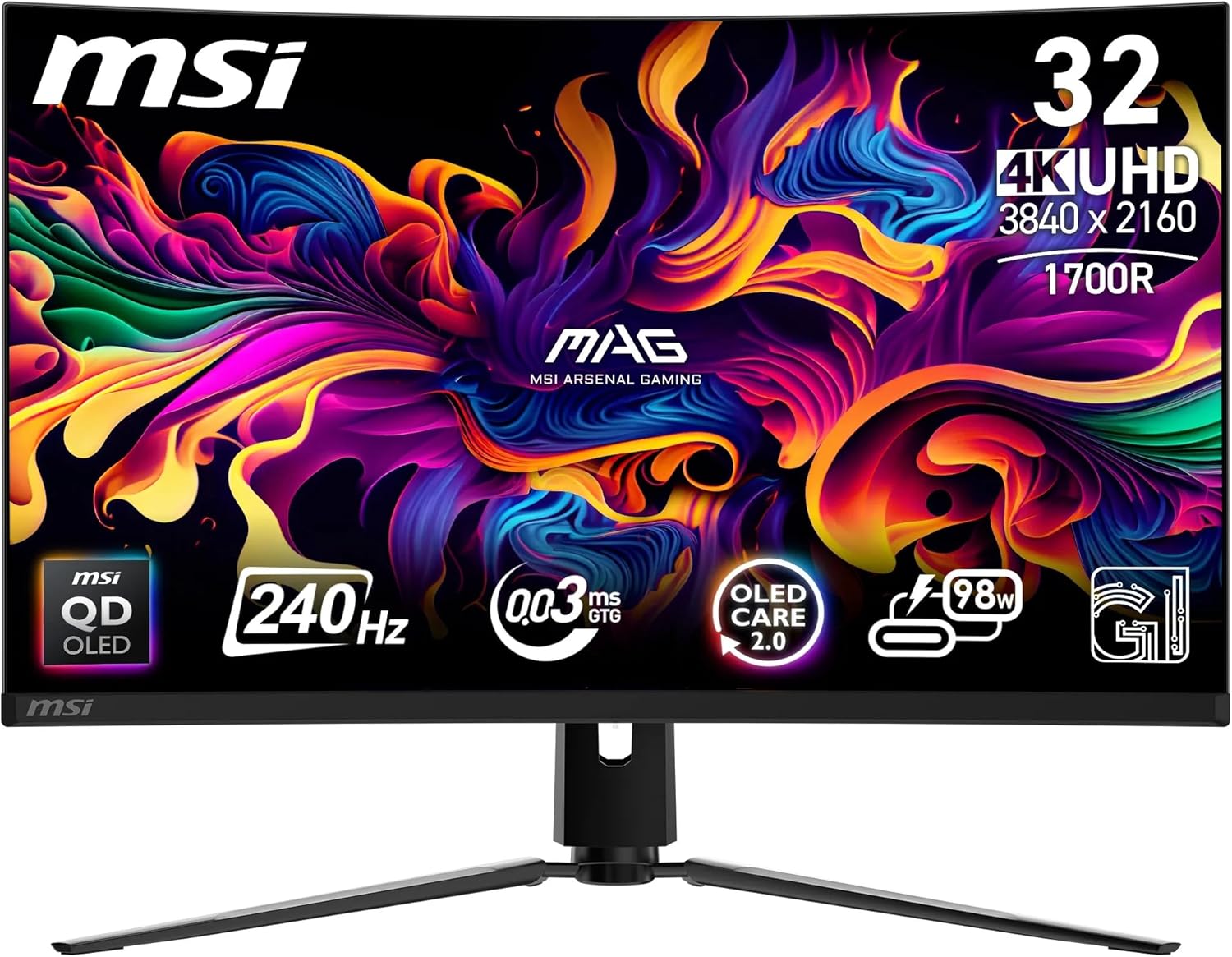
The only listing here that states peak brightness with a proper unit — 1000 nits — but its 4.5 average comes from just 77 ratings.
Pros
- 1000 nits peak brightness and 1,500,000:1 contrast, both with units stated
- 4K QD-OLED at 240 Hz with 0.03ms and ClearMR 13000
- Fanless graphene heatsink and OLED Care 2.0 burn-in protection
- USB-C with 98W power delivery, plus KVM for two devices
- 4.5 average rating — the second highest here
Cons
- Only 77 ratings in total
- Dimensions field gives a 48 cm width for a 31.5-inch screen
- Weight listed as 4 kg against 7.3 kg for both 32-inch ASUS panels
- Glossy finish, unlike the matte ASUS screens
What buyers actually say
Quoted from customer reviews on Amazon
Verified purchase“An amazing monitor, the only issue is it's too hard to run almost any game (at least modern ones) at 4k 240fps with any gpu currently.Despite this, upscaling technologies make movement smooth and playing older or less heavy games definitely makes use of this display. Which is important as it's 32 inches so you can definitely tell if you lower the resolution or get used to high frame rates after using this too long.Another reason I chose this over other monitors was the price and good feature set aside from the specs. It's fanless which can be annoying on some displays with a whiny fan and it's not something like asus where the warranty is very hit or miss, or gigabyte which I've heard are inconsistent and can fail quickly.Bottom line, I'd only get this monitor if you want a high refresh rate 4k monitor for productive purposes or you have a high end gpu, although I wouldn't expect the full 240fps at 4k even with a 5090.”
Verified purchase“The upgrade from my 4k ips monitor, to this 4k QD oled monitor is safe to say one of the best upgrades I've made for my set up, the colours on this panel is immense and vibrant, true blacks to just popping colours in viewing experiences on YouTube as well. Not to mention the 98 wat usb c this monitor supports as well. Great. It made my 4k ips monitor pale in comparison.”
1000 nits peak brightness and a 1,500,000:1 native contrast ratio, both stated with units. That is the cleanest brightness claim in this set, and it is why the MSI ranks third. The 4.5 average, however, rests on 77 ratings — the smallest sample in the top four. At £698.99 it is 98 pence under the Alienware above it.
As a 240Hz OLED monitor it covers the usual ground: 4K UHD, 0.03ms GtG, 10-bit colour, 99% DCI-P3, Delta E of 2 or less, VESA ClearMR 13000 and DisplayHDR True Black 400. The extras are a 1700R curve, a fanless graphene heatsink, KVM support for two devices with PiP and PbB, and USB-C with 98W power delivery. The stand adjusts three ways and the mount is VESA 100mm.
However, the listing contradicts itself on size. Screen size is given as 31.5 inches, but the dimensions field reads 72 x 48 x 32 cm — a 48 cm width is narrower than the panel it describes. Weight is filed at 4 kg, roughly three kilos less than both 32-inch ASUS models at 7.3 kg. If you want a large body of reviews to lean on, 77 is not it.
ASUS ROG Strix XG27UCDMG 27-inch 4K OLED 240Hz

The cheapest way into 4K OLED at 240 Hz that is not the Samsung: £649.00, 4.4 from 187 ratings, and a 400:1 contrast field that cannot be right.
Pros
- 4K QD-OLED at 240 Hz for £649.00
- 4.4 average from 187 ratings — the third-largest sample here
- USB-C carries data, video and laptop charging on one cable
- OLED Care Pro with a Neo proximity sensor to limit burn-in
- G-Sync compatible, with HDMI 2.1 and DisplayPort 1.4
Cons
- Contrast ratio field reads 400:1, far below the 1,500,000:1 quoted elsewhere
- Listed as 27 inches in the name and 26.5 inches in the spec field
- Nine of 100 histogram entries are one-star
- Matte finish rather than glossy
What buyers actually say
Quoted from customer reviews on Amazon
Verified purchase“Excellent clarity and refresh rate.The technical specs are exactly what I was after. 27 inch (26.5 actual because OLED) is the perfect size for me. I upgraded from 1440p and was blown away from the jump up.Colour quality is decent, vibrant and the blacks are very deep with no crush I've noticed. I also use them in a well lit room a lot of the time and have no issue using this monitor.Would recommend this monitor. Decent bang for your buck, purchased at around £600.”
Verified purchase“Excellent, was exactly as describedPicture quality is amazing, QD OLED is on another level compared to normal LED IPSMonitor and the 0.3 response time with G-Sync is a must for tear free gaming.”
£649.00 buys 4K QD-OLED at 240 Hz here, with 0.03ms GtG and G-Sync compatibility, on a 4.4 average from 187 ratings. Worth noting: the title calls it 27 inches while the screen size field says 26.5. More importantly, the contrast ratio is filed as 400:1 — the Gigabyte 27-inch 4K OLED lists 1,500,000:1 for the same panel generation. One of those two fields is wrong.
The practical package is a frameless design, a 178-degree viewing angle, a matte finish, USB-C carrying data, video and laptop charging, HDMI 2.1, DisplayPort 1.4 and a USB hub. ASUS OLED Care Pro adds a Neo proximity sensor that darkens the screen when nobody is in front of it, plus flicker-free and low blue light modes.
If you are hunting the best 27 inch oled gaming monitor on price, this is the strongest candidate here short of the £529 Samsung — and the Samsung averages 3.8, not 4.4. Even so, nine of the 100 histogram entries are one-star, and a matte coating will never look as deep as the glossy TrueBlack panel further down this list.
Alienware AW2725DF 27-inch QHD QD-OLED 360Hz

The cheapest of the top five at £515.78 and the fastest at 360 Hz, on a spec sheet that contradicts its own bullet points.
Pros
- 360 Hz refresh rate with a 0.03ms response — the fastest in the top five
- £515.78, the lowest price above fifth place
- 4.4 average from 287 ratings
- FreeSync Premium Pro and VESA AdaptiveSync
- Four in-game overlays, plus Dark Stabilizer and a frame rate counter
Cons
- 1440p, not 4K
- 99.3% DCI-P3 in the bullets against 125.0 in the colour gamut field
- Brightness listed as '250' with no unit
- Nine of 100 histogram entries are one-star
What buyers actually say
Quoted from customer reviews on Amazon
Verified purchase“Really happy, I bought it almost a year ago, worked very well, no complaints at all about productivity,But,I came from 27inch 240hz OLED LG which had a rich menu, Alienware doesn't even have a usable crosshair, thats sad.Will go with Asus for more brightness.”
Verified purchase“Wow absolute heaven stunning HDR and refresh rate 360hz on my M4 mac mini pro im building a gaming system hence this purchase. I cannot wait to see its gaming capabilities.”
At £515.78 this is not the cheapest OLED gaming monitor here, but it is the cheapest of the top five and the only 360 Hz panel in the upper half. The 4.4 average comes from 287 ratings. Its spec sheet disagrees with itself: the bullets claim 99.3% DCI-P3 coverage while the colour gamut field reads 125.0, the brightness field says '250' with no unit, and the contrast ratio is filed in Portuguese as '1,5 milhão:1'.
In practice the appeal is speed rather than resolution. This is a 2560 x 1440 panel, not 4K, running at 360 Hz with a 0.03ms grey-to-grey response. It carries AMD FreeSync Premium Pro and VESA AdaptiveSync, ComfortView Plus low blue light, Dark Stabilizer, a console mode, a frame rate counter, a timer and four in-game overlays.
Either way, this is the wrong screen if you want pixels: anyone set on a 4k oled gaming monitor should look at the first, second, fourth, seventh, ninth or tenth entries here instead. Three of the 100 histogram entries are two-star and nine are one-star. And the panel is 26.7 inches in the spec field, not the 27 the name implies.
ASUS ROG Strix XG27ACDNG 27-inch QHD OLED 360Hz

348 ratings, the second-highest count here, on a spec sheet that also claims a 360-degree viewing angle and 'Is Electric: No'.
Pros
- 360 Hz at £548.99 — the second-cheapest screen in the top six
- 348 ratings, the second-largest sample here
- VESA DisplayHDR 400 True Black, true 10-bit and Delta E under 2
- Custom heatsink, airflow design and OLED Care+ burn-in routines
- Anti-flicker technology for refresh-rate fluctuations
Cons
- Twelve of 100 histogram entries are one-star
- Pixel pitch filed as 0.98, far off the 0.23 typical for this size
- Viewing angle listed as 360 degrees; 'Is Electric' listed as No
- Colour gamut field reads 1.35 against a 99% DCI-P3 bullet
What buyers actually say
Quoted from customer reviews on Amazon
Verified purchase“Once you go OLED it is very difficult to go back, The colour accuracy and overall screen quality is miles ahead of any other monitor on the market, with a 360Hz refresh rate you are getting the most out of your FPS - If your not consistently hitting these frames then this won't matter so much. I did a lot of research before pulling the trigger on one of these and this is one of the best value for money options for quality and spec in it's size, there may be better if your sizing up or looking at curved options. After about a year of daily use, sometimes active for up to 8 hours, I've yet to see any burn in, although it does have regular pixel refresh built in, and highly recommend power saving screen off after 5 minutes max”
Verified purchase“I bought this following a return of an MSI MPG 271QR X50, which had terrible issues with brightness and washed out colours even after hours of calibration and messing with settings.The XG27ACDNG was set up and running in under 20 minutes, with brightness and colour accuracy matched with my other monitor as near as possible.Packaging is fine, but non-descript, but it's clear the care was placed in other areas. The build quality of the monitor is fantastic, and feels sturdy and the monitor looks great with nice looking RGB on the back that is not over the top. The OSD settings are easy to use and expansive. There is little in the way of AI settings which I am thankful for as they never really tend to help the picture overall.The monitor can get incredibly bright, and while it does have instances where ABL can kick in, while gaming this hasn't been an issue so far.The real sweet spot of 1440p shows, as coming from a 4k monitor I was finding that my 4070super was struggling with recent games such as 007 First Light and Forza Horizon 7 to maintain a good framerate without the use of multiple DLSS Features. the 360hz refresh rate is crisp, and can provide a built in framerate counter that isn't massively intrusive.The monitor comes with a nice fabric pouch that contains all the cables needed to connect to a PC, including a 5gbps USB B to A cable to get the best from the built in USB hub which provides enough power and bandwidth for a capture card to run through the monitor without issue, and has 3 USB ports and a built in KVM if you require that.All in all, I couldn't be happier with this monitor and would easily recommend it to anyone looking for a great quality QD-OLED panel.”
348 ratings and a 4.3 average, on a 27-inch QHD QD-OLED at 360 Hz for £548.99. Crucially, this listing is the clearest example in the set of numbers that do not survive a second look: pixel pitch is given as 0.98 when a 27-inch 1440p panel is nearer 0.23, viewing angle as 360 degrees when no panel exceeds 180, colour gamut value as 1.35 against a bullet claiming 99% DCI-P3, and the field 'Is Electric' reads No on a mains-powered monitor.
The hardware itself is ordinary in a good way: a 0.03ms response, VESA DisplayHDR 400 True Black, true 10-bit colour, Delta E under 2, a custom heatsink with an airflow design, OLED Care+ burn-in routines and ROG's anti-flicker for refresh-rate swings. DisplayWidget Centre handles settings from the desktop, and there is USB-C alongside DisplayPort and HDMI.
The catch is the rating tail: 12 of the 100 histogram entries are one-star, more than the £699.97 Alienware above it. If you need 4K, this is not it, and if you read spec sheets closely this listing will frustrate you — worth remembering whenever a best oled gaming monitor round-up quotes a spec field as fact.
ASUS ROG Strix XG32UCWMG 32-inch 4K OLED 240Hz
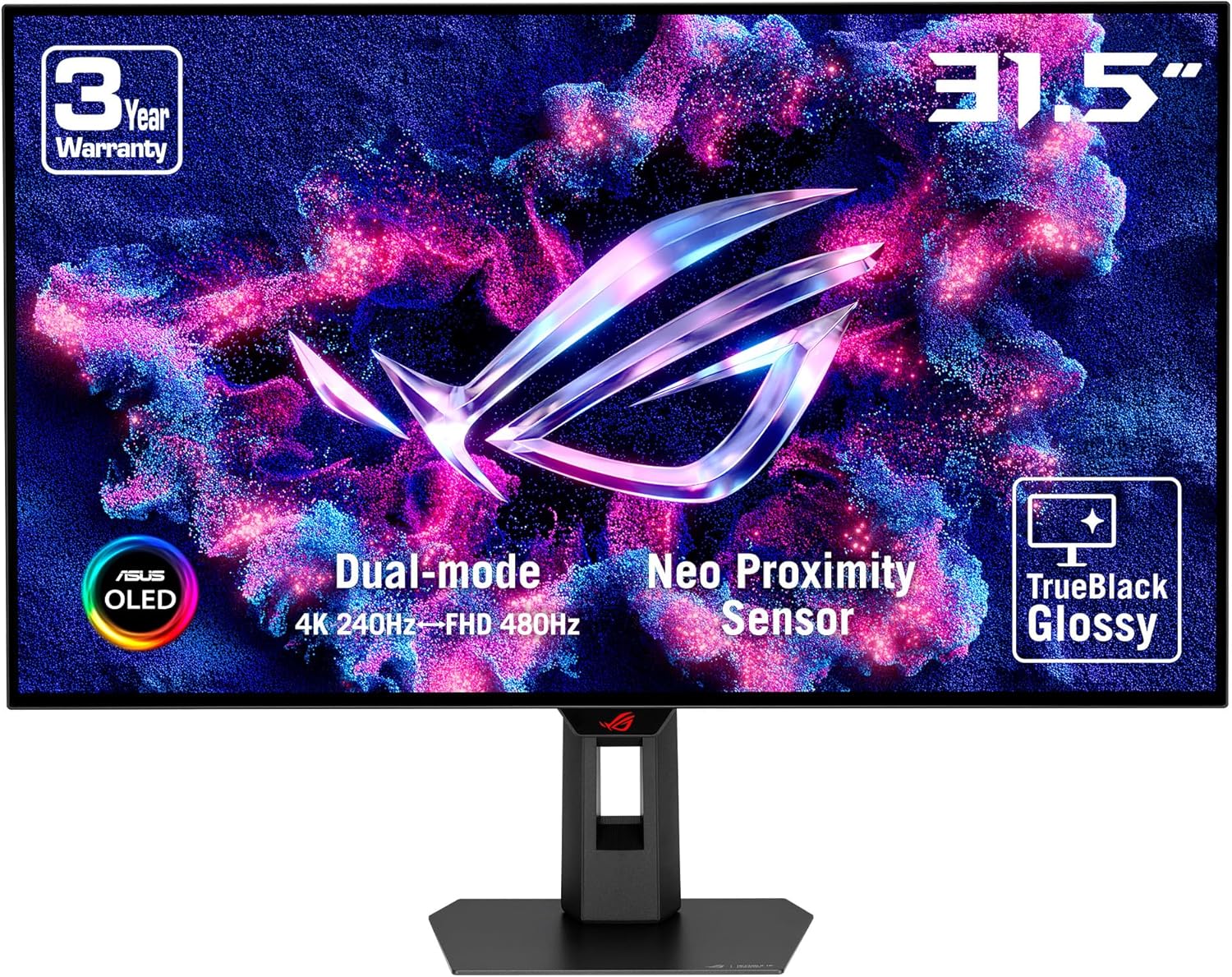
A 32-inch dual-mode 4K OLED at £693.95 with a 4.1 average and 18 of 100 histogram entries at one or two stars — the harshest spread in the top seven.
Pros
- Dual mode: 4K at 240 Hz or 1080p at 480 Hz
- TrueBlack Glossy WOLED with a zero-haze surface
- £693.95 — £45 less than the top-ranked ROG Swift
- OLED Care Pro with a Neo Proximity Sensor
- DisplayHDR 400 True Black, 99% DCI-P3 and true 10-bit
Cons
- 4.1 average — the lowest in the top seven
- 18 of 100 histogram entries are one or two stars
- Brightness field shows a raw code: '400 candela_per_square_meter'
- Port fields claim 7 video outputs and 1 Thunderbolt port against 1 listed HDMI
What buyers actually say
Quoted from customer reviews on Amazon
Verified purchase“Best monitor ever. The brightness is beautiful, 240hz feels amazing. 4k OLED is end game. Seriously stunning.”
Verified purchase“my first oled monitor , is so black that you can see you your reflection on it , the colours is so strong so a live , is unbelievable, love it , no issues no problems works perfect , just becareful is to bright the colours are very powerfull”
£693.95, a 4.1 average from 239 ratings, and a brightness field that reads '400 candela_per_square_meter' — the internal field name has leaked into the public listing. The number is credible; the formatting is not. Its rating spread is the weakest above fourth place: 14 one-star entries and four two-star entries out of 100.
The panel is the interesting part. TrueBlack Glossy WOLED gives a zero-haze surface, and dual mode runs 4K at 240 Hz or 1080p at 480 Hz, exactly as the ROG Swift at the top of this list does. OLED Care Pro adds a Neo Proximity Sensor that black-screens when you walk away, and the listing also quotes DisplayHDR 400 True Black, 99% DCI-P3, true 10-bit colour and Delta E under 2.
Anyone after the best 32 inch oled gaming monitor will find this a genuine candidate — the specification is nearly identical to the £739 model in first place for £45 less. The port fields, though, claim seven video outputs and one Thunderbolt port on a monitor listed with a single HDMI input. If the rating tail matters more to you than the glossy finish, the matte ASUS at number one is the safer buy.
Philips 49M2C8900LA 49-inch 32:9 QD-OLED 144Hz

The biggest screen here at 48.9 inches and 32:9, but the slowest at 144 Hz — and its contrast field reads 4000:1 against 1,500,000:1 on rival QD-OLEDs.
Pros
- 48.9-inch 32:9 panel at 5120 x 1440 — the largest screen here
- QD-OLED with DisplayHDR TrueBlack 400
- 30W DTS speakers and Ambiglow lighting built in
- Designed to replace a multi-monitor setup on one stand
- £649.99 for a screen of this size
Cons
- 144 Hz — the lowest refresh rate in this ranking
- Contrast filed as 4000:1 against 1,500,000:1 on rival QD-OLEDs
- 19 kg, and HDMI is listed as 2.0 rather than 2.1
- Only 63 of 100 histogram entries are five-star
What buyers actually say
Quoted from customer reviews on Amazon
Verified purchase“I hesitate to call anything perfect but this is close to it for the price.I purchased at £649, which is a bargain.From a gaming perspective:- Motion is incredibly smooth, at 144hz, it feels much smoother and instant than my previous 170hz IPS display.- 32:9 aspect ratio gaming will change your life. It's been over a month for me and I'm still not used to it, and often pause in amazement at what I'm seeing. Bare in mind you can also game in 2K and have an entire 2K monitor remaining, without bezels or two power cables.- If you haven't tried it, OLED gaming will also change your life. Games like Subnautica, Cyberpunk, etc, they all pop and look crazy vivid. Movies too.From an "everything else" perspective:- Extremely well built and solid. I've seen other reviewers mention the VESA mount. I don't know what they were doing, but there's nothing wrong with it. It's solid steel, and works fine.- More connectors than you could need. 2 HDMI, 1 DP, USB-C- Picture in picture and picture by picture are game changers. Being able to have my PC and Mac, or PC and PS3 on the screen at once is awesome.- Productivity gains with this monitor are off the charts. IDE, debug console, web interface, and a terminal all at once? Yeah. With room to spare.- Ambilight is fantastic. It saved me money on getting LED strips, and it's way better than previous lights I've had. Philips makes Hue, remember...The bad stuff:- Sound quality isn't great, but at this price/quality, you most likely have better speakers/headphones anyway.- It's very heavy, but that comes with the territory- The stand is ridiculously "long", you better have a deep desk.”
Verified purchase“no point buying other brand oleds because they dont have ambi light and all do the same jobbest monitor ever coming form the dell 34 alienware oled. its easily to get down about these monitors until you put the time in and configure them properly. the led ambi light is a nice bonusas an example, if you dont set the monitor to be able to run as 2 x 27" proper monitors youll start struggling with wasted screen real estate and become tiresome and unenjoyable, you be for ever adjusting window manually even though wiondows 11 can do it to a degreein Firefox trick is to go into about:config and set full-screen-api.ignore-widgets to "true". That will make fullscreen only take up one of the 27" windows when viewing youtube for example after you hit full screen. basically you can watch you tube in 27" one half of screen and do something else with the other. if you dont do this hitting full screen in you will take up the whole 49" with a single 27" monitor in the middle and black bars.that was probably a terrible explanation but you will know once you go 49" and im not writing it out again, another tip hide task bar automatically and get used to it, minimise fire fox (or what ever you use) toolbars and tab views get rid of menu bar. this will give you back the height you had before you came to a 49"after you did all this there is no going back but i feel so many do not even scratch the surfacedown sides:power saver oled safe turns monitor off after 16 hours can get annoyingwall mount bracket is deep, if used with monitor arm, i got rid of arm and used a flat vesa metal flush plate type mount”
48.9 inches, 5120 x 1440, 32:9 and QD-OLED for £649.99. This is the largest panel in the ranking and also the slowest at 144 Hz. The 4.2 average comes from 75 ratings, and the histogram is the flattest here: 63 five-star entries out of 100, against 81 for the screen in first place. Weight is listed at 19 kg.
The case for it is desk space. A 32:9 panel is designed to replace two or three monitors, and the listing adds 30W DTS speakers, Ambiglow backlighting, LowBlue mode and a flicker-free backlight. DisplayHDR TrueBlack 400 is quoted, connection is DisplayPort 1.4 with two HDMI 2.0 ports, and there is a two-port USB hub.
As a result, the numbers need care. The contrast ratio is filed as 4000:1 while the MSI and Gigabyte QD-OLEDs here claim 1,500,000:1 — the listings are measuring something different, and neither says what. Worth knowing too: as an ultrawide oled gaming monitor this is a specialist purchase, and 144 Hz is the lowest refresh rate on the page, which is why most of the best oled gaming monitors here aim for 240 Hz or more. Twelve of the 100 histogram entries are one or two stars.
If you play fast shooters, buy refresh rate instead.
Gigabyte MO27U2 27-inch 4K OLED 240Hz

£599.00 for 27-inch 4K OLED at 240 Hz with 1000 cd/m2 — the strongest specification-per-pound ratio in this ranking.
Pros
- 27-inch 4K OLED at 240 Hz for £599.00
- Brightness quoted as 1000 cd/m2 — directly comparable with the ASUS panels
- 1,500,000:1 typical contrast ratio
- Pantone validation, ClearMR 13000, FreeSync Premium Pro and G-Sync compatible
- Height, tilt, swivel and pivot adjustment
Cons
- Only 54 ratings
- Item dimensions field reads 187.5 cm deep
- 4.3 average is below the top three
- 14 of 100 histogram entries are one or two stars
- Glossy screen finish
What buyers actually say
Quoted from customer reviews on Amazon
Verified purchase“I was able to get this monitor refurbished for €432, and it's actually perfect, absolutely no signs of use.I come from a pretty good IPS panel, and this OLED was still mind-blowing. I decided to try it with Cyberpunk 2077: Phantom Liberty DLC since it seemed like the perfect game to test out the OLED HDR capabilities, and I was right. The neon signs pop like crazy, the contrast is incredible, and everything just looks better.The image actually looks more defined because of the crazy contrast, which creates so much separation between objects. It genuinely feels like you're looking through a window.If you can get it for 600€ or less, I'd say it's absolutely worth your money.”
Verified purchase“Bu fiyata, bu performansta ve bu özelliklerde bir QD-OLED monitör bulmak neredeyse imkansız. İndirimle 34.000 TL civarına satın aldım. Sadece DP 2.1 artısı olup ekstra bir özellik sunmayan Asus ve AOC modelleri 41.000 TL bandından başlarken, bu para bu monitör çok iyi. Almayı düşünüp de kafası karışık olanlara tavsiye ederim”
£599.00 buys a 27-inch 4K OLED at 240 Hz with a 0.03ms response, 1000 cd/m2 brightness and a 1,500,000:1 typical contrast ratio. That brightness figure is quoted in cd/m2, the same unit as the ASUS TrueBlack Glossy, which means the two can actually be compared. The 4.3 average rests on 54 ratings — the smallest sample in this best oled gaming monitor ranking.
The panel carries 99% DCI-P3, 10-bit colour, Pantone validation, VESA DisplayHDR True Black 400 and ClearMR 13000, plus AMD FreeSync Premium Pro and G-Sync compatibility. The stand does height, tilt, swivel and pivot. Power draw is listed at 45W.
The catch is in the dimensions field: it reads 187.5 cm deep. A 27-inch monitor is not 1.87 metres front to back, so treat that row as a listing error rather than a measurement. With 54 ratings there is simply less evidence behind the 4.3 than behind the 4.6 of the top pick, and 14 of the 100 histogram entries are one or two stars.
Samsung Odyssey OLED G81SF 27-inch 4K QD-OLED 240Hz
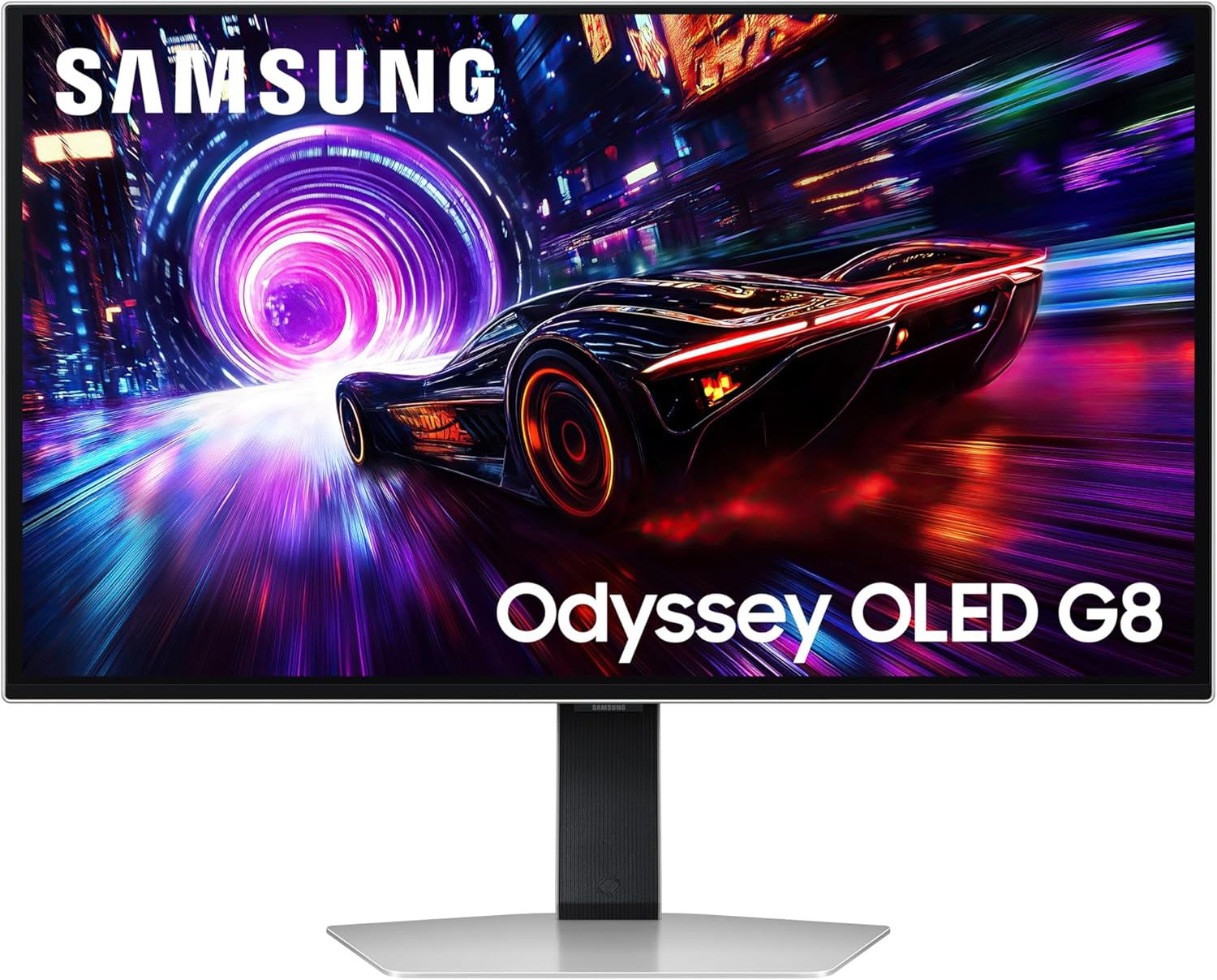
The cheapest 4K OLED here at £529.00 and the lowest rated at 3.8, with 30 of the 100 histogram entries at one or two stars.
Pros
- £529.00 — the cheapest 4K OLED in this ranking
- 166 PPI pixel density on a 27-inch panel
- 240 Hz with a 0.03ms response and HDR10+ Gaming
- OLED Safeguard+ with dynamic cooling and logo detection
- FreeSync Premium Pro and G-Sync compatible
Cons
- 3.8 average — the lowest here and the only one under 4.0
- 30 of 100 histogram entries are one or two stars
- Brightness listed as '250 Candela', without the area unit
- Only 58 ratings
What buyers actually say
Quoted from customer reviews on Amazon
Verified purchase“This monitor is seriously impressive. The OLED panel looks incredible—deep blacks, vibrant colours, and a level of contrast that makes games and movies look completely different compared to a standard LCD. The 240Hz refresh rate and 0.03ms response time make everything feel unbelievably smooth, especially in fast shooters.The 32‐inch size is a great match for 4K, giving you loads of detail without feeling overwhelming on a desk. Build quality is solid, the stand is sturdy, and the menu system is easy to use. Burn‐in protection features are also reassuring if you're planning long gaming sessions.It's definitely a premium monitor, but when it drops during Prime Day or other big sales, the value for money becomes hard to beat. If you want top‐tier image quality and high‐end gaming performance in one package, this is a fantastic choice.”
Verified purchase“QD-OLED - 240Hz - HDR Peek 1000 - 3ms GTG - G Sync - Free sync - 3 year burn in warranty. Just buy it.Outstanding build quality, stunning picture, lighting fast refresh and the 32" 4K is the perfect size and resolution for all the things, games, productivity, movies, it does it all, and it does it well.£700 is a good price for what is now a mature technology that I'm finally happy to spend my money on.”
£529.00 is the lowest price for a 4K OLED in this best oled gaming monitor ranking, and it undercuts the Gigabyte above by £70. The rating is 3.8 from 58 ratings — the lowest average here by some margin, and the only one below 4.0. By contrast, the two screens directly above it average 4.3 and 4.2. Brightness is filed as '250 Candela', without the per-square-metre part of the unit, so it cannot be lined up against the MSI's '1000 nits'.
On specification it is competitive: 166 PPI pixel density, 240 Hz, 0.03ms grey-to-grey, QD-OLED, HDR10+ Gaming and VESA DisplayHDR TrueBlack 400, AMD FreeSync Premium Pro and G-Sync compatibility. Samsung's OLED Safeguard+ adds a dynamic cooling system, thermal modulation, logo and taskbar detection and a screensaver. The Glare Free coating is claimed to be 54% less glossy than conventional anti-reflection film.
Even so, 15 of the 100 histogram entries are one-star and another 15 are two-star. That is 30% of the sample in the bottom two brackets, against 6% for the screen in first place. In short, the price is the argument and the ratings are the counter-argument. If a low average puts you off, the £599 Gigabyte is £70 more for a 4.3.
Final Verdict
For most people the 27-inch 4K Gigabyte at £599.00 is the sensible spend: 240 Hz, 1000 cd/m2 and a 1,500,000:1 contrast ratio for £140 less than the top pick, provided you accept 54 ratings' worth of evidence. If you want the best OLED gaming monitor for a mixed desk — gaming plus a laptop charged over USB-C — the Alienware AW3225QF at £699.97 and the MSI at £698.99 are 98 pence apart; the Alienware has 711 ratings, the MSI only 77. If desk width is the priority, the 48.9-inch Philips is the only 32:9 option here at £649.99, though it tops out at 144 Hz. And if 30% one- and two-star ratings rule a screen out for you, the £529 Samsung fails that test in a way no price can fix; the same money plus £70 buys a 4.3 elsewhere in this best OLED gaming monitor ranking.

Written by
Felipe Iglesias
Founder & Lead Reviewer
Felipe is a computational engineering student who has been working in SEO since he was sixteen. He founded ranked10 and researches every guide on the site.
Related buying guides
All Tech guidesBest DAB Radios 2026: 9 Ranked, and the 30W Claim That Doesn't Add Up
A radio that claims 30 W of output and a battery that lasts over 10 hours is claiming something the arithmetic will not support. The AZATOM Spitalfields 2 lists 30 W maximum speaker output; the same listing says its 2,000 mAh battery runs for over 10 hours. A 2,000 mAh cell at the 3.7 V that appears in these spec sheets holds about 7.4 Wh, so ten hours averages 0.74 W. At a genuine 30 W, that pack would be empty in about 15 minutes. That is the problem with shopping for the best DAB radios on wattage alone: the Mycket, at £29.99, declares 5 W against a 2,200 mAh battery and 12 hours — around 0.68 W average, the same order of magnitude as the AZATOM. The '30 W' and the '5 W' are not the same measurement, which is why a £29.99 radio looks six times more powerful than a £44.95 one. We ranked nine of the best DAB radios on Amazon on preset count, power source, battery type, display and how well each listing's own numbers agree with each other. Every one of the dab radios reviewed here was checked against its spec table, not against its marketing headline. Price runs from £21.59 to £99.00, and the most expensive model is not the one with the biggest wattage claim.
TechBest CPU Air Cooler 2026: 10 Ranked, One Sold Twice at Two Prices
The same cooler appears twice in this best cpu air cooler shortlist, at two different prices. The Thermalright Peerless Assassin 120 SE is listed at £29.99 with 3,133 ratings and again at £35.90 with 307 ratings — £5.91 more for a name that is identical. The two listings cannot both be right about the hardware: one records 12 Volts and 265 watts, the other 5 Volts and 3 watts. Those watts are not power draw. The cooler's own fan is a 4-pin, 12-volt part moving 66.17 CFM, and the 265 W sitting in the Wattage field is the thermal capacity quoted in the bullet text, not the current the product consumes. The pattern repeats. be quiet! sells two Pure Rock Pro 3 coolers at the same £41.98, yet one lists 3.6 watts and the other 250 watts. Cooler Master's MasterLiquid describes a 394 mm radiator in its copy while its own dimensions field says 15.7 cm long. We ranked ten of the best cpu air cooler options on Amazon on three criteria: the published price and rating counts, the socket support each listing actually states, and whether a product's own specifications agree with each other.
TechBest Case Fans 2026: 9 Ranked by What a Fan Actually Costs
Almost nothing in this list of the best case fans is sold as a single fan, so the price on the page is not the price of a fan. The £21.49 ARCTIC five-pack works out at £4.30 a fan. The £18.66 ARCTIC pack works out at £3.73. Meanwhile the £18.99 be quiet! Light Wings buys you one fan. The same be quiet! Light Wings 120mm PWM high-speed fan is listed twice — £18.99 on its own and £44.99 as a three-pack with an ARGB hub. That is £15.00 a fan, and £11.98 less than three singles. The noise numbers cannot be lined up either: ARCTIC quotes 0.3 sones on both its five-packs, Noctua quotes 25.1 dB(A), be quiet! 31 dB and Corsair 36 dB. As a result the spec tables are not all in the same unit, and Noctua is the only brand here quoting airflow in cubic metres rather than CFM. We ranked nine of the best case fans on Amazon on three measures a buyer can check: the price divided by the number of fans in the box, the specification each manufacturer actually publishes, and the review count behind the star rating. There is no test bench here. Where a listing contradicts itself — and several do — we say so, with both numbers.
Comments
Reader comments are not checked against the manufacturer's claims above.
No comments yet
Be the first to add something we missed — a price change, a spec that turned out wrong, or how one of these held up.
Leave a comment
No account needed. Own one of these? Tell other readers how it actually performed.