Best Monitor Light Bar 2026: 10 Ranked, and Why Lux Without an Area Is Nothing
By Felipe Iglesias · Updated

Lux measures light landing on a surface, so a lux figure only means something if you are told what surface. Exactly one of these ten listings tells you. BenQ's ScreenBar Pro states "over 1000lx central brightness and a 500lx range within 85*50cm" — a number and the area it holds across — and it costs £119. Yeelight puts "1500Lux" in its product title at £25.47, publishes no area, no distance, and no wattage anywhere on the page. Quntis prints "Max 900Lux" across four different bars in the same search. Three listings, including BenQ's own £149 flagship, publish no illuminance figure at all. Meanwhile the thing nobody mentions is that every bar here runs off a USB port, and OOWOLF says the quiet part out loud in its final bullet: "Please use a 5V/1A power supply". Five volts at one amp is five watts, which is what BenQ's £89 bar, BenQ's £119 bar, BenQ's £149 bar and the £27.99 OOWOLF all declare — so the cheapest and dearest products on this page work from the same energy budget, and the extra £125 buys optics, sensors and standards compliance rather than more light. We ranked ten of the best monitor light bar options on Amazon in August 2026, and found one brand claiming the same 900 lux from 76 LEDs on one bar and 84 on another, with its own specification table answering 84, 144, 76 and 2.
BenQ ScreenBar Monitor Light Bar, 5W, Auto Dimming, 230-955 Lux

Publishes its full brightness range in lux, names the standard it meets, and has 4,504 ratings at 4.7 — the deepest and best-rated evidence here.
Advantages
- Publishes a full 230-955 lux range, not a single flattering maximum
- Names the standard its 500 lux auto-dim target complies with
- Only bar here citing IEEE PAR1789 for flicker and IEC/TR 62778 for blue light
- 4,504 ratings at 4.7, the deepest and joint-best rated here
- CRI above 95 with asymmetric optics and an ambient light sensor
Disadvantages
- Clamp fits only 1-3cm bezels, narrower than BenQ's own Halo 2
- Does not state the area its lux figures hold across, unlike the Pro
- Spec table lists an E26 bulb base on a sealed LED bar
- £89 against £24-£31 for bars with similar CRI claims
Four thousand five hundred and four ratings at 4.7 stars is the deepest and joint-best-rated evidence in this comparison, and the listing behind it is the most complete. BenQ states that auto-dimming targets 500 lux, that manual adjustment runs from 230 lux to 955 lux, and — unusually for any lighting product we have collected — it names the standard that 500 lux figure complies with. A range rather than a single flattering maximum is what a measurement looks like.
It then names two more standards that nobody else here mentions: IEEE PAR1789, which governs flicker, and IEC/TR 62778, which governs blue light hazard. Flicker is the one that matters for headaches, and BenQ is the only brand on this page that addresses it. Add CRI above 95, an asymmetric optical design that stops the light reaching the screen, a built-in ambient light sensor, 2700K to 6500K colour adjustment and a sand-blasted aluminium body, and £89 buys a genuinely engineered object rather than an LED strip on a clamp.
Two caveats. The patented clamp fits monitors 1 to 3 centimetres thick, which is narrower than the 0.43 to 6 centimetre range of BenQ's own Halo 2, so measure your bezel before ordering. And the specification table repeats the category's silliest habit: Bulb Base reads "E26" and Bulb Shape Size reads "T6 1/2" on a sealed LED bar with no socket and no removable bulb. That BenQ, at £89, fills those fields as carelessly as a £24 seller is worth noting, even though nothing about the product depends on it.
BenQ ScreenBar Pro, 5W, 1000lx Central, 500lx over 85x50cm, Motion Sensor

The only listing in the entire category that says over what area its lux figure holds — and that single sentence is why it ranks above bars with more ratings.
Advantages
- The only listing in this category that publishes lux with its area
- 500 lux across 85x50cm is a genuine, checkable desk-lighting figure
- Ultrasonic presence sensor switches it on and off automatically
- Fits a wide 0.43-6.5cm bezel range and curved monitors
- 4.7 stars from 1,261 ratings
Disadvantages
- £119, thirty pounds more than the ScreenBar for the same 5W budget
- 1,261 ratings, a quarter of the standard ScreenBar's sample
- Spec table lists a BA21D bayonet base on a sealed LED bar
- Motion sensor can trip on movement from elsewhere in a room
One sentence separates this from every other product on the page: "over 1000lx central brightness and a 500lx range within 85*50cm". That is an illuminance figure with the area it covers, which is the complete specification, and no other listing in this search provides it. Everyone else prints a lux number floating free — 1500, 900, 500 — leaving you unable to tell whether it describes your whole desk or a coin-sized spot directly beneath the bar. Eighty-five by fifty centimetres is most of a desk, and 500 lux across it is the level office lighting standards ask for.
The other addition over the standard ScreenBar is an ultrasonic motion sensor that detects you within about 60 centimetres, switching the bar on as you sit down and off five minutes after you leave. On a device you will use daily for years that is more useful than it sounds, and it is genuinely rare — the only other presence detection here is on BenQ's dearer Halo 2. ASYM-Light optics, USB-C power, a clamp fitting 0.43 to 6.5 centimetre bezels and 1000R to 1800R curves round it out.
It ranks second rather than first on evidence and price. One thousand two hundred and sixty-one ratings is a quarter of the standard ScreenBar's sample, and £119 is £30 more for a bar with the same 5 watt power budget. The specification table also gives Bulb Base as "BA21D" and Bulb Shape Size as "T", which describe a bayonet lamp this product does not contain.
Quntis 41cm Curved Monitor Light Bar, 7.5W, 84 LED, Backlight, Remote
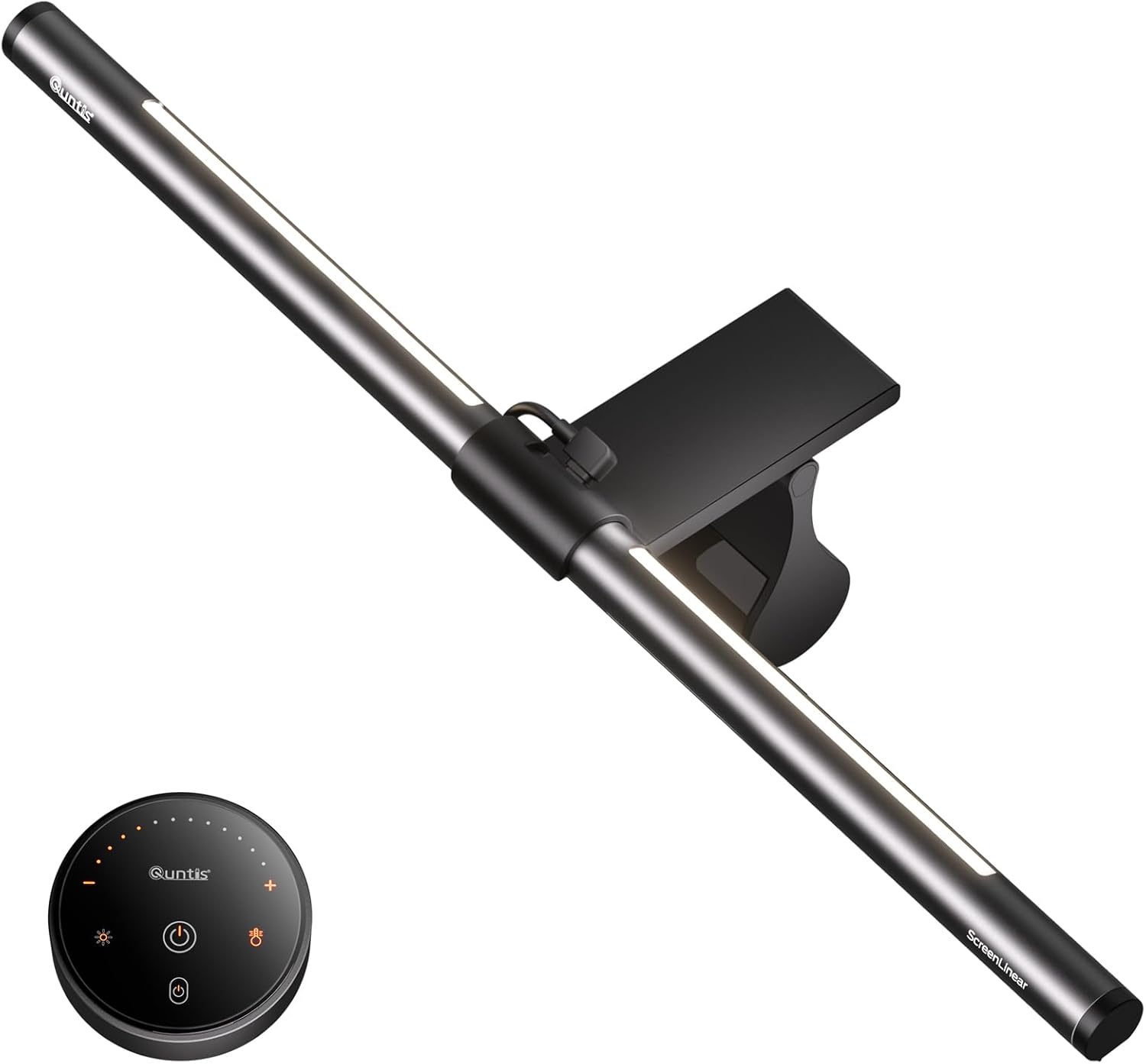
The best value here: 7.5W, a rear ambient backlight and CRI>95 for £43.99 — and the only Quntis whose LED count is the same in the bullet and the table.
Advantages
- 7.5W, 50% more power than any BenQ here, for £43.99
- Rear ambient backlight, which BenQ only offers at £149
- The only Quntis here whose LED count matches between bullet and table
- CRI above 95, RG0 rating and stated light uniformity
- 774 ratings at 4.6, the second-best average in this comparison
Disadvantages
- Quotes "500-1000lum" where its siblings quote lux, mixing the units
- No lux figure and no area published
- Spec table lists an E27 bulb base and a T8 tube shape
- Quntis splits its feedback across at least eight similar listings
Seven and a half watts is 50% more power than any BenQ on this page, and at £43.99 this costs half what the ScreenBar does. The dual light source is the reason to want it: as well as the front bar lighting your keyboard, a rear ambient backlight washes the wall behind the monitor, which reduces the contrast between a bright screen and a dark room. That contrast is the actual cause of most evening eye strain, and BenQ only offers a backlight on its £149 model.
Quntis publishes CRI above 95, cites the RG0 photobiological exemption rating, quotes light uniformity of 0.6 or better and describes a 45 degree asymmetric design. The 2.4GHz wireless remote has buttons that glow faintly when the bar is off, which is a small, thoughtful touch. Four hundred and eighty-four ratings would be respectable; 774 at 4.6 stars is the second-best average in this comparison.
It earns its place over its own siblings on one detail: it is the only Quntis on this page whose LED count agrees with itself. The bullet says 84 LEDs and the specification table says 84. The 51cm model at number nine says 84 in the bullet and 144 in the table; the 51cm RGB at number ten says 84 and 2. On the brightness claim Quntis is silent here — the sibling listings say "Max 900Lux" and this one gives only "500-1000lum", which mixes lumens into a sentence its relatives write in lux. Dimensions read "2D x 40W x 2H", which is at least the right shape for a bar.
BenQ ScreenBar Halo 2, 5W, Front & Back Light, Wireless Dial, Auto On/Off

The most expensive bar here and the best hardware — from the only BenQ listing that publishes no lux figure at all.
Advantages
- Front and rear lighting with an 18 degree anti-glare angle
- Wireless dial with a numeric display, charged over USB, lasts 3 months
- Presence detection plus ambient auto-dimming
- Widest compatibility here: 0.43-6cm bezels, 1000R-1800R curves
- 4.7 stars from 1,189 ratings
Disadvantages
- The only BenQ here that publishes no lux figure at all
- £149, the most expensive bar in this comparison
- Still a 5W USB device, like the £27.99 OOWOLF
- Spec table gives the bulb shape as "54SMD", which is not a bulb
The Halo 2 is the most complete piece of hardware in this comparison. It lights both forward onto the desk and backward onto the wall, at an 18 degree anti-glare angle that BenQ calls ASYM-Light; it detects your presence and switches itself on and off; it auto-dims to ambient conditions; and it is driven by a wireless dial with its own display showing the exact brightness and colour temperature values, charged over USB and lasting about three months. The clamp handles bezels from 0.43 to 6 centimetres and curves from 1000R to 1800R, which is the widest compatibility here.
The wireless dial deserves particular mention because it solves a real irritation. Touch controls on the bar itself mean reaching over your monitor and nudging it every time you change brightness; a dial that sits by your mouse with a numeric readout turns a fiddle into a glance.
What is missing is the number. This is the only BenQ listing on the page that publishes no illuminance figure whatsoever — no lux at the centre, no range, no area — despite the two cheaper BenQ bars both doing so and the Pro publishing the best disclosure in the category. At £149 it is £60 dearer than the ScreenBar and £30 dearer than the Pro, and it asks you to spend that on the strength of features rather than measurements. It is also 5 watts, like every other BenQ here.
Quntis 41cm Curved Monitor Light Bar, 76 LED, 900 Lux, Wireless Remote

Claims the same 900 lux as its 84-LED siblings using 76 LEDs, for £13 less — which tells you what the LED count is worth.
Advantages
- Same claimed 900 lux as its 84-LED siblings, for £13 less
- LED count agrees between the bullet and the specification table
- One remote drives multiple bars, useful on a multi-monitor desk
- 45 degree targeted optics and RG0 blue light rating
- Metal body and a weighted sliding clip for curved monitors
Disadvantages
- 900 lux published with no area, like eight of the ten here
- Length appears in the depth field: "40D x 15W x 3H" for a 41cm bar
- No rear backlight, unlike the dearer Quntis models
- 421 ratings, split from the brand's other seven listings
This bar makes the category's central point better than any criticism could. Quntis sells four monitor light bars in this search, all rated 7.5 watts, all advertising "Max 900Lux". This one produces that figure from 76 LEDs; the three others produce it from 84. Thirteen pounds cheaper than the 41cm at number three and twenty pounds cheaper than the 51cm models, from the same brand, with the same claimed brightness and eight fewer diodes — which is a clear demonstration that the LED count in these titles is a marketing number rather than a measure of output. Total light comes from watts, and the watts are identical.
As a product it is well specified and the cheapest way into the brand's ASYM-Light optics. Forty-five degree targeted beam control, a 2.4GHz wireless remote that will drive several bars at once if you run a multi-monitor desk, stepless dimming, memory function, RG0 blue light rating and a patented weighted sliding clip that works on curves of 1000R or greater. The metal body weighs 584 grams. Four hundred and twenty-one ratings at 4.4 stars is a solid mid-table sample.
The specification table is, for once, internally consistent: the bullet says 76 LEDs and the table says 76. The dimensions are the usual muddle — "40D x 15W x 3H" for a bar sold as 41 centimetres, so the length has landed in the depth field. And no area accompanies the 900 lux, so like eight of the ten here the headline figure cannot be checked against anything.
OOWOLF 16" Monitor Light Bar, 5W, 84 LED, CRI≥95, Backlight, Remote

The listing that gives the category away: it tells you to use a 5V/1A supply, which is the five-watt ceiling every bar here shares.
Advantages
- States its 5V/1A power requirement, revealing the category's 5W ceiling
- CRI of 95 or above, matching BenQ, for £27.99
- Rear ambient backlight that the £89 BenQ does not offer
- Front and back lights controlled independently
- Silicone mount needs no clamp and weighs just 350g
Disadvantages
- 4.2 stars, the lowest average in this comparison
- No lux or lumen figure published anywhere
- Spec table lists an E26 base and A19 household bulb shape
- Dimensions give 44cm depth for a bar sold as 16 inches
The most useful sentence on this page is OOWOLF's last one: "Please use a 5V/1A power supply or the USB port on the back of the monitor". Five volts at one amp is five watts, and that is the entire energy budget of this product — the same five watts BenQ declares on bars costing £89, £119 and £149. Once you know that, the pricing of this category makes sense: nobody is selling you more light, because the USB port will not supply it. They are selling you where the light goes and how carefully it was measured.
For £27.99 you get a genuinely competitive specification. CRI of 95 or above, matching BenQ's claim, which means colours on your desk render properly. Eighty-four LEDs, an asymmetric optical design radiating down and forward only, a rear ambient backlight that the £89 BenQ does not have, independent control of front and back lighting, three colour temperatures, 10% to 100% dimming and a remote. The silicone mount is heavy enough to sit on curved monitors without a clamp mechanism, and it weighs only 350 grams.
Four point two stars is the lowest average in this comparison, from 448 ratings, and that is the honest reason it sits sixth rather than third. No lux or lumen figure appears anywhere, so there is nothing to check the brightness against. And the specification table repeats the category habit with a "Bulb Base E26" and an "A19" bulb shape — the shape of a standard household screw-in bulb — on a sealed 84-LED bar.
Yeelight Monitor Light Bar 42cm, 1500 Lux, Ra95, 78 LED, Full Metal

Puts 1500 lux in its title — 50% more than BenQ claims at the centre — while publishing no area, no distance and no wattage at all.
Advantages
- Ra95 colour rendering, matching bars costing three times as much
- Genuine full-metal body at just 245g, the lightest here
- Stepless dimming across 2700K-6500K with touch control
- RG0 photobiological exemption rating cited
- £25.47 with 363 ratings at 4.3 stars
Disadvantages
- Claims 1500 lux in the title with no area and no distance
- The only listing here that publishes no wattage at all
- Clip thickness given in inches on a British listing
- No rear backlight, which cheaper rivals here include
One thousand five hundred lux is the largest illuminance claim in this comparison, and it appears in the product title of the second cheapest bar on the page. BenQ's £119 ScreenBar Pro, the only product here that publishes an area, claims over 1000 lux at the centre. This claims half again as much for £93.53 less, and it does so without stating an area, a distance, or — uniquely among the eight listings that publish any power figure — a wattage. There is no number anywhere on the page against which the 1500 can be sanity-checked, which is precisely what makes it unfalsifiable rather than false.
Judged on what it does publish, it is decent. A colour rendering index of Ra95 matches BenQ and OOWOLF, 78 LED beads sit in a genuinely full-metal body weighing 245 grams — the lightest here — and stepless dimming runs alongside 2700K to 6500K colour temperature adjustment. It cites the RG0 photobiological exemption, and the retractable clip handles monitors from 0.3 to 1.4 inches thick, which is imperial on a British listing but converts to a usable 0.8 to 3.6 centimetres.
At £25.47 with 363 ratings at 4.3 stars this is a reasonable purchase and a poor listing. Buy it for the metal build and the Ra95, which are stated plainly and are worth having at this money. Do not buy it because it says 1500 lux, because that number is doing no work: no rival publishes a comparable figure with an area either, so it cannot even be compared like for like.
Laliled Monitor Light Bar, 7W, CRI>85, 3 Colour Temperatures, 1h Timer

The cheapest bar here, and the only one that publishes a colour rendering index below 95 — which is the most believable number on the page.
Advantages
- Cheapest bar in this comparison at £23.99
- Publishes CRI>85, the only sub-95 figure here and the most credible
- 7W, above BenQ's 5W across all three of its models
- One-hour break timer, unique on this page
- 536 ratings at 4.3 stars and a 180 degree adjustable clip
Disadvantages
- No lux or lumen figure published anywhere
- Dimensions put the 42.5cm bar length in the height field
- Spec table lists an E27 base and a B10 candle bulb shape
- No rear ambient backlight at this price, unlike OOWOLF
Five brands in this comparison publish a colour rendering index and four of them say 95 or better. Laliled says "greater than 85". It is the lowest CRI claim on the page and, for that reason, the most credible one: a genuine CRI above 95 requires a specific phosphor mix that costs money, and four separate budget brands landing on the identical figure is the pattern of a number copied from a supplier's marketing sheet rather than measured. Eighty-five is a perfectly respectable index for desk work and it is the sort of thing a seller states when they have looked at the datasheet.
At £23.99 this is the cheapest bar in the comparison and it does the fundamentals. Asymmetric optics radiating down and forward only, three colour temperatures at 2900K, 4100K and 6200K, touch dimming, a clip with 180 degrees of adjustment and a light head with 90 degrees, fitting monitors 1 to 5 centimetres thick. Seven watts is above BenQ's five. Five hundred and thirty-six ratings at 4.3 stars is the fourth deepest sample here.
The one feature nobody else offers is a one-hour timer that prompts you to take a break, which is a small idea aimed at the actual problem these products are sold to solve. Against that: no lux figure, no lumen figure, no backlight, and dimensions reading "5D x 13.9W x 42.5H" — the 42.5 centimetre length of the bar has been entered as its height. And Bulb Base reads E27 with a B10 candle bulb shape, on a sealed LED strip.
Quntis 51cm Curved Monitor Lamp Bar, 7.5W, 900 Lux, Backlight, Remote

The most reviewed Quntis here at 850, on a listing whose title says 84 LEDs and whose specification table says 144.
Advantages
- 850 ratings at 4.4, the fourth deepest sample in this comparison
- 51cm suits a 27-32 inch monitor, where 41cm bars leave edges dark
- 7.5W, the joint-highest power on this page
- Front bar plus rear ambient backlight and four colour temperatures
- Clip has room to mount a webcam alongside the bar
Disadvantages
- Title and bullet say 84 LEDs; the spec table says 144
- Quotes "500-1000lum" and "Max 900Lux" in one sentence for one claim
- No field contains the 51cm length: dimensions read 44 x 33 x 5cm
- Spec table lists an E27 base and B17 bulb shape
Eight hundred and fifty ratings at 4.4 stars is the fourth deepest sample in this comparison, and at 51 centimetres this is the right length for a 27 to 32 inch monitor where the 41cm bars leave the edges of the desk dark. The dual light source design gives you a front bar and a rear ambient wash, four colour temperatures, a 2.4GHz remote, stepless dimming, CRI above 95, an RG0 rating and a patented sliding clip with space to mount a webcam alongside it. Seven and a half watts is the highest power figure on this page.
Then it publishes its own LED count three times and gets two different answers. The product title says 84 LED. The second bullet says "84 upgrade LEDs". The specification table says "Number of Lights: 144". Sixty diodes is not a rounding error, and on a product whose headline specification is its brightness, the count of light sources is not a trivial field.
The brightness claim itself is the same "Max 900Lux" that appears on three other Quntis bars in this search, two of which have different LED counts, and it is published with no area. The same bullet also offers "a brightness of 500-1000lum" — lumens and lux in one sentence for the same claim, though they measure different things: lumens is total output, lux is what lands on the desk. Dimensions read "44D x 33W x 5H" for a bar sold as 51 centimetres, so no field contains the actual length.
Quntis 51cm Curved Monitor Light Bar with RGB Backlight, 7.5W, 84 LED
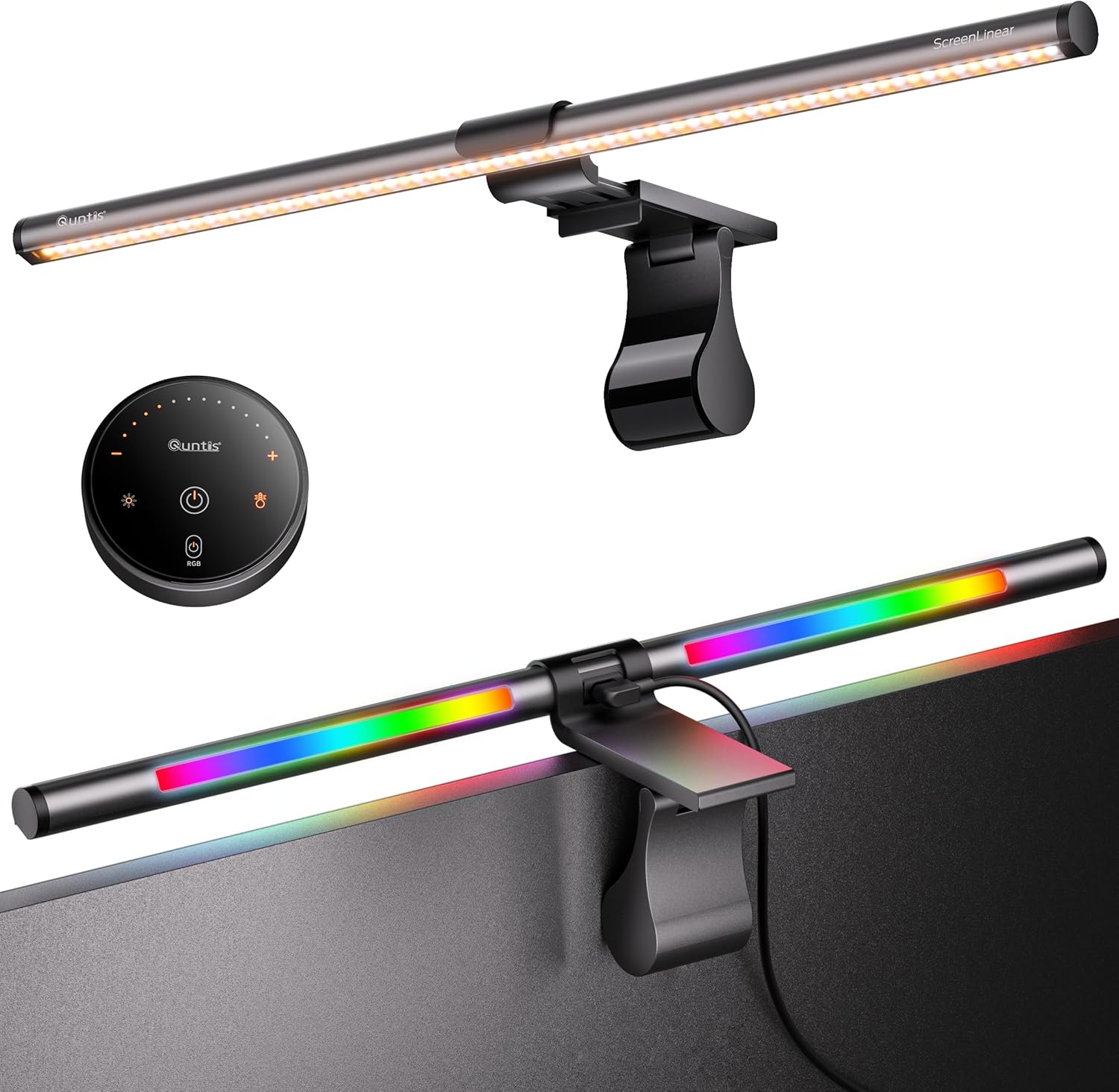
The same price and specification as the bar above it, with RGB added and half the ratings — and a table declaring it has two lights.
Advantages
- Fifteen RGB backlight effects for a gaming desk
- Same 7.5W, CRI>95 and 45 degree optics as its higher-ranked twin
- 51cm length suits 17 to 32 inch monitors
- 4.4 stars from 407 ratings
Disadvantages
- Spec table says "Number of Lights: 2" on an 84-LED bar
- Identical price and specification to the bar above with half the ratings
- Quntis splits its feedback across at least eight near-identical listings
- No field contains the 51cm length, and 900 lux comes with no area
This is the number nine bar with colour added. Same 51 centimetre length, same £50.99, same 7.5 watts, same 84 LEDs in the bullet, same CRI above 95, same RG0 rating, same 45 degree asymmetric optics, same 2.4GHz remote, same dual light source. What you gain is fifteen dynamic RGB lighting effects on the rear ambient light, aimed at gaming desks, where the argument for coloured backlighting is aesthetic rather than ergonomic. What you lose is 443 ratings: this listing has 407 where its twin has 850, which is Quntis splitting one product's feedback across two pages.
That splitting is the reason four Quntis bars appear in this ranking. The brand runs at least eight near-identical listings in this single search — 40cm, 41cm, 41cm curved, 51cm, 51cm curved, 66cm, a wireless version and an auto-dimming version — with separate review pools of 850, 774, 421, 407, 125 and 41. Nobody comparing them can tell how many people have actually bought a Quntis light bar, because the answer is distributed across pages that describe substantially the same object.
The specification table then produces the single most wrong field of this collection. Number of Lights reads 2. The bullet on the same page says 84 upgrade LEDs, the title says 84 LED, and the sibling listing says 144. Four Quntis listings, one claimed brightness of 900 lux, and four different answers to how many diodes produce it: 84, 144, 76 and 2. The dimensions, for completeness, read "45D x 32W x 5H" for a 51 centimetre bar.
All 10 compared
The same ranking side by side, now that the numbers have names.
| # | Product | Price | Amazon rating |
|---|---|---|---|
| 1 | BenQ ScreenBar Monitor Light Bar, 5W, Auto Dimming, 230-955 Lux | £89.00 | 4.7 (4,504) |
| 2 | BenQ ScreenBar Pro, 5W, 1000lx Central, 500lx over 85x50cm, Motion Sensor | £119.00 | 4.7 (1,261) |
| 3 | Quntis 41cm Curved Monitor Light Bar, 7.5W, 84 LED, Backlight, Remote | £43.99 | 4.6 (774) |
| 4 | BenQ ScreenBar Halo 2, 5W, Front & Back Light, Wireless Dial, Auto On/Off | £149.00 | 4.7 (1,189) |
| 5 | Quntis 41cm Curved Monitor Light Bar, 76 LED, 900 Lux, Wireless Remote | £30.99 | 4.4 (421) |
| 6 | OOWOLF 16" Monitor Light Bar, 5W, 84 LED, CRI≥95, Backlight, Remote | £27.99 | 4.2 (448) |
| 7 | Yeelight Monitor Light Bar 42cm, 1500 Lux, Ra95, 78 LED, Full Metal | £25.47 | 4.3 (363) |
| 8 | Laliled Monitor Light Bar, 7W, CRI>85, 3 Colour Temperatures, 1h Timer | £23.99 | 4.3 (536) |
| 9 | Quntis 51cm Curved Monitor Lamp Bar, 7.5W, 900 Lux, Backlight, Remote | £50.99 | 4.4 (850) |
| 10 | Quntis 51cm Curved Monitor Light Bar with RGB Backlight, 7.5W, 84 LED | £50.99 | 4.4 (407) |
Final Verdict
The best monitor light bar for you is not the one with the biggest lux number, because a lux number without an area attached cannot be wrong and therefore cannot be right either. Since every bar in this category draws five to seven and a half watts from a USB port, they all emit roughly the same total light — somewhere around 500 to 800 lumens — and what separates them is entirely where that light goes. That is the case for asymmetric optics: a bar that throws its output forward and down at a controlled angle lights your keyboard without bouncing off the screen, and a bar that scatters puts reflections in your eyeline all evening. So buy on three things. Beam control first, because it is the only real difference. Colour rendering second, where a stated CRI above 90 means colours on your desk look like themselves. And length third, matched to your monitor rather than maximised — a 41cm bar suits a 24 inch screen and a 51cm bar a 27 to 32 inch one, though you will have to work out which dimension field on the listing actually contains the length, since it lands in depth, width or height depending on who wrote the page. Crucially, check the review count against the exact model, because one brand here runs at least eight near-identical listings and splits its feedback across all of them.
Why trust this ranking?
We rank on price, customer ratings and the specifications that decide the job, and we read each specification table against the marketing bullets on the same listing. When a number does not survive that check, we say so in the entry rather than quietly dropping the product. We also say when a product is the wrong one for you.
How we rank, in full
Written by
Felipe Iglesias
Founder & Lead Reviewer
Felipe is a computational engineering student who has been working in SEO since he was sixteen. He founded ranked10 and researches every guide on the site.
Related buying guides
Every guide below ranks ten products the same way this one does.
 Home & Office
Best Document Scanner 2026: 10 Ranked
The best document scanner for 2026 is the ScanSnap iX2500 White: £8.62 per page per minute, 100-sheet feeder. Nine more ranked, from £54.99.
 Home & Office
Best A3 Printer 2026: 10 Ranked
Best A3 printer for most offices: the Brother MFC-J5340DW at £185.90, where 28 ppm works out at £6.64 per page per minute.
 Home & Office
Best Wireless Keyboard and Mouse Combo 2026: 10 Ranked, Battery Claims Checked
Wireless keyboard and mouse combo picks from £16.89 — we flag the specs that contradict themselves, like a £23.32 set that says no batteries are needed.
 Home & Office
Best Gaming Desk 2026: 10 Ranked, and the Heights That Don't Add Up
Best gaming desk picks ranked: in the Bestier, tabletop thickness reads 91.5 cm — the same as its height. We check where the numbers disagree.
 Home & Office
Best Gaming Chairs 2026: 10 Ranked, Plus a 1,136 kg Capacity Claim
The £89.99 SONGMICS HOME gaming chair lists a 1,136 kg weight capacity. That is a base pressure test, not a limit. Ten gaming chairs ranked.
 Home & Office
Best Laptop Bag 2026: The Size That Is a Screen
Ten laptop bags: one says 15.6 inches in its title and 14.6 in its own fit field, two publish no bullets, and six borrow fields from clothing.
 Home & Office
Best Cable Management 2026: What the Piece Count Is Counting
Ten cable products: a 4m trunking sold as ten 400mm lengths counts as one piece, an 8-pair set counts as 24, and one sleeve is listed as screw-in.
 Home & Office
Best Safe 2026: The Box Weighs 1.87kg
Ten safes and lock boxes compared: three 6.6L boxes weigh 1.87kg, 2.04kg and 2.6kg, one lists Portable, and a 14L safe publishes no weight.
 Home & Office
Best Ergonomic Mouse 2026: Only Three Publish the Angle
Ten ergonomic mice compared: only three publish the vertical angle, one claims 8 minutes of battery, and a trackball has the best record.
 Home & Office
Best Whiteboard 2026: The Frame Eats 11 Per Cent
Ten whiteboards compared on the number most listings hide: the writing surface. A 90x60cm board gives you 86x56cm, and only three of ten say so.
Products you might like
The best rated products from our other Home & Office guides.
-
 BoYata Aluminium Adjustable Laptop Stand, 0-90 Degree, Foldable
£32.99
4.8
in Best Laptop Stand 2026: 10 Ranked on Height They Actually Reach
BoYata Aluminium Adjustable Laptop Stand, 0-90 Degree, Foldable
£32.99
4.8
in Best Laptop Stand 2026: 10 Ranked on Height They Actually Reach
-
 cocopar 15.6 Inch Portable Monitor, 1080p, 85% sRGB, 670g, VESA
£89.99
4.8
in Best Portable Monitor 2026: 10 Ranked on Colour and Brightness
cocopar 15.6 Inch Portable Monitor, 1080p, 85% sRGB, 670g, VESA
£89.99
4.8
in Best Portable Monitor 2026: 10 Ranked on Colour and Brightness
-
 cocopar 18.5 Inch Portable Monitor, 100Hz, 350 nits, 1080p, 1kg
£142.49
4.8
in Best Portable Monitor 2026: 10 Ranked on Colour and Brightness
cocopar 18.5 Inch Portable Monitor, 100Hz, 350 nits, 1080p, 1kg
£142.49
4.8
in Best Portable Monitor 2026: 10 Ranked on Colour and Brightness
-
 Amazon Basics Compact Laptop Shoulder Bag 15.6 inch, 7.1cm Deep
£13.95
4.7
in Best Laptop Bag 2026: The Size That Is a Screen
Amazon Basics Compact Laptop Shoulder Bag 15.6 inch, 7.1cm Deep
£13.95
4.7
in Best Laptop Bag 2026: The Size That Is a Screen
-
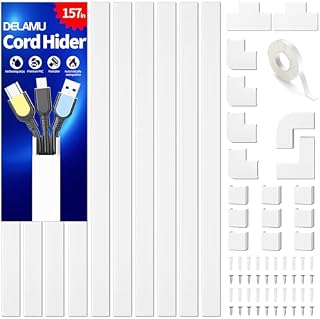 Delamu Electric Cable Trunking 4M, Self-Adhesive Wall Trunking, 10 x 400mm
£12.99
4.7
in Best Cable Management 2026: What the Piece Count Is Counting
Delamu Electric Cable Trunking 4M, Self-Adhesive Wall Trunking, 10 x 400mm
£12.99
4.7
in Best Cable Management 2026: What the Piece Count Is Counting
-
 MATEIN Travel Laptop Backpack 15.6 inch with 12 Compartments
£17.96
4.7
in Best Laptop Bag 2026: The Size That Is a Screen
MATEIN Travel Laptop Backpack 15.6 inch with 12 Compartments
£17.96
4.7
in Best Laptop Bag 2026: The Size That Is a Screen
-
 Nulaxy Ergonomic Dual Foldable Laptop Stand, 10kg Load, 10-16 Inch
£16.99
4.7
in Best Laptop Stand 2026: 10 Ranked on Height They Actually Reach
Nulaxy Ergonomic Dual Foldable Laptop Stand, 10kg Load, 10-16 Inch
£16.99
4.7
in Best Laptop Stand 2026: 10 Ranked on Height They Actually Reach
-
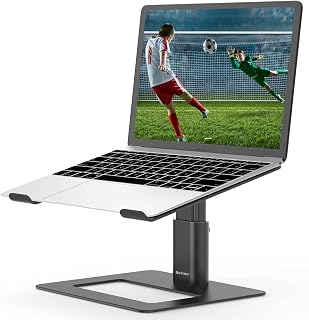 BoYata Height Adjustable Laptop Riser, 10-18.9cm, 5kg, 10-17 Inch
£24.99
4.7
in Best Laptop Stand 2026: 10 Ranked on Height They Actually Reach
BoYata Height Adjustable Laptop Riser, 10-18.9cm, 5kg, 10-17 Inch
£24.99
4.7
in Best Laptop Stand 2026: 10 Ranked on Height They Actually Reach
-
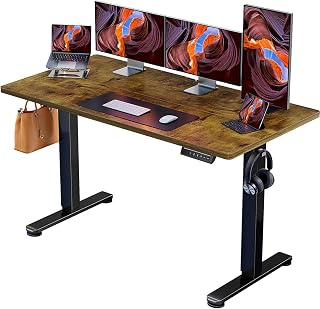 ErGear Electric Standing Desk 140 x 70cm, 4 Memory
£139.99
4.7
in Best Electric Standing Desk 2026: 10 Ranked on Load and Speed
ErGear Electric Standing Desk 140 x 70cm, 4 Memory
£139.99
4.7
in Best Electric Standing Desk 2026: 10 Ranked on Load and Speed
-
 Nulaxy Pull-Out Height Adjustable Laptop Stand, 3-50.8cm, 10kg
£40.99
4.7
in Best Laptop Stand 2026: 10 Ranked on Height They Actually Reach
Nulaxy Pull-Out Height Adjustable Laptop Stand, 3-50.8cm, 10kg
£40.99
4.7
in Best Laptop Stand 2026: 10 Ranked on Height They Actually Reach
-
 Desktronic HomeOne Dual Motor Standing Desk 120 x 60cm
£299.99
4.7
in Best Electric Standing Desk 2026: 10 Ranked on Load and Speed
Desktronic HomeOne Dual Motor Standing Desk 120 x 60cm
£299.99
4.7
in Best Electric Standing Desk 2026: 10 Ranked on Load and Speed
-
 LitONES LED Desk Lamp, 1200LM, 30 Lighting Modes, Metal Swing Arm
£53.25
4.8
in Best LED Desk Lamp 2026: 10 Ranked, and Why Lumens Are the Wrong Number
LitONES LED Desk Lamp, 1200LM, 30 Lighting Modes, Metal Swing Arm
£53.25
4.8
in Best LED Desk Lamp 2026: 10 Ranked, and Why Lumens Are the Wrong Number
-
 Jabra Speak 510 Speaker Phone - Microsoft Certified Portable Bluetooth Conference Speaker with USB - Connect with Laptops, Smartphones and Tablets, Black
£86.96
4.7
in Best Conference Speakerphone 2026: Ten Ranked on Real Mics and Honest Watts
Jabra Speak 510 Speaker Phone - Microsoft Certified Portable Bluetooth Conference Speaker with USB - Connect with Laptops, Smartphones and Tablets, Black
£86.96
4.7
in Best Conference Speakerphone 2026: Ten Ranked on Real Mics and Honest Watts
-
 SOUNDANCE 360 Rotating Laptop Stand, Adjustable Riser, 10-17 Inch
£19.28
4.7
in Best Laptop Stand 2026: 10 Ranked on Height They Actually Reach
SOUNDANCE 360 Rotating Laptop Stand, Adjustable Riser, 10-17 Inch
£19.28
4.7
in Best Laptop Stand 2026: 10 Ranked on Height They Actually Reach
-
 Lamicall 360 Degree Rotatable Aluminium Laptop Stand, 5kg, 10-17.3 Inch
£39.99
4.7
in Best Laptop Stand 2026: 10 Ranked on Height They Actually Reach
Lamicall 360 Degree Rotatable Aluminium Laptop Stand, 5kg, 10-17.3 Inch
£39.99
4.7
in Best Laptop Stand 2026: 10 Ranked on Height They Actually Reach
Comments
Reader comments are not checked against the manufacturer's claims above.
No comments yet
Be the first to add something we missed — a price change, a spec that turned out wrong, or how one of these held up.
Leave a comment
No account needed. Own one of these? Tell other readers how it actually performed.