Best Portable Monitor 2026: 10 Ranked on Colour and Brightness
By Felipe Iglesias · Updated

sRGB coverage is the percentage of a colour standard a screen can reproduce, so 100% is the ceiling — you cannot cover more than all of something. Yet this comparison contains monitors advertised at 120%, 125% and 145% sRGB. Those figures are not coverage; they are gamut volume, a different measurement that says the panel is wider than sRGB without saying whether it hits sRGB accurately. In practice a wide-gamut screen with no sRGB mode shows ordinary web pages and spreadsheets oversaturated, so the big number can mean worse colour, not better. Cocopar demonstrates the confusion inside one product line, quoting an honest 85% on its 15.6-inch model and 120% on its 18.5-inch — and calling the second one colour accuracy. Meanwhile the specification that actually decides whether you can use one of these on a train is brightness, and five of the ten publish no figure at all; a sixth says 350 nits in its title and 400 in its bullets. Below we rank the best portable monitor options on Amazon in August 2026 on the numbers that can be checked, and flag the ones that cannot.
cocopar 15.6 Inch Portable Monitor, 1080p, 85% sRGB, 670g, VESA

The best portable monitor here on evidence — 6,192 ratings at 4.8, the highest of both — and the only listing that publishes an sRGB figure below 100 and means it.
Advantages
- 6,192 ratings at 4.8, the deepest sample and highest rating here
- 85% sRGB is a real coverage figure, honestly below the 100% ceiling
- Full specification: 1000:1, 5ms, 60Hz, 8W, 670g, 4mm thin
- Two full-featured USB-C ports plus mini HDMI and power pass-through
- VESA mountable with a 90 degree adjustable kickstand
Disadvantages
- No brightness figure published anywhere on the listing
- Sold under a second cocopar ASIN at £85.99 with the same review pool
- 85% sRGB means visibly less colour range than a 100% panel
- 60Hz and 5ms make it a work screen rather than a gaming one
Six thousand one hundred and ninety-two ratings at 4.8 stars is the deepest sample and the highest average in this comparison, a combination nothing else here matches. It is also the listing that behaves as if the numbers will be checked: 85% sRGB, stated plainly in the title. Eighty-five per cent is a real coverage figure, it is below the 100% ceiling, and it tells you honestly that this panel does not quite reach the full sRGB gamut. Three monitors on this page quote 120%, 125% and 145%, none of which is a coverage figure at all.
The specification is complete in a way that is rare here. Contrast 1000:1, response 5ms, refresh 60Hz, power draw 8 watts, weight 670g, 4mm at the thinnest point, two full-featured USB-C ports plus mini HDMI, and two VESA holes for mounting. It supports power pass-through so a single cable can run the monitor and charge the laptop, and the listing is careful to note the host must support Thunderbolt 3/4 or USB 3.1 Type-C DP Alt Mode.
Two things it does not tell you. There is no brightness figure anywhere — no nits in the title, the bullets or the specification table — which on a screen designed to be used away from a desk is the most important omission possible. And this exact monitor sells under a second cocopar ASIN at £85.99 with the same 6.1 thousand ratings, so it is worth checking both listings before ordering. At 60Hz and 5ms it is a work screen rather than a gaming one, which the honest 85% figure rather implies anyway.
UPERFECT 15.6 Inch Portable Monitor, 2000:1 Contrast, 3ms, USB-C

Twice the contrast ratio of most of this page at 2000:1, and the only brand that describes its above-100% colour figure correctly, as more colours than sRGB rather than coverage.
Advantages
- 2000:1 contrast, double most of this comparison
- 3ms response, among the fastest here
- 5,023 ratings at 4.6 stars for £53.99
- The only brand that words its above-100% colour figure correctly
- Single USB-C cable for power and video, plus mini HDMI
Disadvantages
- No brightness figure published anywhere
- Title still says 125% sRGB, which is not a coverage figure
- No power plug supplied in the box
- Wide gamut with no sRGB mode oversaturates ordinary web content
Two thousand to one contrast is double what the cocopar above it, the ASUS and the Lenovo manage, and on a portable monitor it is more noticeable than any of the resolution numbers — blacks that are actually dark rather than dark grey change how a screen looks in a dim train carriage far more than a few percent of colour gamut. Add 3ms response, a 15.6-inch IPS panel and 5,023 ratings at 4.6 stars, and £53.99 starts to look like the value pick of the comparison.
The colour claim deserves credit for its wording. The title says 125% sRGB, which as a coverage figure is impossible, but the third bullet explains what is actually meant: this monitor reproduces 25% more colours than the standard sRGB gamut. That is the technically correct description of gamut volume, and UPERFECT is the only brand here to give it. Bear in mind what it implies in practice — a wide-gamut panel without an sRGB clamp shows normal web content oversaturated, so this is a screen for looking at photographs rather than for matching colours accurately.
Two omissions. No brightness figure appears anywhere, the same gap as at number one, and on a monitor sold for portability that keeps recurring. And the listing notes at the end that no power plug is supplied, framed as an environmental choice; a single USB-C cable from a laptop will run it, but if your laptop port cannot supply enough power you will need a plug you do not have.
COOLHOOD 15.6 Inch Portable Monitor, 100% sRGB, 2000:1, Smart Cover

The only 100% sRGB claim here — the highest figure anyone can honestly make — and the only listing that warns you your USB-C port might not carry video at all.
Advantages
- 100% sRGB, the highest honest coverage claim anyone here makes
- The only listing that explains USB-C DP Alt Mode and what happens without it
- 2000:1 contrast with 3ms response for £55.99
- Built-in dual speakers and a 3.5mm audio output
- Magnetic PU cover doubles as a stand
Disadvantages
- Screen surface listed as Glossy, the only one here that is not matte
- No brightness figure published anywhere
- Cover-stand gives only two fixed viewing angles
- Shares its 1,194 ratings with an 18.5-inch COOLHOOD at £119.99
One hundred per cent sRGB is the ceiling, and this is the only monitor in the comparison that claims exactly it rather than a number that cannot mean coverage. Paired with 2000:1 contrast and 3ms response, that is a genuinely strong colour specification for £55.99, and 1,194 ratings at 4.6 stars support it.
More valuable still is the second bullet, which contains the single most useful sentence in this entire category: if your device's USB type C port is not USB 3.1 or Thunderbolt 3, then this USB C port will charge power only without transmitting any signal. That is the number one reason a portable monitor arrives and does not work — the host laptop's USB-C port does not support DisplayPort Alt Mode — and COOLHOOD is the only one of ten that spells out the consequence rather than burying a Thunderbolt reference in a compatibility list. If you are shopping this category, check your laptop's port against that sentence before you order anything on this page.
Two reservations, and one is physical. The specification table gives the screen surface as Glossy, and no bullet mentions it. Every other monitor in this comparison is matte or anti-glare, and a glossy panel on a screen designed for trains, cafes and hotel rooms will mirror every light behind you. There is also no brightness figure, so the two specifications that decide outdoor and bright-room usability are one missing and one working against you. The PU magnetic cover doubling as a stand is neat but offers only two fixed angles.
cocopar 18.5 Inch Portable Monitor, 100Hz, 350 nits, 1080p, 1kg

The biggest screen here at 18.5 inches with 100Hz and a published 350 nits, from the same brand that quotes an honest 85% sRGB one model down and 120% on this one.
Advantages
- 18.5 inches, the largest screen in this comparison, at 1kg
- 100Hz refresh with 3ms response, the fastest combination here at this size
- Publishes 350 nits, which half this page does not
- 4.8 stars across 2,671 ratings
- Four VESA holes, 180 degree kickstand, two USB-C and HDMI
Disadvantages
- Quotes 120% sRGB and calls it colour accuracy, which is backwards
- Same brand quotes an honest 85% coverage one model down
- £142.49, the second most expensive monitor in this comparison
- 1080p across 18.5 inches is a lower pixel density than the 15.6-inch panels
Eighteen and a half inches is nearly three inches more diagonal than the 15.6-inch panels that make up most of this category, and for spreadsheet work or a second code window that is a real difference — while still weighing 2.2 pounds and measuring 0.17 inches at the thinnest point. Add 100Hz refresh, 3ms response, 1200:1 contrast, two USB-C ports and an HDMI, four VESA holes and a 180 degree kickstand, and 2,671 ratings at 4.8 stars, and this is the most capable screen in the comparison.
It also publishes 350 nits, which puts it in the useful half of the page: five of these ten give no brightness figure at all, and 350 is enough for a bright office though not for direct sun.
Which makes the colour claim the more disappointing. Cocopar quotes 120% sRGB here and calls it colour accuracy, while quoting 85% sRGB on the 15.6-inch model at number one. Those are two different measurements presented as the same one, in the same brand's range: 85% is coverage of sRGB, 120% is gamut volume against sRGB, and describing the second as accuracy is precisely backwards — a panel with a gamut 20% wider than sRGB and no sRGB clamp renders ordinary content oversaturated. At £142.49 this is also the second most expensive monitor here, and 100Hz is only useful if the host can drive it, which over a single USB-C cable at 1080p most modern laptops can.
CUIUIC 15.6 Inch Portable Monitor, 400 cd/m2, HDR, 0.6kg, 2-Year

The cheapest monitor here at £49.99 and the only 15.6-inch one that publishes its brightness — 400 cd/m2, the second highest figure on the page.
Advantages
- 400 cd/m2 published, the only 15.6-inch monitor here to state brightness
- £49.99, the cheapest monitor in this comparison
- 0.6kg, the lightest screen on this page
- Leather case stand with an anti-slip silicone base
- Memory function restores settings on power-up, plus a two-year warranty
Disadvantages
- No contrast ratio, response time or refresh rate published
- No sRGB figure of any kind
- 4.3 stars, the second lowest average in this comparison
- Unbranded listing with no model number in the title
Four hundred candelas per square metre, printed in the first bullet. Of the seven 15.6 and 16-inch monitors in this comparison, this is the only one that tells you how bright the screen is, and 400 nits is the second highest figure anywhere on the page — enough to work beside a window, and the exact threshold at which the DisplayHDR 400 tier begins, which makes the HDR claim in the second bullet defensible rather than decorative. It costs £49.99, the least of any monitor here.
At 0.6kg it is also the lightest, and the non-magnetic leather case attaches permanently to the back as a stand with an anti-slip silicone base, which is a more stable arrangement than a fold-out cover. There is mini HDMI and USB-C, a memory function that restores your brightness and volume on power-up, and a two-year warranty. Two thousand five hundred and twelve ratings.
The gaps are in the specification table rather than the marketing. No contrast ratio, no response time and no refresh rate are published, which are three of the four numbers you would use to compare it with anything else here, and no sRGB figure either. Four point three stars is also the second lowest average in this comparison. The honest reading is that CUIUIC has published the one specification that matters most for portable use and stayed quiet about the rest — which is still better than the reverse, and is why it sits at five rather than lower.
ASUS ZenScreen MB169CK, 16 Inch Panel, 15.6 Inch Viewable, USB-C

The only listing in the comparison that admits the difference between panel size and viewable area, printing 16 inch and 15.6 inch viewable in the same title.
Advantages
- The only listing that publishes both panel size and viewable size
- TÜV Rheinland certified flicker-free and low blue light, independently marked
- Automatic landscape and portrait orientation sensing
- Embedded tripod socket plus a 360 degree kickstand, unique here
- Dual USB-C and mini HDMI from a brand with a real monitor business
Disadvantages
- No brightness figure published
- No sRGB coverage figure published
- 356 ratings, the joint thinnest sample in this comparison
- 1000:1 contrast, half what two cheaper monitors here offer
Every other monitor on this page gives you one screen size. ASUS gives you two, in the title: 16 inch, 15.6 inch viewable. Panels are cut larger than the area you actually see, and the gap is normally quietly absorbed into the marketing figure; ASUS printing both is the kind of small honesty that tells you how the rest of the specification was compiled. It also means that when a no-name 15.6-inch monitor sits beside this one, they are the same viewable size.
The build reflects a brand with a monitor business behind it. Anti-glare IPS, dual USB-C plus mini HDMI, TÜV Rheinland certification for both flicker-free operation and low blue light — an independent mark rather than a self-declared eye-care mode — an automatic orientation sensor that flips the display between landscape and portrait, a 360 degree kickstand and an embedded tripod socket on the rear, which no other monitor here offers and is genuinely useful for presenting.
Two things hold it at six. Three hundred and fifty-six ratings is the joint thinnest sample in this comparison, which for a major brand is a little surprising and means the 4.4 stars rest on relatively few people. And ASUS publishes no brightness figure, no contrast beyond 1000:1 and no sRGB percentage, so on the two specifications this article is about it says nothing at all — which is more defensible than saying something wrong, but leaves you buying on the badge.
UPERFECT 18.5 Inch NxtLED Portable Monitor, 600 nits, 120Hz, 1ms

Six hundred nits is the brightest screen here by 200, and 1ms the fastest, on a listing that also claims 145% sRGB and OLED-grade colour from an LCD.
Advantages
- 600 nits, 50% brighter than anything else in this comparison
- 120Hz with 1ms response, the fastest panel here
- 2000:1 contrast on an 18.5-inch screen
- Hardware blue light reduction specified at 415 to 455nm
- Publishes a claimed 50,000 hour panel life
Disadvantages
- 145% sRGB is the largest non-coverage figure on this page
- Claims OLED-grade colour performance from an LCD panel
- Specification says FHD Ultra Wide with a 16:9 aspect ratio
- £149.99, the most expensive here, sharing its ratings with a £129.99 listing
Six hundred nits is a serious number. It is 50% brighter than the next brightest screen in this comparison and more than double the Lenovo, and UPERFECT makes the comparison explicitly, noting that typical portable monitors run at 300. For a screen you will use on a train seat by a window, or on a garden table, that is the specification that decides whether the thing is usable at all. Pair it with 120Hz, 1ms response and 2000:1 contrast and the panel is the strongest on this page on every measurement it publishes.
It also discloses something almost nobody does: the blue light reduction works on the 415 to 455 nanometre band at the backlight rather than by tinting the image in software, which is the difference between a genuine hardware measure and a yellow filter. That is a real specification with a real number.
The marketing around it is where the trouble is. One hundred and forty-five per cent sRGB is the largest such claim in the comparison and it is not a coverage figure; OLED-like Color and OLED-grade color performance are being claimed for an LCD, which is a category difference rather than a degree; and the specification table gives the resolution as FHD Ultra Wide 1080p while listing the aspect ratio as 16:9, when ultrawide means 21:9. At £149.99 this is the most expensive monitor here, 4.4 stars is mid-table, and it shares its 1,753 ratings with a £129.99 UPERFECT listing for what appears to be the same screen.
ARZOPA A1 15.6 Inch Portable Monitor, 1080p IPS, 1.63lb, Kickstand

Popular and well rated at 2,627 ratings, with a 25 millisecond response time buried in the specification table and PS4/5 and Xbox in the title.
Advantages
- 2,627 ratings at 4.5 stars
- 1.63lb, roughly half the weight of a same-size laptop
- Built-in continuously adjustable kickstand rather than a folding cover
- 6 watts, the lowest power draw in this comparison
- USB-C and mini HDMI with three display modes
Disadvantages
- 25ms response time, four times slower than anything else here
- Sold for PS4, PS5 and Xbox despite that response time
- 800:1 contrast, the lowest in this comparison
- No brightness and no sRGB figure published
Two thousand six hundred and twenty-seven ratings at 4.5 stars is a solid record, and the physical design is the best-judged part: 1.63 pounds is roughly half the weight of a laptop the same size, the top edge is 0.2 inches thick, and the kickstand is built in rather than being a folding cover, so it adjusts continuously and does not fall over. For carrying in the same bag as a laptop every day, that matters more than most specifications.
Then you open the specification table. Response time: 25 milliseconds. Every other monitor in this comparison is between 1 and 6, and 25ms means a moving image leaves a visible trail behind it — the panel simply cannot change state fast enough. The title advertises compatibility with PS3, PS4, PS5, Xbox and Switch. It will display those consoles, but anything moving quickly on screen will smear, and the listing puts the number in the one place a buyer scanning bullets will not look.
The rest is mid-table or below. Contrast is 800:1, the lowest in this comparison, on a page where two £55 monitors offer 2000:1. Power draw is a modest 6 watts. And there is no brightness figure and no sRGB figure anywhere, so of the four numbers that distinguish these screens, ARZOPA publishes one good one, one bad one and omits two. At £79.99 it costs £26 more than the UPERFECT at number two, which is faster, higher contrast and better rated.
Lenovo L15 15.6 Inch Portable Monitor, 250 nits, TUV Certified, 3-Year

A three-year warranty and a published 250 nits, which is honest and also the dimmest screen in this comparison, at £119.85 with the lowest rating here.
Advantages
- Three-year warranty, the longest in this comparison
- Publishes brightness, weight with stand, power draw and contrast
- TÜV Rheinland certified low blue light and flicker-free
- VESA 100mm mount and a Kensington security slot, unique here
- Cable and protective sleeve included in the box
Disadvantages
- 250 nits is the dimmest screen in this comparison
- 4.2 stars, the lowest average on this page
- £119.85 for specifications that £53.99 monitors here beat
- 360 ratings, the joint thinnest sample in this comparison
Lenovo publishes the things a business buyer checks: 250 nits of brightness, 1.7kg with the stand, 9.5 watts, 1000:1 contrast, 6ms response, TÜV Rheinland certification for low blue light and flicker-free operation, VESA 100mm mounting, a Kensington security slot, and a three-year warranty — the longest on this page by a year. A cable and a sleeve are in the box. For a company buying twenty of these for a hybrid workforce, that list is the whole argument, and the Kensington slot alone rules out most of this page.
Two hundred and fifty nits is the honest part and the problem. It is a real published figure where five monitors here give none, and it is also the dimmest screen in the comparison — 150 nits below the CUIUIC at number five, which costs £69.86 less, and 350 below the UPERFECT at number seven. On a desk indoors it is fine. On a train in daylight, which is what portable monitors are for, 250 nits is where you start angling the screen away from the window.
The rating is the other difficulty. Four point two stars across 360 ratings is the lowest average in this comparison, from the most established brand on the page, at £119.85 — more than double the UPERFECT at number two which is rated 4.6 across 5,023. You are buying the warranty, the certifications and the security slot, and paying a considerable premium for them against panels that measure better on every published specification.
ARZOPA Z1RC 2.5K Portable Monitor, 16 Inch 2560x1600, 16:10

The only high-resolution screen here at 2560 by 1600 in a useful 16:10 shape, undone by a 26 millisecond response and a brightness figure that changes between the title and the bullets.
Advantages
- 2560 x 1600, the only high-resolution screen in this comparison
- 16:10 aspect ratio gives real extra vertical space for documents and code
- 189 pixels per inch against 141 on the 1080p panels here
- 1.46lb and 0.36 inches thick despite the larger 16-inch panel
- Plug and play over USB-C or mini HDMI with no software
Disadvantages
- 26ms response time, the slowest in this comparison
- Brightness given as 350 nits in the title and 400 in the bullets
- Sold for consoles despite the response time
- 608 ratings at £109.98, a thin sample for the price
This is the only monitor in the comparison that is not 1920 by 1080. Two thousand five hundred and sixty by 1600 across 16 inches is 189 pixels per inch against 141 on a 15.6-inch 1080p panel, and the 16:10 aspect ratio gives you noticeably more vertical space for spreadsheets, documents and code than 16:9 does. For text work that combination is the most useful thing on this page, and at 1.46 pounds and 0.36 inches thick it is no heavier for it.
Two numbers spoil it. The specification table gives the response time as 26 milliseconds, the slowest in this comparison and marginally worse than ARZOPA's own 15.6-inch model at number eight; on a screen sold in a title mentioning PS4, PS5 and Xbox, that is the wrong figure to be worst at. And the brightness is given twice and differently: 350nits in the title, 400nits in the first bullet. Those are 14% apart on the specification that decides whether the screen works in daylight, and there is no way to tell from the listing which is right.
The rest is reasonable. Twelve hundred to one contrast, 12 watts, USB-C and mini HDMI, plug and play with no software. Six hundred and eight ratings at 4.4 stars is a thin but acceptable sample. If you want the resolution and you work with static text, the response time will not trouble you and this is the sharpest screen here; if anything on it will move, look at the 1ms and 3ms panels above instead.
All 10 compared
The same ranking side by side, now that the numbers have names.
10
| # | Product | Price | Amazon rating |
|---|---|---|---|
| 1 | cocopar 15.6 Inch Portable Monitor, 1080p, 85% sRGB, 670g, VESA | £89.99 | 4.8 (6,192) |
| 2 | UPERFECT 15.6 Inch Portable Monitor, 2000:1 Contrast, 3ms, USB-C | £53.99 | 4.6 (5,023) |
| 3 | COOLHOOD 15.6 Inch Portable Monitor, 100% sRGB, 2000:1, Smart Cover | £55.99 | 4.6 (1,194) |
| 4 | cocopar 18.5 Inch Portable Monitor, 100Hz, 350 nits, 1080p, 1kg | £142.49 | 4.8 (2,671) |
| 5 | CUIUIC 15.6 Inch Portable Monitor, 400 cd/m2, HDR, 0.6kg, 2-Year | £49.99 | 4.3 (2,512) |
| 6 | ASUS ZenScreen MB169CK, 16 Inch Panel, 15.6 Inch Viewable, USB-C | £81.99 | 4.4 (356) |
| 7 | UPERFECT 18.5 Inch NxtLED Portable Monitor, 600 nits, 120Hz, 1ms | £149.99 | 4.4 (1,753) |
| 8 | ARZOPA A1 15.6 Inch Portable Monitor, 1080p IPS, 1.63lb, Kickstand | £79.99 | 4.5 (2,627) |
| 9 | Lenovo L15 15.6 Inch Portable Monitor, 250 nits, TUV Certified, 3-Year | £119.85 | 4.2 (360) |
| 10 | ARZOPA Z1RC 2.5K Portable Monitor, 16 Inch 2560x1600, 16:10 | £109.98 | 4.4 (608) |
Final Verdict
Choosing the best portable monitor comes down to three numbers and one warning. Brightness first: 250 nits is a dim indoor screen, 350 is workable, and 400 or more is what you need beside a window or on a train, which is where a portable monitor spends its life — so treat a listing with no nit figure as a listing hiding a low one. Then colour: 100% sRGB is the highest honest coverage claim anyone can make, anything below it is a straightforward statement of a limitation, and anything above it is a different measurement being used to look like a bigger version of the same one. Then response time, which is buried in the specification table rather than the bullets and ranges from 1 millisecond to 26 across these ten — a 26ms panel will smear visibly on anything that moves, and two of them are sold for consoles. The warning is about the cable. A USB-C port only carries video if the host supports DisplayPort Alt Mode, and if yours does not the monitor will charge and show nothing; one listing here spells that out and nine do not. Check your laptop before you order, not after.
Why trust this ranking?
We rank on price, customer ratings and the specifications that decide the job, and we read each specification table against the marketing bullets on the same listing. When a number does not survive that check, we say so in the entry rather than quietly dropping the product. We also say when a product is the wrong one for you.
How we rank, in full
Written by
Felipe Iglesias
Founder & Lead Reviewer
Felipe is a computational engineering student who has been working in SEO since he was sixteen. He founded ranked10 and researches every guide on the site.
Related buying guides
Every guide below ranks ten products the same way this one does.
 Home & Office
Best Document Scanner 2026: 10 Ranked
The best document scanner for 2026 is the ScanSnap iX2500 White: £8.62 per page per minute, 100-sheet feeder. Nine more ranked, from £54.99.
 Home & Office
Best A3 Printer 2026: 10 Ranked
Best A3 printer for most offices: the Brother MFC-J5340DW at £185.90, where 28 ppm works out at £6.64 per page per minute.
 Home & Office
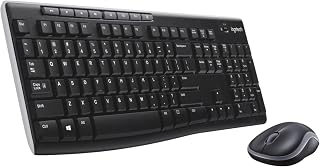
Best Wireless Keyboard and Mouse Combo 2026: 10 Ranked, Battery Claims Checked
Wireless keyboard and mouse combo picks from £16.89 — we flag the specs that contradict themselves, like a £23.32 set that says no batteries are needed.
 Home & Office
Best Gaming Desk 2026: 10 Ranked, and the Heights That Don't Add Up
Best gaming desk picks ranked: in the Bestier, tabletop thickness reads 91.5 cm — the same as its height. We check where the numbers disagree.
 Home & Office
Best Gaming Chairs 2026: 10 Ranked, Plus a 1,136 kg Capacity Claim
The £89.99 SONGMICS HOME gaming chair lists a 1,136 kg weight capacity. That is a base pressure test, not a limit. Ten gaming chairs ranked.
 Home & Office
Best Laptop Bag 2026: The Size That Is a Screen
Ten laptop bags: one says 15.6 inches in its title and 14.6 in its own fit field, two publish no bullets, and six borrow fields from clothing.
 Home & Office
Best Cable Management 2026: What the Piece Count Is Counting
Ten cable products: a 4m trunking sold as ten 400mm lengths counts as one piece, an 8-pair set counts as 24, and one sleeve is listed as screw-in.
 Home & Office
Best Safe 2026: The Box Weighs 1.87kg
Ten safes and lock boxes compared: three 6.6L boxes weigh 1.87kg, 2.04kg and 2.6kg, one lists Portable, and a 14L safe publishes no weight.
 Home & Office
Best Ergonomic Mouse 2026: Only Three Publish the Angle
Ten ergonomic mice compared: only three publish the vertical angle, one claims 8 minutes of battery, and a trackball has the best record.
 Home & Office
Best Whiteboard 2026: The Frame Eats 11 Per Cent
Ten whiteboards compared on the number most listings hide: the writing surface. A 90x60cm board gives you 86x56cm, and only three of ten say so.
Products you might like
The best rated products from our other Home & Office guides.
-
 BoYata Aluminium Adjustable Laptop Stand, 0-90 Degree, Foldable
£32.99
4.8
in Best Laptop Stand 2026: 10 Ranked on Height They Actually Reach
BoYata Aluminium Adjustable Laptop Stand, 0-90 Degree, Foldable
£32.99
4.8
in Best Laptop Stand 2026: 10 Ranked on Height They Actually Reach
-
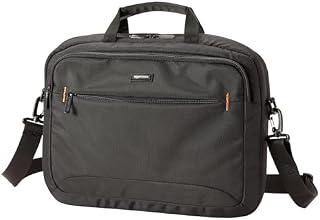 Amazon Basics Compact Laptop Shoulder Bag 15.6 inch, 7.1cm Deep
£13.95
4.7
in Best Laptop Bag 2026: The Size That Is a Screen
Amazon Basics Compact Laptop Shoulder Bag 15.6 inch, 7.1cm Deep
£13.95
4.7
in Best Laptop Bag 2026: The Size That Is a Screen
-
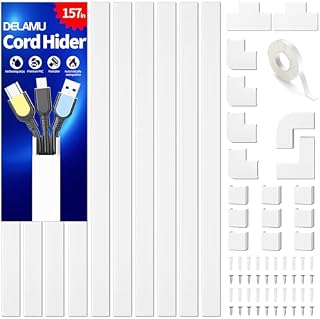 Delamu Electric Cable Trunking 4M, Self-Adhesive Wall Trunking, 10 x 400mm
£12.99
4.7
in Best Cable Management 2026: What the Piece Count Is Counting
Delamu Electric Cable Trunking 4M, Self-Adhesive Wall Trunking, 10 x 400mm
£12.99
4.7
in Best Cable Management 2026: What the Piece Count Is Counting
-
 MATEIN Travel Laptop Backpack 15.6 inch with 12 Compartments
£17.96
4.7
in Best Laptop Bag 2026: The Size That Is a Screen
MATEIN Travel Laptop Backpack 15.6 inch with 12 Compartments
£17.96
4.7
in Best Laptop Bag 2026: The Size That Is a Screen
-
 Nulaxy Ergonomic Dual Foldable Laptop Stand, 10kg Load, 10-16 Inch
£16.99
4.7
in Best Laptop Stand 2026: 10 Ranked on Height They Actually Reach
Nulaxy Ergonomic Dual Foldable Laptop Stand, 10kg Load, 10-16 Inch
£16.99
4.7
in Best Laptop Stand 2026: 10 Ranked on Height They Actually Reach
-
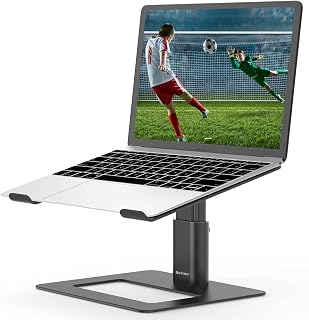 BoYata Height Adjustable Laptop Riser, 10-18.9cm, 5kg, 10-17 Inch
£24.99
4.7
in Best Laptop Stand 2026: 10 Ranked on Height They Actually Reach
BoYata Height Adjustable Laptop Riser, 10-18.9cm, 5kg, 10-17 Inch
£24.99
4.7
in Best Laptop Stand 2026: 10 Ranked on Height They Actually Reach
-
 ErGear Electric Standing Desk 140 x 70cm, 4 Memory
£139.99
4.7
in Best Electric Standing Desk 2026: 10 Ranked on Load and Speed
ErGear Electric Standing Desk 140 x 70cm, 4 Memory
£139.99
4.7
in Best Electric Standing Desk 2026: 10 Ranked on Load and Speed
-
 Nulaxy Pull-Out Height Adjustable Laptop Stand, 3-50.8cm, 10kg
£40.99
4.7
in Best Laptop Stand 2026: 10 Ranked on Height They Actually Reach
Nulaxy Pull-Out Height Adjustable Laptop Stand, 3-50.8cm, 10kg
£40.99
4.7
in Best Laptop Stand 2026: 10 Ranked on Height They Actually Reach
-
 BenQ ScreenBar Monitor Light Bar, 5W, Auto Dimming, 230-955 Lux
£89.00
4.7
in Best Monitor Light Bar 2026: 10 Ranked, and Why Lux Without an Area Is Nothing
BenQ ScreenBar Monitor Light Bar, 5W, Auto Dimming, 230-955 Lux
£89.00
4.7
in Best Monitor Light Bar 2026: 10 Ranked, and Why Lux Without an Area Is Nothing
-
 Desktronic HomeOne Dual Motor Standing Desk 120 x 60cm
£299.99
4.7
in Best Electric Standing Desk 2026: 10 Ranked on Load and Speed
Desktronic HomeOne Dual Motor Standing Desk 120 x 60cm
£299.99
4.7
in Best Electric Standing Desk 2026: 10 Ranked on Load and Speed
-
 LitONES LED Desk Lamp, 1200LM, 30 Lighting Modes, Metal Swing Arm
£53.25
4.8
in Best LED Desk Lamp 2026: 10 Ranked, and Why Lumens Are the Wrong Number
LitONES LED Desk Lamp, 1200LM, 30 Lighting Modes, Metal Swing Arm
£53.25
4.8
in Best LED Desk Lamp 2026: 10 Ranked, and Why Lumens Are the Wrong Number
-
 Jabra Speak 510 Speaker Phone - Microsoft Certified Portable Bluetooth Conference Speaker with USB - Connect with Laptops, Smartphones and Tablets, Black
£86.96
4.7
in Best Conference Speakerphone 2026: Ten Ranked on Real Mics and Honest Watts
Jabra Speak 510 Speaker Phone - Microsoft Certified Portable Bluetooth Conference Speaker with USB - Connect with Laptops, Smartphones and Tablets, Black
£86.96
4.7
in Best Conference Speakerphone 2026: Ten Ranked on Real Mics and Honest Watts
-
 SOUNDANCE 360 Rotating Laptop Stand, Adjustable Riser, 10-17 Inch
£19.28
4.7
in Best Laptop Stand 2026: 10 Ranked on Height They Actually Reach
SOUNDANCE 360 Rotating Laptop Stand, Adjustable Riser, 10-17 Inch
£19.28
4.7
in Best Laptop Stand 2026: 10 Ranked on Height They Actually Reach
-
 Lamicall 360 Degree Rotatable Aluminium Laptop Stand, 5kg, 10-17.3 Inch
£39.99
4.7
in Best Laptop Stand 2026: 10 Ranked on Height They Actually Reach
Lamicall 360 Degree Rotatable Aluminium Laptop Stand, 5kg, 10-17.3 Inch
£39.99
4.7
in Best Laptop Stand 2026: 10 Ranked on Height They Actually Reach
-
 Babacom 8-Height Aluminium Laptop Riser, 18.7-25.1cm, 5kg, 10-16 Inch
£23.99
4.7
in Best Laptop Stand 2026: 10 Ranked on Height They Actually Reach
Babacom 8-Height Aluminium Laptop Riser, 18.7-25.1cm, 5kg, 10-16 Inch
£23.99
4.7
in Best Laptop Stand 2026: 10 Ranked on Height They Actually Reach
Comments
Reader comments are not checked against the manufacturer's claims above.
No comments yet
Be the first to add something we missed — a price change, a spec that turned out wrong, or how one of these held up.
Leave a comment
No account needed. Own one of these? Tell other readers how it actually performed.