Best KVM Switch 2026: Ten Ranked on Real Ports, Not 8K Logos
By Felipe Iglesias · Updated

The loudest number on a KVM switch is usually 8K, and it is usually the least useful one for a desk. What actually decides the buy is inputs: how many computers connect, how many monitors they really share, and how much power the laptop receives once it is plugged in. In this roundup two TESmart units price themselves at £370 and £382 on 8K claims while carrying three ratings and one rating respectively, the latter with no review text captured at all. Four separate ESKEVE listings share a single pool of 43 ratings at 4.4, because Amazon groups reviews across the family, so that evidence only counts once. The fine print does the real work: ESKEVE states in its own notes that its '100W' PD delivers between 73W and 85W after the unit and cables take their share, and one ESKEVE title advertises two computers plus a laptop while its body copy describes one laptop and one desktop sharing two monitors.
So we ranked ten of the best KVM switch options on Amazon in September 2026 on real computer inputs, genuine 4K 60Hz monitor support, honest power delivery, EDID behaviour that keeps your windows in place, and how much independent evidence each listing actually carries. Shared review pools are flagged as shared, and unverifiable 8K claims stay marked as listed rather than repeated as fact.
AV Access iDock C20 KVM Switch Dock, 2 Monitors 2 Laptops, 4K Dual Monitor KVM Switch, 2 USB-C MST Ports, 60W PD for Each PC, 1G Ethernet

The desk dock that turns two laptops into one workstation: dual 4K monitors, 60 W charging for each machine and a hub under the same switch.
Advantages
- Two USB-C inputs with 60 W PD for each laptop
- Dual HDMI outputs with EDID emulation
- 12 in 1 hub with gigabit Ethernet and SD slot
- 386 ratings at 4.2
- Compact aluminium build with auto wake
Disadvantages
- £239.49, the most expensive unit here
- MacBooks mirror on MST instead of extending
- Remote controller sold separately
- 5K and 49 inch ultrawide limits apply
The AV Access iDock C20 is the most complete KVM switch in this ranking because it merges three desk products into one box. Two laptops plug into its dual USB-C MST inputs, each receiving up to 60W of power delivery while the unit drives two HDMI monitors and shares the rest of the desk: two USB 3.0 ports, four USB 2.0 ports, a USB-C port, gigabit Ethernet, a 3.5 mm headset jack and an SD slot, all under a 12 in 1 hub. A 386 rating pool at 4.2 gives it the strongest evidence in the premium dual laptop segment, and reviewers consistently report clean EDID pass through with a one click switch in two to three seconds.
The listing is refreshingly specific about limits. macOS cannot output extended dual screens over MST, so a MacBook mirrors to both monitors unless the machine supports the full mode, and 5K ultrawide panels are not supported, with 49 inch ultrawides capped at 3840x1080. The included power adapter is a 20V 10A unit and two 1 metre USB-C cables ship in the box, so both laptops keep charging without their own bricks on the desk.
Why first? No other unit here combines dual monitor output, dual machine charging at 60W each and a full hub with meaningful evidence in a single box. The costs are the £239.49 price, the mirror only reality for many MacBooks, and the seller's own wired remote controller being sold separately. If your two machines are laptops and you want one clean desk, this is the benchmark.
UGREEN HDMI + DisplayPort 8K@60Hz KVM Switch 3 Monitors 2 Computers

The three monitor desktop pick: every cable in the box, an aluminium build and the second deepest pool in this guide.
Advantages
- Three monitors from two computers
- Cables included: 4 DP, 2 HDMI, 2 USB-A
- 361 ratings at 4.1
- Aluminium body, CE certified
- Works across Windows, Linux and macOS
Disadvantages
- Each computer needs 2 DP plus 1 HDMI output
- No hotkey switching
- No EDID emulation claim
The UGREEN AK704 answers a specific setup: two desktop class computers sharing three monitors with one keyboard and mouse. Each computer connects with two DisplayPort cables and one HDMI cable, plus a USB-A cable for the four shared USB 3.0 ports, three USB-A and one USB-C. UGREEN ships the KVM switch complete with four DP cables, two HDMI cables and two USB-A cables, which removes the biggest hidden cost of multi monitor switching.
It ranks second on real utility and evidence. 361 ratings at 4.1 is the second deepest pool in this ranking, the aluminium enclosure with gold contact material reads as proper hardware, and reviewers highlight reliable operation across Windows, Linux and macOS, including MacBook Pro through the USB-C to USB-A note. The listing states the 8K@60Hz headline while also quoting backwards compatibility with 4K at 240/144/120/60Hz, figures that only matter if your monitors and cables can carry them.
The honest catches are the requirements. Every computer needs two DP outputs plus one HDMI output to use three monitors, and laptops with only USB-C ports need an OTG adapter for the control connection. There is no hotkey switching, only the panel button and the included desktop controller, and the listing does not claim EDID emulation. For a fixed desktop with three panels, it is the best balanced buy here at £99.99.
ESKEVE USB C Dual Monitor KVM Switch, 4K@60Hz, 2 Laptops with 4 USB 3.0 Ports, 100 W PD for 2 Laptops, with Wired Remote

The value dual laptop switcher: two USB-C laptops share two monitors at 4K 60Hz for under £100.
Advantages
- Two USB-C inputs, no power brick per laptop
- Dual monitors at 4K 60Hz
- Under £100 for the dual laptop job
- Wired remote and panel switching included
- Honest note on 73W to 85W delivered charging
Disadvantages
- Review pool shared with sibling ESKEVE listings
- macOS mirrors instead of extending over MST
- No Ethernet or hub extras
The ESKEVE UK-KVMC212H is the most direct answer for the work laptop plus personal laptop crowd. Two USB-C inputs with MST bring two laptops onto one desk, sharing two HDMI monitors at 4K 60Hz and four USB 3.0 ports for keyboard, mouse, scanner or printer, all switched by a panel button or the included wired remote. The listing quotes 100W power delivery for charging laptops, then honestly states that the delivered figure sits between 73W and 85W once the unit and cables take their share.
The catch with its evidence is structural, and we flag it clearly. This listing shares its review pool of 43 ratings at 4.4 with the sibling ESKEVE units below, because Amazon merges reviews across the family, so the pool is real but it is not unique to this SKU. The hardware itself follows the ESKEVE formula: a metal enclosure, plug and play drivers, and a note that macOS only supports mirrored output over MST while Windows can extend.
At £95.99 it undercuts the AV Access dock by more than half while covering the core two laptop, two monitor job. You give up the hub extras, Ethernet and dual 60W figure, and you inherit the shared pool. If two laptops and two screens is your entire requirement, this is the value sweet spot of the guide.
ESKEVE 4K@60Hz USB C DP KVM Switch 1 PC 1 Laptop Sharing 3 Monitors and 4 USB 3.0 Ports, PD 100W for Laptop, USB-C Docking KVM Switch with Power Adapter Wired Remote

Desktop plus laptop across three screens: two HDMI and one DP output at 4K 60Hz, sharing one review pool with the ESKEVE family.
Advantages
- Three monitors: 2 HDMI plus 1 DisplayPort
- Desktop PCs drive 3x 4K 60Hz
- USB-C power delivery for the laptop
- Metal case with wired remote included
- Cheaper than a dock plus KVM combo
Disadvantages
- Review pool shared with the ESKEVE family
- macOS limited to mirror mode
- No hotkey switching
- Converters to DisplayPort not recommended
The ESKEVE KVM203CDH is built for the desktop plus laptop setup that wants three screens. A desktop computer and a laptop share two HDMI monitors and one DisplayPort monitor, with four USB 3.0 ports between them, and the unit charges the laptop from its power delivery port with the same honest footnote as the rest of the family: 100W nominal, 73W to 85W delivered after losses. Desktop PCs can drive three 4K panels while laptops top out at two 4K plus one 1080p over MST, per the listing.
It ranks above its two monitor siblings because three screens is genuinely more utility for the fixed desk user, and at £129.99 it undercuts buying a separate USB-C dock plus KVM. The build follows the family pattern: metal case, plug and play, panel button and wired remote, and no hotkey switching. The notes are useful and honest: Windows supports extended mode, macOS only mirrors, and signal converters from HDMI or DVI to DisplayPort are not recommended.
The standing caveat applies again: its 43 ratings at 4.4 are shared with the other ESKEVE listings here, so the pool is family evidence, not SKU evidence. Buy it for the triple screen capability and the price, not for a unique rating story.
ESKEVE 4K@60Hz USB C HDMI DP KVM Switch 1 PC 1 Laptop Sharing 2 Monitors and 4 USB 3.0 Ports, PD 73W for Laptops, Dual Monitor KVM Switch with Cable Remote Control

The two monitor desktop plus laptop unit with PD charging and the same shared family pool as its siblings.
Advantages
- Two monitors at 4K 60Hz plus 2K 144Hz
- PD charging with honest 73W delivered note
- Wired remote and panel switching
- £119.99 for the dual screen desk
- Metal, plug and play, no drivers
Disadvantages
- Review pool shared across the ESKEVE family
- macOS mirrors over MST
- No hotkey switching
The ESKEVE KVM202CDH is the two monitor version of the family formula: one PC and one laptop share two HDMI monitors and four USB 3.0 ports, with a power delivery port that the listing rates at 73W after the same honest losses note. It supports 4K at 60Hz, 2K at 144Hz and 1080p at 165Hz, keeps deep colour on both screens, and switches with the panel button or the included wired remote. Plug and play with no drivers is the stated norm, and hotkeys are not supported.
Where it fits in this ranking is simple. If you only have two screens, the KVM203CDH above spends £10 more for a third monitor you cannot use, so this £119.99 unit is the right desktop plus laptop pick for the common dual monitor desk. The body copy is honest about platform limits: Windows gets extended and copy modes, macOS gets mirrored output only, and the same family caveat on MST and converters applies.
Its evidence story is identical to its siblings because the pool is shared: 43 ratings at 4.4 across the ESKEVE family, with reviewers praising quick switching and clean USB detection. We rank it fifth because dual screen desktop plus laptop is the most common home office shape, and this is the cheapest clean fit for that shape after the dual laptop unit above.
ESKEVE 4K@60Hz KVM Switch 2 Monitors 3 Computers, HDMI KVM Switch Sharing 2 Monitors and 4 USB3.0 Ports, EDID Emulator, With Power Adapter and Wired Remote Control

Three computers on two HDMI monitors for under £80, with the only standalone ESKEVE pool in this guide.
Advantages
- Three computers sharing two 4K 60Hz monitors
- 120 ratings at 4.1, its own pool
- EDID emulator keeps windows in place
- Under £80 with wired remote included
- USB 3.0 at 5Gbps shared ports
Disadvantages
- Each computer needs two HDMI outputs
- Not compatible with MacBook Pro
- No USB-C video input
- 3 to 5 second switch time
The ESKEVE KVM302AS is the cheapest way in this ranking to put three computers on one desk. Three machines share two HDMI monitors at 4K 60Hz and four USB 3.0 ports, using the panel switches or the included wired remote, with an EDID emulator that keeps windows in place when you move between machines. Its 120 ratings at 4.1 stand apart from the rest of the family, making it the only ESKEVE entry here with its own independent pool.
The requirements are spelled out in the listing and they matter. Every computer needs two HDMI outputs that support extended display, DVI or VGA to HDMI converters are not compatible, and if a computer only drives one screen you cannot get dual output from this unit. It also states clearly that it is not compatible with MacBook Pro, which rules it out for Apple laptop users. Windows output mode is set with Windows+P after connection.
It ranks sixth because three computers on two screens is a rarer home office shape than two laptops or a desktop plus laptop, and the HDMI only inputs rule out USB-C only machines. For a household with two desktops and a work PC, all on HDMI, £79.99 with a genuine 120 rating pool is hard to beat.
PVBCTCSID 8K HDMI KVM Switch 4 Computers, 4K144Hz EDID 4 Port KVM for 4 PC Sharing 1 Monitor and 4 USB 3.0 Devices with Remote Control

Four computers on one monitor with a remote for £89.99, held back by an unproven brand and a 28 rating sample.
Advantages
- Four computers share one monitor
- IR remote plus panel switching
- EDID emulator keeps window positions
- USB 3.0 at 5Gbps on four ports
- 28 ratings at 4.4
Disadvantages
- Obscure brand with a thin sample
- 8K claims exceed real world use
- Single monitor only
The PVBCTCSID 4 port unit solves the most crowded desk of all: four computers sharing a single monitor, four USB 3.0 devices and one keyboard and mouse. It switches with the front panel or an IR remote, and the listing even suggests plugging in the included IR cable so you can hide the box and keep the remote working. The metal case weighs 840 g and the copy promises an EDID emulator that stores resolution and refresh rate so your windows keep their order between switches.
It is the KVM switch that demonstrates why evidence matters. The 28 rating pool at 4.4 includes early adopters praising the remote and USB pass through, but the brand name is obscure, the listing sits at position 117 in its category, and the 8K@60Hz plus 4K@144Hz headline figures are far beyond what most monitors and cables will ever feed it. We mark them as listed and note that the real value is the multi PC single monitor workflow, not the resolution logos.
It ranks seventh because four computers on one monitor is a genuine but niche shape, and the unproven seller plus 28 ratings put it below the ESKEVE family despite the cheaper price. For a lab bench, a homelab or a media corner with several machines and one display, it is a functional and affordable option.
ESKEVE 4K/1080P@60Hz USB C HDMI DP Dual Monitor KVM Switch 2 Monitor 2 Computers 1 Laptop with 4 USB 3.0 Ports, EDID Simulation, PD 73W for Laptop

A capable dual monitor ESKEVE that overlaps its siblings and sells under a title that contradicts its own bullets.
Advantages
- Same proven ESKEVE hardware family
- EDID simulation keeps windows in place
- PD charging with losses acknowledged
- Wired remote and panel switching
Disadvantages
- Title contradicts the body copy on inputs
- Overlaps the cheaper KVM202CDH
- Shared family review pool
- No hotkey switching
The ESKEVE KVM302CDH is the family listing that shows why reading the small print beats counting the headline. Its title advertises two computers plus a laptop across two monitors, while the body copy describes the familiar one laptop and one desktop shape sharing two HDMI screens and four USB 3.0 ports with a 73W to 85W power delivery figure. We describe it as the listing behaves rather than as the title promises.
The hardware itself is the same proven ESKEVE formula seen above: USB-C plus HDMI and DisplayPort flexibility, EDID simulation to keep windows arranged, a metal case, and switching through the panel or the included wired remote. macOS support is limited to mirror mode and hotkeys are not supported, both stated plainly in the listing. The 43 rating pool at 4.4 is the shared family pool again.
It lands eighth because its function overlaps the KVM202CDH so closely that most buyers should simply take the cheaper £119.99 unit, and its confusing title is exactly the kind of catalogue error this site exists to flag. If you specifically need the dual USB-C style layout this variant offers and the price difference is trivial to you, it will behave like its sibling, which is to say well.
TESmart 8K@60Hz HDMI KVM Switch 4 Computers 1 Monitor, 4 Port KVM for Gaming

A professional 8K four computer unit with Ethernet sharing and hotkeys, priced for studios and held back by three ratings.
Advantages
- Four computers on one 8K 60Hz monitor
- Per port EDID emulation
- Gigabit LAN sharing with toggle
- Hotkeys, IR remote and mouse wheel switching
- USB charging ports and audio in and out
Disadvantages
- £382.49 with only 3 ratings
- Single monitor output
- No captured long term reviewer consensus
The TESmart HKS401-M24 is the most technically dense switch in this ranking. It connects four computers to one 8K 60Hz monitor over HDMI 2.1, includes per port EDID emulators so windows and scaling stay put, and acts as a small hub: four USB 3.0 ports, two with 7.5W charging for phones, two USB 1.1 ports reserved for keyboard and mouse with hotkey support, a gigabit LAN port with Ethernet toggling, and a 3.5 mm audio in and out so sound follows you across machines. Switching happens by front buttons, custom hotkeys, mouse wheel scroll or the included IR remote.
The engineering story is credible on paper: HDMI 2.1 with 48 Gbps bandwidth, HDCP 2.3, EQ signal processing and a 2.45 kg metal body suggest a studio grade product, and the two captured reviews are glowing about EDID stability and zero reconnect delay. But the price is £382.49 and the pool is three ratings, which is not evidence, it is a promise. We show it here because the capability is real and unique in this guide, not because three people have confirmed it.
It ranks ninth because the gulf between price and proof is too wide for a mainstream recommendation. Gamers running four rigs into one screen, or streamers who want network and audio shared, are exactly the buyers who may justify it, and the KVM switch class of product rarely gets more advanced than this. Watch for the pool to grow before treating it as proven.
TESmart HDMI 2.1 8K@60Hz KVM Switch 2PC 2 Monitor, 2 Port KVM 4K@144Hz

An esports tuned HDMI 2.1 switch for two computers and two monitors, ranked last because its evidence is a single rating.
Advantages
- HDMI 2.1 with 8K 60Hz and 4K 144Hz
- VRR and ALLM for low latency
- Dual gigabit Ethernet for two PCs
- Hotkeys, IR remote and audio integration
Disadvantages
- One single rating, no review text captured
- £369.99 unproven premium
- HDMI only, no DP or USB-C inputs
The TESmart HKS202-M24 targets a very specific buyer: two high end gaming or workstation computers driving two HDMI monitors, with esports features that only HDMI 2.1 makes possible. It supports 8K at 60Hz with 4:4:4 colour over DSC, plus 4K at 144Hz with VRR and ALLM at a quoted 1ms input lag, carries dual gigabit Ethernet for the two PCs, and switches by hotkeys, front button, mouse wheel or IR remote with integrated audio for headset continuity.
The honesty problem is stark and we will not dress it up. The entire evidence for this £369.99 unit is a single four star rating, and the scraped data for it contains no review text at all, so there is nothing to quote and nothing independent to verify. Every claim above comes from the listing copy alone, which is why it sits at the very bottom of the ranking despite its impressive spec sheet.
We keep it listed rather than drop it because the setup it fills, two HDMI computers on two high refresh monitors with audio and network sharing, has few rivals at any price. If you are that buyer, treat this as an unproven premium option and wait for a real review pool, or pick the proven ESKEVE and UGREEN units above until TESmart's sample grows.
All 10 compared
The same ranking side by side, now that the numbers have names.
Final Verdict
For two laptops sharing one desk, the AV Access iDock C20 is the most complete KVM switch here, charging both machines at 60W each while driving dual 4K monitors and a hub, if you accept the price. For a desktop plus laptop across three monitors, the UGREEN AK704 ships with every cable and pairs with the second deepest pool, while the ESKEVE KVM203CDH is the budget triple screen. If you only need two machines and two screens, the ESKEVE C212H or KVM202CDH cover it for around £100, and gamers with four rigs can look at the TESmart HKS401 once its tiny sample grows. Before buying, count real inputs and read the power delivery note, because that is where the truth lives.
Why trust this ranking?
We rank on price, customer ratings and the specifications that decide the job, and we read each specification table against the marketing bullets on the same listing. When a number does not survive that check, we say so in the entry rather than quietly dropping the product. We also say when a product is the wrong one for you.
How we rank, in full
Written by
Felipe Iglesias
Founder & Lead Reviewer
Felipe is a computational engineering student who has been working in SEO since he was sixteen. He founded ranked10 and researches every guide on the site.
Related buying guides
Every guide below ranks ten products the same way this one does.
 Home & Office
Best Document Scanner 2026: 10 Ranked
The best document scanner for 2026 is the ScanSnap iX2500 White: £8.62 per page per minute, 100-sheet feeder. Nine more ranked, from £54.99.
 Home & Office
Best A3 Printer 2026: 10 Ranked
Best A3 printer for most offices: the Brother MFC-J5340DW at £185.90, where 28 ppm works out at £6.64 per page per minute.
 Home & Office
Best Wireless Keyboard and Mouse Combo 2026: 10 Ranked, Battery Claims Checked
Wireless keyboard and mouse combo picks from £16.89 — we flag the specs that contradict themselves, like a £23.32 set that says no batteries are needed.
 Home & Office
Best Gaming Desk 2026: 10 Ranked, and the Heights That Don't Add Up
Best gaming desk picks ranked: in the Bestier, tabletop thickness reads 91.5 cm — the same as its height. We check where the numbers disagree.
 Home & Office
Best Gaming Chairs 2026: 10 Ranked, Plus a 1,136 kg Capacity Claim
The £89.99 SONGMICS HOME gaming chair lists a 1,136 kg weight capacity. That is a base pressure test, not a limit. Ten gaming chairs ranked.
 Home & Office
Best Laptop Bag 2026: The Size That Is a Screen
Ten laptop bags: one says 15.6 inches in its title and 14.6 in its own fit field, two publish no bullets, and six borrow fields from clothing.
 Home & Office
Best Cable Management 2026: What the Piece Count Is Counting
Ten cable products: a 4m trunking sold as ten 400mm lengths counts as one piece, an 8-pair set counts as 24, and one sleeve is listed as screw-in.
 Home & Office
Best Safe 2026: The Box Weighs 1.87kg
Ten safes and lock boxes compared: three 6.6L boxes weigh 1.87kg, 2.04kg and 2.6kg, one lists Portable, and a 14L safe publishes no weight.
 Home & Office
Best Ergonomic Mouse 2026: Only Three Publish the Angle
Ten ergonomic mice compared: only three publish the vertical angle, one claims 8 minutes of battery, and a trackball has the best record.
 Home & Office
Best Whiteboard 2026: The Frame Eats 11 Per Cent
Ten whiteboards compared on the number most listings hide: the writing surface. A 90x60cm board gives you 86x56cm, and only three of ten say so.
Products you might like
The best rated products from our other Home & Office guides.
-
 BoYata Aluminium Adjustable Laptop Stand, 0-90 Degree, Foldable
£32.99
4.8
in Best Laptop Stand 2026: 10 Ranked on Height They Actually Reach
BoYata Aluminium Adjustable Laptop Stand, 0-90 Degree, Foldable
£32.99
4.8
in Best Laptop Stand 2026: 10 Ranked on Height They Actually Reach
-
 cocopar 15.6 Inch Portable Monitor, 1080p, 85% sRGB, 670g, VESA
£89.99
4.8
in Best Portable Monitor 2026: 10 Ranked on Colour and Brightness
cocopar 15.6 Inch Portable Monitor, 1080p, 85% sRGB, 670g, VESA
£89.99
4.8
in Best Portable Monitor 2026: 10 Ranked on Colour and Brightness
-
 cocopar 18.5 Inch Portable Monitor, 100Hz, 350 nits, 1080p, 1kg
£142.49
4.8
in Best Portable Monitor 2026: 10 Ranked on Colour and Brightness
cocopar 18.5 Inch Portable Monitor, 100Hz, 350 nits, 1080p, 1kg
£142.49
4.8
in Best Portable Monitor 2026: 10 Ranked on Colour and Brightness
-
 Amazon Basics Compact Laptop Shoulder Bag 15.6 inch, 7.1cm Deep
£13.95
4.7
in Best Laptop Bag 2026: The Size That Is a Screen
Amazon Basics Compact Laptop Shoulder Bag 15.6 inch, 7.1cm Deep
£13.95
4.7
in Best Laptop Bag 2026: The Size That Is a Screen
-
 Delamu Electric Cable Trunking 4M, Self-Adhesive Wall Trunking, 10 x 400mm
£12.99
4.7
in Best Cable Management 2026: What the Piece Count Is Counting
Delamu Electric Cable Trunking 4M, Self-Adhesive Wall Trunking, 10 x 400mm
£12.99
4.7
in Best Cable Management 2026: What the Piece Count Is Counting
-
 MATEIN Travel Laptop Backpack 15.6 inch with 12 Compartments
£17.96
4.7
in Best Laptop Bag 2026: The Size That Is a Screen
MATEIN Travel Laptop Backpack 15.6 inch with 12 Compartments
£17.96
4.7
in Best Laptop Bag 2026: The Size That Is a Screen
-
 Nulaxy Ergonomic Dual Foldable Laptop Stand, 10kg Load, 10-16 Inch
£16.99
4.7
in Best Laptop Stand 2026: 10 Ranked on Height They Actually Reach
Nulaxy Ergonomic Dual Foldable Laptop Stand, 10kg Load, 10-16 Inch
£16.99
4.7
in Best Laptop Stand 2026: 10 Ranked on Height They Actually Reach
-
 BoYata Height Adjustable Laptop Riser, 10-18.9cm, 5kg, 10-17 Inch
£24.99
4.7
in Best Laptop Stand 2026: 10 Ranked on Height They Actually Reach
BoYata Height Adjustable Laptop Riser, 10-18.9cm, 5kg, 10-17 Inch
£24.99
4.7
in Best Laptop Stand 2026: 10 Ranked on Height They Actually Reach
-
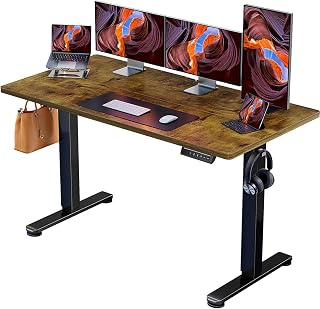 ErGear Electric Standing Desk 140 x 70cm, 4 Memory
£139.99
4.7
in Best Electric Standing Desk 2026: 10 Ranked on Load and Speed
ErGear Electric Standing Desk 140 x 70cm, 4 Memory
£139.99
4.7
in Best Electric Standing Desk 2026: 10 Ranked on Load and Speed
-
 Nulaxy Pull-Out Height Adjustable Laptop Stand, 3-50.8cm, 10kg
£40.99
4.7
in Best Laptop Stand 2026: 10 Ranked on Height They Actually Reach
Nulaxy Pull-Out Height Adjustable Laptop Stand, 3-50.8cm, 10kg
£40.99
4.7
in Best Laptop Stand 2026: 10 Ranked on Height They Actually Reach
-
 BenQ ScreenBar Monitor Light Bar, 5W, Auto Dimming, 230-955 Lux
£89.00
4.7
in Best Monitor Light Bar 2026: 10 Ranked, and Why Lux Without an Area Is Nothing
BenQ ScreenBar Monitor Light Bar, 5W, Auto Dimming, 230-955 Lux
£89.00
4.7
in Best Monitor Light Bar 2026: 10 Ranked, and Why Lux Without an Area Is Nothing
-
 Desktronic HomeOne Dual Motor Standing Desk 120 x 60cm
£299.99
4.7
in Best Electric Standing Desk 2026: 10 Ranked on Load and Speed
Desktronic HomeOne Dual Motor Standing Desk 120 x 60cm
£299.99
4.7
in Best Electric Standing Desk 2026: 10 Ranked on Load and Speed
-
 LitONES LED Desk Lamp, 1200LM, 30 Lighting Modes, Metal Swing Arm
£53.25
4.8
in Best LED Desk Lamp 2026: 10 Ranked, and Why Lumens Are the Wrong Number
LitONES LED Desk Lamp, 1200LM, 30 Lighting Modes, Metal Swing Arm
£53.25
4.8
in Best LED Desk Lamp 2026: 10 Ranked, and Why Lumens Are the Wrong Number
-
 Jabra Speak 510 Speaker Phone - Microsoft Certified Portable Bluetooth Conference Speaker with USB - Connect with Laptops, Smartphones and Tablets, Black
£86.96
4.7
in Best Conference Speakerphone 2026: Ten Ranked on Real Mics and Honest Watts
Jabra Speak 510 Speaker Phone - Microsoft Certified Portable Bluetooth Conference Speaker with USB - Connect with Laptops, Smartphones and Tablets, Black
£86.96
4.7
in Best Conference Speakerphone 2026: Ten Ranked on Real Mics and Honest Watts
-
 SOUNDANCE 360 Rotating Laptop Stand, Adjustable Riser, 10-17 Inch
£19.28
4.7
in Best Laptop Stand 2026: 10 Ranked on Height They Actually Reach
SOUNDANCE 360 Rotating Laptop Stand, Adjustable Riser, 10-17 Inch
£19.28
4.7
in Best Laptop Stand 2026: 10 Ranked on Height They Actually Reach
Comments
Reader comments are not checked against the manufacturer's claims above.
No comments yet
Be the first to add something we missed — a price change, a spec that turned out wrong, or how one of these held up.
Leave a comment
No account needed. Own one of these? Tell other readers how it actually performed.