Best Wireless Keyboard and Mouse Combo 2026: 10 Ranked, Battery Claims Checked
By Felipe Iglesias · Updated
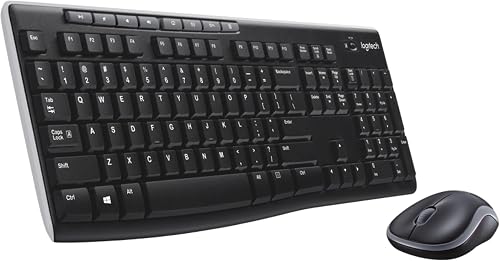
In this shelf of ten, the battery field is the least trustworthy line on the page. The Logitech MK295, at £23.32, is listed as "Are Batteries Required: No" and as "2 AAA batteries required (included)" in the same table. The seenda SK38-3, at £32.99, is sold as a USB-C rechargeable wireless keyboard and mouse combo with no disposable batteries — then lists "1 C batteries required (included)". The Dell set, at £18.52, states 2 AAA batteries included while its own highlight line reads "AAA Batteries, AA Battery". Meanwhile the HP 230, at £22.95, lists an AZERTY layout and 83 keys, not the full-size QWERTY every other wireless keyboard and mouse combo here uses.
We ranked ten of the best wireless keyboard and mouse combos on Amazon on price, key count, layout, rating spread and how often the specification contradicts itself.
Logitech MK270 Wireless Keyboard and Mouse Combo

The most-reviewed wireless keyboard and mouse combo here at £19.99, with 29,838 ratings at 4.4 and a 111-key QWERTY layout.
Advantages
- £19.99 — the cheapest Logitech set in this ten
- 29,838 ratings at 4.4, the largest evidence base here by a wide margin
- 111 keys, the highest key count of the ten
- Full-size UK QWERTY with number pad, Windows 7 and up
- Two-year battery claim from one included AA
Disadvantages
- Specification field says 1 AA included; the keyboard description says 2 AA or AAA — the two lines do not agree
- No backlight, no Bluetooth and no rechargeable option
- 698 g, heavier than the 546 g Trust Ymo II and the 555 g Dell
- Compact mouse suits smaller hands
It leads on the weight of evidence rather than on specification. 29,838 ratings at 4.4 is roughly seven times the count of the next-biggest set in this group, and 70% of them are five-star. At £19.99 it is also the cheapest Logitech set here, £3.33 below the MK295. Its 111 keys are the highest count of the ten.
In practice the MK270 is deliberately plain: 2.4 GHz radio only, no Bluetooth, a full-size QWERTY layout with number pad, eight multimedia keys and an ambidextrous optical mouse. Logitech claims two years from the supplied battery. At 698 g it sits mid-pack on weight.
That said, two lines in its own listing disagree. The specification field says "1 AA batteries required (included)"; the keyboard description says it "uses 2 AA or AAA batteries". There is nothing rechargeable here, no backlight and no spill resistance. If you type all day in a shared office, the silent MK295 further down is the better fit.
Logitech MK540 Advanced Wireless Keyboard and Mouse Combo

Second on review depth — 4,113 ratings at 4.4 — with Bluetooth as well as USB, a 102-key layout and a claimed three-year battery life.
Advantages
- 4.4 from 4,113 ratings, with 69% five-star
- Bluetooth and 2.4 GHz USB receiver in one set
- Claimed three-year battery life, three AA batteries included
- Leak-proof keyboard with three years of spare-part availability
Disadvantages
- £34.99 — £15 more than the MK270 for nine fewer keys
- 829 g, the second-heaviest of the ten
- Minimum OS field says Windows 10 while the operating system field lists Windows 7 and Chrome OS
- No backlight and no rechargeable option
It takes second place because the rating profile matches the MK270's — 4.4, with 69% five-star — on a smaller base of 4,113. For £34.99 you get Bluetooth alongside the 2.4 GHz Unifying receiver, a leak-proof keyboard and a claimed three-year battery life. Three AA batteries are included.
Meanwhile, the extra £15 does not buy more keys. The MK540 lists 102 against the MK270's 111, and at 829 g it is the second-heaviest set in the ten, behind the 900 g TECKNET. Logitech quotes three years of EU spare-part availability, against five for the MK295.
Worth noting, the operating system fields contradict each other too. The minimum required version says Windows 10; the operating system field says "Windows 7, 10, 11 ou supérieur, Chrome OS" — French text included. On Windows 7, check before you buy.
Logitech MK295 Silent Wireless Keyboard and Mouse Combo

Silent keys and a 4.3 rating from 2,809 buyers at £23.32 — but the battery lines in its own spec table cannot both be true.
Advantages
- £23.32, with 104 full-size keys and a number pad
- Rated 4.3 from 2,809 reviews, 66% of them five-star
- Spill-resistant and sold on silent keys and clicks
- Five years of EU spare-part availability
- 558 g — lighter than both the MK270 and MK540
Disadvantages
- "Are Batteries Required: No" sits in the same table as "2 AAA batteries required (included)"
- No Bluetooth and no rechargeable option
- Seven fewer keys than the cheaper MK270
- Minimum OS field mixes Chrome OS 134 with Windows 7
This is the quiet wireless keyboard and mouse combo in the Logitech line-up, and the fourth-cheapest set here at £23.32. The listing carries two battery statements that contradict each other: "Are Batteries Required: No" and "2 AAA batteries required (included)", in the same table. One of those is wrong.
Otherwise it is a familiar package: 104 keys, a QWERTY layout, a spill-resistant top case and an optical ambidextrous mouse, at 558 g — lighter than the two Logitech sets above it. Logitech lists five years of spare-part availability, the longest of any Logitech here. Claimed platform support runs from Windows 7 to 10 plus Chrome OS.
By contrast with the MK270, you pay £3.33 more and get seven fewer keys, no Bluetooth and the same absence of a rechargeable option. Skip it if you need a numeric shortcut layer for macros or a mouse you can charge rather than feed batteries.
Arteck 2.4G Rechargeable Wireless Keyboard and Mouse Combo

The most expensive set here at £44.64, with a rechargeable lithium battery and the joint-highest rating of the ten at 4.5.
Advantages
- Joint-highest rating here: 4.5 from 1,851 reviews
- Rechargeable lithium battery — six months keyboard, four months mouse per charge claim
- Stainless steel keyboard with full-size low-profile keys and number pad
- One nano receiver for both keyboard and mouse, stored in the mouse
- 104 keys with a 24-month warranty listed
Disadvantages
- £44.64 — the most expensive set in this ten
- "Are Batteries Required" reads Yes despite the rechargeable design
- No Bluetooth, no backlight, no spill resistance
- Heaviest price jump for the smallest feature gain over the £32.99 seenda
At £44.64 this is the priciest of the ten, £11.65 above the seenda. What that buys is a rechargeable lithium battery: Arteck claims six months for the keyboard and four for the mouse on one charge, based on two hours of non-stop use per day. The rating is the joint-highest here at 4.5, from 1,851 reviews.
In practice the build is the differentiator. The keyboard body is stainless steel with low-profile but full-size keys, arrow keys and a number pad. One nano receiver runs both halves and stores inside the back of the mouse — which means one USB port used instead of two. The listing carries a 24-month warranty.
Even so, the spec table undercuts the sales pitch. "Are Batteries Required" reads Yes, and the battery field says "1 Lithium Ion batteries required (included)" — accurate for a built-in cell, but it sits oddly beside a product sold on not needing replacements. There is no Bluetooth, no backlight and no spill resistance either.
TECKNET Rechargeable Wireless Keyboard and Mouse Combo, Grey

A rechargeable wireless keyboard and mouse set at £27.99, with 12 multimedia hotkeys and a claimed 120-day standby.
Advantages
- £27.99 with rechargeable batteries on both halves
- Claimed 120-day standby and 49 ft range
- Full-size keyboard with number pad, function row and 12 multimedia hotkeys
- Rated 4.4 from 1,193 reviews, 72% five-star
- Quiet low-profile scissor keys and ultra-quiet mouse clicks
Disadvantages
- Battery field reads "1 Nonstandard Battery batteries required" with no capacity stated
- 900 g — the heaviest set here
- No DPI adjustment listed for the mouse
- Only Windows 11 listed as the minimum required OS
Positioned fifth on a 4.4 rating from 1,193 reviews, this is the cheaper of the two rechargeable sets here. TECKNET quotes a 400 mAh battery in the mouse, two to three hours to charge the keyboard and up to 120 days of standby. The claimed wireless range is 49 ft.
The keyboard is full size with a number pad, a full function row and 12 multimedia hotkeys, in a stainless steel and ABS shell. Keys are low-profile scissor switches and the mouse clicks are described as ultra-quiet. At 900 g it is the heaviest set in this top ten, and the optical mouse is not listed with an adjustable-DPI control.
The catch is the battery field. "Are Batteries Required" reads No, the power source says "Rechargeable Batteries", and the battery count says "1 Nonstandard Battery batteries required" — with no indication of capacity or whether anything is included. If you want a definite answer on what arrives in the box, this listing does not give one.
seenda SK38-3 USB-C Rechargeable Keyboard and Mouse Set

The only rechargeable wireless keyboard and mouse combo here that also ships with a silicone cover — and the lightest at 485 g.
Advantages
- 485 g — the lightest set in this ten
- USB-C rechargeable on both keyboard and mouse, two-hour charge claim
- Full-size UK layout with number pad and three-step adjustable DPI
- Silicone keyboard cover included
- 4.3 from 2,920 ratings, 69% five-star
Disadvantages
- "1 C batteries required (included)" contradicts the no-disposable-batteries pitch
- £32.99, the second-highest price here
- No Bluetooth and no backlight listed
- Compatible devices field lists only laptop and personal computer
It earns sixth on a 4.3 rating from 2,920 buyers and 485 g, the lightest set in the ten. seenda sells it as USB-C rechargeable for both halves, with no disposable batteries, around two hours to charge and two to three months of everyday use. A silicone keyboard cover is included.
In practice the pitch is office work: a full-size UK layout with number pad, low-profile scissor keys, an adjustable-DPI mouse with three sensitivity steps and a 10 m wireless range. Compatibility is listed as Windows 2000 through 11. The white and silver finish is the only light-coloured set here, against nine black or grey options.
Crucially, the spec table does not match the sales copy. "Are Batteries Required" says Yes and the battery field reads "1 C batteries required (included)" — a C cell, on a product advertised as doing away with disposable batteries. That is the clearest single example of the problem running through this shelf.
TECKNET 2.4G Wireless Keyboard and Mouse Combo, Full Size

The third-cheapest set at £18.69 with 5,048 ratings — the second-largest evidence base here — on the lowest average of the ten, 4.2.
Advantages
- £18.69 — the third-cheapest set here
- 5,048 ratings, the second-largest base in the ten
- Spill-resistant keyboard with four drainage holes
- Claimed noise reduction of up to 90% on the keys
- 13 m wireless range, longer than the 10 m of the seenda and Trust
Disadvantages
- 4.2 average — the lowest rating of the ten
- 11% of reviews are one or two stars
- No battery type or count stated in the specification
- 792 g and no rechargeable option
Value is the reason it ranks here: £18.69, with 5,048 ratings, more than any set except the MK270. The average is 4.2, the lowest of the ten, and 11% of those reviews sit at one or two stars. Its 105 keys are six short of the MK270's 111.
For the money you get 2.4 GHz wireless with a 13 m range, a spill-resistant keyboard with four drainage holes, PET film keys that TECKNET claims cut noise by up to 90%, and a high-precision optical mouse. Auto-sleep and an on/off switch on the mouse stretch battery life. The nano receiver stores in the base of the mouse.
As a result, the compromises are in the details. There is no Bluetooth, no rechargeable option, and no battery type or count anywhere in the specification. At 792 g it is the third-heaviest set here. If you want a cordless keyboard and mouse combo you can charge rather than feed batteries, look further up this list.
Dell Wireless Keyboard and Mouse, Spill Resistant

Dell's £18.52 set claims the longest battery life here — 36 months for the keyboard — on the smallest review base, 428.
Advantages
- Longest battery claim here: 36 months keyboard, 18 months mouse
- £18.52 — the second-cheapest set in the ten
- 104 keys with number pad, multimedia keys and tilt legs
- 128-bit AES encryption on the keyboard connection
- Spill-resistant, anti-fade keycaps with 36 months of spare-part availability
Disadvantages
- Battery count says 2 AAA while the item highlight lists AA as well
- Only 428 ratings — the smallest evidence base of the ten
- Compatible devices field lists laptop only
- Minimum required OS is Windows 10
Dell quotes 36 months for the keyboard and 18 months for the mouse, the longest claim of any set in this ten. The price, £18.52, is the second-lowest. The evidence is thinner, though: 428 ratings at 4.4, the smallest base here, roughly one seventieth of the MK270's.
In practice it is a work keyboard: 104 keys with a number pad, quick-access multimedia keys, spill-resistant anti-fade keycaps, tilt legs for an adjustable typing angle and 128-bit AES encryption on the keyboard link. The mouse runs at 1000 DPI with three buttons and a scroll wheel. Dell lists 36 months of spare-part availability.
The catch sits in the battery line again. The count field says "2 AAA batteries required (included)", while the item highlight says "AAA Batteries, AA Battery" — two different types in one record. Only laptop compatibility is listed, and the minimum OS is Windows 10. If you still run Windows 7, this full size wireless keyboard and mouse is not the one.
Trust Ymo II Silent Wireless Keyboard and Mouse Set
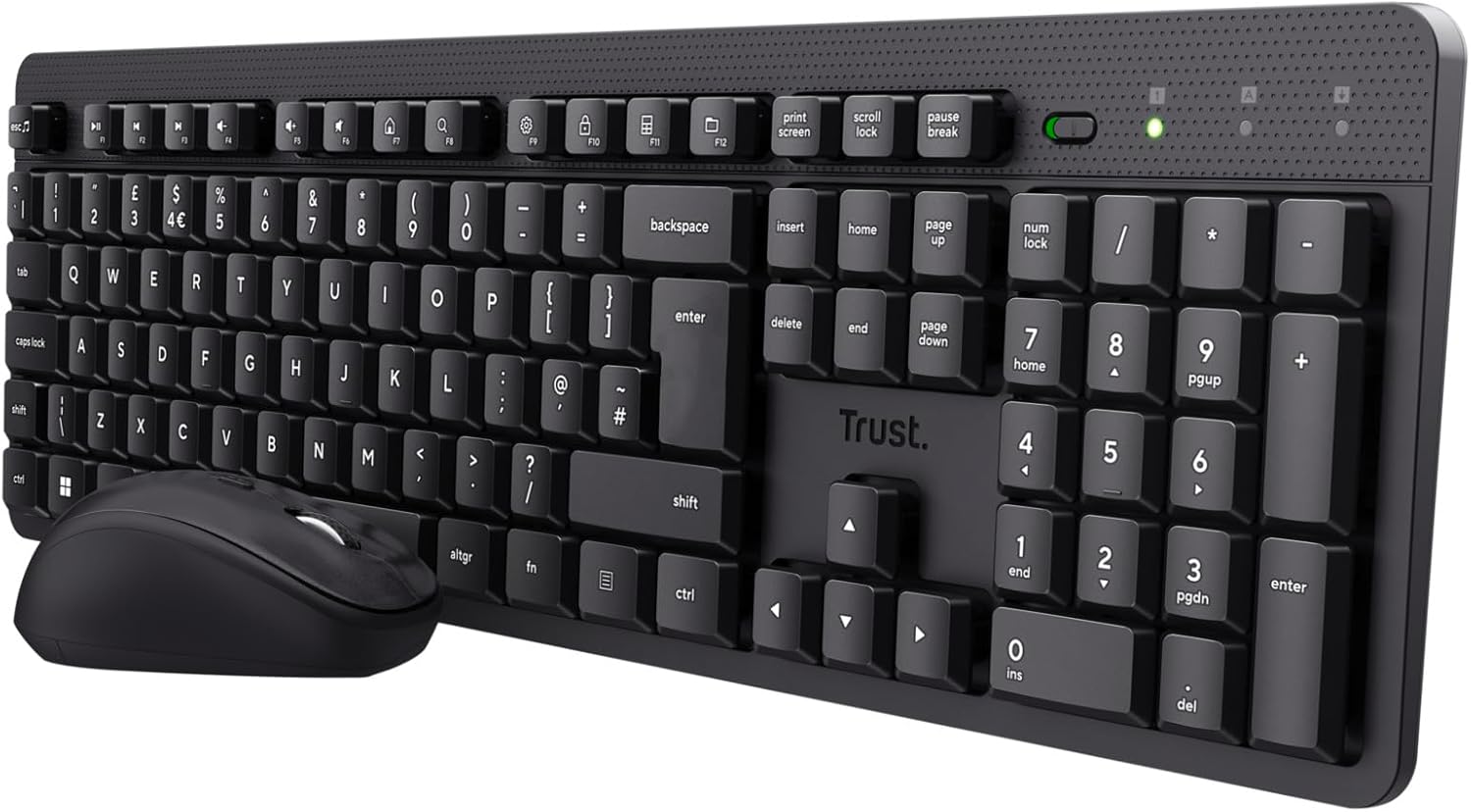
The cheapest wireless keyboard and mouse combo here at £16.89, with a five-year warranty and silent keys.
Advantages
- £16.89 — the cheapest set in this ten
- Five-year warranty, the longest listed here
- Full-size QWERTY UK layout with number pad and adjustable tilt
- Silent keys and mouse buttons, spill-resistant
- Mouse adjustable from 800 to 1600 DPI via a speed-select button
Disadvantages
- Only 464 ratings — a thin evidence base for a 4.3 score
- Membrane keys, not scissor switches
- No rechargeable option; two AAA batteries listed as included
- 9% of reviews are one star, the joint-highest share here
It is the lowest price on the page, £16.89, and the warranty is the longest: five years. Ratings sit at 4.3 from 464 buyers, a fraction of the MK270's 29,838 — which means the score has been far less tested by volume.
In practice the Ymo II covers the basics: full-size QWERTY UK layout, floating low-profile keys, an adjustable typing angle, silent keys and mouse buttons, spill resistance, and a compact ambidextrous mouse with 800–1600 DPI on a speed-select button. One USB receiver serves both halves over a 10 m range.
At the same time, the details are thin. Two AAA batteries are listed as included and there is no rechargeable option. The keyboard is membrane, not scissor or mechanical, and the mouse is small at 546 g total for the set. Fine for a desk, not for long typing sessions.
HP 230 Wireless Keyboard and Mouse Combo Set

4,440 ratings at 4.3 and a £22.95 price — but the listing describes an AZERTY keyboard with 83 keys, not a full-size QWERTY one.
Advantages
- 4,440 ratings at 4.3 — the third-largest review base here
- £22.95, with a claimed 16 months of battery life
- Mouse adjustable up to 1600 dpi
- Ten years of EU spare-part availability, the longest listed
- 506 g — one of the lighter sets in the ten
Disadvantages
- Keyboard layout field reads AZERTY, not the QWERTY the rest of this list uses
- 83 keys — no full-size layout and no separate number pad
- Battery field gives no quantity: "AAA batteries required (included)"
- Compatible operating system family lists ChromeOS; minimum OS is Chrome OS 134
The review count, 4,440 at 4.3, would place this set higher on paper. The layout field is why it ranks last: it reads AZERTY, and the key count reads 83. Every other set here lists QWERTY and between 102 and 111 keys. A UK buyer expecting a full-size board should read that line twice before ordering.
The rest of the listing is conventional: 2.4 GHz wireless over a USB-A nano receiver, a chiclet-style membrane keyboard, up to 1600 dpi on the optical mouse and a claimed 16 months of battery life. Weight is 506 g, the second-lightest set here. Ten years of spare-part availability is listed, the longest on the page.
Either way, the battery field stays vague: "AAA batteries required (included)" with no quantity given, against "Are Batteries Required: Yes". And 83 keys leaves no room for a separate number pad. Buy it only if a compact AZERTY layout is genuinely what you want.
All 10 compared
The same ranking side by side, now that the numbers have names.
| # | Product | Price | Amazon rating |
|---|---|---|---|
| 1 | Logitech MK270 Wireless Keyboard and Mouse Combo | £19.99 | 4.4 (29,838) |
| 2 | Logitech MK540 Advanced Wireless Keyboard and Mouse Combo | £34.99 | 4.4 (4,113) |
| 3 | Logitech MK295 Silent Wireless Keyboard and Mouse Combo | £23.32 | 4.3 (2,809) |
| 4 | Arteck 2.4G Rechargeable Wireless Keyboard and Mouse Combo | £44.64 | 4.5 (1,851) |
| 5 | TECKNET Rechargeable Wireless Keyboard and Mouse Combo, Grey | £27.99 | 4.4 (1,193) |
| 6 | seenda SK38-3 USB-C Rechargeable Keyboard and Mouse Set | £32.99 | 4.3 (2,920) |
| 7 | TECKNET 2.4G Wireless Keyboard and Mouse Combo, Full Size | £18.69 | 4.2 (5,048) |
| 8 | Dell Wireless Keyboard and Mouse, Spill Resistant | £18.52 | 4.4 (428) |
| 9 | Trust Ymo II Silent Wireless Keyboard and Mouse Set | £16.89 | 4.3 (464) |
| 10 | HP 230 Wireless Keyboard and Mouse Combo Set | £22.95 | 4.3 (4,440) |
Final Verdict
For most homes, the Logitech MK270 at £19.99 is the safe pick: 29,838 ratings at 4.4, a 111-key full-size layout and two years claimed from one battery. If quiet typing matters more than key count, the Logitech MK295 at £23.32 is the one to look at — just read its own battery lines, which contradict each other. If you want a wireless keyboard and mouse combo that never needs disposable cells, the seenda SK38-3 at £32.99 charges over USB-C, though its spec table still lists a C battery. And anyone who needs a number pad should skip the HP 230 at £22.95: the listing says AZERTY and 83 keys.
Why trust this ranking?
We rank on price, customer ratings and the specifications that decide the job, and we read each specification table against the marketing bullets on the same listing. When a number does not survive that check, we say so in the entry rather than quietly dropping the product. We also say when a product is the wrong one for you.
How we rank, in full
Written by
Felipe Iglesias
Founder & Lead Reviewer
Felipe is a computational engineering student who has been working in SEO since he was sixteen. He founded ranked10 and researches every guide on the site.
Related buying guides
Every guide below ranks ten products the same way this one does.
 Home & Office
Best Document Scanner 2026: 10 Ranked
The best document scanner for 2026 is the ScanSnap iX2500 White: £8.62 per page per minute, 100-sheet feeder. Nine more ranked, from £54.99.
 Home & Office
Best A3 Printer 2026: 10 Ranked
Best A3 printer for most offices: the Brother MFC-J5340DW at £185.90, where 28 ppm works out at £6.64 per page per minute.
 Home & Office
Best Gaming Desk 2026: 10 Ranked, and the Heights That Don't Add Up
Best gaming desk picks ranked: in the Bestier, tabletop thickness reads 91.5 cm — the same as its height. We check where the numbers disagree.
 Home & Office
Best Gaming Chairs 2026: 10 Ranked, Plus a 1,136 kg Capacity Claim
The £89.99 SONGMICS HOME gaming chair lists a 1,136 kg weight capacity. That is a base pressure test, not a limit. Ten gaming chairs ranked.
 Home & Office
Best Laptop Bag 2026: The Size That Is a Screen
Ten laptop bags: one says 15.6 inches in its title and 14.6 in its own fit field, two publish no bullets, and six borrow fields from clothing.
 Home & Office
Best Cable Management 2026: What the Piece Count Is Counting
Ten cable products: a 4m trunking sold as ten 400mm lengths counts as one piece, an 8-pair set counts as 24, and one sleeve is listed as screw-in.
 Home & Office
Best Safe 2026: The Box Weighs 1.87kg
Ten safes and lock boxes compared: three 6.6L boxes weigh 1.87kg, 2.04kg and 2.6kg, one lists Portable, and a 14L safe publishes no weight.
 Home & Office
Best Ergonomic Mouse 2026: Only Three Publish the Angle
Ten ergonomic mice compared: only three publish the vertical angle, one claims 8 minutes of battery, and a trackball has the best record.
 Home & Office
Best Whiteboard 2026: The Frame Eats 11 Per Cent
Ten whiteboards compared on the number most listings hide: the writing surface. A 90x60cm board gives you 86x56cm, and only three of ten say so.
 Home & Office
Best Office Chair 2026: The Measurements Nobody Publishes
Ten office chairs compared on the figures their listings avoid: seat height, capacity, foam grade and lumbar travel, and the two that admit the gaps.
Products you might like
The best rated products from our other Home & Office guides.
-
 BoYata Aluminium Adjustable Laptop Stand, 0-90 Degree, Foldable
£32.99
4.8
in Best Laptop Stand 2026: 10 Ranked on Height They Actually Reach
BoYata Aluminium Adjustable Laptop Stand, 0-90 Degree, Foldable
£32.99
4.8
in Best Laptop Stand 2026: 10 Ranked on Height They Actually Reach
-
 cocopar 15.6 Inch Portable Monitor, 1080p, 85% sRGB, 670g, VESA
£89.99
4.8
in Best Portable Monitor 2026: 10 Ranked on Colour and Brightness
cocopar 15.6 Inch Portable Monitor, 1080p, 85% sRGB, 670g, VESA
£89.99
4.8
in Best Portable Monitor 2026: 10 Ranked on Colour and Brightness
-
 cocopar 18.5 Inch Portable Monitor, 100Hz, 350 nits, 1080p, 1kg
£142.49
4.8
in Best Portable Monitor 2026: 10 Ranked on Colour and Brightness
cocopar 18.5 Inch Portable Monitor, 100Hz, 350 nits, 1080p, 1kg
£142.49
4.8
in Best Portable Monitor 2026: 10 Ranked on Colour and Brightness
-
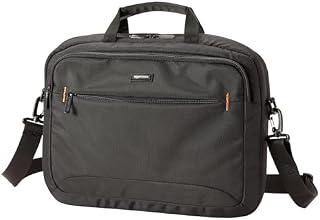 Amazon Basics Compact Laptop Shoulder Bag 15.6 inch, 7.1cm Deep
£13.95
4.7
in Best Laptop Bag 2026: The Size That Is a Screen
Amazon Basics Compact Laptop Shoulder Bag 15.6 inch, 7.1cm Deep
£13.95
4.7
in Best Laptop Bag 2026: The Size That Is a Screen
-
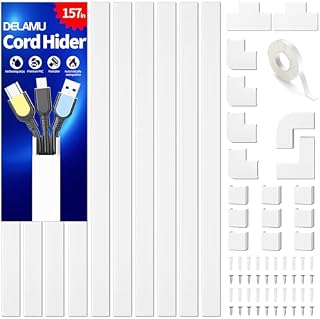 Delamu Electric Cable Trunking 4M, Self-Adhesive Wall Trunking, 10 x 400mm
£12.99
4.7
in Best Cable Management 2026: What the Piece Count Is Counting
Delamu Electric Cable Trunking 4M, Self-Adhesive Wall Trunking, 10 x 400mm
£12.99
4.7
in Best Cable Management 2026: What the Piece Count Is Counting
-
 MATEIN Travel Laptop Backpack 15.6 inch with 12 Compartments
£17.96
4.7
in Best Laptop Bag 2026: The Size That Is a Screen
MATEIN Travel Laptop Backpack 15.6 inch with 12 Compartments
£17.96
4.7
in Best Laptop Bag 2026: The Size That Is a Screen
-
 Nulaxy Ergonomic Dual Foldable Laptop Stand, 10kg Load, 10-16 Inch
£16.99
4.7
in Best Laptop Stand 2026: 10 Ranked on Height They Actually Reach
Nulaxy Ergonomic Dual Foldable Laptop Stand, 10kg Load, 10-16 Inch
£16.99
4.7
in Best Laptop Stand 2026: 10 Ranked on Height They Actually Reach
-
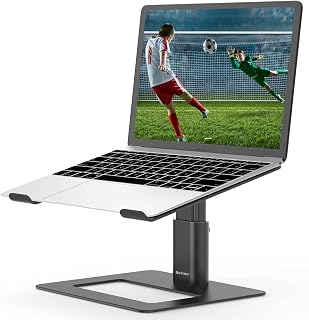 BoYata Height Adjustable Laptop Riser, 10-18.9cm, 5kg, 10-17 Inch
£24.99
4.7
in Best Laptop Stand 2026: 10 Ranked on Height They Actually Reach
BoYata Height Adjustable Laptop Riser, 10-18.9cm, 5kg, 10-17 Inch
£24.99
4.7
in Best Laptop Stand 2026: 10 Ranked on Height They Actually Reach
-
 ErGear Electric Standing Desk 140 x 70cm, 4 Memory
£139.99
4.7
in Best Electric Standing Desk 2026: 10 Ranked on Load and Speed
ErGear Electric Standing Desk 140 x 70cm, 4 Memory
£139.99
4.7
in Best Electric Standing Desk 2026: 10 Ranked on Load and Speed
-
 Nulaxy Pull-Out Height Adjustable Laptop Stand, 3-50.8cm, 10kg
£40.99
4.7
in Best Laptop Stand 2026: 10 Ranked on Height They Actually Reach
Nulaxy Pull-Out Height Adjustable Laptop Stand, 3-50.8cm, 10kg
£40.99
4.7
in Best Laptop Stand 2026: 10 Ranked on Height They Actually Reach
-
 BenQ ScreenBar Monitor Light Bar, 5W, Auto Dimming, 230-955 Lux
£89.00
4.7
in Best Monitor Light Bar 2026: 10 Ranked, and Why Lux Without an Area Is Nothing
BenQ ScreenBar Monitor Light Bar, 5W, Auto Dimming, 230-955 Lux
£89.00
4.7
in Best Monitor Light Bar 2026: 10 Ranked, and Why Lux Without an Area Is Nothing
-
 Desktronic HomeOne Dual Motor Standing Desk 120 x 60cm
£299.99
4.7
in Best Electric Standing Desk 2026: 10 Ranked on Load and Speed
Desktronic HomeOne Dual Motor Standing Desk 120 x 60cm
£299.99
4.7
in Best Electric Standing Desk 2026: 10 Ranked on Load and Speed
-
 LitONES LED Desk Lamp, 1200LM, 30 Lighting Modes, Metal Swing Arm
£53.25
4.8
in Best LED Desk Lamp 2026: 10 Ranked, and Why Lumens Are the Wrong Number
LitONES LED Desk Lamp, 1200LM, 30 Lighting Modes, Metal Swing Arm
£53.25
4.8
in Best LED Desk Lamp 2026: 10 Ranked, and Why Lumens Are the Wrong Number
-
 Jabra Speak 510 Speaker Phone - Microsoft Certified Portable Bluetooth Conference Speaker with USB - Connect with Laptops, Smartphones and Tablets, Black
£86.96
4.7
in Best Conference Speakerphone 2026: Ten Ranked on Real Mics and Honest Watts
Jabra Speak 510 Speaker Phone - Microsoft Certified Portable Bluetooth Conference Speaker with USB - Connect with Laptops, Smartphones and Tablets, Black
£86.96
4.7
in Best Conference Speakerphone 2026: Ten Ranked on Real Mics and Honest Watts
-
 SOUNDANCE 360 Rotating Laptop Stand, Adjustable Riser, 10-17 Inch
£19.28
4.7
in Best Laptop Stand 2026: 10 Ranked on Height They Actually Reach
SOUNDANCE 360 Rotating Laptop Stand, Adjustable Riser, 10-17 Inch
£19.28
4.7
in Best Laptop Stand 2026: 10 Ranked on Height They Actually Reach
Comments
Reader comments are not checked against the manufacturer's claims above.
No comments yet
Be the first to add something we missed — a price change, a spec that turned out wrong, or how one of these held up.
Leave a comment
No account needed. Own one of these? Tell other readers how it actually performed.