Best Monitor Arm 2026: 10 Ranked on Weight, Not Screen Size
By Felipe Iglesias · Updated

A monitor arm is the cheapest upgrade that changes how a desk feels: the screen goes to eye level, the stand disappears, and you get back the square foot of desk it was sitting on. However, almost everyone buys one on the wrong number. Listings lead with a screen size range — 13 to 32 inches, 24 to 40 inches — because that is the figure shoppers recognise, when the specification that actually decides whether the arm holds your monitor is weight in kilograms. Worse, a gas spring monitor arm has a minimum as well as a maximum, and only four of the ten desk mounts in this comparison publish it. Load one below its floor and the spring pushes the screen upwards until it drifts to the top of its travel. We compared the best monitor arm options on Amazon in August 2026 on weight range, VESA fit, mounting options and build, and flagged every listing whose own specification table argues with its own bullet points.
Invision MX200 Monitor Arm Desk Mount, 19-32 Inch, 2-9kg Gas Spring

The best monitor arm here because it puts the number that matters in its own title: a 2 to 9kg load range, minimum included, at 4.6 stars from 9,680 ratings.
Advantages
- Publishes the full 2 to 9kg load range in the product title
- 4.6 stars from 9,680 ratings, best average with a deep sample here
- Aluminium alloy and SPCC steel construction
- Tool-free height adjustment with tilt, swivel, rotate and extend
- Specification table agrees with the marketing copy on tilt
Disadvantages
- Starts at 19 inches, so it is not aimed at small secondary screens
- 9kg ceiling rules out the heaviest 32 inch panels
- Costs more than the £21 single arms further down this list
Invision is the only brand in this comparison that writes the load range into the product title rather than burying it in a bullet, and the MX200 says 2 to 9kg. That lower figure is the one nobody else talks about. A gas spring arm is counterbalanced, so it is designed to hold a specific weight band: hang a 1.5kg 22 inch panel on an arm with a 2kg floor and the spring wins, lifting the screen to the top of its travel every time you let go.
The rest of the specification is straightforward and well chosen for a British desk. It covers 19 to 32 inch screens on VESA 75x75 or 100x100, height adjusts without tools, and the arm tilts, swivels, rotates and extends. Construction is aluminium alloy and SPCC steel rather than the single-material builds further down this list, and the spec table gives 85 degrees of tilt, which matches the marketing rather than contradicting it — a lower bar than it should be, but two arms here fail it.
At £28.74 with 4.6 stars from 9,680 ratings it has both the best average and one of the deepest samples in this comparison. It is not the cheapest desk mount here and it does not take the largest screens, but it is the one where the listing tells you the truth in the fewest clicks.
BONTEC Dual Monitor Arm Desk Mount, 13-27 Inch, 10kg Per Arm

The most reviewed desk mount in this comparison by a distance, at 38,849 ratings, and the cheapest credible way to get two screens off the desk.
Advantages
- 38,849 ratings at 4.5, by far the deepest evidence in this comparison
- 10kg per arm, the joint highest load in the dual arms here
- Both C-clamp (10-100mm) and grommet base included
- 430mm of height travel and full 360 degree rotation
- Costs £25.98 for two screens, cheaper than most single arms here
Disadvantages
- Rated to 27 inches while BONTEC rates its single arm to 32 at the same 10kg
- No minimum load published, so light panels may drift upward
- Steel build is heavier to handle during assembly than the aluminium arms
Thirty-eight thousand ratings is an unusual amount of evidence for a £25.98 accessory, and it holds 4.5 stars across all of them. That combination is the single strongest signal in this comparison. As a dual monitor arm it does the important things properly: 10kg per arm, VESA 75x75 and 100x100, 90 degrees of tilt either way, 180 degrees of swivel and full 360 degree rotation so either screen can go portrait.
Mounting is where cheap arms usually fail and this one does not. You get both a C-clamp that takes desk tops from 10mm to 100mm and a grommet base for bolting through, which between them cover almost every desk in a British home office, including the thick worktops that defeat arms with a shorter clamp throw. Height adjusts through 430mm of travel.
The number to check before buying is the screen size, not the weight. BONTEC rates this for 13 to 27 inch panels while rating its single arm — same 10kg capacity — for 13 to 32 inches. The weight rating is identical; what changes is the geometry, because two 32 inch screens side by side on one clamp would foul each other and load the desk edge badly. If you run 32 inch monitors, this is not the arm, however reassuring the review count is.
Amazon Basics Dual Monitor Stand, 13-27 Inch, 9.97kg Per Arm

The most completely documented listing in this comparison: weight, desk thickness, height range and tilt angles all published, for £22.03.
Advantages
- Publishes weight, desk thickness, height range and tilt angles in full
- 9.97kg per arm, effectively matching the 10kg rivals
- Fits desks from 2.03cm to 9.9cm thick
- Detachable VESA plates and integrated cable management
- Cheapest dual arm in this comparison at £22.03
Disadvantages
- Specification table lists movement as Tilt only while bullets promise full motion
- Material field says aluminium while the bullets say durable steel
- No minimum load published
- 4.4 average is below the arms ranked above it
If you want to know what you are buying before it arrives, this is the listing to read. Amazon Basics publishes the load at 9.97kg per arm, the desk thickness it clamps to at 2.03 to 9.9cm, the height range at 20 to 36cm and the tilt at −15 to +85 degrees. Nothing else on this page commits to that many numbers, and it costs £22.03.
The odd precision is a clue to its origin: 9.97kg is 22 pounds converted, and 2.03cm is an inch. This is a US product specification translated into metric for the UK listing, which is harmless but explains why the figures look like they came off a calculator. Detachable VESA plates cover 75x75 and 100x100, cable management runs through the arms, and all the hardware is in the box.
Two caveats keep it at number three. The specification table describes the movement type as simply "Tilt" while the bullets promise 360 degree rotation and a full range of motion, and the material field says aluminium while the fourth bullet says the stand is "made of durable steel". Those are the sort of internal contradictions that make it hard to know which claim was written by someone holding the product. At 4.4 stars from 8,730 ratings it is also the lowest average of the three arms above it.
HUANUO Dual Monitor Stand, 13-32 Inch, Aluminium Die-Cast Frame

The only dual monitor arm here rated to 32 inches, with 4.6 stars from 11,988 ratings, but its spec table claims a third of the tilt range its own bullets promise.
Advantages
- 4.6 stars from 11,988 ratings
- The only dual arm here rated for screens up to 32 inches
- Die-cast aluminium and alloy frame rather than folded steel
- Five year spare part availability stated on the listing
- Holds position at any angle without extra adjustment
Disadvantages
- Spec table says 35 degrees maximum tilt while the bullets claim -30 to +85
- Most expensive arm in this comparison at £39.98
- No load range in kilograms published in the bullets
This is the dual arm to buy if your screens are larger than 27 inches, because it is the only one in this comparison rated to 32 and it is built for it: high-grade aluminium die-casting on an alloy frame rather than the folded steel used at the cheaper end. HUANUO claims it holds position at any angle without readjustment, which is the practical test of whether a dual mount is worth having, and 11,988 buyers have left it at 4.6 stars.
Installation is three steps — clamp the base, attach the VESA plates, hang the screens — with a choice of C-clamp or grommet, and HUANUO says the arrangement recovers over 80% of the desk space two standard stands would occupy. There is a five year spare part availability commitment on the listing, which is rare at this price and worth more than most of the marketing around it.
The listing contradicts itself on the one spec people check. The bullets describe a tilt range from −30 to +85 degrees, which is 115 degrees of total travel. The Amazon specification table on the same page states "Maximum tilt angle 35 Degrees". Both cannot be right, and there is no way to tell from the page which one describes the product in the box. At £39.98 it is also the most expensive arm in this comparison.
BONTEC Single Monitor Arm Desk Mount, 13-32 Inch, 10kg Steel

The best value single monitor arm here: 10kg of capacity, 13 to 32 inch range and 11,037 ratings, for £21.97.
Advantages
- 11,037 ratings at 4.5 for £21.97
- 10kg capacity across a 13 to 32 inch range
- Desk clamp handles tops from 10mm up to a full 100mm
- Grommet base included for bolt-through installation
- Full 90 degree tilt, 180 swivel and 360 rotation
Disadvantages
- No minimum load published, so light screens may drift upward
- Steel rather than aluminium, so it is heavier to fit
- Mechanical spring rather than the gas spring used by the Invision arms
For most people buying their first monitor arm, this is the sensible default. Steel construction rated to 10kg covers essentially every mainstream monitor up to 32 inches, the movement is the full set — 90 degrees of tilt, 180 of swivel, 360 of rotation for portrait mode — and it costs £21.97 with 11,037 ratings at 4.5 stars behind it.
The mounting options are the same pair BONTEC uses across its range and they are generous: a desk clamp for tops from 10mm to 100mm thick, or a grommet base for holes from 10mm to 80mm in diameter. That 100mm clamp capacity is worth checking against rivals, because a chunky solid wood or butcher block desk will defeat arms that stop at 60mm or 80mm.
It is worth noticing what this arm proves about the category. BONTEC rates this single arm for 13 to 32 inch screens at 10kg, and rates its dual arm at number two for 13 to 27 inch screens at the same 10kg per arm. Identical load, different size limit, from the same brand — which is the clearest available demonstration that the inch range describes geometry and clearance rather than strength. Like most arms here it publishes no minimum load, so a very light panel may not hold its height.
Invision MX450 Monitor Arm, 24-40 Inch, 2-15kg Gas Spring

The only arm here that will take an ultrawide or a 40 inch panel, rated 2 to 15kg, and the highest load capacity in this comparison by 5kg.
Advantages
- Rated 2 to 15kg, 50% more capacity than anything else here
- Takes screens from 24 up to 40 inches, including ultrawides
- Gas spring makes heavy panels feel weightless to reposition
- Publishes both the minimum and maximum load in the title
- 4.6 stars from 7,783 ratings
Disadvantages
- Second most expensive arm in this comparison at £37.97
- Physically large and out of proportion on a small desk
- Lower bound of 24 inches makes it unsuitable for secondary screens
Everything else on this page tops out around 9 or 10kg, which is fine for a 27 inch monitor and not fine for a 38 inch ultrawide. The MX450 is rated 2 to 15kg across 24 to 40 inch screens, and that 15kg ceiling is 50% more than anything else in this comparison. If you have a large curved panel that has been sitting on its factory stand because nothing would take it, this is the arm.
Like its smaller sibling it uses a gas spring rather than a mechanical tension spring, which is what makes a heavy screen feel weightless when you reposition it, and Invision again publishes the minimum as well as the maximum. The frame is reinforced streamline die-cast alloy, there are two installation methods for different desks, and at 4.6 stars from 7,783 ratings the evidence is strong.
Two things to weigh. At £37.97 it is the second most expensive arm here, and the 24 inch lower bound means it is deliberately not a general-purpose mount — putting a 24 inch screen on a 15kg gas spring works, but the arm is physically large and will look out of proportion on a small desk. Buy it for the screen you actually have, and if that screen is under 24 inches, buy the MX200 at number one instead.
HUANUO Single Monitor Arm Desk Mount, 13-32 Inch, Tool Free Height

The second most reviewed arm here at 15,232 ratings, with a genuinely safer three-stage assembly, but its listing cannot decide whether it is made of aluminium or steel.
Advantages
- 15,232 ratings at 4.5, the second deepest sample here
- Three-stage assembly is genuinely safer than one-piece VESA mounts
- Tilt from +80 to -30 degrees with 180 swivel and 360 rotation
- Five year spare part availability stated on the listing
- Takes 13 to 32 inch screens on clamp or grommet
Disadvantages
- Bullet says aircraft-grade aluminium while the spec table says Alloy Steel
- Aircraft-grade aluminium is not an actual alloy designation
- Costs £8 more than a comparable single arm here
- No load range in kilograms in the bullet copy
The assembly design is the best thing about this arm and it is the sort of detail that only shows up after a company has handled a lot of returns. Instead of a one-piece VESA mount that leaves you holding a monitor and a bracket at the same time, HUANUO splits installation into three stages so the screen is never taking your full attention and your weight at once. With 15,232 ratings at 4.5 stars it is the second most reviewed product in this comparison.
Movement is generous — tilt from +80 to −30 degrees, 180 degrees of swivel, 360 of rotation — and it takes 13 to 32 inch screens on either a clamp or a grommet. Like the dual version it carries a five year spare part availability commitment, which suggests HUANUO expects to still be supporting it in half a decade.
The materials claim is where it comes apart. The first bullet says the arm is "made from aircraft-grade aluminium alloy, which is stronger than iron made". The Amazon specification table on the same page gives the material as Alloy Steel. Those are different metals with different stiffness and different failure behaviour, and the page states both. Worth adding that "aircraft-grade aluminium" is not a real designation — there is no such grade — so the one material claim the listing makes with confidence is the one that means nothing. At £29.99 it is also £8 more than the BONTEC single at number five.
GRIFEMA GB2003-1 Single Monitor Arm, 13-32 Inch, 2-9kg Gas Spring

The cheapest arm in this comparison at £20.38, and one of only four that publishes a minimum load as well as a maximum.
Advantages
- Cheapest arm in this comparison at £20.38
- Publishes the full 2 to 9kg range including the minimum
- Height adjusts across 160 to 420mm
- Bullet copy and specification table agree on the material
- C-clamp and grommet mounting with tools included
Disadvantages
- 4.3 from 5,347 ratings, the lowest average in this ranking
- 9kg ceiling is below the 10kg arms at a similar price
- Steel build is heavier to handle than the aluminium alternatives
Twenty pounds and thirty-eight pence buys a gas spring arm that tells you its full working range: 2 to 9kg, printed in the listing's own highlight field rather than hidden in the small print. Given that the central problem in this category is manufacturers publishing only a maximum, a budget arm doing the right thing deserves the credit.
The specification is otherwise conventional and sound. It fits 13 to 32 inch screens on VESA 75x75 or 100x100, height adjusts across 160 to 420mm, and it takes either a C-clamp or a grommet mount with the tools included. Construction is high-strength steel with an anti-scratch finish, and unusually for this list the bullet copy and the specification table agree with each other on the material.
The reason it sits at number eight rather than higher is the rating. Four point three from 5,347 ratings is the lowest average in this comparison, and with a sample that size it is a real signal rather than statistical noise. It is not a bad arm — the specification is honest and the price is the lowest here — but 5,000 buyers have collectively rated it below every other product on this page.
VIVO Single Monitor Stand, 17-32 Inch, 2-9kg, 3 Year Warranty

The only arm here with a three year manufacturer warranty, and it publishes a 2 to 9kg range, though its title quotes the limit in pounds on a UK listing.
Advantages
- Three year manufacturer warranty, the longest cover in this comparison
- Publishes the full 2 to 9kg working range
- Open VESA plate makes lining up a heavy screen easier
- Cable management routed through top and bottom of the arm
- Holds position at any height rather than sagging
Disadvantages
- Title quotes the load as Max 19.8 lbs on a UK listing
- Spec table gives two different values in the maximum tilt field
- Clamps to desks only up to 8.3cm, less than the 10cm rivals
- 2,716 ratings is the second thinnest sample here
A three year manufacturer warranty with named tech support is the longest cover in this comparison, and on a mechanical arm — where the tension spring is the part that eventually softens — that is worth more than it would be on a passive bracket. VIVO also publishes the working range properly, at 2 to 9kg for flat and curved screens between 13 and 32 inches, and it holds a screen suspended at any position rather than sagging over time.
Movement runs to +90 and −45 degrees of tilt, 180 degrees of swivel and 360 of rotation, with cable management running through the top and bottom of the arm. The open VESA plate makes it easier to line up the mounting holes on a heavy screen than a closed plate does. It clamps to desks up to 8.3cm thick or bolts through a grommet.
Two blemishes. The Amazon specification table puts two values in the maximum tilt angle field, "45 Degrees, 90 Degrees", which is the field doing the same job twice rather than answering the question. And the product title advertises "Max 19.8 lbs" on a British listing, which converts to 8.98kg and matches the bullet, but leaves a UK shopper converting pounds in their head at the moment they are trying to compare arms. At 2,716 ratings the sample is the second thinnest here.
ErGear Single Monitor Arm, 13-34 Inch, 10kg, Aviation Aluminium

The widest screen range here at 13 to 34 inches for £20.89, and the only arm that publishes a spring cycle test, but the thinnest review sample in the comparison.
Advantages
- Widest screen range in this comparison at 13 to 34 inches
- 10kg capacity for £20.89, among the cheapest here
- Publishes a spring cycle test figure of over 20,000 cycles
- Tilt from -35 to +90 and swivel from -90 to +90 degrees
- Specification table and bullets agree that the material is aluminium
Disadvantages
- 1,319 ratings, the thinnest sample in this ranking
- Marketing relies on aviation aluminium, which is not a real grade
- No minimum load published despite being sold for large screens
ErGear quotes something no other listing here does: the spring has been cycle-tested more than 20,000 times. Whether or not you take the figure at face value, it is at least a claim about durability that could in principle be checked, which puts it ahead of the general run of adjectives in this category. The arm holds up to 10kg across a 13 to 34 inch range, the widest span in this comparison, and costs £20.89.
Movement is the most generous here on paper: tilt from −35 to +90 degrees, swivel from −90 to +90, and 360 degree rotation, with a C-clamp and grommet base both in the box and an assembly the listing claims is manageable for a teenager. The specification table and the bullets agree that the material is aluminium, which is more than can be said for two other listings on this page.
Two reservations put it last. At 1,319 ratings it has the thinnest sample in this comparison by some margin, so the 4.5 average is the least settled figure here. And the marketing leans on "aviation aluminum", the same non-existent grade designation HUANUO uses — there is no aviation or aircraft aluminium standard, and a phrase that sounds like a specification while meaning nothing is exactly what this ranking exists to flag. As a cheap arm for a large screen it is a reasonable buy; just do not read the metal claim as data.
All 10 compared
The same ranking side by side, now that the numbers have names.
| # | Product | Price | Amazon rating |
|---|---|---|---|
| 1 | Invision MX200 Monitor Arm Desk Mount, 19-32 Inch, 2-9kg Gas Spring | £27.30 | 4.6 (9,708) |
| 2 | BONTEC Dual Monitor Arm Desk Mount, 13-27 Inch, 10kg Per Arm | £25.97 | 4.5 (38,892) |
| 3 | Amazon Basics Dual Monitor Stand, 13-27 Inch, 9.97kg Per Arm | £26.72 | 4.4 (8,748) |
| 4 | HUANUO Dual Monitor Stand, 13-32 Inch, Aluminium Die-Cast Frame | £39.98 | 4.6 (12,017) |
| 5 | BONTEC Single Monitor Arm Desk Mount, 13-32 Inch, 10kg Steel | £21.97 | 4.5 (11,052) |
| 6 | Invision MX450 Monitor Arm, 24-40 Inch, 2-15kg Gas Spring | £37.97 | 4.6 (7,805) |
| 7 | HUANUO Single Monitor Arm Desk Mount, 13-32 Inch, Tool Free Height | £27.98 | 4.6 (15,269) |
| 8 | GRIFEMA GB2003-1 Single Monitor Arm, 13-32 Inch, 2-9kg Gas Spring | £20.38 | 4.3 (5,393) |
| 9 | VIVO Single Monitor Stand, 17-32 Inch, 2-9kg, 3 Year Warranty | £29.99 | 4.4 (2,727) |
| 10 | ErGear Single Monitor Arm, 13-34 Inch, 10kg, Aviation Aluminium | £20.89 | 4.5 (1,329) |
Final Verdict
The best monitor arm for you is decided by two numbers on the back of your monitor, not by the inches on the front. Weigh the screen with the stand removed, then check it sits inside the arm's published range — including the minimum, because a gas spring monitor arm carrying less than its floor will float upward and refuse to stay put. After that, confirm the VESA pattern is 75x75 or 100x100, which every arm here supports, and measure your desk: the C-clamps in this comparison fit tops between roughly 10mm and 100mm, and a thick oak worktop will defeat some of them. By contrast, screen size range mostly tells you about clearance and the shape of the mounting plate, and it is the least useful number on the page. Meanwhile, treat the Amazon specification table with suspicion here: on two of these listings the stated maximum tilt angle contradicts the tilt range in the seller's own bullet points, and on two more the material field names a different metal from the marketing copy.
Why trust this ranking?
We rank on price, customer ratings and the specifications that decide the job, and we read each specification table against the marketing bullets on the same listing. When a number does not survive that check, we say so in the entry rather than quietly dropping the product. We also say when a product is the wrong one for you.
How we rank, in full
Written by
Felipe Iglesias
Founder & Lead Reviewer
Felipe is a computational engineering student who has been working in SEO since he was sixteen. He founded ranked10 and researches every guide on the site.
Related buying guides
Every guide below ranks ten products the same way this one does.
 Home & Office
Best Document Scanner 2026: 10 Ranked
The best document scanner for 2026 is the ScanSnap iX2500 White: £8.62 per page per minute, 100-sheet feeder. Nine more ranked, from £54.99.
 Home & Office
Best A3 Printer 2026: 10 Ranked
Best A3 printer for most offices: the Brother MFC-J5340DW at £185.90, where 28 ppm works out at £6.64 per page per minute.
 Home & Office
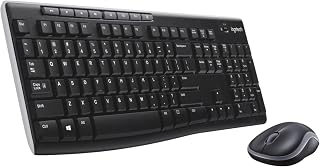
Best Wireless Keyboard and Mouse Combo 2026: 10 Ranked, Battery Claims Checked
Wireless keyboard and mouse combo picks from £16.89 — we flag the specs that contradict themselves, like a £23.32 set that says no batteries are needed.
 Home & Office
Best Gaming Desk 2026: 10 Ranked, and the Heights That Don't Add Up
Best gaming desk picks ranked: in the Bestier, tabletop thickness reads 91.5 cm — the same as its height. We check where the numbers disagree.
 Home & Office
Best Gaming Chairs 2026: 10 Ranked, Plus a 1,136 kg Capacity Claim
The £89.99 SONGMICS HOME gaming chair lists a 1,136 kg weight capacity. That is a base pressure test, not a limit. Ten gaming chairs ranked.
 Home & Office
Best Laptop Bag 2026: The Size That Is a Screen
Ten laptop bags: one says 15.6 inches in its title and 14.6 in its own fit field, two publish no bullets, and six borrow fields from clothing.
 Home & Office
Best Cable Management 2026: What the Piece Count Is Counting
Ten cable products: a 4m trunking sold as ten 400mm lengths counts as one piece, an 8-pair set counts as 24, and one sleeve is listed as screw-in.
 Home & Office
Best Safe 2026: The Box Weighs 1.87kg
Ten safes and lock boxes compared: three 6.6L boxes weigh 1.87kg, 2.04kg and 2.6kg, one lists Portable, and a 14L safe publishes no weight.
 Home & Office
Best Ergonomic Mouse 2026: Only Three Publish the Angle
Ten ergonomic mice compared: only three publish the vertical angle, one claims 8 minutes of battery, and a trackball has the best record.
 Home & Office
Best Whiteboard 2026: The Frame Eats 11 Per Cent
Ten whiteboards compared on the number most listings hide: the writing surface. A 90x60cm board gives you 86x56cm, and only three of ten say so.
Products you might like
The best rated products from our other Home & Office guides.
-
 BoYata Aluminium Adjustable Laptop Stand, 0-90 Degree, Foldable
£32.99
4.8
in Best Laptop Stand 2026: 10 Ranked on Height They Actually Reach
BoYata Aluminium Adjustable Laptop Stand, 0-90 Degree, Foldable
£32.99
4.8
in Best Laptop Stand 2026: 10 Ranked on Height They Actually Reach
-
 cocopar 15.6 Inch Portable Monitor, 1080p, 85% sRGB, 670g, VESA
£89.99
4.8
in Best Portable Monitor 2026: 10 Ranked on Colour and Brightness
cocopar 15.6 Inch Portable Monitor, 1080p, 85% sRGB, 670g, VESA
£89.99
4.8
in Best Portable Monitor 2026: 10 Ranked on Colour and Brightness
-
 cocopar 18.5 Inch Portable Monitor, 100Hz, 350 nits, 1080p, 1kg
£142.49
4.8
in Best Portable Monitor 2026: 10 Ranked on Colour and Brightness
cocopar 18.5 Inch Portable Monitor, 100Hz, 350 nits, 1080p, 1kg
£142.49
4.8
in Best Portable Monitor 2026: 10 Ranked on Colour and Brightness
-
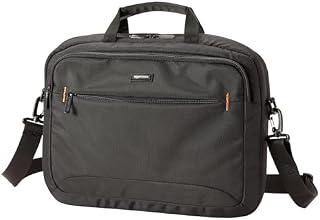 Amazon Basics Compact Laptop Shoulder Bag 15.6 inch, 7.1cm Deep
£13.95
4.7
in Best Laptop Bag 2026: The Size That Is a Screen
Amazon Basics Compact Laptop Shoulder Bag 15.6 inch, 7.1cm Deep
£13.95
4.7
in Best Laptop Bag 2026: The Size That Is a Screen
-
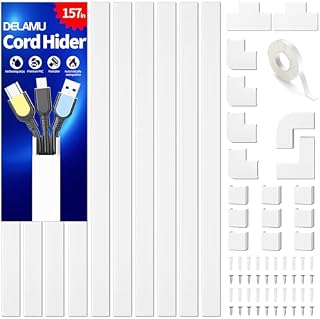 Delamu Electric Cable Trunking 4M, Self-Adhesive Wall Trunking, 10 x 400mm
£12.99
4.7
in Best Cable Management 2026: What the Piece Count Is Counting
Delamu Electric Cable Trunking 4M, Self-Adhesive Wall Trunking, 10 x 400mm
£12.99
4.7
in Best Cable Management 2026: What the Piece Count Is Counting
-
 MATEIN Travel Laptop Backpack 15.6 inch with 12 Compartments
£17.96
4.7
in Best Laptop Bag 2026: The Size That Is a Screen
MATEIN Travel Laptop Backpack 15.6 inch with 12 Compartments
£17.96
4.7
in Best Laptop Bag 2026: The Size That Is a Screen
-
 Nulaxy Ergonomic Dual Foldable Laptop Stand, 10kg Load, 10-16 Inch
£16.99
4.7
in Best Laptop Stand 2026: 10 Ranked on Height They Actually Reach
Nulaxy Ergonomic Dual Foldable Laptop Stand, 10kg Load, 10-16 Inch
£16.99
4.7
in Best Laptop Stand 2026: 10 Ranked on Height They Actually Reach
-
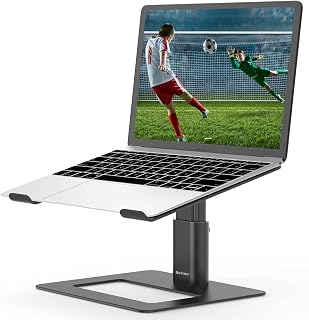 BoYata Height Adjustable Laptop Riser, 10-18.9cm, 5kg, 10-17 Inch
£24.99
4.7
in Best Laptop Stand 2026: 10 Ranked on Height They Actually Reach
BoYata Height Adjustable Laptop Riser, 10-18.9cm, 5kg, 10-17 Inch
£24.99
4.7
in Best Laptop Stand 2026: 10 Ranked on Height They Actually Reach
-
 ErGear Electric Standing Desk 140 x 70cm, 4 Memory
£139.99
4.7
in Best Electric Standing Desk 2026: 10 Ranked on Load and Speed
ErGear Electric Standing Desk 140 x 70cm, 4 Memory
£139.99
4.7
in Best Electric Standing Desk 2026: 10 Ranked on Load and Speed
-
 Nulaxy Pull-Out Height Adjustable Laptop Stand, 3-50.8cm, 10kg
£40.99
4.7
in Best Laptop Stand 2026: 10 Ranked on Height They Actually Reach
Nulaxy Pull-Out Height Adjustable Laptop Stand, 3-50.8cm, 10kg
£40.99
4.7
in Best Laptop Stand 2026: 10 Ranked on Height They Actually Reach
-
 BenQ ScreenBar Monitor Light Bar, 5W, Auto Dimming, 230-955 Lux
£89.00
4.7
in Best Monitor Light Bar 2026: 10 Ranked, and Why Lux Without an Area Is Nothing
BenQ ScreenBar Monitor Light Bar, 5W, Auto Dimming, 230-955 Lux
£89.00
4.7
in Best Monitor Light Bar 2026: 10 Ranked, and Why Lux Without an Area Is Nothing
-
 Desktronic HomeOne Dual Motor Standing Desk 120 x 60cm
£299.99
4.7
in Best Electric Standing Desk 2026: 10 Ranked on Load and Speed
Desktronic HomeOne Dual Motor Standing Desk 120 x 60cm
£299.99
4.7
in Best Electric Standing Desk 2026: 10 Ranked on Load and Speed
-
 LitONES LED Desk Lamp, 1200LM, 30 Lighting Modes, Metal Swing Arm
£53.25
4.8
in Best LED Desk Lamp 2026: 10 Ranked, and Why Lumens Are the Wrong Number
LitONES LED Desk Lamp, 1200LM, 30 Lighting Modes, Metal Swing Arm
£53.25
4.8
in Best LED Desk Lamp 2026: 10 Ranked, and Why Lumens Are the Wrong Number
-
 Jabra Speak 510 Speaker Phone - Microsoft Certified Portable Bluetooth Conference Speaker with USB - Connect with Laptops, Smartphones and Tablets, Black
£86.96
4.7
in Best Conference Speakerphone 2026: Ten Ranked on Real Mics and Honest Watts
Jabra Speak 510 Speaker Phone - Microsoft Certified Portable Bluetooth Conference Speaker with USB - Connect with Laptops, Smartphones and Tablets, Black
£86.96
4.7
in Best Conference Speakerphone 2026: Ten Ranked on Real Mics and Honest Watts
-
 SOUNDANCE 360 Rotating Laptop Stand, Adjustable Riser, 10-17 Inch
£19.28
4.7
in Best Laptop Stand 2026: 10 Ranked on Height They Actually Reach
SOUNDANCE 360 Rotating Laptop Stand, Adjustable Riser, 10-17 Inch
£19.28
4.7
in Best Laptop Stand 2026: 10 Ranked on Height They Actually Reach
Comments
Reader comments are not checked against the manufacturer's claims above.
No comments yet
Be the first to add something we missed — a price change, a spec that turned out wrong, or how one of these held up.
Leave a comment
No account needed. Own one of these? Tell other readers how it actually performed.