Best 24 Inch Monitor 2026: 10 Ranked, and Three Numbers That Don't Add Up
By Felipe Iglesias · Updated

The headline refresh rate is the easiest number on a monitor listing to inflate, and this batch of ten shows it three ways. If you are hunting for the best 24 inch monitor on Amazon, read the specification table before the title. The Philips 24E1N1100A sells under a 120Hz headline while its own bullet points and spec table both say 100Hz. The ASUS VY249HGR advertises 120Hz OC, a figure that only exists after you follow the overclocking steps printed in the listing itself. Meanwhile the Amazon Basics 24E40 pairs a 120Hz claim with a 14ms response time in the same table, and the KTC QHD monitor says 5ms MPRT in its copy against 7ms in its specification. A genuine 1440p panel at £109.99 is a fair deal; a 120Hz panel that runs at 100Hz is a different product.
Below we ranked ten of the best 24 inch monitor options on Amazon, sorted on the specs that actually appear in the specification table, verified review volume, price at the time of writing, and how well each panel suits a plain desk rather than a marketing page. Refresh rate, contrast and ergonomics were weighted above colour gamut claims, because gamut is the other number listings like to round up.
Dell 24 Plus S2425HSM 24-Inch 144Hz IPS Monitor

The one panel here whose 144Hz headline matches its own spec table, with 1500:1 contrast, 99% sRGB and a fully adjustable stand for £89.26.
Advantages
- 144Hz refresh rate with 1ms MPRT on a 23.8-inch 1920x1080 IPS panel
- 1500:1 contrast ratio and 300 cd/m² brightness, the strongest pairing in this batch
- 99% sRGB coverage with 178° viewing angles
- Height (110mm), tilt, swivel (±30°) and pivot (±90°) adjustment, plus dual 3W speakers
- Three-year warranty and TÜV 4-star eye comfort certification
Disadvantages
- £89.26 is about £20 more than the 100Hz Philips and the ASUS VY249HGR
- HDMI only — no DisplayPort and no USB hub
- 316 ratings is a far thinner review base than the 6,508 on the Philips
- 1920x1080 on a 23.8-inch panel, so no resolution gain over cheaper screens
This takes first place because nothing on its listing contradicts anything else on it. The 23.8-inch IPS panel runs 1920x1080 at 144Hz with 1ms MPRT, 1500:1 contrast and 300 cd/m² of brightness. That contrast figure sits at the top of the IPS range here, where most rivals specify 1000:1 or 1200:1. If you want the best 24 inch monitor with a spec sheet that needs no second reading, this is it. The 4.6 rating from 316 reviews is a small sample next to the Philips, so weigh that accordingly.
In practice the stand does more work than the refresh rate does. Height adjustment runs to 110mm, with tilt from -5° to +21°, ±30° swivel and ±90° pivot, so you can turn it portrait for long documents. Two HDMI ports carry FHD at 144Hz with AMD FreeSync, and the built-in 3W stereo pair removes the need for desk speakers. Power draw is 14.3W and the 3.03kg panel is light enough for a single-arm mount.
The catch is price. At £89.26 it costs roughly £20 more than the Philips 24E1N1100A and the ASUS VY249HGR, and both will look much the same on a spreadsheet. If your day is text and email rather than games, the extra frames buy you very little. As a result, anyone who needs USB-C or a built-in hub should look at the Samsung LS24D400GAUXXU instead, because the Dell gives you HDMI only.
Philips 24E1N1100A 23.8-Inch 100Hz IPS Monitor

The cheapest IPS screen here at £64.97 with the deepest review base in the batch — read the 100Hz in the spec table, not the 120Hz in the title.
Advantages
- £64.97, the lowest price in this batch
- 6,508 Amazon ratings at 4.5 — by far the largest sample here
- 1200:1 contrast ratio on a 1920x1080 IPS panel
- LowBlue mode and a flicker-free backlight
- 14.5W power draw and a 2.9kg body
Disadvantages
- Title says 120Hz while the bullet points and spec table both say 100Hz
- Glossy screen finish, where nearly every rival here is matte or anti-glare
- One HDMI 1.4 port and no DisplayPort
- No height, swivel or pivot adjustment is described anywhere in the listing
Start with the discrepancy, because it is the clearest in this batch. The product title says 120Hz. The first bullet point says '100Hz refresh rates for ultra-smooth images'. The specification table says Refresh Rate: 100 Hz. Two of the three describe the panel's actual behaviour, and the 100Hz figure is the one that appears twice. That does not make it a bad screen; it makes it a 100Hz screen at £64.97, which is a different proposition. For buyers shopping on price rather than frame rate, this is arguably the best budget 24 inch monitor here, and 6,508 ratings at 4.5 is the deepest evidence base in the group.
What the money buys is a 23.8-inch IPS panel at 1920x1080 with 1200:1 contrast and 250 cd/m². The 1ms MPRT figure in the copy is a motion-picture response measurement, not a grey-to-grey one, so treat it as shorthand rather than a speed guarantee. LowBlue mode and flicker-free dimming are included, there is one HDMI 1.4 port, and the panel draws 14.5W. At 2.9kg with a glossy finish, it is the lightest thing here alongside the Amzfast.
The finish is the second thing to weigh. A glossy coating reflects window light and desk lamps, which is why nearly every other monitor in this list specifies matte or anti-glare. If your desk faces a window, that cheaper headline price will cost you in reflections. Equally, one HDMI port means no second device without a switcher, and the listing mentions no height, swivel or pivot adjustment. Buy it as a second screen or a low-cost primary for text work, not as a gaming panel.
Amzfast G24X1W 24-Inch 200Hz Fast IPS Gaming Monitor

The highest refresh rate in the batch at £72.99 — 200Hz and 110% sRGB, though the spec table lists one HDMI port where the copy promises two.
Advantages
- 200Hz refresh rate — the highest in this batch — on a Fast IPS panel at £72.99
- 110% sRGB and 80% DCI-P3 area coverage with HDR support
- 1ms MPRT response time and Adaptive Sync
- HDMI 2.0 and DisplayPort 1.4, plus an AI Crosshair overlay and eight preset modes
- 2.7kg, light enough for an inexpensive monitor arm
Disadvantages
- Spec table lists one HDMI port, while the bullet copy says dual HDMI 2.0
- 1000:1 contrast ratio is the lowest in this batch
- Fixed stand with tilt only (-5° to 15°) and no height adjustment
- VESA pattern is a smaller 75x75mm, not the 100x100mm many arms ship with
On raw refresh rate, this is the best 24 inch monitor in the batch, and unlike most of the group the number holds across title, bullets and specification. The 1000:1 contrast ratio and 300 cd/m² brightness are ordinary for this price. What separates it is the colour claim: 110% sRGB and 80% DCI-P3 area coverage with HDR support, both repeated in the specification as well as the copy. For a 24 inch gaming monitor at £72.99, that combination is unusual.
In practice, 200Hz matters most in fast first-person shooters, and the panel carries 1ms MPRT plus Adaptive Sync to reduce tearing. Amzfast also bundles an AI Crosshair overlay and eight presets (Standard, Movie, Energy, Office, FPS, RTS, Racing, sRGB), which is more tuning than the Philips or Acer listings offer. The build weighs 2.7kg and the stand tilts from -5° to 15°. There is no height adjustment, so budget for a VESA 75x75mm arm if you want the screen at eye level.
Worth noting: the bullet copy says 'Dual HDMI 2.0 and DP 1.4 ports connect up to three devices simultaneously', while the specification gives Total HDMI Port: 1 and Total Video Out Ports: 2. Check the rear-panel photos before buying if two HDMI inputs are the reason you are looking at it. Also, 1000:1 is the lowest contrast here — if you work in a dim room and want deep blacks, the Samsung LS24F330EAUXXU's VA panel at 3000:1 will suit you better.
Philips 24M2N3200AM 23.8-Inch 180Hz Fast IPS Monitor

180Hz with height adjustment, speakers and G-Sync Compatible support at £109.99 — though the response time reads 0.5ms in the title and 1ms GtG in the bullets.
Advantages
- 180Hz refresh rate with Adaptive Sync, listed as FreeSync Premium and G-Sync Compatible
- 130mm height adjustment, matte screen and 100x100mm VESA mounting
- 1300:1 contrast ratio and 300 cd/m² brightness
- Two 2W speakers, a headphone out and switchable FPS, racing and RTS presets
- Two HDMI 2.0 ports plus DisplayPort 1.4
Disadvantages
- Title claims 0.5ms MPRT while the bullet points say 1ms (GtG)
- 7.34kg is around twice the weight of several cheaper panels in this list
- £109.99 buys 180Hz here, where £72.99 buys 200Hz from Amzfast
- No USB hub, and the listed box contents name only a power cable, a driver CD and a warranty card
This is the second-fastest panel in the group at 180Hz, and one of the few that also solves the desk problem: 130mm of height travel, a matte finish, two 2W speakers and a removable stand on a 100x100mm VESA mount. Contrast is listed at 1300:1 with 300 cd/m² brightness, which puts it above the Amzfast and the ASUS but below the Dell and both Samsungs. Adaptive Sync covers FreeSync Premium and G-Sync Compatible, so it will work with either graphics card brand. At £109.99 it costs £37 more than the 200Hz Amzfast.
The response time needs a note. The title says 0.5ms MPRT; the first bullet says 1ms (GtG). Those are two different measurements of two different things, and only one of them made it into the title. Meanwhile, the 180Hz figure itself is stated consistently everywhere. In practice, 180Hz with Adaptive Sync and low input lag is fast enough for competitive play, and the FPS, racing and RTS presets are switchable from the on-screen menu.
The catch is weight and ports. The listing gives 7.34kg, roughly double the Dell, Amzfast and Philips 24E1N1100A, so budget for a sturdy arm or use the supplied stand. Connectivity is two HDMI 2.0 ports and one DisplayPort 1.4, plus a headphone out but no USB hub. If you need the monitor to double as a dock, the Samsung LS24D400GAUXXU is the better fit; if you want the best 24 inch IPS monitor with proper ergonomics under £110, this is the one to shortlist.
KTC 24-Inch QHD 1440p 100Hz IPS Monitor

The only true 2560x1440 panel in this batch, at 100Hz for £109.99 — its own copy says 5ms MPRT while its spec table says 7ms.
Advantages
- Native 2560x1440 at £109.99 — the only genuine QHD panel in this batch
- 122% sRGB and 99% DCI-P3 gamut volume with HDR10
- 1300:1 contrast ratio and 300 cd/m² brightness
- IPS panel with 178° viewing angles and a matte finish
- HDMI 2.0, DisplayPort 1.4 and 100x100mm VESA mounting
Disadvantages
- Bullet copy says 5ms MPRT; the spec table says 7ms
- 100Hz is the joint-lowest refresh rate in this batch
- Tilt-only stand with no height, swivel or pivot adjustment
- 4.3 from 997 ratings is the lowest score in this group
Resolution, not refresh rate, is what this one sells. Native 2560x1440 on a 23.8-inch panel gives you roughly 123 pixels per inch; a 24 inch 1080p monitor gives you about 92. That difference shows up in text rendering and in how many spreadsheet columns fit on screen. It is the only 24 inch 1440p monitor in this list. The colour claims are the highest of the group as well: 122% sRGB and 99% DCI-P3 gamut volume, with HDR10 support and 300 cd/m² brightness. Contrast is 1300:1.
Two figures in the listing disagree. The second bullet describes a response time 'as low as 5 milliseconds per second (MPRT)', a sentence carrying its own unit error, while the specification table lists Response Time: 7 Milliseconds. In theory a 100Hz panel only redraws every 10ms, so either figure keeps pace; in practice, the copy is rounding down a number the spec table states plainly. At 100Hz with Adaptive Sync and a tilt range of -5° to 15°, this is a work-first screen that can play games, not a competitive monitor.
The panel is IPS and matte, with one HDMI 2.0, one DisplayPort 1.4 and a headphone jack, plus 100x100mm VESA mounting. There is no height adjustment and no USB hub, and the 4.05kg body sits mid-range in this batch. If sharp text matters more than frames, this is the best 24 inch monitor here for reading and writing all day. If frame rate is the priority, buy the Amzfast or the Philips 180Hz instead, because 100Hz will feel ordinary beside 200Hz.
Acer EK241YG 24-Inch 120Hz IPS Monitor

A 120Hz IPS panel at £69.90 with 1500:1 contrast — a cheap 24 inch 120hz monitor, though the spec table lists a 25° viewing angle where every rival says 178°.
Advantages
- 120Hz refresh rate at £69.90, the lowest price for 120Hz in this batch
- 1500:1 contrast ratio on an IPS panel — level with the Dell for less money
- 99% sRGB colour coverage
- Full HD 1920x1080 with Adaptive Sync (FreeSync) support
- Acer's VisionCare BlueLightShield flicker-free backlight
Disadvantages
- Spec table lists a 25° viewing angle, against 178° on every other panel here
- HDMI and VGA only — no DisplayPort
- No height or pivot adjustment described in the listing
- 163 ratings, one of the smallest review samples in this group
At £69.90 this is the cheapest 120Hz screen in the batch, and the refresh rate holds up: title, bullet points and specification all say 120Hz. Contrast is listed at 1500:1, the same as the Dell and the Amazon Basics and above the Philips 24E1N1100A's 1200:1. Colour coverage is 99% sRGB. As a cheap 24 inch 120hz monitor for a home desk, the numbers hang together.
The catch sits in one field of the specification table: Viewing Angle is given as 25 Degrees. Every other panel here states 178°, and Acer's own bullet points never mention viewing angles at all. That looks more like a listing error than a real optical property, but it is the sort of thing worth confirming before you buy a screen you plan to watch from the side. Connectivity is HDMI plus VGA, which dates the panel — there is no DisplayPort.
Even so, the 1500:1 contrast and 120Hz refresh are the two things that matter at this price. No height adjustment appears anywhere in the listing, and 4.29kg is on the heavier side for a 23.8-inch panel. The review base is small at 163 ratings, so the 4.6 score is provisional. If you want a bigger sample and a glossy screen instead of matte, the Philips 24E1N1100A costs £4.93 less.
ASUS VY249HGR 24-Inch 120Hz OC Eye Care Monitor

A 4.3-rated eye-care screen at £68.99 whose 120Hz figure only exists after you follow the overclocking steps printed in the listing itself.
Advantages
- £68.99, with Eye Care Plus, blue light filtering and flicker-free dimming
- IPS panel at 1920x1080 with 178° viewing angles
- Adaptive Sync support and a 1ms MPRT response claim
- Antibacterial treatment on the casing, unusual at this price
- HDMI and VGA inputs, with 1,483 ratings at 4.3
Disadvantages
- 120Hz is an OC mode, and the listing prints the overclocking steps itself
- 1000:1 contrast ratio, joint-lowest in this batch
- 250 cd/m² brightness, the second-lowest here
- 4.3 is the second-lowest rating score in the group
This is the clearest example of a headline that needs reading twice. The title says 120Hz OC. The bullet points say 120Hz (OC). The fifth bullet is headed 'How to Overclock your monitor to 120hz' and walks through the on-screen menu, the Gaming tab and the Overdrive setting. Whatever the panel does out of the box, the number on the box is a setting you have to go and enable. The specification lists Refresh Rate: 120 Hz with no asterisk. Contrast is 1000:1, joint-lowest here with the Amzfast, and brightness is 250 cd/m².
What it does well is eye comfort, which is the point of the VY series. The listing confirms Eye Care Plus, a blue light filter, flicker-free dimming and an antibacterial treatment on the casing. The IPS panel covers 178° and 16.7 million colours, with Adaptive Sync support. Connectivity is HDMI plus VGA, and the 3.4kg body has no height adjustment. For a 24 inch monitor for office work, the eye-care features are the actual product here — the 120Hz is a bonus you may never switch on.
This is not the best 24 inch monitor for competitive play, and it is not trying to be. If you play shooters, you do not want to depend on an overclock menu item for smoothness; the Amzfast gives you 200Hz natively for £4 more. The 4.3 rating from 1,483 reviews is also the second-lowest score in this batch, and 1000:1 contrast will not impress in a dark room. Buy it if you stare at spreadsheets for nine hours, not because of the number in the title.
Samsung LS24D400GAUXXU 24-Inch 100Hz IPS Monitor with USB Hub

100Hz, a 2500:1 contrast ratio, a USB hub and a pivot stand for £88 — the most office-ready panel here, with the smallest review base.
Advantages
- 2500:1 contrast ratio — the best of the IPS panels in this batch
- Height adjustment plus a 90° pivot for portrait use
- DisplayPort, two HDMI ports, two USB-A ports and a USB-B upstream port
- 100Hz refresh rate stated consistently across title and specification
- Eye Saver Mode, flicker reduction and a 3.5kg super-slim body
Disadvantages
- 73 ratings is the smallest review sample in this batch
- 250 cd/m² brightness is among the lowest here
- No HDR and no gaming-oriented response time
- £88.00 for 100Hz, where £89.26 buys 144Hz from Dell
This is the panel to choose when the desk, not the game, comes first. Contrast is 2500:1, well above the 1000:1 to 1500:1 range that the other IPS screens here specify, and the stand adds height adjustment and a 90° pivot for portrait reading. Connectivity is the longest list in the batch: DisplayPort, two HDMI ports, two USB-A ports and one USB-B upstream port. For a 24 inch monitor for office work, that combination of pivot and built-in hub is worth more than another 20Hz of refresh.
The refresh rate is 100Hz, stated plainly in both title and specification, with a 5ms response time. Crucially, Samsung does not dress it up: the copy calls it 100Hz and leaves it there. Brightness is 250 cd/m², the same as the ASUS and both cheaper Philips screens, and the panel is a 3.5kg IPS unit in a super-slim frame. Eye Saver Mode and flicker reduction are both included. At £88.00 you are paying roughly £23 over the Philips 24E1N1100A for the hub, the pivot and the extra contrast.
Worth noting the review base: 73 ratings at 4.6 is the smallest sample in this group, so treat the score as provisional rather than settled. There is no HDR, no local dimming and no gaming-grade response time, so this is not the panel for a competitive player. If you want one cable to a laptop and a screen you can turn sideways, this does that well. If you want frames, the Dell at £89.26 is £1.26 more and gives you 144Hz.
Samsung LS24F330EAUXXU 24-Inch 100Hz VA Monitor

A 100Hz VA panel at £69.99 with a 3000:1 contrast ratio — the deepest blacks in this batch, and the most limited connectivity.
Advantages
- 3000:1 contrast ratio — the highest in this batch
- 100Hz refresh rate with a 5ms response time
- TÜV-certified Eye Saver Mode and flicker reduction
- 178° stated viewing angle and a matte finish
- £69.99, with 128 ratings at 4.6
Disadvantages
- VA panel, so motion handling trails the IPS screens above it
- One HDMI and one VGA port — no DisplayPort, no USB
- 250 cd/m² brightness, with no height or pivot adjustment
- No HDR support
Contrast is the reason this one is on the list. At 3000:1 it is the highest figure in the batch, ahead of the Samsung LS24D400GAUXXU's 2500:1 and triple the Amzfast and ASUS at 1000:1. That comes from the panel technology: the specification lists it as LED, VA, where the rest of the group is IPS or plain LCD. VA panels produce deeper blacks at the cost of viewing-angle performance and, often, motion handling. Refresh rate is 100Hz with a 5ms response time.
Brightness is 250 cd/m² and the stated viewing angle is 178°, with Eye Saver Mode and TÜV-certified flicker reduction. Connectivity is one HDMI port and one VGA port, the thinnest set here. In practice this is a screen for a dark room, a console, or a second display for video. At £69.99 it undercuts nothing meaningful — the Philips 24E1N1100A is £5.02 less — so the choice between them comes down to contrast against colour accuracy.
That said, no height adjustment, no pivot, no USB hub and no DisplayPort are listed. If you are shopping for the best 24 inch monitor for a home office with a laptop dock, this is not it: the Samsung LS24D400GAUXXU covers that ground for £18 more. And if fast-paced games are the priority, VA motion blur is the known trade-off, and the IPS panels above it will track movement more cleanly.
Amazon Basics 24E40 23.8-Inch 120Hz IPS Monitor
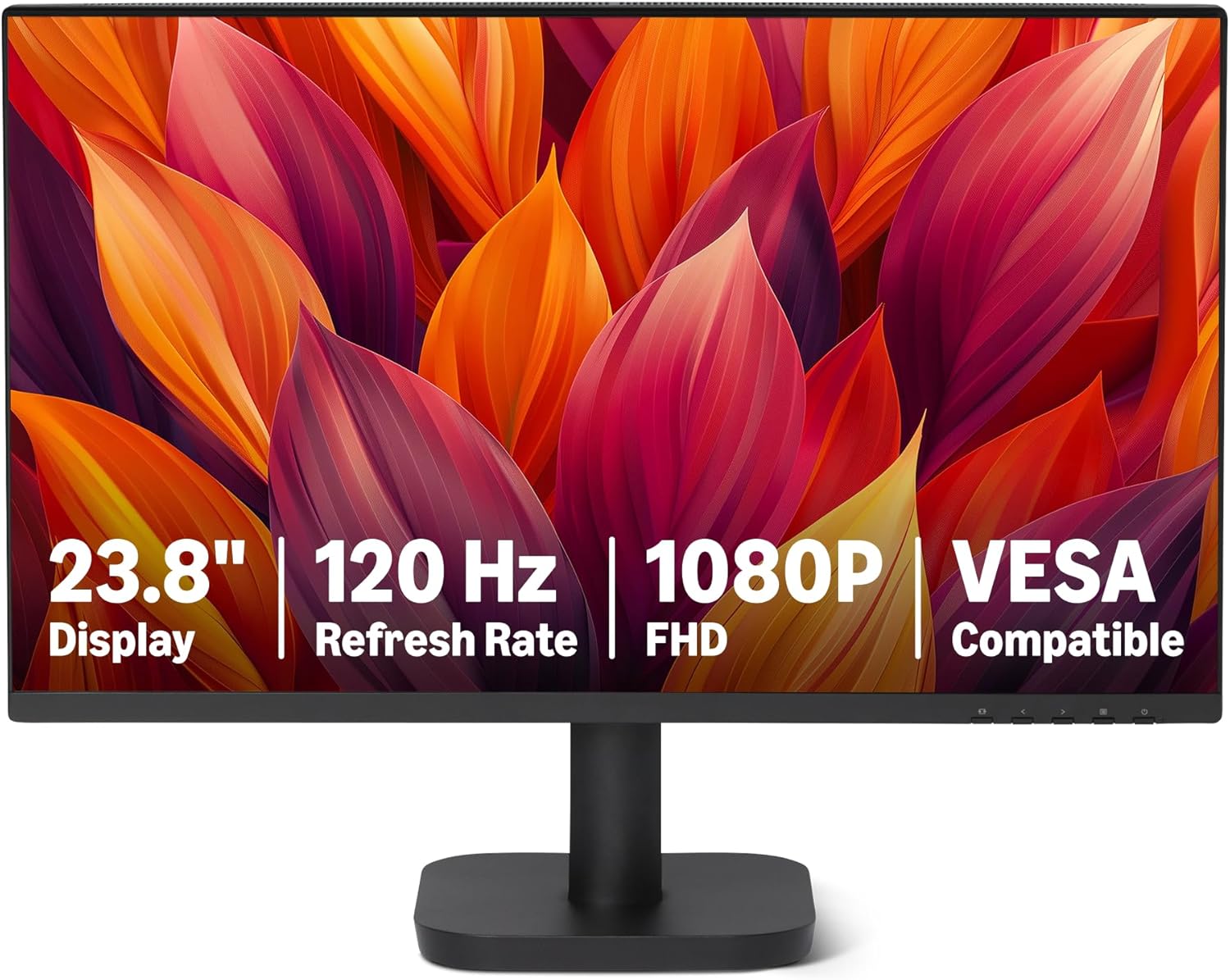
A 120Hz IPS panel at £79 with 1500:1 contrast and speakers — held back by a 14ms response time in its own specification table.
Advantages
- 120Hz refresh rate, stated consistently in title, bullets and specification
- 1500:1 contrast ratio and 99% sRGB coverage on a 23.8-inch IPS panel
- Two 2W built-in speakers plus a 3.5mm audio-out port
- HDMI 1.4, DisplayPort 1.2 and VGA inputs
- Four-sided narrow bezel and a matte finish at 3.16kg
Disadvantages
- Response time listed as 14ms, slower than the 8.3ms frame interval at 120Hz
- 120Hz depends on a compatible graphics card, drivers and certified cable
- Only 95 ratings, one of the smallest samples here
- £79.00 for 1500:1, where the Acer EK241YG matches it for £9.10 less
The refresh rate is stated as 120Hz in the title, the bullet points and the specification, so that headline is honest. The problem is two fields lower: Response Time is listed as 14 Milliseconds. A 120Hz panel redraws every 8.3ms, so a 14ms response is slower than the frame it is being asked to produce. In theory that shows up as smearing behind moving objects, and the second bullet hedges further by telling you the maximum 120Hz needs a graphics card, drivers and a certified cable that all support it. By contrast, the Acer and the cheaper Samsung panels here list 5ms or less.
Everything else about the listing is sensible. The 23.8-inch IPS panel runs 1920x1080 with 1500:1 contrast and 99% sRGB coverage, the same combination as the Acer and the Dell. There are two 2W built-in speakers, a 3.5mm audio out, HDMI 1.4, DisplayPort 1.2 and VGA. The four-sided narrow bezel makes it a reasonable candidate for a stacked two-screen setup. Weight is 3.16kg and the finish is matte.
The honest verdict is that at £79 it sits in an awkward gap. The Philips 24E1N1100A is £14.03 cheaper with 6,508 ratings rather than 95, and the Acer EK241YG is £9.10 cheaper with the same 1500:1 contrast. If you specifically want DisplayPort plus speakers in one package under £80, this delivers that. If you want the best 24 inch monitor that will still feel current in three years, the 14ms figure is the reason to look elsewhere.
All 10 compared
The same ranking side by side, now that the numbers have names.
1
2
3
4
5
6
7
9
10
| # | Product | Price | Amazon rating |
|---|---|---|---|
| 1 | Dell 24 Plus S2425HSM 24-Inch 144Hz IPS Monitor | £89.26 | 4.6 (316) |
| 2 | Philips 24E1N1100A 23.8-Inch 100Hz IPS Monitor | £64.97 | 4.5 (6,508) |
| 3 | Amzfast G24X1W 24-Inch 200Hz Fast IPS Gaming Monitor | £72.99 | 4.5 (3,436) |
| 4 | Philips 24M2N3200AM 23.8-Inch 180Hz Fast IPS Monitor | £109.99 | 4.6 (569) |
| 5 | KTC 24-Inch QHD 1440p 100Hz IPS Monitor | £109.99 | 4.3 (997) |
| 6 | Acer EK241YG 24-Inch 120Hz IPS Monitor | £69.90 | 4.6 (163) |
| 7 | ASUS VY249HGR 24-Inch 120Hz OC Eye Care Monitor | £68.99 | 4.3 (1,483) |
| 8 | Samsung LS24D400GAUXXU 24-Inch 100Hz IPS Monitor with USB Hub | £88.00 | 4.6 (73) |
| 9 | Samsung LS24F330EAUXXU 24-Inch 100Hz VA Monitor | £69.99 | 4.6 (128) |
| 10 | Amazon Basics 24E40 23.8-Inch 120Hz IPS Monitor | £79.00 | 4.6 (95) |
Final Verdict
For most desks, the Dell 24 Plus S2425HSM at £89.26 is the best 24 inch monitor of this group: 144Hz, 1500:1 contrast, 99% sRGB, a height-adjustable stand and a three-year warranty, from a listing whose numbers agree with each other. If £65 is your ceiling, the Philips 24E1N1100A and the ASUS VY249HGR both sit under £70 — crucially, buy the ASUS for its eye-care coating and the Philips for its 6,508 ratings, not for the 120Hz printed on either title. If you need sharp text for spreadsheets, code or CAD, the KTC 24 inch 1440p monitor is the only genuine 2560x1440 panel here, and that resolution is worth more for office work than any refresh rate above 100Hz. Either way, treat the best 24 inch monitor as the one whose specification table you have already cross-checked against its own title.
Why trust this ranking?
We rank on price, customer ratings and the specifications that decide the job, and we read each specification table against the marketing bullets on the same listing. When a number does not survive that check, we say so in the entry rather than quietly dropping the product. We also say when a product is the wrong one for you.
How we rank, in full
Written by
Felipe Iglesias
Founder & Lead Reviewer
Felipe is a computational engineering student who has been working in SEO since he was sixteen. He founded ranked10 and researches every guide on the site.
Related buying guides
Every guide below ranks ten products the same way this one does.
 Tech
Tech
Best Mini Projector 2026: 10 Ranked
The best mini projector here is the XuanPad 40000L at £129.99: native 1080p and Netflix built in. We rank 10 and compare the real ANSI lumens.
 Tech
Tech
Best Gaming Motherboard 2026: 10 Ranked
Best gaming motherboard 2026: the £127.99 ASUS TUF Gaming B650-Plus WiFi wins with 14 power stages at £9.14 each, half the £16.22 a stage of a dearer board.
 Tech
Tech
Best Floorstanding Speakers 2026: 10 Ranked
Best floorstanding speakers 2026: the Q Acoustics 3050i wins with two 165 mm drivers per tower, and the Fenton SHF700B pair costs £159.90.
 Tech
Tech
Best Binoculars 2026: 10 Ranked
The best binoculars for 2026 ranked: the £25.99 Kylietech 12x42 gives a 3.5 mm exit pupil, nearly three times the light of the £34.99 occer 12x25.
 Tech
Tech
Best Camcorder 2026: 10 Ranked
The best camcorder for most buyers is the FIREFOTO 4K 64MP at £59.99, working out at £0.94 a megapixel against £2.49 on the 8K PITIKI.
 Tech
Tech
Best OLED Gaming Monitor 2026: 10 Ranked, Brightness Listed Four Ways
The best OLED gaming monitor picks ranked by panel, refresh rate and price — brightness is listed four different ways across these listings.
 Tech
Tech
Best 128GB SD Cards 2026: 10 Ranked, and Three Adverts That Contradict Themselves
Every 128GB SD card here leads with read speed. Three listings contradict their own specs — we show you both numbers before you buy.
 Tech
Tech
Best DAB Radios 2026: 9 Ranked, and the 30W Claim That Doesn't Add Up
The best DAB radios compared: one claims 30W yet a 2,000mAh battery lasting 10 hours — that averages 0.74W. Nine models ranked on their own figures.
 Tech
Tech
Best CPU Air Cooler 2026: 10 Ranked, One Sold Twice at Two Prices
We ranked the best CPU air cooler picks on Amazon, including the same Peerless Assassin 120 SE listed twice at £29.99 and £35.90.
 Tech
Tech
Best Case Fans 2026: 9 Ranked by What a Fan Actually Costs
The best case fans are rarely sold singly: a £21.49 five-pack is £4.30 a fan, while £18.99 buys one. Nine ranked by cost per fan and quoted noise.
Products you might like
The best rated products from our other Tech guides.
-
Noctua NF-P12 redux-1700 PWM 120mm Quiet Fan
£12.95
4.8
in Best Case Fans 2026: 9 Ranked by What a Fan Actually Costs
-
 WD_BLACK SN850X 4TB NVMe SSD
£499.99
4.8
in Best 4TB SSD for PS5: 10 Ranked, and the Speed Numbers That Don't Add Up
WD_BLACK SN850X 4TB NVMe SSD
£499.99
4.8
in Best 4TB SSD for PS5: 10 Ranked, and the Speed Numbers That Don't Add Up
-
 Canon EF 50mm f/1.8 STM
£129.00
4.8
in Best 50mm Lens 2026: 10 Ranked, Spec Sheets Cross-Checked
Canon EF 50mm f/1.8 STM
£129.00
4.8
in Best 50mm Lens 2026: 10 Ranked, Spec Sheets Cross-Checked
-
Noctua NH-D15 Dual Tower CPU Cooler
£99.95
4.8
in Best CPU Air Cooler 2026: 10 Ranked, One Sold Twice at Two Prices
-
 Corsair MP600 PRO LPX 4TB PS5 SSD
£415.01
4.8
in Best 4TB SSD for PS5: 10 Ranked, and the Speed Numbers That Don't Add Up
Corsair MP600 PRO LPX 4TB PS5 SSD
£415.01
4.8
in Best 4TB SSD for PS5: 10 Ranked, and the Speed Numbers That Don't Add Up
-
 CTEK MXS 5.0 5A Battery Charger with Temperature Compensation
£74.49
4.8
in Best Car Battery Charger 2026: 10 Ranked, and Two Share a Model Number
CTEK MXS 5.0 5A Battery Charger with Temperature Compensation
£74.49
4.8
in Best Car Battery Charger 2026: 10 Ranked, and Two Share a Model Number
-
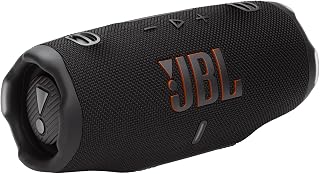 JBL Charge 6 Portable Bluetooth Speaker, 24H, Built-in Powerbank
£159.00
4.8
in Best Bluetooth Speaker 2026: 10 Portable Speakers Ranked
JBL Charge 6 Portable Bluetooth Speaker, 24H, Built-in Powerbank
£159.00
4.8
in Best Bluetooth Speaker 2026: 10 Portable Speakers Ranked
-
 Acer Predator GM7 1TB NVMe Gen4
£155.99
4.8
in Best 1TB SSD for PS5: 10 Ranked, From £135.99 to £199.99
Acer Predator GM7 1TB NVMe Gen4
£155.99
4.8
in Best 1TB SSD for PS5: 10 Ranked, From £135.99 to £199.99
-
Acer Predator GM7 2TB SSD, Gen4 NVMe 2.0, 7200MB/s, Graphene Thermal Pad
£228.99
4.8
in Best 2TB SSD for PS5 in 2026: 10 Ranked Against Sony’s Own Rules
-
 Wharfedale Diamond 9.1 Bookshelf Speakers (Pair, Walnut)
£129.00
4.8
in Best Bookshelf Speakers 2026: 10 Ranked, From £94.99
Wharfedale Diamond 9.1 Bookshelf Speakers (Pair, Walnut)
£129.00
4.8
in Best Bookshelf Speakers 2026: 10 Ranked, From £94.99
-
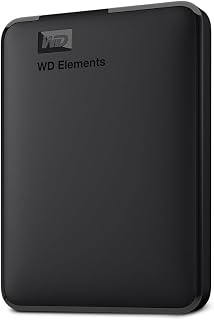 WD Elements 1TB Portable Hard Drive
£93.00
4.7
in Best 1TB External Hard Drive 2026: 10 Ranked, and the 625 MB/s Myth
WD Elements 1TB Portable Hard Drive
£93.00
4.7
in Best 1TB External Hard Drive 2026: 10 Ranked, and the 625 MB/s Myth
-
WD 2TB Elements Portable External Hard Drive
£99.99
4.7
in Best 2TB External Hard Drive: 8 Ranked, and the Speeds That Don't Add Up
-
 Crucial BX500 1TB 2.5" SATA SSD
£149.99
4.7
in Best 1TB SATA SSD: 10 Ranked, and Why £190 Buys 10MB/s
Crucial BX500 1TB 2.5" SATA SSD
£149.99
4.7
in Best 1TB SATA SSD: 10 Ranked, and Why £190 Buys 10MB/s
-
 soundcore Anker 2 Portable Bluetooth Speaker, 12W Stereo, IPX7, 24H
£28.49
4.7
in Best Bluetooth Speaker 2026: 10 Portable Speakers Ranked
soundcore Anker 2 Portable Bluetooth Speaker, 12W Stereo, IPX7, 24H
£28.49
4.7
in Best Bluetooth Speaker 2026: 10 Portable Speakers Ranked
-
 SanDisk 512GB Extreme microSD Card + Adapter
£109.00
4.7
in Best 512GB MicroSD Card 2026: 10 Ranked, and Why Read Speed Misleads
SanDisk 512GB Extreme microSD Card + Adapter
£109.00
4.7
in Best 512GB MicroSD Card 2026: 10 Ranked, and Why Read Speed Misleads
Comments
Reader comments are not checked against the manufacturer's claims above.
No comments yet
Be the first to add something we missed — a price change, a spec that turned out wrong, or how one of these held up.
Leave a comment
No account needed. Own one of these? Tell other readers how it actually performed.