Best Gaming Monitor 27 Inch in 2026: 10 Ranked, from £90 to £399
By Felipe Iglesias · Updated

There is one number that decides more about a gaming monitor 27 inch than any refresh rate on the box, and almost no listing mentions it: pixel density. At 27 inches, a 1080p panel works out at roughly 82 pixels per inch, which is where text starts to look soft and edges get visibly stepped. The same screen at 1440p gives about 109 PPI, and 4K gives 163. That is why 1440p is widely treated as the sweet spot at this size, and why a cheap 240Hz 1080p panel can still look worse day to day than a 144Hz 1440p one. We compared the top 10 options for a gaming monitor 27 inch on Amazon, from a £90 curved 1080p panel to a £399 OLED, weighing resolution against refresh rate rather than chasing the biggest number.
LG UltraGear OLED GX7 27GX704A, 27" QHD, 240Hz, 0.03ms, HDMI 2.1

The only OLED here, and the best gaming monitor 27 inch on this list if budget allows: 240Hz at 1440p with a 0.03ms response and true black levels no LCD can match.
Advantages
- Only OLED here, with effectively infinite contrast
- 240Hz at 1440p with a true 0.03ms GtG response
- Dual HDMI 2.1 drives PS5 and Xbox at full rate
- Fully adjustable stand: height, tilt, swivel and pivot
Disadvantages
- By far the most expensive on this list at £399
- Only 13 ratings so far
This is the one genuinely premium panel in the ranking, and the only OLED, which is what justifies the £399 against sub-£130 rivals. OLED pixels emit their own light and switch off completely for black, so contrast is effectively infinite rather than the 1000:1 typical of the IPS panels here. LG quotes 1.5M:1 and VESA DisplayHDR True Black 400 certification, and in practice that is the difference between dark scenes looking grey and looking genuinely black.
Speed is the other half. 240Hz at QHD with a 0.03ms grey-to-grey response is an order of magnitude faster than the 1ms MPRT figures quoted elsewhere on this list, and MPRT and GtG are not the same measurement, so the gap is wider than the numbers suggest. Micro Lens Array+ pushes peak brightness to 1300 nits, which addresses the usual OLED complaint of looking dim in a bright room.
Connectivity is properly specified for once: dual HDMI 2.1 plus DisplayPort, so a PS5 or Xbox Series X can drive the full 240Hz rather than being capped. It covers 98.5% of DCI-P3, carries G-SYNC and FreeSync Premium Pro compatibility, and the stand does height, tilt, swivel and pivot. The one caveat is evidence: 13 ratings is a very small sample for a £399 purchase, though LG's UltraGear line has a long track record behind it.
KTC 27" QHD Gaming Monitor, 200Hz (210Hz OC), Fast IPS, Built-in Speakers

The best value on this list and the most reviewed: 1440p at 200Hz for £127, which is the resolution-and-refresh combination most people should be buying at 27 inches.
Advantages
- 1440p at 200Hz for £127, the best value here
- Most reviewed monitor on this list at 3,215 ratings
- Accurate colour: 101% DCI-P3 with factory ΔE under 2
- Built-in speakers, rare at this price
Disadvantages
- Tilt-only stand with no height adjustment
- HDMI ports are 2.0, so DisplayPort is the one to use
If you read only one entry here, make it this one. With 3,215 ratings it is the most reviewed monitor in the ranking, and it lands exactly on the combination this size wants: QHD 1440p resolution at 200Hz native, overclockable to 210Hz, for £127.46. That is roughly the price of the 1080p panels further down, at 109 PPI instead of 82.
The panel is Fast IPS with a 1ms MPRT response, 450 cd/m² brightness and HDR400 support. Colour coverage is unusually good for the money at 131% sRGB and 101% DCI-P3 with a factory ΔE below 2, which means it is accurate enough to edit photos on rather than being a gaming-only screen. Two 2W speakers are built in, which no other sub-£130 option here offers.
Connectivity is one DisplayPort 1.4 and two HDMI 2.0, so PC and PS5 both work, though note that HDMI 2.0 will limit you at the top end where DisplayPort will not. Adaptive Sync handles tearing, and there is hardware low blue light and flicker-free backlighting. The compromise for the price is the stand: tilt only, from -5° to 15°, with no height adjustment, so factor in a VESA arm if you want it at eye level.
CRUA 27" Curved Gaming Monitor, FHD 1080p, 180Hz/200Hz, 1800R, 1ms

The cheapest monitor here at £90, and a solid entry point into a 27 curved monitor if 1080p at this size does not bother you.
Advantages
- Cheapest monitor on this list at £90.09
- 200Hz with 1ms GtG and FreeSync
- 1800R curve is genuinely immersive at this size
- 100% sRGB with flicker-free and blue light filter
Disadvantages
- HDMI is limited to 120Hz; full 200Hz needs DisplayPort
- 1080p at 27 inches is only around 82 PPI, so it looks soft
At £90.09 this is the lowest price in the ranking, and it is the obvious pick for anyone building a first gaming setup on a tight budget. The 1800R curvature is aggressive enough to be noticeable at 27 inches, wrapping the edges slightly into your peripheral vision, and the three-sided frameless design keeps it looking modern next to panels costing twice as much.
Performance is genuinely competitive for the money: 200Hz refresh with a 1ms GtG response, FreeSync to eliminate tearing, and 100% sRGB coverage with flicker-free backlighting and a blue light filter. For fast shooters at 1080p, a mid-range graphics card will comfortably push frame rates that actually use those 200Hz.
Two things to be aware of. First, the resolution: at 27 inches 1080p works out around 82 PPI, so text and UI elements look noticeably softer than on the 1440p panels here — if the monitor doubles as a work screen, that matters. Second, and easily missed in the listing, HDMI is capped at 120Hz on this model; you only get the full 200Hz over DisplayPort, so check your cable and graphics card output before assuming you have it.
KOORUI 27" Gaming Monitor, FHD 1080p, 240Hz, IPS, HDR400, 1ms

240Hz on an IPS panel for £130, aimed squarely at competitive shooters where frame rate matters more than pixel density.
Advantages
- 240Hz on an IPS panel rather than TN
- 90% DCI-P3 coverage with HDR400
- Works with both FreeSync and G-Sync signals
- Dual HDMI plus DisplayPort
Disadvantages
- Costs more than the 1440p KTC while offering lower resolution
- Uses 75×75mm VESA and a tilt-only stand
The KOORUI takes the opposite position to the KTC at number two: instead of spending the budget on resolution, it spends it on speed, reaching an overclocked 240Hz at 1080p. For competitive FPS players that is the right trade, because 1080p is easier for a mid-range card to drive at high frame rates, and 240Hz genuinely helps in fast tracking.
Getting 240Hz on an IPS panel rather than TN is the notable part, since IPS gives wide viewing angles and better colour than the TN panels that used to dominate high-refresh budget monitors. It covers 90% of DCI-P3 with HDR400 and a 1000:1 static contrast, and Adaptive Sync works with both FreeSync and G-Sync signals.
Connectivity is dual HDMI 2.0 plus DisplayPort 1.4, and it takes a 75×75mm VESA mount rather than the more common 100×100mm, so check your arm before buying. The stand is tilt-only, from -5° to 20°, with no height adjustment. With 118 ratings it has a reasonable if not extensive track record, and at £129.99 it costs slightly more than the 1440p KTC — so this is a deliberate choice for refresh rate over resolution, not a cheaper option.
KTC 27" 4K Gaming Monitor, Dual Mode 4K@160Hz / FHD@320Hz, USB-C 90W, KVM
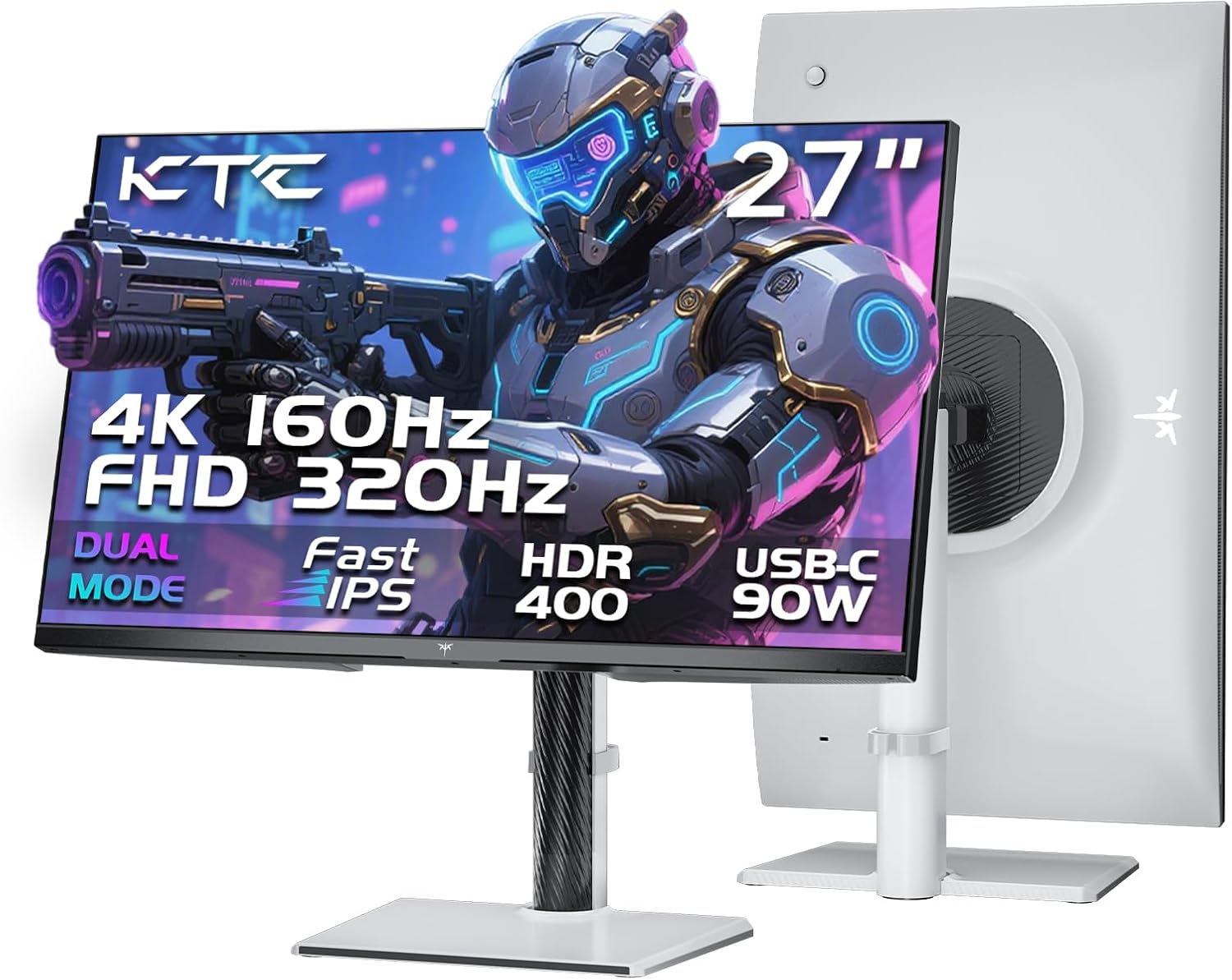
The only 4K panel here, and the most versatile: it switches between 4K at 160Hz and 1080p at 320Hz with one button, plus 90W USB-C and a KVM switch.
Advantages
- Only 4K here, at 163 PPI, and switches to 1080p@320Hz
- USB-C with 90W charging plus a built-in KVM switch
- 3,204 ratings behind it
- Full height, swivel, tilt and pivot stand
Disadvantages
- 4K at 160Hz demands a powerful graphics card
- Glossy finish shows reflections in a bright room
This is the most interesting monitor on the list, and at £158.94 it is remarkable that it is not the most expensive. It is the only 4K panel here, giving 163 PPI at 27 inches, which is sharp enough that you stop seeing pixels entirely. The dual-mode feature is the headline: one button switches between 4K at 160Hz for single-player games and 1080p at 320Hz for competitive shooters, so it covers both use cases that the rest of this list forces you to choose between.
The rest of the specification reads like a much pricier monitor. Full-function USB-C with 90W power delivery means a laptop connects, charges and drives the display over one cable. There is a built-in KVM switch for sharing one keyboard and mouse between two machines, three USB-A 3.0 ports, two HDMI 2.1 and a DisplayPort 1.4, all carrying the full refresh rates. Colour is 125% sRGB and 97% DCI-P3 with factory ΔE below 2, and the stand does height, swivel, tilt and pivot — the only one here besides the LG that does all four.
With 3,204 ratings it is also among the best-evidenced on this list. The honest caveat is not the monitor but your graphics card: driving 4K at 160Hz needs serious hardware, and if your card cannot manage it you are paying for headroom you will not use. In that case the 1440p KTC at number two is the better buy.
AOC Q27B36X 27" WQHD Gaming Monitor, 144Hz, IPS, HDR10

The cheapest way into 1440p here at £99.97, from an established monitor brand, though its 144Hz is the slowest of the gaming panels on this list.
Advantages
- Cheapest 1440p option here at £99.97
- Established brand with a long monitor track record
- 1500:1 contrast, better than most IPS panels here
- Four-side frameless, good for multi-monitor setups
Disadvantages
- 144Hz is the slowest gaming panel on this list
- Only 14 ratings, and just two video inputs
AOC is one of the few genuinely established monitor brands in this ranking, and the Q27B36X is the cheapest route to 1440p on the list at £99.97 — under a hundred pounds for the 109 PPI that makes 27 inches look right. For anyone who cares more about sharpness than chasing the highest refresh number, that is a compelling place to start.
The panel is IPS with a 1500:1 contrast ratio, better than the 1000:1 of most IPS panels here, and it carries HDR10 with 178° viewing angles. The 0.5ms GtG figure quoted in the specifications is faster than the 4ms in the product title, which is the usual gap between best-case and typical measurement — treat 4ms as the realistic number. It is G-Sync compatible with a four-side frameless design that suits multi-monitor setups.
Two limitations to weigh. At 144Hz it is the slowest gaming panel here, which is still perfectly smooth for most games but noticeably behind the 200Hz-plus options at similar money. And connectivity is thin: one HDMI 2.0 and one DisplayPort 1.4, with no USB ports at all. With only 14 ratings it also has one of the smallest samples on the list, though the AOC name carries more history than most of the unfamiliar brands here.
Z-Edge 27" Curved Gaming Monitor, FHD 1080p, 200Hz, 1500R VA, HDR10
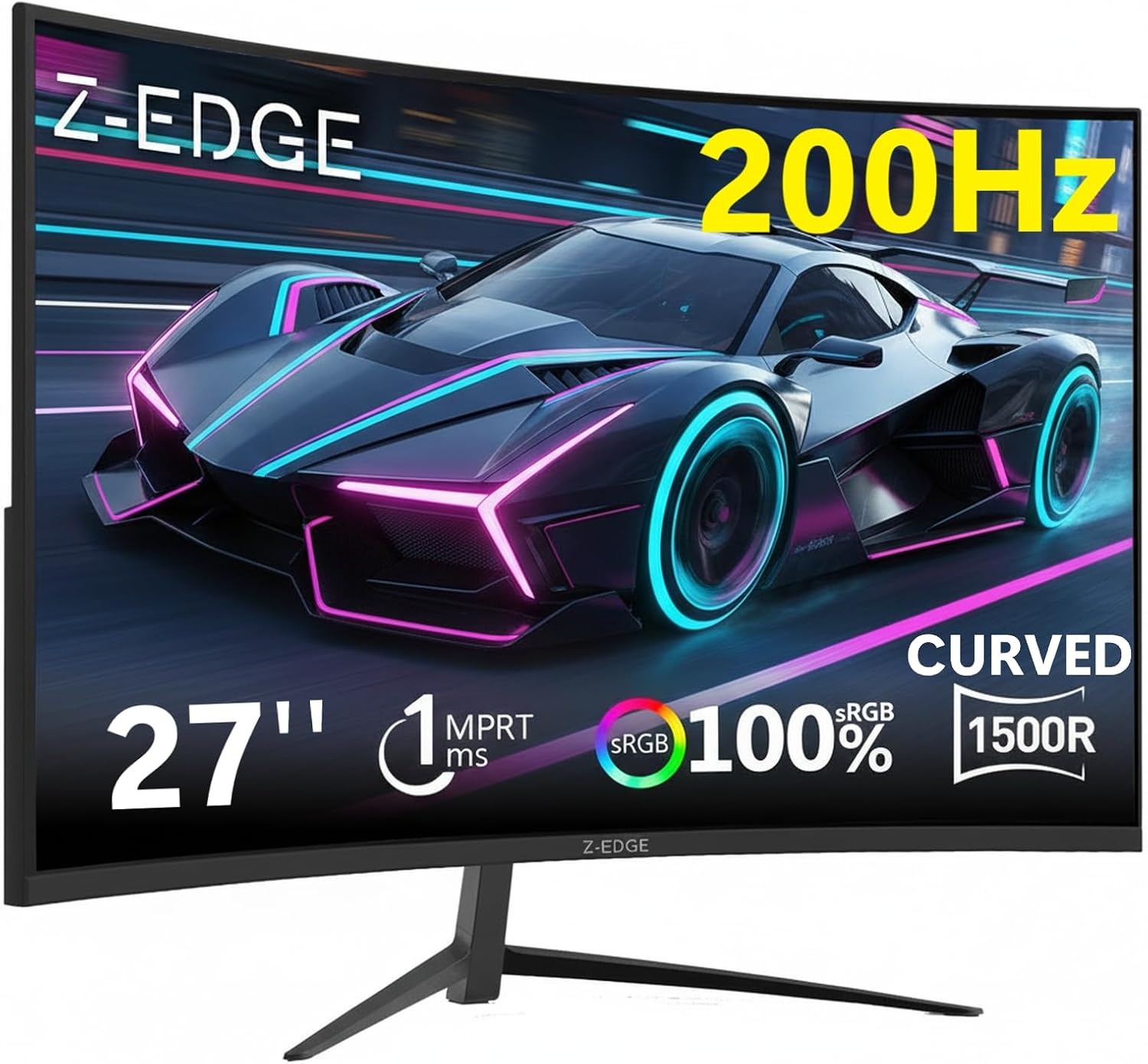
Highest rated on this list at 4.6, with a VA panel whose 3000:1 contrast makes dark scenes look far better than the IPS options around it.
Advantages
- Highest rating on this list at 4.6
- VA panel with 3000:1 contrast, triple the IPS options here
- Full 200Hz over both HDMI and DisplayPort
- Tighter 1500R curve for more immersion
Disadvantages
- No built-in speakers at all
- VA panels can smear in fast dark scenes
The Z-Edge holds the best rating in the ranking at 4.6, and the reason is likely its panel type. This is VA rather than IPS, and the 3000:1 static contrast is three times what the IPS monitors here manage. In practice that means night scenes, shadows and dark game environments look genuinely black instead of washed-out grey — the single most visible difference between panel types at this price.
It pairs that with a 1500R curve, tighter than the CRUA's 1800R and so more wrapping at 27 inches, plus 200Hz refresh, 1ms MPRT response and FreeSync Premium. HDR10 support and an ultra-slim bezel round it out, and both the HDMI and DisplayPort inputs carry the full 200Hz, which is not true of every monitor on this list.
The trade-offs are the usual VA ones plus one practical omission. VA panels typically have slower pixel response than IPS in dark transitions, so some smearing in fast dark scenes is possible despite the 1ms MPRT claim. And there are no built-in speakers at all — Z-Edge says so plainly in the listing — so budget for headphones or desk speakers via the 3.5mm jack. At £104.49 with 156 ratings it is a well-judged buy if contrast matters more to you than resolution.
Pisichen 27" QHD Touchscreen Monitor, 100Hz, 10-Point Touch, USB-C

Sold as a gaming monitor but really a touchscreen productivity panel: at 100Hz and 3ms it is the slowest here, and only worth it if you specifically need touch.
Advantages
- 10-point touchscreen on a 27-inch 1440p panel
- USB-C carries video, data and power in one cable
- 1500:1 contrast with built-in speakers
- Genuinely useful for creative and presentation work
Disadvantages
- 100Hz and 3ms make it the slowest panel on this list
- Second most expensive here, and the price is for touch, not gaming
We are including this one with a clear caveat, because its listing calls it a gaming monitor and the specification does not really support that. At 100Hz refresh and 3ms response it is comfortably the slowest panel in this ranking, well behind the 200Hz-plus options that cost half as much. If you are shopping for gaming performance, this is not the one.
What it actually is, and what makes it worth a place, is a 27-inch QHD touchscreen. Ten-point multi-touch on a 1440p panel is a genuinely different category of product, suited to creative work, presentations, interactive applications and anyone who wants to sketch or annotate directly on screen. The 1500:1 contrast and USB-C input carrying video, data and power over one cable reinforce that it is built for productivity rather than frame rates.
At £195.49 it is the second most expensive here, and the price reflects the touch layer rather than gaming ability. With 25 ratings there is limited feedback so far. Buy it if you want touch and will game casually; if gaming is the priority, almost anything else on this list is a better use of the money.
AOC C27G4Z2 27" FHD Curved Gaming Monitor, 260Hz, Fast VA, 0.3ms

The fastest panel here on paper at 260Hz and 0.3ms, with height adjustment and 3000:1 contrast — but its perfect score rests on just two ratings.
Advantages
- Highest native refresh here at 260Hz with 0.3ms response
- Height-adjustable stand, rare at this price
- Fast VA panel: 3000:1 contrast with IPS-like speed
- Established brand at £109.97
Disadvantages
- Perfect 5.0 comes from only 2 ratings
- 1080p at 27 inches is only around 82 PPI
On specification this is arguably the best-judged gaming monitor in the ranking. 260Hz is the highest native refresh rate here, the 0.3ms GtG response is second only to the OLED, and it uses a Fast VA panel with 3000:1 contrast, so it combines the deep blacks of VA with response times that normally require IPS. FreeSync Premium handles tearing, and HDR10 is supported.
It also solves the complaint that applies to almost every other budget monitor on this list: it has height adjustment. At 27 inches a tilt-only stand frequently sits too low for comfortable posture, and fixing that with a VESA arm adds £30 or more to the real cost. Getting it built in at £109.97 is genuinely valuable. Connectivity is two HDMI 2.0 and one DisplayPort 1.4.
The reason it sits at number nine despite all that is evidence. A 5.0 average from exactly two ratings tells you essentially nothing — not about panel uniformity, not about backlight bleed, not about how it holds up over a year. AOC's track record counts for something, and the specification is genuinely strong, but at the time of writing this is a well-specified unknown rather than a proven buy. Worth watching as reviews accumulate.
Gawfolk 27" QHD Gaming Monitor, 120Hz, IPS, G-Sync/Adaptive Sync

1440p for £94.95 with over 1,300 ratings behind it — the cheapest well-evidenced route to proper pixel density at this size, if 120Hz is enough for you.
Advantages
- 1440p for under £100
- 1,377 ratings, one of the best-evidenced here
- G-Sync and Adaptive Sync support
- Wide IPS viewing angles
Disadvantages
- 120Hz is the lowest refresh rate of the gaming panels here
- Listing claims 4000:1 contrast on an IPS panel, which is doubtful
The Gawfolk makes the same argument as the AOC at number six but with far more evidence behind it: 1440p resolution for under £100, backed by 1,377 ratings rather than 14. For a general-purpose 27-inch screen that also plays games, getting the proper 109 PPI at this price is the most important thing it does.
Refresh rate is where it gives ground. 120Hz is the lowest of any panel here marketed for gaming, and while that is still a clear step up from the 60Hz of an office monitor, it is half what the KTC delivers for £30 more. Response time is 2ms, and it supports G-Sync and Adaptive Sync to keep frames clean. Viewing angles are wide, as expected from IPS.
Connectivity is basic — one DisplayPort and one HDMI, no USB — and it mounts on 75×75mm VESA rather than the more common 100×100mm. One thing worth flagging in the listing: the specification quotes a 4000:1 contrast ratio while describing the panel as IPS, and 4000:1 is far outside the normal IPS range of around 1000:1, so treat that figure with caution rather than expecting VA-like blacks. At 4.2 it also carries the lowest rating here, though from a large enough sample to be meaningful.
All 10 compared
The same ranking side by side, now that the numbers have names.
6
| # | Product | Price | Amazon rating |
|---|---|---|---|
| 1 | LG UltraGear OLED GX7 27GX704A, 27" QHD, 240Hz, 0.03ms, HDMI 2.1 | £399.00 | 4.5 (13) |
| 2 | KTC 27" QHD Gaming Monitor, 200Hz (210Hz OC), Fast IPS, Built-in Speakers | £159.99 | 4.3 (3,265) |
| 3 | CRUA 27" Curved Gaming Monitor, FHD 1080p, 180Hz/200Hz, 1800R, 1ms | £96.89 | 4.2 (1,306) |
| 4 | KOORUI 27" Gaming Monitor, FHD 1080p, 240Hz, IPS, HDR400, 1ms | £129.99 | 4.4 (123) |
| 5 | KTC 27" 4K Gaming Monitor, Dual Mode 4K@160Hz / FHD@320Hz, USB-C 90W, KVM | £158.94 | 4.3 (3,204) |
| 6 | AOC Q27B36X 27" WQHD Gaming Monitor, 144Hz, IPS, HDR10 | £129.97 | 4.6 (29) |
| 7 | Z-Edge 27" Curved Gaming Monitor, FHD 1080p, 200Hz, 1500R VA, HDR10 | £109.99 | 4.4 (690) |
| 8 | Pisichen 27" QHD Touchscreen Monitor, 100Hz, 10-Point Touch, USB-C | £229.99 | 4.3 (31) |
| 9 | AOC C27G4Z2 27" FHD Curved Gaming Monitor, 260Hz, Fast VA, 0.3ms | £129.95 | 4.4 (72) |
| 10 | Gawfolk 27" QHD Gaming Monitor, 120Hz, IPS, G-Sync/Adaptive Sync | £94.94 | 4.2 (1,387) |
Final Verdict
Picking a gaming monitor 27 inch comes down to being honest about what you play. For competitive shooters where frames matter more than fidelity, a 1080p panel at 200Hz or more is the cheapest route to a genuine advantage, and at this size you accept the softness as the trade. For everything else — single-player games, work, general use — 1440p at 144Hz or better is the balance most people should buy at 27 inches, and it is where the value sits in this list. 4K only makes sense if your graphics card can actually drive it, since a card that manages 60fps at 4K will feel worse than the same card running 140fps at 1440p. Two things worth checking before you buy any of these: that the port you plan to use carries the full refresh rate, because several of these monitors run lower over HDMI than over DisplayPort, and whether the stand adjusts for height, since a fixed tilt-only stand at this size often sits too low for comfort.
Why trust this ranking?
We rank on price, customer ratings and the specifications that decide the job, and we read each specification table against the marketing bullets on the same listing. When a number does not survive that check, we say so in the entry rather than quietly dropping the product. We also say when a product is the wrong one for you.
How we rank, in full
Written by
Felipe Iglesias
Founder & Lead Reviewer
Felipe is a computational engineering student who has been working in SEO since he was sixteen. He founded ranked10 and researches every guide on the site.
Related buying guides
Every guide below ranks ten products the same way this one does.
 Tech
Tech
Best OLED Gaming Monitor 2026: 10 Ranked, Brightness Listed Four Ways
The best OLED gaming monitor picks ranked by panel, refresh rate and price — brightness is listed four different ways across these listings.
 Tech
Tech
Best 128GB SD Cards 2026: 10 Ranked, and Three Adverts That Contradict Themselves
Every 128GB SD card here leads with read speed. Three listings contradict their own specs — we show you both numbers before you buy.
 Tech
Tech
Best DAB Radios 2026: 9 Ranked, and the 30W Claim That Doesn't Add Up
The best DAB radios compared: one claims 30W yet a 2,000mAh battery lasting 10 hours — that averages 0.74W. Nine models ranked on their own figures.
 Tech
Tech
Best CPU Air Cooler 2026: 10 Ranked, One Sold Twice at Two Prices
We ranked the best CPU air cooler picks on Amazon, including the same Peerless Assassin 120 SE listed twice at £29.99 and £35.90.
 Tech
Tech
Best Case Fans 2026: 9 Ranked by What a Fan Actually Costs
The best case fans are rarely sold singly: a £21.49 five-pack is £4.30 a fan, while £18.99 buys one. Nine ranked by cost per fan and quoted noise.
 Tech
Tech
Best Camera Tripods 2026: Nine Ranked, and the Spec Tables That Contradict the Copy
Best camera tripods ranked: nine Amazon listings where the spec table fights the sales copy — a 33 lb claim against a 13 lb spec, and worse.
 Tech
Tech
Best Car Phone Holder 2026: 10 Ranked by What You Can Actually Check
Every car phone holder here quotes a Maximum Weight Capacity, from 130g to 55kg — a 423-fold spread. We ranked on arm length, mounts and reviews.
 Tech
Tech
Best OBD2 Scanner 2026: 10 Ranked, and the Numbers That Don't Fit
The best-rated OBD2 scanner here does the least: two top sellers skip ABS and SRS, and an £80 dongle lists a 20cm screen. Ten ranked.
 Tech
Tech
Best Digital Multimeter 2026: 10 Ranked, and the Number That Doesn't Measure Anything
The £11.99 AstroAI has 55,860 ratings, more than the next two digital multimeter listings combined — yet it cannot read AC current. Ten ranked.
 Tech
Tech
Best 32GB USB Flash Drive 2026: 8 Ranked, Read vs Write
Many 32GB USB flash drive listings quote read speed only. The SanDisk Ultra Flair claims 150 MB/s read but its spec sheet says 4 MB/s write.
Products you might like
The best rated products from our other Tech guides.
-
Noctua NF-P12 redux-1700 PWM 120mm Quiet Fan
£12.95
4.8
in Best Case Fans 2026: 9 Ranked by What a Fan Actually Costs
-
 WD_BLACK SN850X 4TB NVMe SSD
£499.99
4.8
in Best 4TB SSD for PS5: 10 Ranked, and the Speed Numbers That Don't Add Up
WD_BLACK SN850X 4TB NVMe SSD
£499.99
4.8
in Best 4TB SSD for PS5: 10 Ranked, and the Speed Numbers That Don't Add Up
-
 Canon EF 50mm f/1.8 STM
£129.00
4.8
in Best 50mm Lens 2026: 10 Ranked, Spec Sheets Cross-Checked
Canon EF 50mm f/1.8 STM
£129.00
4.8
in Best 50mm Lens 2026: 10 Ranked, Spec Sheets Cross-Checked
-
Noctua NH-D15 Dual Tower CPU Cooler
£99.95
4.8
in Best CPU Air Cooler 2026: 10 Ranked, One Sold Twice at Two Prices
-
 Corsair MP600 PRO LPX 4TB PS5 SSD
£415.01
4.8
in Best 4TB SSD for PS5: 10 Ranked, and the Speed Numbers That Don't Add Up
Corsair MP600 PRO LPX 4TB PS5 SSD
£415.01
4.8
in Best 4TB SSD for PS5: 10 Ranked, and the Speed Numbers That Don't Add Up
-
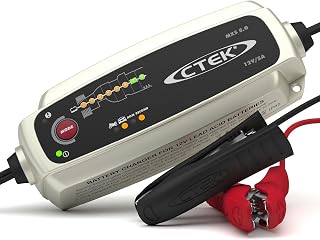 CTEK MXS 5.0 5A Battery Charger with Temperature Compensation
£74.49
4.8
in Best Car Battery Charger 2026: 10 Ranked, and Two Share a Model Number
CTEK MXS 5.0 5A Battery Charger with Temperature Compensation
£74.49
4.8
in Best Car Battery Charger 2026: 10 Ranked, and Two Share a Model Number
-
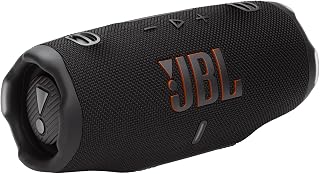 JBL Charge 6 Portable Bluetooth Speaker, 24H, Built-in Powerbank
£159.00
4.8
in Best Bluetooth Speaker 2026: 10 Portable Speakers Ranked
JBL Charge 6 Portable Bluetooth Speaker, 24H, Built-in Powerbank
£159.00
4.8
in Best Bluetooth Speaker 2026: 10 Portable Speakers Ranked
-
 Acer Predator GM7 1TB NVMe Gen4
£155.99
4.8
in Best 1TB SSD for PS5: 10 Ranked, From £135.99 to £199.99
Acer Predator GM7 1TB NVMe Gen4
£155.99
4.8
in Best 1TB SSD for PS5: 10 Ranked, From £135.99 to £199.99
-
Acer Predator GM7 2TB SSD, Gen4 NVMe 2.0, 7200MB/s, Graphene Thermal Pad
£228.99
4.8
in Best 2TB SSD for PS5 in 2026: 10 Ranked Against Sony’s Own Rules
-
 Wharfedale Diamond 9.1 Bookshelf Speakers (Pair, Walnut)
£129.00
4.8
in Best Bookshelf Speakers 2026: 10 Ranked, From £94.99
Wharfedale Diamond 9.1 Bookshelf Speakers (Pair, Walnut)
£129.00
4.8
in Best Bookshelf Speakers 2026: 10 Ranked, From £94.99
-
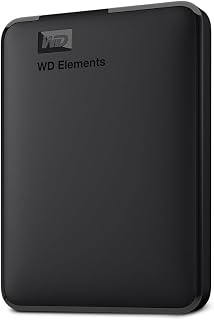 WD 2TB Elements Portable External Hard Drive
£99.99
4.7
in Best 2TB External Hard Drive: 8 Ranked, and the Speeds That Don't Add Up
WD 2TB Elements Portable External Hard Drive
£99.99
4.7
in Best 2TB External Hard Drive: 8 Ranked, and the Speeds That Don't Add Up
-
WD Elements 1TB Portable Hard Drive
£93.00
4.7
in Best 1TB External Hard Drive 2026: 10 Ranked, and the 625 MB/s Myth
-
 Crucial BX500 1TB 2.5" SATA SSD
£149.99
4.7
in Best 1TB SATA SSD: 10 Ranked, and Why £190 Buys 10MB/s
Crucial BX500 1TB 2.5" SATA SSD
£149.99
4.7
in Best 1TB SATA SSD: 10 Ranked, and Why £190 Buys 10MB/s
-
 soundcore Anker 2 Portable Bluetooth Speaker, 12W Stereo, IPX7, 24H
£28.49
4.7
in Best Bluetooth Speaker 2026: 10 Portable Speakers Ranked
soundcore Anker 2 Portable Bluetooth Speaker, 12W Stereo, IPX7, 24H
£28.49
4.7
in Best Bluetooth Speaker 2026: 10 Portable Speakers Ranked
-
 SanDisk 512GB Extreme microSD Card + Adapter
£109.00
4.7
in Best 512GB MicroSD Card 2026: 10 Ranked, and Why Read Speed Misleads
SanDisk 512GB Extreme microSD Card + Adapter
£109.00
4.7
in Best 512GB MicroSD Card 2026: 10 Ranked, and Why Read Speed Misleads
Comments
Reader comments are not checked against the manufacturer's claims above.
No comments yet
Be the first to add something we missed — a price change, a spec that turned out wrong, or how one of these held up.
Leave a comment
No account needed. Own one of these? Tell other readers how it actually performed.