Best USB Hub 2026: Seven Ports, And Only One of Them Fast
By Felipe Iglesias · Updated

A USB hub is sold by the number of its ports, and that number is the one thing on the box that cannot be compared with anything. Ten hubs were collected for this ranking, from £6.28 to £21.99, and their port counts run from three to seven — except that the counts do not measure the same thing twice. One is called 6-in-1 and its own specification records three USB ports. One is called a 7-Port USB Hub 3.0 and its own bullet points describe four USB-A and three USB-C, which is three ports that are not 3.0 and three whose speed is never stated. And one, the cheapest here at £5.94, publishes the most honest port audit in the entire article: seven ports, made of one USB 3.0, four USB 2.0 and two USB-C. Seven ports, one of them fast. Its own model number says the same thing — A+C 7 in 1 — because that seller wrote it down, and every other seller in this ranking counted and stopped.
The question a shopper actually has is not how many sockets there are, but which of them will move a file at speed and which will charge a phone, and the market answers that with adjectives. Two hubs here have seven ports and opposite answers. The ABFCRTTW at number four opens its bullet list with a warning, in three exclamation marks, that it supports data transmission and not charging. The BENFEI at number six gives every port its own on/off switch, and its buyer describes using exactly that in a camper van — one socket individually switched for power, which worked a treat. Neither is lying. One has a power input and one does not, and only one of the two thinks to mention it.
Where numbers do exist, they are worth more than the counts. The UGREEN at number three turns five gigabits per second into something a person can picture: a ten gigabyte file in 16.4 seconds, which works out at 4.88 gigabits per second and is therefore arithmetic rather than marketing. The same brand's USB-C hub at number two says its HDMI port does 4K at 30Hz, not 60, and admits that only one of its five ports is 3.0 while two are only USB 2.0. The Amazon Basics dock at number five says which of its ports is upstream and which is downstream, and the Amazon Basics six-in-one at number nine is the only listing here that states its 100 watt pass-through returns 85 watts — the fifteen watts lost between the wall and the laptop, a figure no other page in this ranking publishes.
Two further facts about this market are worth knowing before the entries, and both come from the pages themselves. The port count on a hub is the ceiling for everything: a four-port 5Gbps hub moves data at the speed of the slowest part in the chain — the drive, the cable, the port, the host — which is why a ten gigabyte file takes 16.4 seconds on a good day and much longer on a full one. And the number beside a star rating is not always the verdict of the people who bought the thing in front of them. Three UGREEN models in this ranking — the four-port at number three, the sixty centimetre version excluded from it, and the metre-long one at number ten — carry exactly 23,534 ratings, because Amazon pools reviews across variations of a product family. The number is genuine and the buyers are many, but they are not 23,534 opinions about one hub, and no listing in this article, or anywhere else, tells a shopper so.
What makes this category worth writing about is the fifty pence. The four-port UGREEN at number three costs £6.28 and moves data four times faster than the seven-port LBSC at £5.94, which is thirty-four pence cheaper and has two USB-C ports where the UGREEN has none. One hub for the phone and the card reader, one for the external drive. A shopper who wants both buys the Amazon Basics dock at number five for £12.64, which does five ports at double the speed of either and takes no responsibility for charging anything. That is the whole decision, and no port count on any box helps to make it.
SABRENT USB Hub 4 Port, 5Gbps, LED Switches, 8-Inch Cable, 62.3g

£8.79 with 178,478 ratings, four ports and an eight inch cable — and two different USB version numbers on one page.
Advantages
- 178,478 ratings at 4.5 stars: the largest sample on this site
- An on/off switch and an LED for each port
- 62.3 grams: among the lightest hubs here
- £8.79 for a hub with this record
Disadvantages
- USB 3.2 in the title, USB 3.0 in the field
- An eight inch cable: eleven centimetres
- Warranty misspelled in the box contents
- No power input for charging
No product reviewed on this site has a bigger audience than this one: 178,478 ratings at 4.5 stars, which is three hundred and fifty-nine times the smallest sample in this article and roughly twice the population of the town it is likely sold into. Whatever else is true about a four-port hub with individual switches, one hundred and seventy-eight thousand buyers have already agreed that it works, and at this price the thing being agreed about is whether a five pound board with four sockets ever stops talking to a laptop. It does not, apparently, for the vast majority.
Its specification is a small lesson in what this market cannot decide about itself. The title calls it a USB Splitter 3.2, and the hardware interface field on the same listing says USB 3.0. Both refer to the same connector: USB 3.0 was renamed 3.2 Gen 1 in 2019, and the marketing department of one of the most established accessory brands has been using the two names interchangeably ever since, on the same page, twelve lines apart. The box contents give it away even further, listing an eight inch built-in cable and misspelling warranty as Warrenty — a page written by someone who had the product in front of them and no reason to believe anyone would measure it.
Eight inches is eleven centimetres of cable, and that is this hub's real limitation: it will sit immediately beside the port, which is fine for a laptop and awkward behind a desktop. The body is 62.3 grams of ABS, 8.7 by 3.8 by 1.5 centimetres, with a switch and an LED per port so a device can be powered off without unplugging it — a feature the buyer of the BENFEI further down this ranking describes using to charge things in a camper van. The reviews here are as undramatic as the sample suggests: it is a good hub according to a fifteen year old, it is slim and it works, and one buyer runs a CD player that reads USB music files off it.
UGREEN USB C Hub, 5-in-1, 4K HDMI at 30Hz, 100W Pass-Through, 91g

£8.47 with HDMI, 100W pass-through and 31,079 ratings — and one honest sentence naming the two ports that are only USB 2.0.
Advantages
- 31,079 ratings at 4.5 stars
- States 4K at 30Hz rather than leaving it ambiguous
- Names which ports are USB 2.0 and which is 3.0
- 100W pass-through charging, explained
- £8.47: cheaper than several four-port hubs here
Disadvantages
- Only one of the five ports runs at 3.0 speed
- No ethernet port, as one buyer discovered
- HDMI is 30Hz, not 60Hz
- The USB-C port is a data port, not a display output
The most informative five lines of specification in this article are on this listing. It says its HDMI port outputs 4K at 30 hertz — not 60, which is the number a buyer needs to know before connecting a monitor and wondering why the mouse feels slow — and it says, in the same bullet, that file transfers run at 5 Gbps through the USB-A 3.0 port while two additional USB-A 2.0 ports are ideal for peripherals. That single sentence is a complete map of the hub: one fast port, two slow ones, one video port, one power port. Almost nothing else in this ranking tells a shopper which of the sockets in front of them is the fast one, and the consequences are real. A five-gigabit flash drive in a 2.0 port transfers at a tenth of its speed, and the file manager does not explain why.
The power arrangement is stated just as plainly: a 100 watt pass-through input takes charge from a laptop's own adapter and returns it to the laptop, which is how nearly every USB-C hub works and how almost none of them describe it. Buyers here are careful rather than enthusiastic — one reports zero problems across Apple devices, another returned the unit because he had wanted the version with an ethernet port, and blames himself rather than the product.
At £8.47 it costs less than some four-port hubs in this ranking, and 31,079 ratings at 4.5 stars put it second only to the SABRENT's extraordinary audience. The body is aluminium, 91 grams, 12.2 by 2.8 by 1.2 centimetres, and the model number is CM478 — worth remembering, because UGREEN's listings of this family share review pools, which is the subject of the entry further down this ranking.
UGREEN USB Hub 3.0, 4 Port, 5Gbps, 10GB in 16.4 Seconds, 60g

£6.28 — the cheapest here — and the only listing that turns 5Gbps into a time a person can picture: a 10GB file in 16.4 seconds.
Advantages
- The only listing here that expresses 5Gbps as a time
- £6.28: the cheapest hub in this article
- 60 g and 11 cm: the lightest, smallest hub here
- 4.6 stars from 23,534 ratings
Disadvantages
- Shares its exact rating count with two other UGREEN hubs
- Plastic body, not aluminium
- Not powered: no charging port
- Four ports, all USB-A
The only hub in this article that converts its speed into something a person can picture. Five gigabits per second is a number nobody carries around in their head; a ten gigabyte file in 16.4 seconds is a coffee break. The arithmetic is also correct — ten gigabytes divided by 16.4 seconds is 4.88 gigabits per second, which is what 5 Gbps delivers once the overhead is counted — and that is worth noting in a market where the SABRENT further up this ranking has two different version numbers for the same socket on one page. Somebody at UGREEN wrote this line with a calculator, and it shows.
Everything else about the hub is deliberately plain. Four USB-A ports out of one, plug-and-play on Windows, macOS, Linux, Chrome OS and Android, an indicator light, and a plastic body of 60 grams, the lightest thing in this ranking — eleven centimetres long, so it hangs off a laptop without pulling. It is not powered and does not claim to be, so it is for mice, keyboards, flash drives and printers rather than for charging, and the compatibility list quietly mentions the PS5, PS4 and Xbox, which is where a great many four-port hubs in British homes actually end up.
The reason it is third rather than second is the number beside its star rating: 23,534 ratings, which is enormous, and which it shares exactly with two other UGREEN models reviewed in this ranking. Three listings, three different products, one review pool. That is not a fault of the hardware, which is the cheapest here at £6.28 and rated 4.6 stars, but it does change what the number means to a shopper comparing this hub with the SABRENT's 178,478.
ABFCRTTW 7-Port USB 3.0 Hub, 4ft Cable, Data Only, 90g

£16.98 for seven ports that carry data and, as the first bullet shouts, charge nothing at all.
Advantages
- The warning is the first thing on the page
- A four foot cable, the second-longest here
- Aluminium body, 90 grams
- 2,315 ratings at 4.5 stars
Disadvantages
- Not one of the seven ports charges anything
- Dimensions: 130mm of height on a flat hub
- £16.98: the dearest hub in this article
- USB 3.0 ports only, no USB-C
The first bullet of this listing is a warning, and it is the most useful sentence in this article: this device supports data transmission only, not charging, with three exclamation marks for emphasis. That is a hub with seven ports telling a shopper in advance that none of them will charge a phone — and in the same market, the buyer of a rival seven-port hub further down this ranking describes charging things from the individually switched ports in a camper van. Both are honest; the difference is the power supply. A hub either has a power input and a board capable of feeding current out, or it is a splitter hanging off one laptop port and limited to whatever that port will pass. The ABFCRTTW is the second kind, and it says so before anything else.
Its measurements carry a second lesson. The dimensions are given as thirty millimetres long, seventeen wide and one hundred and thirty high — on a hub that lies flat on a desk. The third figure is the cable, four feet of it, entered into a field that asks for height. The brand's other listing in this article does exactly the same thing with a 120 centimetre cable and 135 millimetres of height, which makes it a habit rather than a typo, and it means the dimension line on these pages is unusable for anyone measuring a desk.
What is left is a good, plain hub: aluminium, 90 grams, seven USB 3.0 ports, and 2,315 ratings at 4.5 stars, with buyers describing it as handling everything thrown at it and as light as anything. At £16.98 it is the most expensive hub here and the one to buy if seven data ports are the requirement and charging is not.
Amazon Basics USB 3.2 Gen 2 Hub Dock, 10Gbps, 5 Ports, 70g

£12.64 for a 10Gbps dock that names its ports by function — upstream, downstream — and admits it will not charge a laptop.
Advantages
- Every port named by function, not just counted
- 10Gbps downstream: double most hubs here
- States plainly that it will not charge a laptop
- A published category rank: 116th in its subcategory
- 70 g of aluminium, Thunderbolt 3 compatible
Disadvantages
- No power input, so no charging at all
- 4.4 stars: mid-table among the leaders
- Long and thin, which suits some desks and not others
- Only three USB-A ports
The clearest port map in this ranking, and it comes from a five-port dock that could easily have counted its way out of the problem. Instead of seven ports, three fast and four slow, this listing names each socket by what it does: one USB-C upstream to the laptop, three USB-A, and one USB-C downstream for peripherals, with the downstream ports providing up to ten gigabits per second. Ten, not five — double the speed of most hubs here, which is why this dock can exist without a power input and still be worth carrying. And then the note a shopper needs before spending: USB ports support data transfer only, not charging a laptop.
That combination is the honest version of the product. A USB-C hub with a 100 watt pass-through, like the UGREEN above, feeds the laptop from the laptop's own charger. This dock takes a different route: it moves data at twice the speed and takes no responsibility for power at all, and it says so in the same breath as it explains the ten gigabits. One buyer summarises the reason these products exist with unusual directness — excellent, just what was needed as there are so few ports on a laptop — and another calls it a basic hub of a variety of connections that works out of the box with no setup.
Its category rank is published too: 7,575th in Computers and Accessories, and 116th in its own subcategory, which is a modest placing from 1,410 ratings at 4.4 stars. The body is 70 grams of aluminium at 25.4 by 3.2 by 1.1 centimetres, and it is Thunderbolt 3 host-compatible. At £12.64 it sits between the cheap four-port hubs and the seven-port desks, and it is the one to buy if the files are large and the charging is somebody else's problem.
BENFEI USB 3.0 Hub 7-Port, Per-Port Switches, 3.3ft Cable, 120g

£9.99 for seven ports with a switch each — and a buyer using them to charge things in a camper van.
Advantages
- A switch per port, described by buyers as working a treat
- 20th in its subcategory: the best published rank here
- 7 USB 3.0 ports at 5Gbps
- £9.99: seven pounds cheaper than the other 7-port hub
Disadvantages
- 120 g: the heaviest hub in this article
- No power input, only per-port switches
- 3.3 foot cable, shorter than the ABFCRTTW
- USB 3.0 ports: no USB-C
The counterweight to the warning at number four. That hub, also with seven ports, opens by telling shoppers it cannot charge anything; this one gives every port its own on/off switch, and its buyer describes using exactly that in a camper van — one socket individually switched for power, which worked a treat. Two seven-port hubs in the same ranking, two different jobs, and the honest specification is what separates them: one page admits the limitation in its first line, the other supplies the feature that makes the limitation less annoying. A switch per port is not a power input, and this listing does not pretend it is. What it does is let a phone stay plugged in overnight while three other sockets are switched off, which is what most people actually want from a hub on a desk.
Its figures are otherwise unremarkable in a good way: seven USB 3.0 ports, five gigabits per second, ten times USB 2.0 as the bullet says, a 3.3 foot cable, and a body of 120 grams — the heaviest hub in this article, which is what a seven-socket desk unit weighs. The published category rank is 1,321st in Computers and Accessories and 20th in its own subcategory, the strongest placing in the article, from 989 ratings at 4.6 stars.
At £9.99 it undercuts the other seven-port hubs here by seven pounds, and it is the one we would put on a desk: the switches make it usable without unplugging, the rank says the market already agrees, and the warning that other listing prints at the top of its page is here replaced by a feature that does the same job better.
LBSC USB C Hub, 7-in-1, 1x USB 3.0, 4x USB 2.0, 2x USB-C, 50g

£5.94 for seven ports the listing itself breaks down as one fast, four slow and two USB-C — and a rank of second in its subcategory.
Advantages
- The only honest port breakdown in this article
- Two USB-C ports for under six pounds
- 2nd in its subcategory: the best rank here
- 50 g of aluminium, the second-lightest hub
- A buyer naming exactly why it works: two USB-C and USB 3
Disadvantages
- Six of the seven ports are slow
- Nine per cent of buyers give it one star
- 4.3 stars: the lowest rating among the leaders
- A four-port 5Gbps hub costs 34p more
This is the listing that says out loud what the whole market implies. Seven ports, it announces — and then, in the same bullet, it tells you what the seven are: one USB 3.0, four USB 2.0 and two USB-C. One fast port out of seven, on the cheapest hub in this ranking. Every other seller here counts ports and stops; this one kept going and produced the only honest port audit in the article. Its own model number does the same thing — A+C 7 in 1 — because the hub takes its input from either a USB-A or a USB-C socket, which is why it can sit on an older laptop and a new one alike.
The maths of that breakdown is worth sitting with. A four-port hub with all four ports at 5Gbps, like the UGREEN at number three, offers four times the bandwidth of this one for thirty-four pence more. Where the LBSC wins is the shape of its sockets: two USB-C ports on a hub that costs less than six pounds, and a buyer's verdict is unusually precise about exactly that — excellent value, does the jobs, two USB-C and USB 3. The body is 50 grams of aluminium at 10 by 4 by 1.5 centimetres, the second-lightest thing here, and it carries a published rank of 310th in Computers and Accessories and second in its own subcategory, which is the strongest placing in this article.
Its rating is 4.3 stars from 833 ratings, with nine per cent of buyers at one star — the weakest distribution among the leaders and exactly what this market's cheapest hardware tends to produce. It is the hub to buy when the ports a laptop lacks are USB-C, and the one to avoid when the files are big.
ABFCRTTW 7-Port USB Hub, 4x USB-A and 3x USB-C, 120cm Cable, 90.7g

£21.99 for seven ports the title calls USB 3.0 and the bullet calls four USB-A plus three USB-C.
Advantages
- A 120cm cable: the longest here
- 4 USB-A and 3 USB-C ports
- Aluminium, 90.7 grams
- A published category rank of 36th in its subcategory
Disadvantages
- £21.99: the dearest hub in this article
- USB 3.0 in the title, three USB-C ports in the bullets
- The USB-C port speed is never stated
- Dimensions: 135mm of height on a flat hub
The most expensive hub in this article, and the one that explains how much the words USB 3.0 are worth. Its title announces a 7-Port USB Hub 3.0; its own bullet points, three lines down, describe a hub offering four USB-A and three USB-C ports. Three of the seven sockets, then, are USB-C — which is not a speed and does not become one by being called 3.0 in a title. Whether those USB-C ports run at 5Gbps or at 480Mbps is not stated anywhere on the page, on a hub costing nearly twenty-two pounds, which is more than every other listing here. The one thing this model has that the others do not is a 120 centimetre cable, and for a desktop with the tower under the desk that is a real feature; the price is what it costs to get it.
The dimensions are the family's signature mistake, identical to its sibling at number four: twenty-five millimetres long, seventeen wide, one hundred and thirty-five high. The cable, again, entered into the height field. Two listings from one seller, 130 and 135 millimetres of nonexistent height, which tells a shopper something useful about how carefully these pages are written — and something else about how little of what is written is worth trusting, including the boldest claim in the title.
It does publish its rank, 2,108th in Computers and Accessories and 36th in its subcategory, from 578 ratings at 4.5 stars, and its buyers are happy in the specific, undemanding way of people who bought a hub to reach a desktop: one calls it awesome for a retrofit, another reports no noticeable lag with portable drives. At £21.99 it is the last place in this ranking we would spend the money, and the first place to look if a 1.2 metre cable is the deciding feature.
Amazon Basics USB C Hub 6-in-1, 3 Ports, 100W In / 85W Out, 80g

£16.99 for a hub called 6-in-1 with three USB ports in its own specification — and the honest power pair, 100W in and 85W out.
Advantages
- The only listing here stating 100W in and 85W out
- Aluminium body, 80 grams
- A buyer reports it flawless across different computers
- 10Gbps on the fast ports
Disadvantages
- A 6-in-1 name over three USB ports
- 4.2 stars: the second-lowest rating here
- Eight per cent of buyers give it one star
- £16.99 for three ports
Six-in-one is a good name and three is the number. This hub is sold as a six-in-one multiport adapter, and its own specification block records three total USB ports — while the item type name, which is the field nobody proofreads, patiently explains the family it belongs to: one USB-C 100W PD input, two USB-A, one USB-C. Add the functions up and you can reach six, because power input and card reading are functions too. Subtract them and you get the number a keyboard and two flash drives actually care about, which is three. Nothing here is a lie in the way a false brightness figure is a lie. It is the same habit the whole market has: the headline counts capabilities, the specification counts sockets, and the two numbers are printed a few centimetres apart without ever being reconciled.
The power figures are where this page repays reading. It states a 100 watt power delivery input and, in the same bullet, up to 85 watts of output to charge devices, with a note that the port is a passthrough rather than a charger. Fifteen watts are lost between the wall and the laptop, which is the ordinary cost of a hub doing the routing, and the number is published here and almost nowhere else in the ranking — the other USB-C hubs here simply say 100W and leave a shopper to discover the shortfall when a charger that used to work begins to warn about slow charging.
The body is aluminium, 80 grams, 11.9 by 4.6 by 1.5 centimetres, and the hub is rated 4.2 stars from 497 ratings, the second-lowest rating in this article, with eight per cent of buyers at one star. One buyer's complaint is the fairest summary of what it is: a good device, not as many ports as other options, but really well made and flawless with different computers. At £16.99, that is a fair description at a price that is not.
UGREEN USB Hub 3.0 with 100cm Cable, 4 Port, 20g

£8.48 for a 20 gram hub with a metre of cable — and the third UGREEN model in this ranking sharing one review count.
Advantages
- A 100cm cable, correctly described as 3.3 feet
- 20 g: the lightest product in this article
- 4 USB-A ports at 5Gbps
- The same ten-gigabytes-in-16.4-seconds arithmetic as its sibling
Disadvantages
- The third UGREEN here on one shared review count
- £8.48 for a hub its sibling sells at £6.28
- Plastic body
- Four data ports and no charging
The third exhibit in the case this article is making about review counts. This hub, the four-port model at number three and their sibling with a sixty centimetre cable are three different products on three different pages, and all three carry exactly 23,534 ratings at 4.6 stars. Amazon groups variations of one product into a single review pool, and a shopper comparing hubs has no way to see that from the listing: the number looks like the verdict of twenty-three thousand buyers on the thing in front of them, when it is the verdict of twenty-three thousand buyers on the family. It is not a scam and it is not an error — it is how the largest retailer's catalogue works — but it means the single most-read number on a product page is the one that says least about the product.
What this particular member of the family offers is cable. A hundred centimetres, which the listing also expresses, correctly, as 3.3 feet, so that a laptop on a desk can reach a hub tucked behind a monitor or at the back of a shelf. Everything else is the same as its relatives: four USB-A ports at five gigabits per second, the same ten-gigabyte-file-in-16.4-seconds arithmetic as its sibling, plastic, and a weight of twenty grams — the lightest object in this entire article, which for a hub with a metre of cable attached is remarkable. One buyer's summary is more hopeful than accurate: a great little hub that can be made into a charging station, which is true only in the sense that a hub can pass along power it receives.
At £8.48 it costs two pounds more than the identical hub with a sixty centimetre cable and a pound less than the seven-port hubs. It is tenth because the extra cable is the whole of the argument for it, and because its rating count, like its siblings', belongs to three products at once.
All 10 compared
The same ranking side by side, now that the numbers have names.
10
| # | Product | Price | Amazon rating |
|---|---|---|---|
| 1 | SABRENT USB Hub 4 Port, 5Gbps, LED Switches, 8-Inch Cable, 62.3g | £8.79 | 4.5 (178,478) |
| 2 | UGREEN USB C Hub, 5-in-1, 4K HDMI at 30Hz, 100W Pass-Through, 91g | £8.47 | 4.5 (31,079) |
| 3 | UGREEN USB Hub 3.0, 4 Port, 5Gbps, 10GB in 16.4 Seconds, 60g | £6.28 | 4.6 (23,534) |
| 4 | ABFCRTTW 7-Port USB 3.0 Hub, 4ft Cable, Data Only, 90g | £16.98 | 4.5 (2,315) |
| 5 | Amazon Basics USB 3.2 Gen 2 Hub Dock, 10Gbps, 5 Ports, 70g | £12.64 | 4.4 (1,410) |
| 6 | BENFEI USB 3.0 Hub 7-Port, Per-Port Switches, 3.3ft Cable, 120g | £9.99 | 4.6 (989) |
| 7 | LBSC USB C Hub, 7-in-1, 1x USB 3.0, 4x USB 2.0, 2x USB-C, 50g | £5.94 | 4.3 (833) |
| 8 | ABFCRTTW 7-Port USB Hub, 4x USB-A and 3x USB-C, 120cm Cable, 90.7g | £21.99 | 4.5 (578) |
| 9 | Amazon Basics USB C Hub 6-in-1, 3 Ports, 100W In / 85W Out, 80g | £16.99 | 4.2 (497) |
| 10 | UGREEN USB Hub 3.0 with 100cm Cable, 4 Port, 20g | £8.48 | 4.6 (23,534) |
Final Verdict
What we would buy. The SABRENT at £8.79 is the one we would buy, and the reason is a single number that no other page in this article can touch: 178,478 ratings at 4.5 stars, with a switch and an LED on every port. It is the most-reviewed thing this site has ever examined, and it does the job a four-port hub is for. If the laptop has no USB-A at all, the UGREEN USB-C hub at £8.47 is the right answer, because it is the only listing here that maps its own ports — one USB 3.0, two USB 2.0, HDMI at 30Hz, one 100W pass-through — and 31,079 buyers have tested that map. If big files matter more than ports, the Amazon Basics dock at £12.64 doubles the speed of everything else here to 10Gbps and states without embarrassment that it will not charge a laptop. If a metre of cable is what makes the desk work, the UGREEN at number ten is twenty grams and £8.48. And if the requirement is the cheapest way to add four sockets to a laptop, the UGREEN at number three does it at £6.28 with the only piece of arithmetic in the article.
What the listings will not tell you. Count sockets, not capabilities, because the headline number on these boxes mixes the two: a six-in-one with three USB ports and a seven-port hub where three sockets are USB-C of unstated speed are both described honestly by their own small print and dishonestly by their own titles. Find out which port is fast before you buy, because five ports at 5Gbps with one fast socket is a two-speed product, and the file manager will not explain why one drive copies in a minute and another in ten. Check whether the hub has a power input, and understand the difference between a switch per port and a supply: the ABFCRTTW warns in advance that its seven ports charge nothing, and the BENFEI sells the switches that let you run three devices at a time without unplugging any of them. Read the dimensions with suspicion, because two listings in this ranking enter their own cable as the height of the device. And treat a rating count as a family verdict rather than a product verdict — three UGREEN models here share one number, and the hub that costs thirty-four pence less than another here is the one that will move your files a quarter as fast.
Why trust this ranking?
We rank on price, customer ratings and the specifications that decide the job, and we read each specification table against the marketing bullets on the same listing. When a number does not survive that check, we say so in the entry rather than quietly dropping the product. We also say when a product is the wrong one for you.
How we rank, in full
Written by
Felipe Iglesias
Founder & Lead Reviewer
Felipe is a computational engineering student who has been working in SEO since he was sixteen. He founded ranked10 and researches every guide on the site.
Related buying guides
Every guide below ranks ten products the same way this one does.
 Tech
Tech
Best Mini Projector 2026: 10 Ranked
The best mini projector here is the XuanPad 40000L at £129.99: native 1080p and Netflix built in. We rank 10 and compare the real ANSI lumens.
 Tech
Tech
Best Gaming Motherboard 2026: 10 Ranked
Best gaming motherboard 2026: the £127.99 ASUS TUF Gaming B650-Plus WiFi wins with 14 power stages at £9.14 each, half the £16.22 a stage of a dearer board.
 Tech
Tech
Best Floorstanding Speakers 2026: 10 Ranked
Best floorstanding speakers 2026: the Q Acoustics 3050i wins with two 165 mm drivers per tower, and the Fenton SHF700B pair costs £159.90.
 Tech
Tech
Best Binoculars 2026: 10 Ranked
The best binoculars for 2026 ranked: the £25.99 Kylietech 12x42 gives a 3.5 mm exit pupil, nearly three times the light of the £34.99 occer 12x25.
 Tech
Tech
Best Camcorder 2026: 10 Ranked
The best camcorder for most buyers is the FIREFOTO 4K 64MP at £59.99, working out at £0.94 a megapixel against £2.49 on the 8K PITIKI.
 Tech
Tech
Best OLED Gaming Monitor 2026: 10 Ranked, Brightness Listed Four Ways
The best OLED gaming monitor picks ranked by panel, refresh rate and price — brightness is listed four different ways across these listings.
 Tech
Tech
Best 128GB SD Cards 2026: 10 Ranked, and Three Adverts That Contradict Themselves
Every 128GB SD card here leads with read speed. Three listings contradict their own specs — we show you both numbers before you buy.
 Tech
Tech
Best DAB Radios 2026: 9 Ranked, and the 30W Claim That Doesn't Add Up
The best DAB radios compared: one claims 30W yet a 2,000mAh battery lasting 10 hours — that averages 0.74W. Nine models ranked on their own figures.
 Tech
Tech
Best CPU Air Cooler 2026: 10 Ranked, One Sold Twice at Two Prices
We ranked the best CPU air cooler picks on Amazon, including the same Peerless Assassin 120 SE listed twice at £29.99 and £35.90.
 Tech
Tech
Best Case Fans 2026: 9 Ranked by What a Fan Actually Costs
The best case fans are rarely sold singly: a £21.49 five-pack is £4.30 a fan, while £18.99 buys one. Nine ranked by cost per fan and quoted noise.
Products you might like
The best rated products from our other Tech guides.
-
Noctua NF-P12 redux-1700 PWM 120mm Quiet Fan
£12.95
4.8
in Best Case Fans 2026: 9 Ranked by What a Fan Actually Costs
-
 WD_BLACK SN850X 4TB NVMe SSD
£499.99
4.8
in Best 4TB SSD for PS5: 10 Ranked, and the Speed Numbers That Don't Add Up
WD_BLACK SN850X 4TB NVMe SSD
£499.99
4.8
in Best 4TB SSD for PS5: 10 Ranked, and the Speed Numbers That Don't Add Up
-
 Canon EF 50mm f/1.8 STM
£129.00
4.8
in Best 50mm Lens 2026: 10 Ranked, Spec Sheets Cross-Checked
Canon EF 50mm f/1.8 STM
£129.00
4.8
in Best 50mm Lens 2026: 10 Ranked, Spec Sheets Cross-Checked
-
Noctua NH-D15 Dual Tower CPU Cooler
£99.95
4.8
in Best CPU Air Cooler 2026: 10 Ranked, One Sold Twice at Two Prices
-
 Corsair MP600 PRO LPX 4TB PS5 SSD
£415.01
4.8
in Best 4TB SSD for PS5: 10 Ranked, and the Speed Numbers That Don't Add Up
Corsair MP600 PRO LPX 4TB PS5 SSD
£415.01
4.8
in Best 4TB SSD for PS5: 10 Ranked, and the Speed Numbers That Don't Add Up
-
 CTEK MXS 5.0 5A Battery Charger with Temperature Compensation
£74.49
4.8
in Best Car Battery Charger 2026: 10 Ranked, and Two Share a Model Number
CTEK MXS 5.0 5A Battery Charger with Temperature Compensation
£74.49
4.8
in Best Car Battery Charger 2026: 10 Ranked, and Two Share a Model Number
-
 JBL Charge 6 Portable Bluetooth Speaker, 24H, Built-in Powerbank
£159.00
4.8
in Best Bluetooth Speaker 2026: 10 Portable Speakers Ranked
JBL Charge 6 Portable Bluetooth Speaker, 24H, Built-in Powerbank
£159.00
4.8
in Best Bluetooth Speaker 2026: 10 Portable Speakers Ranked
-
 Acer Predator GM7 1TB NVMe Gen4
£155.99
4.8
in Best 1TB SSD for PS5: 10 Ranked, From £135.99 to £199.99
Acer Predator GM7 1TB NVMe Gen4
£155.99
4.8
in Best 1TB SSD for PS5: 10 Ranked, From £135.99 to £199.99
-
Acer Predator GM7 2TB SSD, Gen4 NVMe 2.0, 7200MB/s, Graphene Thermal Pad
£228.99
4.8
in Best 2TB SSD for PS5 in 2026: 10 Ranked Against Sony’s Own Rules
-
 Wharfedale Diamond 9.1 Bookshelf Speakers (Pair, Walnut)
£129.00
4.8
in Best Bookshelf Speakers 2026: 10 Ranked, From £94.99
Wharfedale Diamond 9.1 Bookshelf Speakers (Pair, Walnut)
£129.00
4.8
in Best Bookshelf Speakers 2026: 10 Ranked, From £94.99
-
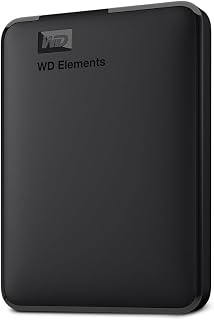 WD Elements 1TB Portable Hard Drive
£93.00
4.7
in Best 1TB External Hard Drive 2026: 10 Ranked, and the 625 MB/s Myth
WD Elements 1TB Portable Hard Drive
£93.00
4.7
in Best 1TB External Hard Drive 2026: 10 Ranked, and the 625 MB/s Myth
-
WD 2TB Elements Portable External Hard Drive
£99.99
4.7
in Best 2TB External Hard Drive: 8 Ranked, and the Speeds That Don't Add Up
-
 Crucial BX500 1TB 2.5" SATA SSD
£149.99
4.7
in Best 1TB SATA SSD: 10 Ranked, and Why £190 Buys 10MB/s
Crucial BX500 1TB 2.5" SATA SSD
£149.99
4.7
in Best 1TB SATA SSD: 10 Ranked, and Why £190 Buys 10MB/s
-
 soundcore Anker 2 Portable Bluetooth Speaker, 12W Stereo, IPX7, 24H
£28.49
4.7
in Best Bluetooth Speaker 2026: 10 Portable Speakers Ranked
soundcore Anker 2 Portable Bluetooth Speaker, 12W Stereo, IPX7, 24H
£28.49
4.7
in Best Bluetooth Speaker 2026: 10 Portable Speakers Ranked
-
 SanDisk 512GB Extreme microSD Card + Adapter
£109.00
4.7
in Best 512GB MicroSD Card 2026: 10 Ranked, and Why Read Speed Misleads
SanDisk 512GB Extreme microSD Card + Adapter
£109.00
4.7
in Best 512GB MicroSD Card 2026: 10 Ranked, and Why Read Speed Misleads
Comments
Reader comments are not checked against the manufacturer's claims above.
No comments yet
Be the first to add something we missed — a price change, a spec that turned out wrong, or how one of these held up.
Leave a comment
No account needed. Own one of these? Tell other readers how it actually performed.