Best Ultrawide Curved Gaming Monitor 2026: 10 Ranked by Spec Sheets
By Felipe Iglesias · Updated

Shopping for an ultrawide curved gaming monitor means reading two descriptions of the same screen: the headline the seller writes, and the specification table underneath it. In the listings below, those two disagree more often than you would expect. The AOC CU34G2XP/BK advertises 1ms GtG in its title while its own Response Time field reads "5 Milliseconds". The AOC CU34G2XPD/BK has a 180Hz title and a first bullet that says "144 Hz refresh rate". The Gawfolk 34-inch lists dimensions of "2.33D x 8.07W x 4.43H metres" — eight metres of desk where you expect about 80cm. The spec table is the part a buyer copies into a comparison, so that is the part we ranked on.
Every ultrawide curved gaming monitor below was ranked on two things we could verify: the specification table — refresh rate, response time, resolution, price — and the owner ratings behind each listing. Where a headline and a spec field disagreed, we ranked the spec and said so, with both numbers named.
MSI MPG 341CQPX 34in QD-OLED Curved Gaming Monitor, 240Hz
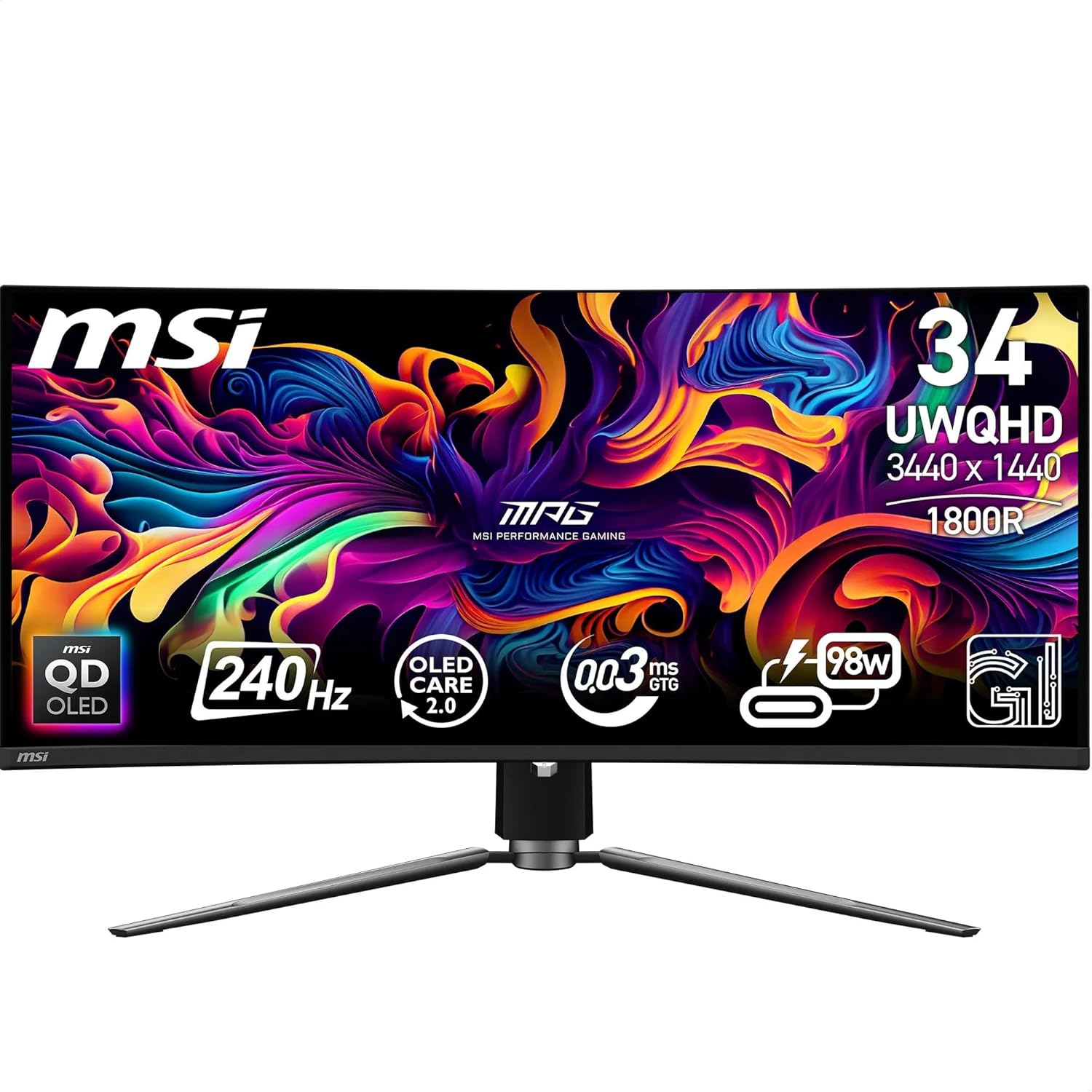
Ranked first because its specification table backs up its headline: 240Hz and a 0.03ms response time appear in both the bullet points and the spec fields.
Advantages
- 240Hz and 0.03ms (GtG) stated in both the bullet and the spec table
- QD-OLED panel listed at 99.3% DCI-P3 with Delta E ≤2
- USB-C with 98W power delivery, plus KVM and PiP/PbP
- 1500000:1 contrast ratio, VESA DisplayHDR True Black 400
- Two HDMI 2.1 ports and DisplayPort 1.4a, all rated for 3440x1440 at 240Hz
Disadvantages
- £648.95 — the highest price in this list
- Only 37 ratings, 5% of them one star
- 16.6kg on an 81.2cm-wide stand takes real desk space
- OLED burn-in risk with static desktop elements
This is the only QD-OLED gaming monitor in the list, and the numbers line up: 240Hz in the title, "240 hertz" in the spec table, and 0.03ms (GtG) in both the bullet and the Response Time field. Contrast is listed at 1500000:1, colour at 99.3% DCI-P3 with Delta E ≤2. Worth noting: the spec's Image Brightness reads 400, while a bullet claims up to 1000 nits peak — the 400 matches the DisplayHDR True Black 400 certification, so read the two together rather than as a contradiction.
For an ultrawide curved gaming monitor, the practical details matter as much as the panel. MSI uses a graphene film and a fanless heatsink, plus OLED Care 2.0 in its GI software, aimed at burn-in. There is a KVM switch with PiP/PbP, two HDMI 2.1 ports, DisplayPort 1.4a and USB-C with 98W power delivery, so a laptop can run from one cable. The catch is weight: 16.6kg makes this the heaviest screen here, on an 81.2cm-wide stand.
That said, it is not the safe first pick for everyone. It is the most expensive at £648.95, and the rating base is thin — 4.7 stars from 37 ratings, 5% of them one star. OLED also means the usual care with static taskbars and HUDs. If you leave a spreadsheet open all day, a VA panel is the lower-risk buy.
Amzfast AMZG34C5Q Pro 34in Ultrawide 240Hz Curved Monitor

240Hz and 3440x1440 for £249.99 with the largest review base here at 3,416 ratings — but its two brightness figures do not agree.
Advantages
- 240Hz and 3440x1440 for £249.99
- 3,416 ratings at 4.5 stars — the biggest sample here
- 3000:1 native contrast, 130% sRGB, HDR10
- 4.7kg, among the lightest 34-inch models in this list
- HDMI 2.1 and DisplayPort 1.4, plus PIP and PBP
Disadvantages
- A bullet says 300 nits; the spec field says 450 cd/m²
- Response time quoted as 1ms MPRT, not GtG
- 6% of ratings are one star
- VA panel, so off-axis colour shifts remain
One of only two 240Hz screens under £250 in this round-up, and by far the best-evidenced: 3,416 ratings averaging 4.5 stars. The catch sits inside the listing. A bullet point says 300 nits brightness, while the specification field reads 450 candela per square metre. Both cannot be right, and whether the screen is comfortable in a bright room depends on which one is.
In practice this is a fast VA panel: 3000:1 native contrast, 130% sRGB, HDR10, Adaptive Sync listed as FreeSync, and HDMI 2.1 plus DisplayPort 1.4 — the DP port is the one rated to carry 3440x1440 at 240Hz. At 4.7kg it is among the lightest 34-inch screens here, which makes arm-mounting simple with the 75x75mm VESA pattern. PIP and PBP cover a console-plus-PC setup.
Who should not buy it? Anyone needing factory colour accuracy for print work — 130% sRGB is a wide-gamut claim, not a calibration certificate. Either way, at this price a 240Hz ultrawide monitor with this many owner reports is the low-risk entry point in this list.
Alienware AW3425DWM 34in WQHD 180Hz Curved Monitor

£229.97 for 3440x1440 at 180Hz, with a spec table that matches its title and 4.6 stars from 248 ratings.
Advantages
- £229.97 for 3440x1440 at 180Hz
- 4.6 stars from 248 ratings
- Title, refresh rate and resolution fields all agree
- FreeSync Premium and VESA AdaptiveSync, with VRR and ALLM over HDMI 2.1
- 3000:1 contrast with 95% DCI-P3 and HDR 400
Disadvantages
- The 1ms figure applies to extreme mode only
- No USB-C
- Hardware connectivity list mentions Bluetooth, which the rest of the listing does not explain
- 85W power draw
At £229.97 this sits in the middle of the price range, and it is the listing with the fewest internal contradictions. The title says 180Hz, the spec table says "180 Hz", and the resolution field repeats 3440x1440. Contrast is listed at 3000:1, colour cover at 95% DCI-P3 with HDR 400. Crucially, 4.6 stars from 248 ratings puts it near the top here on owner satisfaction, not just on price.
In practice this is a 21:9 curved gaming monitor with a VA panel and a 1500R curve, and Alienware lists 1ms response time in extreme mode — a mode, not the default. Adaptive sync covers both AMD FreeSync Premium and VESA AdaptiveSync, which means console VRR and ALLM work over the two HDMI 2.1 ports. Power draw is listed at 85W and the unit weighs 6.57kg. By contrast with the AOC listings further down, the ports in the bullets match the ports in the title.
Worth noting before you buy: the hardware connectivity line includes Bluetooth, which nothing else in the listing explains or needs. However, there is no USB-C here, so laptop users will need a dock. If you want 240Hz or a QD-OLED panel, this is not the screen for you; if you want an honest 3440x1440 under £250, it is.
Philips Evnia 34M2C3500L 34in WQHD 180Hz Curved Monitor

The cheapest screen here at £199.97, with 180Hz and a 3500:1 contrast figure — though its 0.5ms claim cannot be checked against the spec table.
Advantages
- £199.97 — the lowest price in this list
- 180Hz at 3440x1440 with a 3500:1 contrast ratio
- Power consumption listed at 31W, the lowest here
- FreeSync Premium and Flicker-Free backlight control
- 407 ratings at 4.4 stars
Disadvantages
- The 0.5ms figure appears only in the bullets, not the spec table
- 8% of ratings are one star
- No USB port or height adjustment listed
- Height and stand width are fixed at 80.8cm
At £199.97 this is the lowest price in the round-up, and for a budget curved gaming monitor the figures are respectable: 180Hz, 3440x1440, a 3500:1 contrast ratio and 300 cd/m² brightness. The 0.5ms response time in the bullets is not repeated anywhere in the specification table, which lists no response time field at all. That is not a contradiction, but it does mean the fastest number in the listing is the one you cannot verify against anything else.
In practice the panel is VA, 21:9 and matte, with FreeSync Premium and a Flicker-Free backlight. Power consumption is listed at 31W, the lowest figure here, and the voltage field reads 28 volts. It weighs 7.33kg and the stand is 80.8cm wide. No USB port is listed.
Who should skip it: anyone who wants the response time stated in writing, or who needs USB-C or height adjustment. The 4.4-star average from 407 ratings includes 8% one-star reviews. Even so, as a first ultrawide curved gaming monitor at £199.97, it is hard to argue with.
KOORUI 34in 240Hz Curved Gaming Monitor, 3440x1440 VA

240Hz and a 4000:1 contrast ratio for £227.99, but its colour figures disagree and 12% of its ratings are one star.
Advantages
- 240Hz, 3440x1440 and HDR400 for £227.99
- 4000:1 contrast ratio — matched only by the Gawfolk 34-inch here
- 110mm height adjustment, plus tilt and swivel
- Two HDMI 2.1 ports, DisplayPort 1.4, PiP and PbP
- 99% sRGB and 90% DCI-P3 claimed in the bullets
Disadvantages
- 12% of 197 ratings are one star, the highest share here
- Bullet colour figures clash with a spec Colour Gamut Value of 100.0
- The title's 1ms figure is not repeated in the spec table
- 9.26kg — heavier than most 34-inch screens here
This undercuts the Amzfast by £22 and matches it on the headline specs: 240Hz, 3440x1440, HDR400, a 4000:1 contrast ratio and 110mm of height adjustment. The colour numbers are where it gets untidy. A bullet promises 99% sRGB and 90% DCI-P3, while the specification field lists a Colour Gamut Value of 100.0. Neither field says which standard the 100 refers to, and the title's 1ms figure appears nowhere in the spec table.
In use the stand does more than most at this price: 110mm of height travel, -5° to 20° tilt and -15° to 15° swivel. Connectivity is two HDMI 2.1 ports and one DisplayPort 1.4, with PiP and PbP, and the unit weighs 9.26kg. That is heavier than the Alienware or the Philips, which matters if you plan to hang it on a 75x75mm VESA arm close to its weight limit.
The reason it sits fifth rather than higher: 12% of its 197 ratings are one star, the highest single-star share in this list. It is a small sample, but it is the number to weigh against the spec sheet. If you want proven reliability rather than peak specs per pound, the Alienware is the steadier choice.
AOC CU34G2XPD/BK 34in UW-QHD 180Hz Curved Monitor

A 34 inch ultrawide gaming monitor with a 180Hz title, a 144Hz first bullet and 300 cd/m² against 400 in the spec field.
Advantages
- 180Hz stated in both the title and the spec table
- 130mm height adjustment, 1500R curve, VESA 100x100
- Four-port USB 3.0 hub and a headphone output
- 561 ratings at 4.5 stars
- Both HDMI and DisplayPort cables included
Disadvantages
- First bullet says 144Hz, not 180Hz
- Bullet says 300 cd/m²; the spec field says 400
- Title says HDMI 2.0; bullets say HDMI 1.4 and DisplayPort 1.2
- 11.5kg — the heaviest 34-inch screen here
The disagreements start immediately. The title says 180Hz; the first bullet says "144 Hz refresh rate"; the specification field says "180 Hz". A second mismatch follows: the bullet lists brightness at 300 cd/m², while the spec's Image Brightness field reads 400. A third: the title advertises "HDMI 2x 2.0", while the bullets specify "2 x HDMI 1.4, 1 x DisplayPort 1.2". For an ultrawide curved gaming monitor, the port version decides whether you reach the top refresh rate at 3440x1440 at all.
What is consistent: a 1500R VA panel, 1000:1 contrast, 21:9, matte coating, a 130mm height-adjustable stand, a four-port USB 3.0 hub, VESA 100x100 and on-screen presets for FPS, racing and RTS. It weighs 11.5kg, the heaviest 34-inch model in this list, and the box includes both HDMI and DisplayPort cables. In practice the Flicker-Free and Low Blue Light features make it a reasonable all-day screen as well as a gaming one.
That said, if you are buying on the 180Hz claim, ask which port delivers it. Meanwhile, 561 ratings at 4.5 stars is a solid base, so the panel itself is not the problem — the listing is. Buy it for the panel, not for the port list.
AOC CU34G2XP/BK 34in UW-QHD 180Hz Curved Monitor
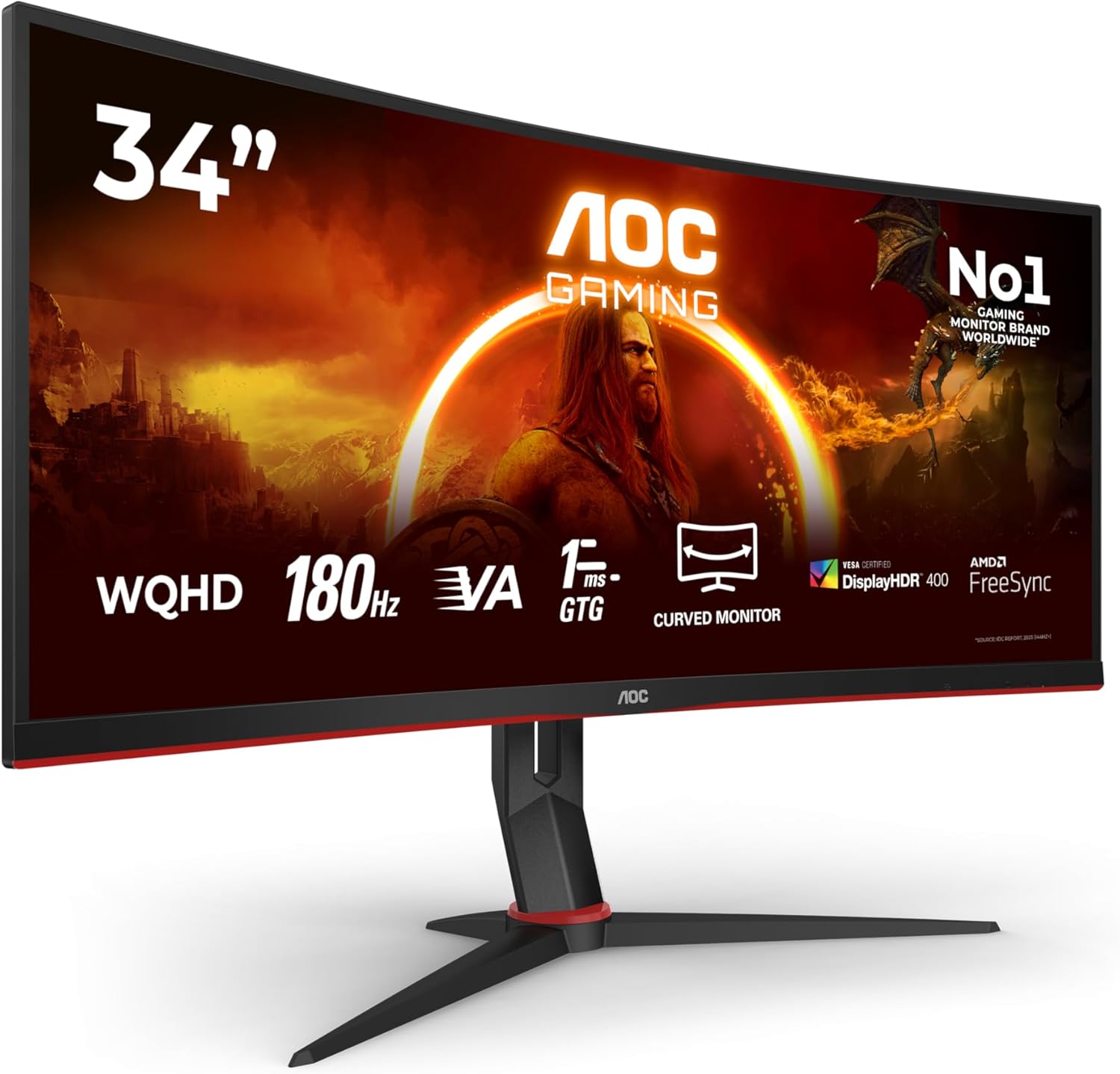
The clearest case of a headline outrunning a spec sheet: 1ms GtG in the title, "5 Milliseconds" in the Response Time field, and 1,227 ratings to weigh it against.
Advantages
- 180Hz confirmed in the spec table
- 1,227 ratings at 4.3 stars — the third-largest base here
- £219.97, the lowest price at this refresh rate in the list
- HDR400 with a Wide QHD 3440x1440 panel
- VESA certified DisplayHDR 400 claimed in the bullets
Disadvantages
- Response Time field reads "5 Milliseconds" against a 1ms title
- Title says two HDMI 2.0 ports; the spec field says one
- Power consumption listed as 240 Watts and voltage as 100 Volts
- No USB-C listed
This is the listing to read twice. The title promises 1ms GtG and 180Hz. The specification table agrees on the refresh rate — "180 Hz" — and disagrees on the response time, which reads "5 Milliseconds". The port count is also split: the title says "HDMI 2x 2.0", the Total HDMI Port field says 1. Two numbers, one product, and no way from outside the listing to tell which one ships.
Buy it for what the spec does confirm: a curved VA panel at 3440x1440, HDR400, Wide QHD, and a 21:9 shape that suits games and spreadsheets alike, backed by 1,227 ratings at 4.3 stars — the third-largest review base in this list. The table also lists 400 cd/m² brightness and a "1000:1 or higher" contrast entry. Two fields look wrong: power consumption is given as 240 Watts and voltage as 100 Volts, neither of which sits comfortably next to the 31W that the Philips listing quotes for a similar panel.
Who should not buy it: anyone who needs a second HDMI port, since the spec field lists one, and anyone treating the 1ms figure as the deciding factor. By contrast, if you want a 34 inch ultrawide gaming monitor with a large, long-running rating base, £219.97 is the lowest price here at 180Hz.
LG UltraGear G6 34G630A-B 34in 240Hz Gaming Monitor

240Hz VA at £290.97 with 95% DCI-P3, built-in speakers and USB-C, but the spec table's 400:1 contrast figure is the odd one out.
Advantages
- 240Hz refresh rate confirmed in the spec table
- 95% DCI-P3 coverage with VESA DisplayHDR 400
- Built-in speakers plus height, tilt and swivel adjustment
- USB-C, DisplayPort and HDMI connectivity
- PiP and two PbP modes
Disadvantages
- Spec table lists contrast at 400:1, very low for a VA panel
- Only 20 ratings, the fewest here
- 8% of ratings are two star, with no one-star or three-star entries
- £290.97 is the second-highest price of the 34-inch screens
The headline spec is 240Hz and 1ms GtG, and the table repeats "240 Hz". The panel is VA at 3440x1440, with 95% DCI-P3 coverage and VESA DisplayHDR 400 at 300 cd/m². Then there is the contrast field: it reads 400:1. That is an unusually low figure for a VA panel at this price, and it sits alone — no bullet point mentions contrast at all. In theory it could be a typo for 4000:1, but nothing in the data confirms that.
Features are generous for the money: built-in speakers, height, tilt and swivel adjustment, PiP and two PbP modes, and USB-C alongside DisplayPort and HDMI. It weighs 7.3kg. Meanwhile the 20 ratings behind the 4.5-star average are the fewest in this list — enough to show that 70% are five stars and none are one star, not enough to call it proven.
Who should look elsewhere: anyone who needs certainty about contrast, and anyone who wants a long owner-reported track record. For a 240Hz screen with speakers and USB-C built in, £290.97 is fair. Either way, check that contrast field yourself before ordering — it is the single most confusing number here.
Gawfolk GF490B 49in Dual QHD 120Hz Super Ultrawide Monitor
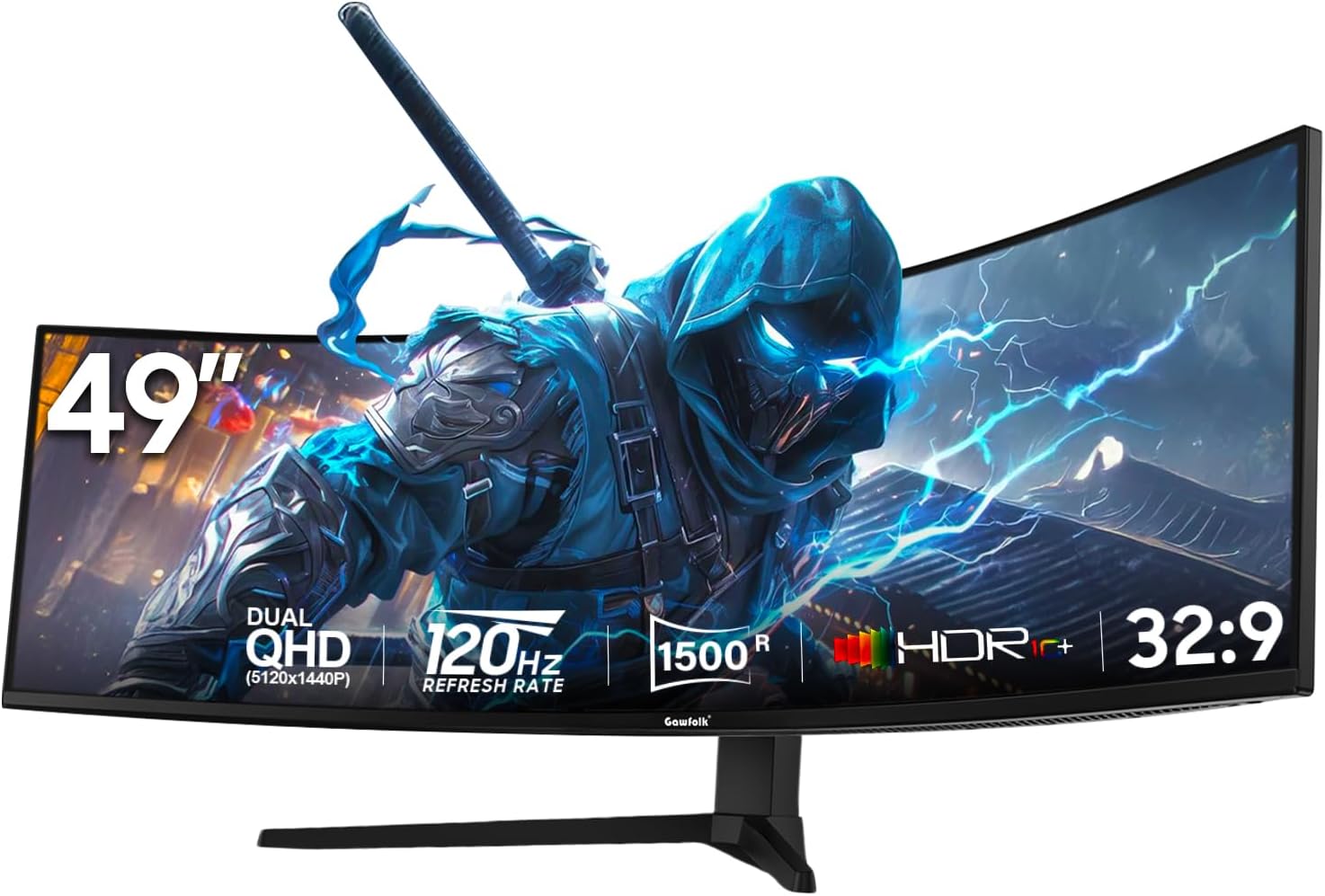
5120x1440 across a 32:9 curve with 1,396 ratings, but the dimensions field claims 60cm of width — impossible for a screen this size.
Advantages
- 5120x1440 at 32:9 — a full second screen's worth of width
- 1,396 ratings at 4.2 stars
- Two DisplayPort 1.4 and two HDMI 2.1 inputs
- PBP and PIP for two simultaneous sources
- Height-adjustable stand with RGB backlighting
Disadvantages
- Dimensions field says 60cm wide, which a 49-inch panel cannot be
- 120Hz — the lowest refresh rate in this list
- 5ms response time
- Glossy finish reflects light
The panel claim is straightforward: 5120x1440, 120Hz, a 1500R curve, 32:9, and 1,396 ratings at 4.2 stars. The dimensions field is not. It reads "0.5D x 60W x 36H centimetres" — 60cm of width. A 49 inch super ultrawide monitor is roughly twice that across, and the listed 10.9kg weight also fits a much larger chassis. Treat the width figure as unusable for desk planning and measure your own space against the panel size instead.
As an ultrawide curved gaming monitor it is easy to live with: two DisplayPort 1.4 and two HDMI 2.1 inputs, plus PBP and PIP for running two sources side by side. The finish is glossy rather than matte, which sharpens colour and increases reflections, and the response time is listed at 5ms — the same figure the AOC CU34G2XP/BK carries. Height adjustment and an RGB backlight on the rear are listed as features.
The catch is 120Hz. That is fine for a 32:9 workspace and acceptable for most single-player games, but it is the lowest refresh rate among the wide screens here, and at £479.96 it is the second most expensive. If you want 240Hz or a QD-OLED panel, this is not the screen. If your priority is a 5120x1440 desktop with two inputs, it is one of the few options at this price.
Gawfolk 34in Ultrawide Curved 165Hz WQHD Monitor

Ties the cheapest price here at £199.99 with 165Hz and 1,114 ratings, but its dimensions are given in metres — 8.07 of them across.
Advantages
- £199.99 for 3440x1440 at 165Hz
- 1,114 ratings at 4.3 stars
- 4000:1 contrast ratio with 99% sRGB
- 4.5kg — the lightest monitor in this list
- FreeSync, PIP/PBP, two HDMI and two DisplayPort inputs
Disadvantages
- Dimensions field reads 8.07 metres wide
- 11% of ratings are one star
- No USB ports, no USB-C and no height adjustment listed
- 165Hz — the lowest refresh rate of the 34-inch screens here
A 34 inch ultrawide gaming monitor with 3440x1440 at 165Hz for £199.99, and the second-largest rating base in the list at 1,114 reviews averaging 4.3 stars. The dimensions field, though, is the worst in this round-up: "2.33D x 8.07W x 4.43H metres". That is eight metres of width where the panel is about 80cm. Whoever entered it used metres instead of centimetres. The other listed specs — 4000:1 contrast and 300 cd/m² — are in normal units and are plausible for VA.
For a curved gaming monitor 3440x1440 at this price, the feature list is short but clean: Adaptive Sync listed as AMD FreeSync Premium, 99% sRGB, 8-bit colour, two HDMI and two DisplayPort inputs, and PIP/PBP. There is no USB hub, no USB-C and no height adjustment listed. It weighs 4.5kg, the lightest screen here, so a VESA arm is easy. Flicker-Free and a blue light filter are included.
That said, 165Hz is the lowest refresh rate of any 34-inch screen here, and 11% of its ratings are one star — the second-highest single-star share in this list. As a result it makes sense as a second screen or a first ultrawide curved gaming monitor for a student desk. It is not the pick for competitive play at 240Hz.
All 10 compared
The same ranking side by side, now that the numbers have names.
3
4
5
6
7
8
10
| # | Product | Price | Amazon rating |
|---|---|---|---|
| 1 | MSI MPG 341CQPX 34in QD-OLED Curved Gaming Monitor, 240Hz | £648.95 | 4.7 (37) |
| 2 | Amzfast AMZG34C5Q Pro 34in Ultrawide 240Hz Curved Monitor | £249.99 | 4.5 (3,416) |
| 3 | Alienware AW3425DWM 34in WQHD 180Hz Curved Monitor | £229.97 | 4.6 (248) |
| 4 | Philips Evnia 34M2C3500L 34in WQHD 180Hz Curved Monitor | £199.97 | 4.4 (407) |
| 5 | KOORUI 34in 240Hz Curved Gaming Monitor, 3440x1440 VA | £227.99 | 4.3 (197) |
| 6 | AOC CU34G2XPD/BK 34in UW-QHD 180Hz Curved Monitor | £249.90 | 4.5 (561) |
| 7 | AOC CU34G2XP/BK 34in UW-QHD 180Hz Curved Monitor | £219.97 | 4.3 (1,227) |
| 8 | LG UltraGear G6 34G630A-B 34in 240Hz Gaming Monitor | £290.97 | 4.5 (20) |
| 9 | Gawfolk GF490B 49in Dual QHD 120Hz Super Ultrawide Monitor | £479.96 | 4.2 (1,396) |
| 10 | Gawfolk 34in Ultrawide Curved 165Hz WQHD Monitor | £199.99 | 4.3 (1,114) |
Final Verdict
Which one to buy depends on how much of the listing you can check. For most desks, the Alienware AW3425DWM at £229.97 is the safest ultrawide curved gaming monitor: 180Hz, 3440x1440, 4.6 stars from 248 ratings, and a title that agrees with its own spec table. If motion clarity matters more than money, the MSI MPG 341CQPX is the only QD-OLED here — 240Hz, 0.03ms, £648.95 — although 37 ratings is a thin base and OLED asks for care with static interfaces. On a tight budget, the Philips Evnia 34M2C3500L at £199.97 and the AOC CU34G2XP/BK at £219.97 both deliver 3440x1440 at 180Hz; just remember that the AOC's own response time field says 5ms, not the 1ms in its title. Whichever ultrawide curved gaming monitor you choose, compare the spec table before the headline.
Why trust this ranking?
We rank on price, customer ratings and the specifications that decide the job, and we read each specification table against the marketing bullets on the same listing. When a number does not survive that check, we say so in the entry rather than quietly dropping the product. We also say when a product is the wrong one for you.
How we rank, in full
Written by
Felipe Iglesias
Founder & Lead Reviewer
Felipe is a computational engineering student who has been working in SEO since he was sixteen. He founded ranked10 and researches every guide on the site.
Related buying guides
Every guide below ranks ten products the same way this one does.
 Tech
Tech
Best Mini Projector 2026: 10 Ranked
The best mini projector here is the XuanPad 40000L at £129.99: native 1080p and Netflix built in. We rank 10 and compare the real ANSI lumens.
 Tech
Tech
Best Gaming Motherboard 2026: 10 Ranked
Best gaming motherboard 2026: the £127.99 ASUS TUF Gaming B650-Plus WiFi wins with 14 power stages at £9.14 each, half the £16.22 a stage of a dearer board.
 Tech
Tech
Best Floorstanding Speakers 2026: 10 Ranked
Best floorstanding speakers 2026: the Q Acoustics 3050i wins with two 165 mm drivers per tower, and the Fenton SHF700B pair costs £159.90.
 Tech
Tech
Best Binoculars 2026: 10 Ranked
The best binoculars for 2026 ranked: the £25.99 Kylietech 12x42 gives a 3.5 mm exit pupil, nearly three times the light of the £34.99 occer 12x25.
 Tech
Tech
Best Camcorder 2026: 10 Ranked
The best camcorder for most buyers is the FIREFOTO 4K 64MP at £59.99, working out at £0.94 a megapixel against £2.49 on the 8K PITIKI.
 Tech
Tech
Best OLED Gaming Monitor 2026: 10 Ranked, Brightness Listed Four Ways
The best OLED gaming monitor picks ranked by panel, refresh rate and price — brightness is listed four different ways across these listings.
 Tech
Tech
Best 128GB SD Cards 2026: 10 Ranked, and Three Adverts That Contradict Themselves
Every 128GB SD card here leads with read speed. Three listings contradict their own specs — we show you both numbers before you buy.
 Tech
Tech
Best DAB Radios 2026: 9 Ranked, and the 30W Claim That Doesn't Add Up
The best DAB radios compared: one claims 30W yet a 2,000mAh battery lasting 10 hours — that averages 0.74W. Nine models ranked on their own figures.
 Tech
Tech
Best CPU Air Cooler 2026: 10 Ranked, One Sold Twice at Two Prices
We ranked the best CPU air cooler picks on Amazon, including the same Peerless Assassin 120 SE listed twice at £29.99 and £35.90.
 Tech
Tech
Best Case Fans 2026: 9 Ranked by What a Fan Actually Costs
The best case fans are rarely sold singly: a £21.49 five-pack is £4.30 a fan, while £18.99 buys one. Nine ranked by cost per fan and quoted noise.
Products you might like
The best rated products from our other Tech guides.
-
Noctua NF-P12 redux-1700 PWM 120mm Quiet Fan
£12.95
4.8
in Best Case Fans 2026: 9 Ranked by What a Fan Actually Costs
-
 WD_BLACK SN850X 4TB NVMe SSD
£499.99
4.8
in Best 4TB SSD for PS5: 10 Ranked, and the Speed Numbers That Don't Add Up
WD_BLACK SN850X 4TB NVMe SSD
£499.99
4.8
in Best 4TB SSD for PS5: 10 Ranked, and the Speed Numbers That Don't Add Up
-
 Canon EF 50mm f/1.8 STM
£129.00
4.8
in Best 50mm Lens 2026: 10 Ranked, Spec Sheets Cross-Checked
Canon EF 50mm f/1.8 STM
£129.00
4.8
in Best 50mm Lens 2026: 10 Ranked, Spec Sheets Cross-Checked
-
Noctua NH-D15 Dual Tower CPU Cooler
£99.95
4.8
in Best CPU Air Cooler 2026: 10 Ranked, One Sold Twice at Two Prices
-
 Corsair MP600 PRO LPX 4TB PS5 SSD
£415.01
4.8
in Best 4TB SSD for PS5: 10 Ranked, and the Speed Numbers That Don't Add Up
Corsair MP600 PRO LPX 4TB PS5 SSD
£415.01
4.8
in Best 4TB SSD for PS5: 10 Ranked, and the Speed Numbers That Don't Add Up
-
 CTEK MXS 5.0 5A Battery Charger with Temperature Compensation
£74.49
4.8
in Best Car Battery Charger 2026: 10 Ranked, and Two Share a Model Number
CTEK MXS 5.0 5A Battery Charger with Temperature Compensation
£74.49
4.8
in Best Car Battery Charger 2026: 10 Ranked, and Two Share a Model Number
-
 JBL Charge 6 Portable Bluetooth Speaker, 24H, Built-in Powerbank
£159.00
4.8
in Best Bluetooth Speaker 2026: 10 Portable Speakers Ranked
JBL Charge 6 Portable Bluetooth Speaker, 24H, Built-in Powerbank
£159.00
4.8
in Best Bluetooth Speaker 2026: 10 Portable Speakers Ranked
-
 Acer Predator GM7 1TB NVMe Gen4
£155.99
4.8
in Best 1TB SSD for PS5: 10 Ranked, From £135.99 to £199.99
Acer Predator GM7 1TB NVMe Gen4
£155.99
4.8
in Best 1TB SSD for PS5: 10 Ranked, From £135.99 to £199.99
-
Acer Predator GM7 2TB SSD, Gen4 NVMe 2.0, 7200MB/s, Graphene Thermal Pad
£228.99
4.8
in Best 2TB SSD for PS5 in 2026: 10 Ranked Against Sony’s Own Rules
-
 Wharfedale Diamond 9.1 Bookshelf Speakers (Pair, Walnut)
£129.00
4.8
in Best Bookshelf Speakers 2026: 10 Ranked, From £94.99
Wharfedale Diamond 9.1 Bookshelf Speakers (Pair, Walnut)
£129.00
4.8
in Best Bookshelf Speakers 2026: 10 Ranked, From £94.99
-
 WD Elements 1TB Portable Hard Drive
£93.00
4.7
in Best 1TB External Hard Drive 2026: 10 Ranked, and the 625 MB/s Myth
WD Elements 1TB Portable Hard Drive
£93.00
4.7
in Best 1TB External Hard Drive 2026: 10 Ranked, and the 625 MB/s Myth
-
WD 2TB Elements Portable External Hard Drive
£99.99
4.7
in Best 2TB External Hard Drive: 8 Ranked, and the Speeds That Don't Add Up
-
 Crucial BX500 1TB 2.5" SATA SSD
£149.99
4.7
in Best 1TB SATA SSD: 10 Ranked, and Why £190 Buys 10MB/s
Crucial BX500 1TB 2.5" SATA SSD
£149.99
4.7
in Best 1TB SATA SSD: 10 Ranked, and Why £190 Buys 10MB/s
-
 soundcore Anker 2 Portable Bluetooth Speaker, 12W Stereo, IPX7, 24H
£28.49
4.7
in Best Bluetooth Speaker 2026: 10 Portable Speakers Ranked
soundcore Anker 2 Portable Bluetooth Speaker, 12W Stereo, IPX7, 24H
£28.49
4.7
in Best Bluetooth Speaker 2026: 10 Portable Speakers Ranked
-
 SanDisk 512GB Extreme microSD Card + Adapter
£109.00
4.7
in Best 512GB MicroSD Card 2026: 10 Ranked, and Why Read Speed Misleads
SanDisk 512GB Extreme microSD Card + Adapter
£109.00
4.7
in Best 512GB MicroSD Card 2026: 10 Ranked, and Why Read Speed Misleads
Comments
Reader comments are not checked against the manufacturer's claims above.
No comments yet
Be the first to add something we missed — a price change, a spec that turned out wrong, or how one of these held up.
Leave a comment
No account needed. Own one of these? Tell other readers how it actually performed.