Best Mesh WiFi 2026: 10 Ranked, and What the Speed Rating Hides
By Felipe Iglesias · Updated

A mesh WiFi system is sold on two numbers, and both are larger than anything you will ever experience. The first is the speed rating on the box — AX1500, AXE5400, BE6500 — which looks like a single figure but is the sum of every radio band added together. An AX1500 system is 300Mbps on the 2.4GHz band plus 1,201Mbps on the 5GHz band, totalled up; your phone connects to one band at a time and never sees 1,500. It is the same trick as a dual-basket air fryer adding its two drawers into one big litre number. The second is coverage, quoted in square feet or square metres, measured in open space with no walls, and reached only if you buy the full multi-pack. Real homes are made of brick, plaster and foil-backed insulation, and get a fraction of it.
How inflated? These very listings cannot keep the number straight: the TP-Link Deco BE3600 lists four different coverage figures on one page (5,600, 4,500, 6,750 and 8,200 square feet), the Deco XE75 Pro gives both 4,500 and 7,200, and the ASUS ZenWiFi quotes 443 square metres in one place and 1,400 in another. So we ranked ten of the best mesh WiFi options on Amazon in September 2026 on the things that actually decide whether your house is covered — the number of units, whether there is a dedicated band to link them, which WiFi generation you truly need, and how much proven evidence sits behind each — rather than on the speed rating or the coverage claim printed on the box.
TP-Link Deco X10 (3-Pack) AX1500 Whole Home Mesh WiFi 6 System

The one to buy for most UK homes: three Wi-Fi 6 units that blanket a normal house, on more than ten thousand ratings, for GBP 150.
Advantages
- Covers a normal home with three units for GBP 150
- Overwhelming evidence: 10,512 ratings at 4.5 stars
- Wi-Fi 6 is ample for phones, laptops, TVs and consoles
- Simple app setup and seamless hand-off between units
- HomeShield security included
Disadvantages
- "AX1500" is the two bands added together, not a real device speed
- Dual-band, so links between units share the same bands
- Coverage claim is a lab figure; walls reduce it
This is the mesh system most British homes should buy, and the evidence is overwhelming: over ten thousand ratings at 4.5 stars, deeper than anything else here by a wide margin. Three Wi-Fi 6 units cover a normal house — the listing claims around 5,500 square feet, which as ever is a lab figure, but three well-placed units genuinely reach the corners of a typical three-bed home. It sets up through a simple app, hands devices between units without dropping the connection, and carries TP-Link's HomeShield security.
The "AX1500" name is the usual band arithmetic — about 300Mbps on 2.4GHz plus 1,201Mbps on 5GHz, added together — so no single device sees 1,500. That barely matters, because your broadband line is almost certainly slower than either band, and Wi-Fi 6 is plenty for phones, laptops, TVs and consoles. Being dual-band, it shares those two bands between your devices and the links between units, which only becomes a limit in a very busy household.
At GBP 150 for three units it is outstanding value, and the deep review pool means you are not gambling. Only buy dearer if you have a very large home, a lot of simultaneous heavy users, or devices that specifically need Wi-Fi 6E or 7. For everyone else, this is the pick.
TP-Link Deco BE3600 (3-Pack) Whole Home Mesh WiFi 7 System

The cheapest way to buy into Wi-Fi 7, with a deep review pool — and the clearest example of coverage numbers gone wild.
Advantages
- Cheapest Wi-Fi 7 three-pack here at GBP 214.89
- Strong evidence for a newer system: 4,619 ratings at 4.6
- Future-proof headroom for busy, device-heavy homes
- Three units cover a normal-to-large home
Disadvantages
- Lists four different coverage figures on one page
- Wi-Fi 7 gains need Wi-Fi 7 devices most people do not own yet
- Dual-band, so no dedicated band to link the units
If you want to future-proof without overpaying, the BE3600 is the value Wi-Fi 7 pick: three units at GBP 214.89, on a strong 4.6-star average across more than four thousand ratings. Wi-Fi 7 brings faster peak speeds and better handling of many devices at once, though you will only feel it with Wi-Fi 7 phones and laptops, which most people do not yet own. As broadband catches up over the next few years, the headroom is worth having on a system you keep for a while.
It is also the single best illustration of this article's point about coverage. Its own listing quotes four different coverage figures — 5,600, 4,500, 6,750 and 8,200 square feet — depending on where you look, none of which your walls will honour. Read all of them as marketing; what matters is that three units cover a normal-to-large home. Like the X10 it is dual-band, so it keeps no separate band spare to link the units.
At this price, with this many reviews, it is the sensible upgrade over the X10 for anyone who wants Wi-Fi 7 on the box for the years ahead. If you have no Wi-Fi 7 devices and never will, save the money and buy the X10; the day-to-day experience today is much the same.
TP-Link Deco XE75 Pro (3-Pack) AXE5400 Tri-Band Mesh WiFi 6E System

The pick for a busy household: a third radio band gives the units a private lane to talk to each other, which is the real upgrade — not the speed number.
Advantages
- Tri-band: a dedicated 6GHz lane links the units without stealing capacity
- The real fix for a busy, device-dense household
- Well proven at 4.5 stars over 3,547 ratings
- Three units cover a large home
Disadvantages
- GBP 349.99, more than double the X10
- The 6GHz band needs Wi-Fi 6E or newer devices to use directly
- Overkill for a normal household
- Coverage quoted as both 4,500 and 7,200 sq ft
The XE75 Pro is the one to buy if your home has a lot going on at once — several people streaming, gaming and video-calling simultaneously — because it is tri-band. The genuine benefit is not the "AXE5400" figure but the extra 6GHz band, which the units can keep as a private lane to talk to each other, so linking them does not steal capacity from your devices. On a dual-band system that back-haul competes with your traffic; here it does not, and a full house feels it.
As a Wi-Fi 6E system it needs 6E or newer devices to use that top band directly, but even older kit benefits, because the mesh reserves the band for the back-haul. Its listing, inevitably, cannot decide on coverage — it quotes both 4,500 and 7,200 square feet — so judge it on the three units and the third band rather than the number. At 4.5 stars over 3,547 ratings it is well proven.
The cost is the price: GBP 349.99 is more than double the X10. For a normal household that is money spent on capacity you will not use. For a large, busy, device-dense home, the third band is the thing that actually fixes congestion, and this is the sensible place to spend it.
Amazon eero 6+ (3-Pack) Mesh Wi-Fi 6 Router System

The set-and-forget option: the simplest app in the category and tight Alexa integration, at a premium for that simplicity.
Advantages
- The simplest setup and app in the category
- Automatic background updates; each unit is an Alexa endpoint
- Gigabit Ethernet and tidy, unobtrusive units
- Well suited to an Amazon/Alexa household
Disadvantages
- Dual-band Wi-Fi 6, similar hardware to systems half the price
- Some features need an optional eero Plus subscription
- Coverage figure is per unit multiplied by the pack
- Premium is for the software, not the performance
The eero range exists for people who want mesh WiFi to be invisible, and the 6+ delivers exactly that. Setup through the eero app is the most painless in the category, updates happen automatically in the background, and if you run an Alexa household each eero doubles as an Alexa device endpoint. For anyone who does not want to think about networking, that simplicity is worth a lot.
It is a dual-band Wi-Fi 6 system, so technically similar to the TP-Link X10 that costs half as much, and the listing rates each unit at about 140 square metres, so a 3-pack claims around 420 square metres — a per-unit figure multiplied by the pack, as always. Amazon quotes gigabit Ethernet, and the system handles a normal home's devices comfortably.
What you are paying the premium for is the software experience and the Amazon ecosystem, not the hardware, which is why it sits below the cheaper TP-Link systems on value. Some features sit behind an optional eero Plus subscription, which is worth checking before buying. If you value the simplest possible setup and already live in Alexa, it is a fair pick; if you want the most coverage per pound, the Deco X10 does the same job for less.
MERCUSYS Halo H60X (3-Pack) AX1500 Whole Home Mesh WiFi 6 System

The cheapest proven mesh here: three Wi-Fi 6 units under a hundred pounds, from TP-Link's budget sister brand.
Advantages
- Cheapest genuine three-unit Wi-Fi 6 mesh here at GBP 99.99
- Well proven for the price: 2,685 ratings at 4.2
- Three units clear dead spots in a smaller home
- From TP-Link's budget sister brand
Disadvantages
- Fewer app features and polish than the dearer systems
- Dual-band; links between units share the bands
- Slightly lower rating hints at occasional reliability wobbles
- "6000 Square Feet" is a lab best case across all three units
Mercusys is TP-Link's budget marque, and the Halo H60X is the cheapest genuine three-unit Wi-Fi 6 mesh in this ranking at GBP 99.99. For a smaller or simpler home that just needs the dead spots gone, it does the core job — three units, Wi-Fi 6, one gigabit port each — for less than a single premium router. It is well proven, too, with 2,685 ratings at 4.2 stars, which is a lot of evidence at this price.
It is the same AX1500 class as the TP-Link X10, meaning the same band arithmetic (about 300Mbps plus 1,201Mbps summed) and the same dual-band design, where the links between units share the bands. The listing quotes around 550 square metres, or "6000 Square Feet", the usual lab best case reached only across all three units.
What you give up against the dearer systems is polish: fewer app features, a plainer management experience and slightly lower ratings that suggest the odd reliability wobble. For a tight budget or a second home, it is the sensible buy; if you can stretch to the X10, the extra reviews and features make it the safer long-term choice.
Amazon eero 7 Dual-Band Mesh Wi-Fi 7 Router System

The eero simplicity with Wi-Fi 7 on board — but dual-band and dear, so you pay a lot for headroom you may not use.
Advantages
- eero's best-in-class simplicity, now with Wi-Fi 7
- Automatic updates and Alexa integration
- Future-proof peak speeds and crowd handling
Disadvantages
- GBP 399.99, among the dearest here
- Dual-band, so no dedicated lane to link the units
- Wi-Fi 7 gains need Wi-Fi 7 devices few people own
- Thin review pool (214), being new
The eero 7 brings the range's signature ease of setup to Wi-Fi 7, so you get the painless app, automatic updates and Alexa integration with the newest standard's peak speeds and better handling of crowded networks. For an Amazon household that wants the latest and does not want to fiddle, it is the obvious eero.
The catch is what you pay for it. At GBP 399.99 it is among the dearest systems here, yet it is dual-band, so unlike the tri-band XE75 Pro it keeps no separate lane to link the units, and Wi-Fi 7's gains only appear with Wi-Fi 7 devices that almost nobody owns yet. The listing rates coverage at about 190 square metres per unit. Its review pool is also thin at 214, because it is new, so there is less proof of how it settles in.
Buy it if you specifically want eero's simplicity plus Wi-Fi 7 future-proofing and the budget is not the issue. For most people the cheaper TP-Link BE3600 gives the same Wi-Fi 7 headroom with a deeper track record, and the X10 gives the same everyday experience for a third of the price.
Cudy BE6500 2.5G Wi-Fi 7 Whole Home Mesh System (2-Pack)

A lot of specification for the money — Wi-Fi 7 and 2.5-gigabit ports — but from a lesser-known brand on very few reviews.
Advantages
- Wi-Fi 7 and 2.5-gigabit Ethernet ports, rare at this price
- Strong specification per pound for a technical buyer
- Higher speed class than the TP-Link BE3600
Disadvantages
- Only 38 ratings, from a lesser-known brand
- A near-perfect score on a tiny sample is unreliable evidence
- Two-pack covers a medium home, not a large one
- Dual-band, so no dedicated lane to link the units
On paper the Cudy BE6500 is generous: Wi-Fi 7, a higher BE6500 speed class than the TP-Link BE3600, and — unusually at this price — 2.5-gigabit Ethernet ports, which matter if you have broadband faster than a gigabit or move large files between wired devices. For a technical buyer chasing specification per pound, it stands out.
It is a two-pack rather than three, covering a listed 230 square metres, so it suits a medium home rather than a large one, and it is dual-band, so no dedicated back-haul lane. The headline BE6500, like every rating here, is the bands added together, not a device speed.
The reason it sits mid-table is evidence. Its 4.8-star average is the highest on the page, but it rests on just 38 ratings from a brand with little UK track record, and a near-perfect score on a tiny sample is the least reliable kind there is. We do not mark a product down for being new, and the 2.5G ports are a genuine edge; but against proven systems at similar money it is the bigger gamble. Buy it for the 2.5G ports and Wi-Fi 7 if you know you need them.
NETGEAR Orbi 370 Series (3-Pack) WiFi 7 Mesh System
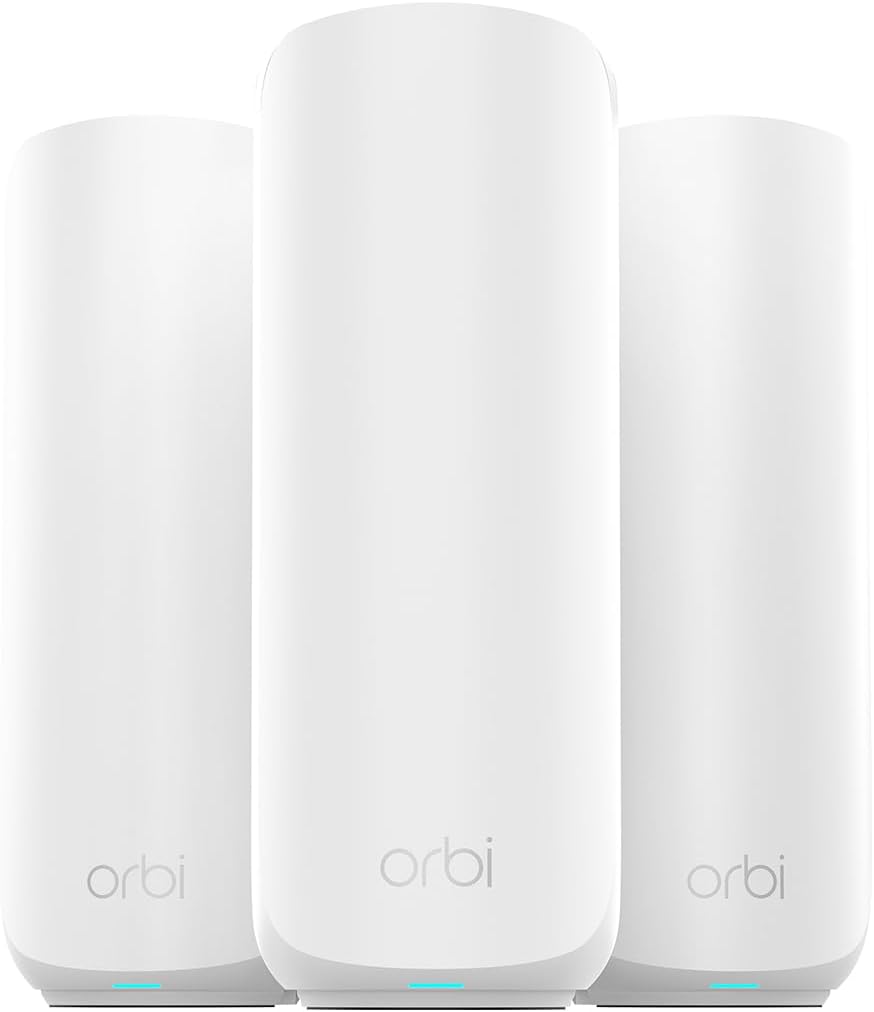
A big networking name and Wi-Fi 7 for GBP 250 — but the lowest customer rating on this page, which is hard to ignore.
Advantages
- A long-established networking brand with real pedigree
- Wi-Fi 7 three-pack for GBP 249.99
- Established support and firmware track record as a brand
Disadvantages
- Lowest customer rating on this page at 3.7 stars
- Thin review pool (85) for a premium product
- A low score on few reviews is a warning worth heeding
- Coverage is a per-unit figure multiplied by the pack
Netgear is one of the oldest names in home networking, and Orbi is its premium mesh line, so a three-pack Wi-Fi 7 Orbi at GBP 249.99 looks like a lot of pedigree for the money. It offers the newest standard, tidy hardware and the brand's long track record of building routers.
The problem is the reception this particular model has had. At 3.7 stars it has the lowest customer rating in this ranking, on a thin pool of 85, and that combination — a low average and few reviews on a premium product — is a warning worth heeding, often pointing to setup frustration, app friction or firmware teething on a new line. Its listing also shows the usual coverage spread, quoting 1,500 square feet per unit and 4,500 across the three (with a 6,750 figure elsewhere), so a per-unit number multiplied up.
We rank on what the evidence says, not on brand reputation, and here the evidence is below the field. There may well be a good system underneath, and Netgear's support is established, but at this price the better-rated TP-Link and eero options are the safer spend. Buy the Orbi only if you specifically want Netgear and are comfortable with the current ratings.
ASUS ZenWiFi XD4 Plus (3-Pack) AX1800 Dual-Band Mesh WiFi 6 System

Compact ASUS units with the brand's strong network controls — but a low rating, thin reviews, and a coverage claim that contradicts itself.
Advantages
- ASUS firmware: strong parental controls and security
- Compact units that suit smaller homes
- More network control than the simplest apps offer
Disadvantages
- 3.9 stars on only 51 ratings: low and thinly proven
- Coverage quoted as both 443 m² and 1,400 m² on one listing
- Dual-band AX1800, only a small step up from AX1500
- Far fewer reviews than the same-price TP-Link X10
ASUS has a strong reputation with enthusiasts for its router firmware — deep parental controls, guest networks and AiProtection security — and the ZenWiFi XD4 Plus brings that in a small, wife-friendly three-pack at GBP 149.98. For someone who wants more network control than eero's stripped-back app allows, ASUS is the brand that offers it.
Two things hold it back. First, the evidence: 3.9 stars on just 51 ratings is both a low average and a thin sample, weaker than the better-proven systems at the same price. Second, its own coverage claim cannot stay consistent — the listing quotes 443 square metres in one place and 1,400 in another, a spread so wide it tells you plainly not to trust either. As an AX1800 dual-band Wi-Fi 6 system it is a small step up from AX1500 on paper, again the sum of its bands.
It is a capable system with genuinely good software, and the compact units suit smaller homes. But at this price the TP-Link X10 has two hundred times the reviews and a higher rating, so the ASUS is for buyers who specifically want its firmware and controls and will accept the thinner track record.
Tenda Nova AX1500 Whole Home Mesh WiFi 6 System (3-Pack)

The cheapest system here, and refreshingly it measures coverage in rooms — but the lowest-but-one rating keeps it last.
Advantages
- Cheapest system in this ranking at GBP 94.85
- Describes coverage in rooms, more useful than lab square footage
- Three Wi-Fi 6 units for a small home or a stubborn dead spot
Disadvantages
- 3.8 stars, the second-lowest average here
- Undercut on record by the similarly priced Mercusys H60X
- Still scatters several different coverage figures too
- Dual-band AX1500, the bands summed like the rest
The Tenda Nova is the budget floor of this ranking at GBP 94.85 for three Wi-Fi 6 units, and it does one thing the pricier systems could learn from: its listing describes coverage in rooms — "up to 2-4 rooms" — which is far more useful to a real buyer than a lab square-footage nobody can picture. That said, it does not fully commit to it, also scattering "4 rooms", "7 rooms", "6000 sq ft" and "550 m²" across the page, so the honesty only goes so far.
As an AX1500 dual-band system it is the same class as the TP-Link X10 and Mercusys H60X, with the same band-sum speed rating, at the lowest price of the three. For a small flat or to clear one stubborn dead spot cheaply, three units at under a hundred pounds is tempting.
What keeps it last is the ratings: 3.8 stars on 149 reviews is the second-lowest average here and below the budget Mercusys at a similar price. It will get WiFi into more of a small home for very little, but the Mercusys H60X costs only a few pounds more with a markedly better record, so it is the sounder budget buy. Choose the Tenda only if it is the cheapest available when you look.
All 10 compared
The same ranking side by side, now that the numbers have names.
4
6
7
8
10
| # | Product | Price | Amazon rating |
|---|---|---|---|
| 1 | TP-Link Deco X10 (3-Pack) AX1500 Whole Home Mesh WiFi 6 System | £149.99 | 4.5 (10,512) |
| 2 | TP-Link Deco BE3600 (3-Pack) Whole Home Mesh WiFi 7 System | £214.89 | 4.6 (4,619) |
| 3 | TP-Link Deco XE75 Pro (3-Pack) AXE5400 Tri-Band Mesh WiFi 6E System | £349.99 | 4.5 (3,547) |
| 4 | Amazon eero 6+ (3-Pack) Mesh Wi-Fi 6 Router System | £299.99 | 4.3 (904) |
| 5 | MERCUSYS Halo H60X (3-Pack) AX1500 Whole Home Mesh WiFi 6 System | £99.99 | 4.2 (2,685) |
| 6 | Amazon eero 7 Dual-Band Mesh Wi-Fi 7 Router System | £399.99 | 4.3 (214) |
| 7 | Cudy BE6500 2.5G Wi-Fi 7 Whole Home Mesh System (2-Pack) | £259.90 | 4.8 (38) |
| 8 | NETGEAR Orbi 370 Series (3-Pack) WiFi 7 Mesh System | £249.99 | 3.7 (85) |
| 9 | ASUS ZenWiFi XD4 Plus (3-Pack) AX1800 Dual-Band Mesh WiFi 6 System | £149.98 | 3.9 (51) |
| 10 | Tenda Nova AX1500 Whole Home Mesh WiFi 6 System (3-Pack) | £94.85 | 3.8 (149) |
Final Verdict
Ignore the headline speed rating: it is the sum of bands no single device uses, and your broadband line is almost certainly slower than the slowest system here anyway. Treat the coverage figure as a best case in an empty hall, not your house, and note that it assumes the full pack. What matters is how many units you place, whether the system keeps a band spare to link them, and whether you own devices new enough to use Wi-Fi 6E or 7 at all. For most UK homes the TP-Link Deco X10 covers everything on overwhelming evidence for GBP 150; the Deco BE3600 adds Wi-Fi 7 headroom cheaply; and only households with a lot of simultaneous traffic need to spend up to the tri-band XE75 Pro. Buy the units and the bands, not the numbers.
Why trust this ranking?
We rank on price, customer ratings and the specifications that decide the job, and we read each specification table against the marketing bullets on the same listing. When a number does not survive that check, we say so in the entry rather than quietly dropping the product. We also say when a product is the wrong one for you.
How we rank, in full
Written by
Felipe Iglesias
Founder & Lead Reviewer
Felipe is a computational engineering student who has been working in SEO since he was sixteen. He founded ranked10 and researches every guide on the site.
Related buying guides
Every guide below ranks ten products the same way this one does.
 Tech
Best Mini Projector 2026: 10 Ranked
The best mini projector here is the XuanPad 40000L at £129.99: native 1080p and Netflix built in. We rank 10 and compare the real ANSI lumens.
 Tech
Best Gaming Motherboard 2026: 10 Ranked
Best gaming motherboard 2026: the £127.99 ASUS TUF Gaming B650-Plus WiFi wins with 14 power stages at £9.14 each, half the £16.22 a stage of a dearer board.
 Tech
Best Floorstanding Speakers 2026: 10 Ranked
Best floorstanding speakers 2026: the Q Acoustics 3050i wins with two 165 mm drivers per tower, and the Fenton SHF700B pair costs £159.90.
 Tech
Best Binoculars 2026: 10 Ranked
The best binoculars for 2026 ranked: the £25.99 Kylietech 12x42 gives a 3.5 mm exit pupil, nearly three times the light of the £34.99 occer 12x25.
 Tech
Best Camcorder 2026: 10 Ranked
The best camcorder for most buyers is the FIREFOTO 4K 64MP at £59.99, working out at £0.94 a megapixel against £2.49 on the 8K PITIKI.
 Tech
Best OLED Gaming Monitor 2026: 10 Ranked, Brightness Listed Four Ways
The best OLED gaming monitor picks ranked by panel, refresh rate and price — brightness is listed four different ways across these listings.
 Tech
Best 128GB SD Cards 2026: 10 Ranked, and Three Adverts That Contradict Themselves
Every 128GB SD card here leads with read speed. Three listings contradict their own specs — we show you both numbers before you buy.
 Tech
Best DAB Radios 2026: 9 Ranked, and the 30W Claim That Doesn't Add Up
The best DAB radios compared: one claims 30W yet a 2,000mAh battery lasting 10 hours — that averages 0.74W. Nine models ranked on their own figures.
 Tech
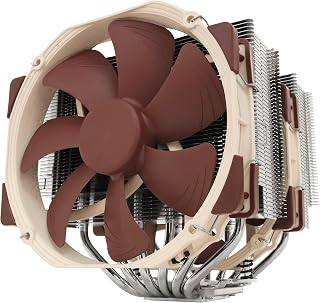
Best CPU Air Cooler 2026: 10 Ranked, One Sold Twice at Two Prices
We ranked the best CPU air cooler picks on Amazon, including the same Peerless Assassin 120 SE listed twice at £29.99 and £35.90.
 Tech
Best Case Fans 2026: 9 Ranked by What a Fan Actually Costs
The best case fans are rarely sold singly: a £21.49 five-pack is £4.30 a fan, while £18.99 buys one. Nine ranked by cost per fan and quoted noise.
Products you might like
The best rated products from our other Tech guides.
-
Noctua NF-P12 redux-1700 PWM 120mm Quiet Fan
£12.95
4.8
in Best Case Fans 2026: 9 Ranked by What a Fan Actually Costs
-
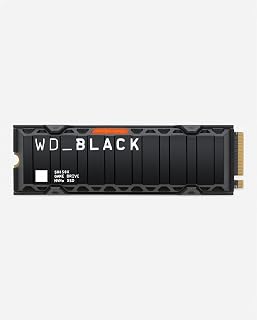 WD_BLACK SN850X 4TB NVMe SSD
£499.99
4.8
in Best 4TB SSD for PS5: 10 Ranked, and the Speed Numbers That Don't Add Up
-
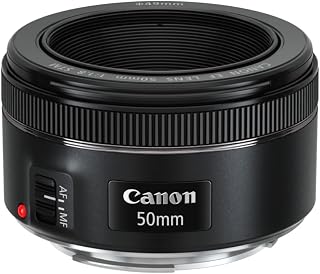 Canon EF 50mm f/1.8 STM
£129.00
4.8
in Best 50mm Lens 2026: 10 Ranked, Spec Sheets Cross-Checked
-
Noctua NH-D15 Dual Tower CPU Cooler
£99.95
4.8
in Best CPU Air Cooler 2026: 10 Ranked, One Sold Twice at Two Prices
-
 Corsair MP600 PRO LPX 4TB PS5 SSD
£415.01
4.8
in Best 4TB SSD for PS5: 10 Ranked, and the Speed Numbers That Don't Add Up
-
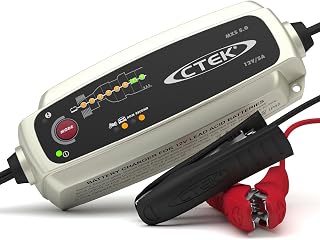 CTEK MXS 5.0 5A Battery Charger with Temperature Compensation
£74.49
4.8
in Best Car Battery Charger 2026: 10 Ranked, and Two Share a Model Number
-
 JBL Charge 6 Portable Bluetooth Speaker, 24H, Built-in Powerbank
£159.00
4.8
in Best Bluetooth Speaker 2026: 10 Portable Speakers Ranked
-
 Acer Predator GM7 1TB NVMe Gen4
£155.99
4.8
in Best 1TB SSD for PS5: 10 Ranked, From £135.99 to £199.99
-
Acer Predator GM7 2TB SSD, Gen4 NVMe 2.0, 7200MB/s, Graphene Thermal Pad
£228.99
4.8
in Best 2TB SSD for PS5 in 2026: 10 Ranked Against Sony’s Own Rules
-
 Wharfedale Diamond 9.1 Bookshelf Speakers (Pair, Walnut)
£129.00
4.8
in Best Bookshelf Speakers 2026: 10 Ranked, From £94.99
-
 WD 2TB Elements Portable External Hard Drive
£99.99
4.7
in Best 2TB External Hard Drive: 8 Ranked, and the Speeds That Don't Add Up
-
WD Elements 1TB Portable Hard Drive
£93.00
4.7
in Best 1TB External Hard Drive 2026: 10 Ranked, and the 625 MB/s Myth
-
 Crucial BX500 1TB 2.5" SATA SSD
£149.99
4.7
in Best 1TB SATA SSD: 10 Ranked, and Why £190 Buys 10MB/s
-
 soundcore Anker 2 Portable Bluetooth Speaker, 12W Stereo, IPX7, 24H
£28.49
4.7
in Best Bluetooth Speaker 2026: 10 Portable Speakers Ranked
-
 SanDisk 512GB Extreme microSD Card + Adapter
£109.00
4.7
in Best 512GB MicroSD Card 2026: 10 Ranked, and Why Read Speed Misleads
Comments
Reader comments are not checked against the manufacturer's claims above.
No comments yet
Be the first to add something we missed — a price change, a spec that turned out wrong, or how one of these held up.
Leave a comment
No account needed. Own one of these? Tell other readers how it actually performed.